KE2010.Instruction Manual.Ver.2.01,Rev.08.pdf - 第597页
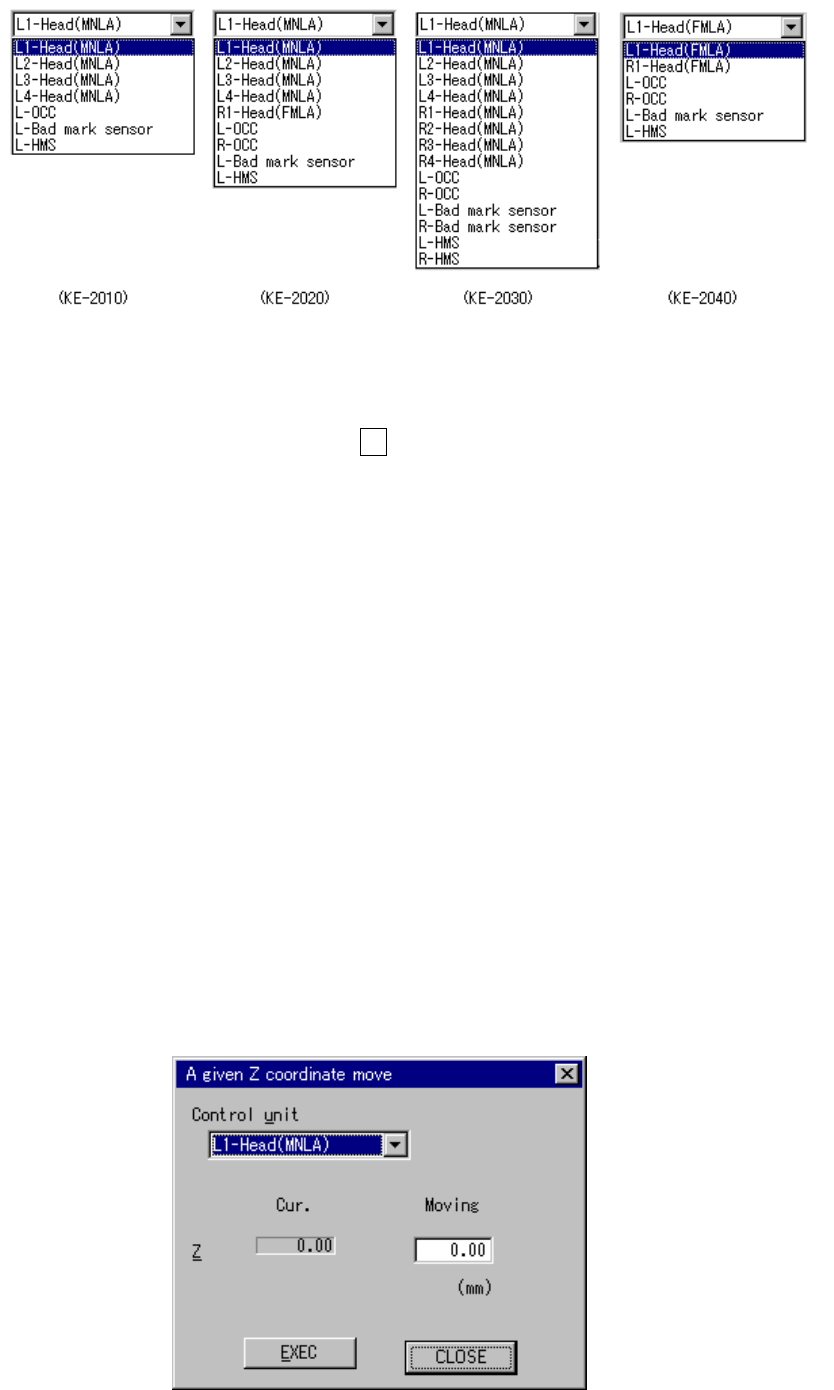
8 − 8 Select t he unit to be contr olled f rom the com bo box. This select ion does not modif y the sett ings on the “Device enable” menu invok ed fr om the Machine Setup menu: you can select a not- checked (not used) un…
8 − 7
Figure 8.1.7.1 List of the units that can be controlled by each model
When you enter the coordinates to which you want the head to move, then select
the <EXEC> button or press the F3 key, the head moves by referring to the
selected control unit position.
The range of coordinates to be entered varies depending on the unit you
selected.
2) Z move
Moves the selected head to the selected position.
You can move the selected head to the standard position or the desired
coordinates.
As the standard position, you can move the head to one of: laser height,
waiting position, XY axes movable height, VCS height, CVS height, and vacuum
calibration position.
When you select the destination position on the displayed pop-up menu, the
selected head moves to that position.
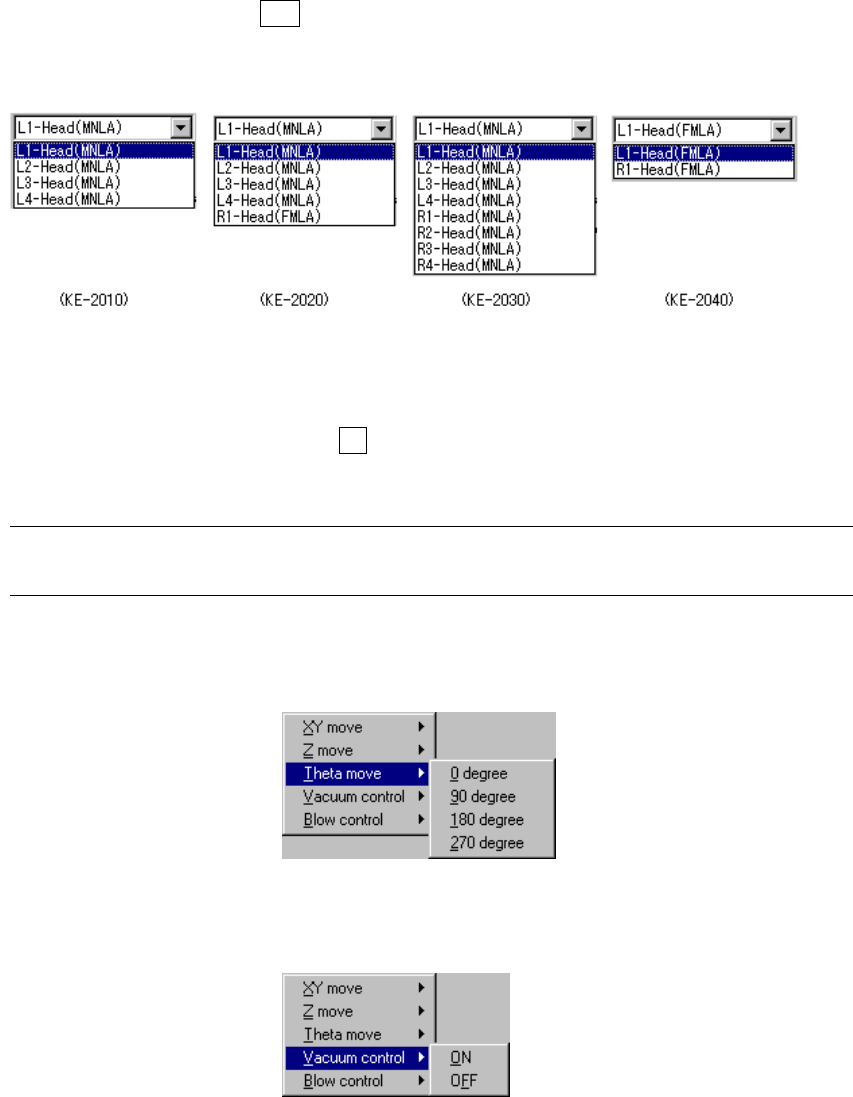
When you select to move the head to the desired coordinates, the “A given Z
coordinate move” dialog box appears on the screen.
Figure 8.1.8 “A given Z coordinate move” dialog box
8 − 8
Select the unit to be controlled from the combo box.
This selection does not modify the settings on the “Device enable” menu invoked
from the Machine Setup menu: you can select a not-checked (not used) unit.
When you press the ALT key while holding the down arrow key, the following list
appears on the screen.
Enter the coordinates to which you want the head to move, and click the
<EXEC> button or press the F3 key. The selected head moves to the specified
coordinates.
Note: Before moving the head, check to see if there is no substance which interferes
with the head at the coordinates you entered in the “Moving” field
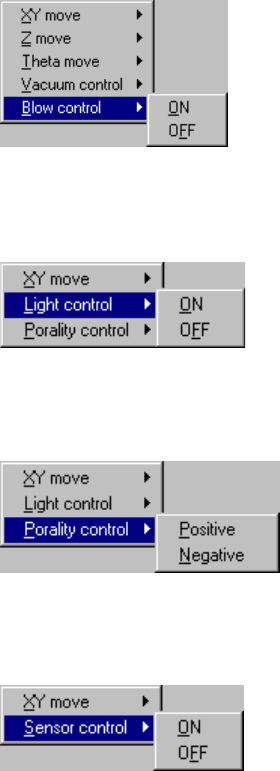
3) Theta move
Moves the selected head to the selected position.
4) Vacuum cont.
Sets the vacuum of the selected head to ON or OFF.
8 − 9
5) Blow cont.
Sets the blow of the selected head to ON or OFF.
6) Lighting cont.
Turns ON and OFF the light of the OCC.
7) Polarity cont.
Sets the polarity of the OCC to positive (+) or negative (-).
8) Sensor cont.
Sets the selector sensor to ON or OFF.