KE2010.Instruction Manual.Ver.2.01,Rev.08.pdf - 第476页
6 − 100 − W hen you execute the selection described above, the system displays the “Re-clamp” dialog box, and executes a new PW B product ion or resumes t he current pr oduction without loading any board bef ore start in…
6 − 99
− When you execute the selection described above, the “PWB ejecting” dialog box
appears on the screen. After ejecting a board, the system loads a board before
starting production, and performs new production or resumes production.
The system operates with assuming that there is a board created during the
previous production on the PWB transport path. Some component(s) may not be
placed on the ejected board or some component(s) may be placed at a wrong
position of the board. Be careful to start production.
Step
⑫
⑫⑫
⑫
.
When there is no board on the PWB transport path and the PWB transport path
information indicates that there is a board on the path when production is interrupted
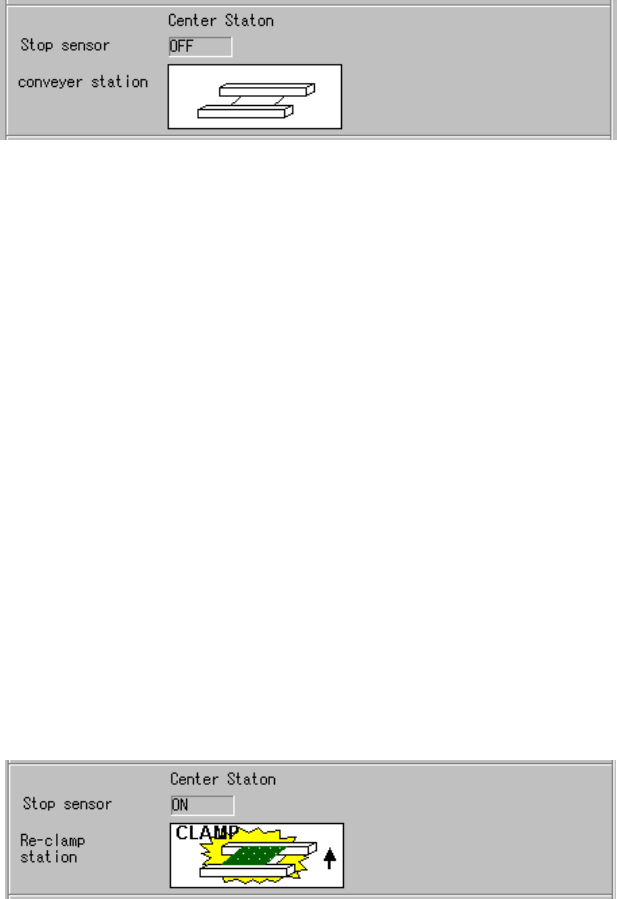
When you select “Don’t resume the product.” and “Load a new PWB”, the screen
shows the following PWB transport path condition:
Figure 6.4.14.1.5
⑧
⑧⑧
⑧
Condition of the PWB transport path
− When you execute the selection described above, the system loads a board
before starting production to perform new production or continue the production.
Step
⑬
⑬⑬
⑬
.
When there is a board on the PWB transport path and the PWB transport path
information indicates that there is a board or no board on the path
You cannot select “Don’t resume the product” or “Re-clamp current PWB”.
However, these items can be selected when you are to continue the production.
interrupted. In this case, the system operates in the same manner as it does when
there is no PWB transport path information.
(See
⑭
of “I. When there is a continuous production file”.)
Step
⑭
⑭⑭
⑭
.
When there is a board on the PWB transport path and the PWB transport path
information indicates that there is no board on the path
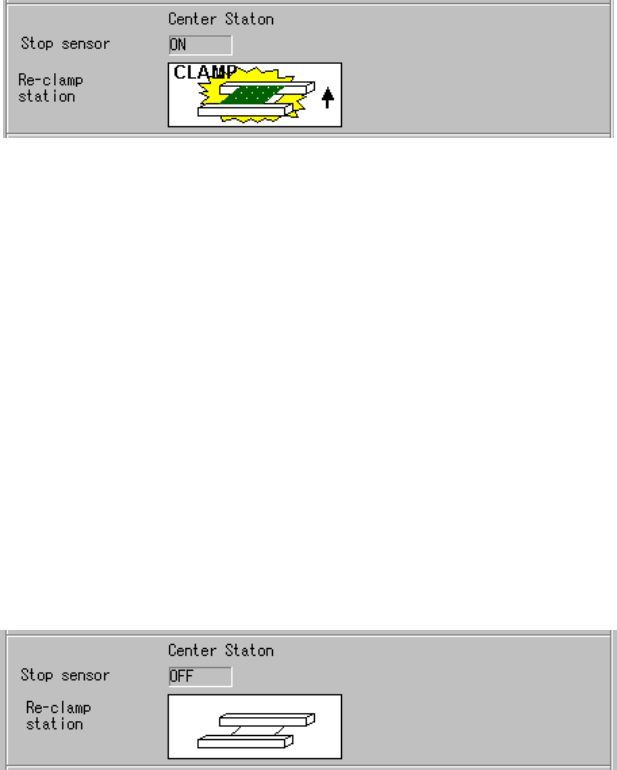
When you select “Don’t resume the product.” and “Re-clamp current PWB”, the
screen shows the following PWB transport path condition:
Figure 6.4.14.1.5
⑨
⑨⑨
⑨
Condition of the PWB transport path
6 − 100
− When you execute the selection described above, the system displays the
“Re-clamp” dialog box, and executes a new PWB production or resumes the
current production without loading any board before starting production.
Some component(s) may not be placed on a board or may be placed at a wrong
position during new production or resumed production after the board is clamped
again. Be careful to start production.
Step
⑮
⑮⑮
⑮
.
When a board is located on the PWB transport path, and the system obtains no PWB
transport path information when production is interrupted
When you select “Don’t resume the product.” and “Re-clamp current PWB”, the
system displays the following PWB transport path condition:
Figure 6.4.14.1.5
⑩
⑩⑩
⑩
Condition of the PWB transport path
− When you execute the selection described above, the “Re-clamp” dialog box
appears on the screen. After clamping a board again, the system resumes the
production without loading a board before starting production.
In this case, since the system obtains no PWB transport path information when
production is interrupted, some component(s) may not be placed on the clamped
board or may be placed at a wrong position of the board when it starts new
production or continue the production after clamping the board. Be careful to
produce a PWB.
Step
⑯
⑯⑯
⑯
.
When there is no board on the PWB transport path and the PWB transport path
information indicates that there is a board on the path
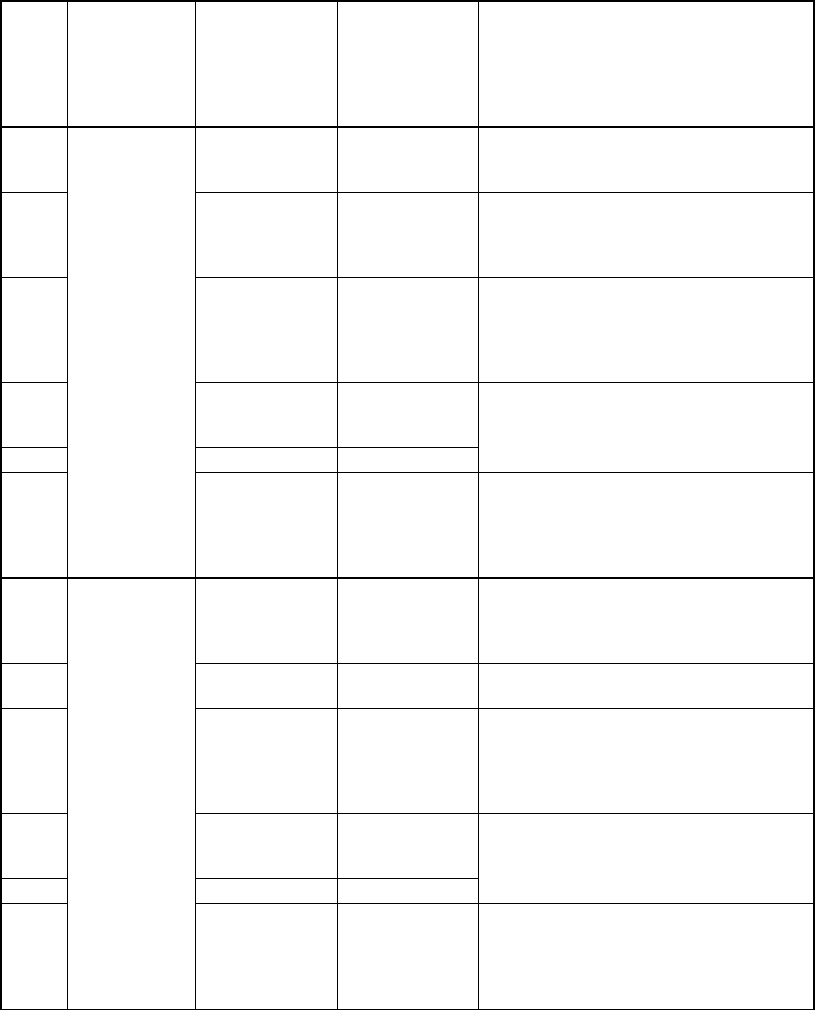
When you select “Don’t resume the product” and “Re-clamp current PWB”, the screen
shows the following PWB transport path condition:
Figure 6.4.14.1.5
⑪
⑪⑪
⑪
Condition of the PWB transport path
− When you execute the selection described above, it causes an error since there is
no board on the PWB transport path.
6 − 101
Ⅱ
ⅡⅡ
Ⅱ
When there is no continuous production file
Step
No.
Production
operation
Whether a
board is
located on the
PWB transport
path
Information on
the PWB
transport path
obtained when
production was
interrupted
Operation after you press
the <START> key
①
Yes
A board is
located on the
path.
The radio button “Load a new PWB” is not
selectable.
②
Yes No board
After ejecting a board, the system loads a
new board before start of production, and
then starts a new production or resumes the
current production.
③
Yes No information
After ejecting a board, the system loads a
new board before start of production, and
then starts a new production or resumes the
current production (Be careful to start
production).
④
None
A board is
located on the
path.
⑤
None No board
The system starts a new production or
resumes the current production.
⑥
Production
after a board is
loaded (when
you select
“Load a new
PWB”)
None No information
The “Processing before production begins”
dialog box does not appear on the screen.
(The system starts a new production or
resumes the current production
immediately.)
⑦
Yes
A board is
located on the
path.
After clamping a board again, the system
starts new production or resumes the
current production without loading any
board before starting production.
⑧
Yes No board
The radio button “Re-clamp current PWB” is
not selectable.
⑨
Yes No information
After clamping a board again, the system
starts new production or resumes the
current production without loading any
board before starting production. (Be
careful to start production.)
⑩
None
A board is
located on the
path.
⑪
None No board
An error (There is no board.)
⑫
Production
after a board is
clamped again
(when you
select
“Re-clamp
current PWB”)
None No information
The “Processing before production begins”
dialog box does not appear on the screen.
(The system starts new production or
resumes the current production
immediately.)
Step
①
①①
①
.
When there is a board on the PWB transport path and the PWB transport path
information indicates that there is a board on the path when production is interrupted
You cannot select the radio button “Load a new PWB”.