KE2010.Instruction Manual.Ver.2.01,Rev.08.pdf - 第458页
6 − 82 ③ Continuous product ion data-deleting butt on W hen there is continuous pr oduction data to be used f or r esuming the suspended production, the “ P-DEL” (cont inuous production data- deleting) button becomes eff…
6 − 81
If you check the check box “Continue the production.”, the system resumes the
suspended production. If checking the “Produce newly.”, the system starts
normal production without resuming the suspended production. When you press
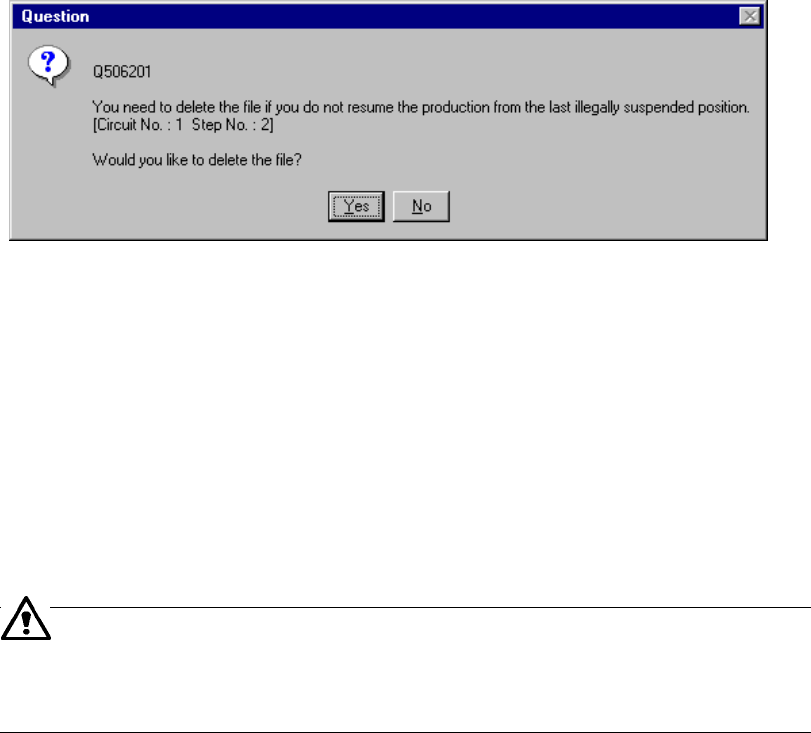
the <START> key after selecting the check box “Produce newly.”, the “Question”
dialog box, which asks you whether to continue the production. appears (see
Figure 6.4.10.2) on the screen.
Figure 6.4.10.2 "Question - to delete the file" dialog box
When you click the <Yes> button, the system deletes the continuous production
data and you cannot resume the continuous production which was terminated
abnormally the last time. When you click the <No> button, the system does not
perform any continuous production this time, but the "Question - to continue the
production." dialog box appears on the screen when you start production the next
time. Note that if the system creates the continuous production file with the
current production, it overwrites the old continuous production file remained.
The machine can perform continuous production even after you change a
feeder. Note that an incoherent error of a value stored as the production
management information may occur in such a case: we cannot
recommend that you change a feeder during continuous production.
6 − 82
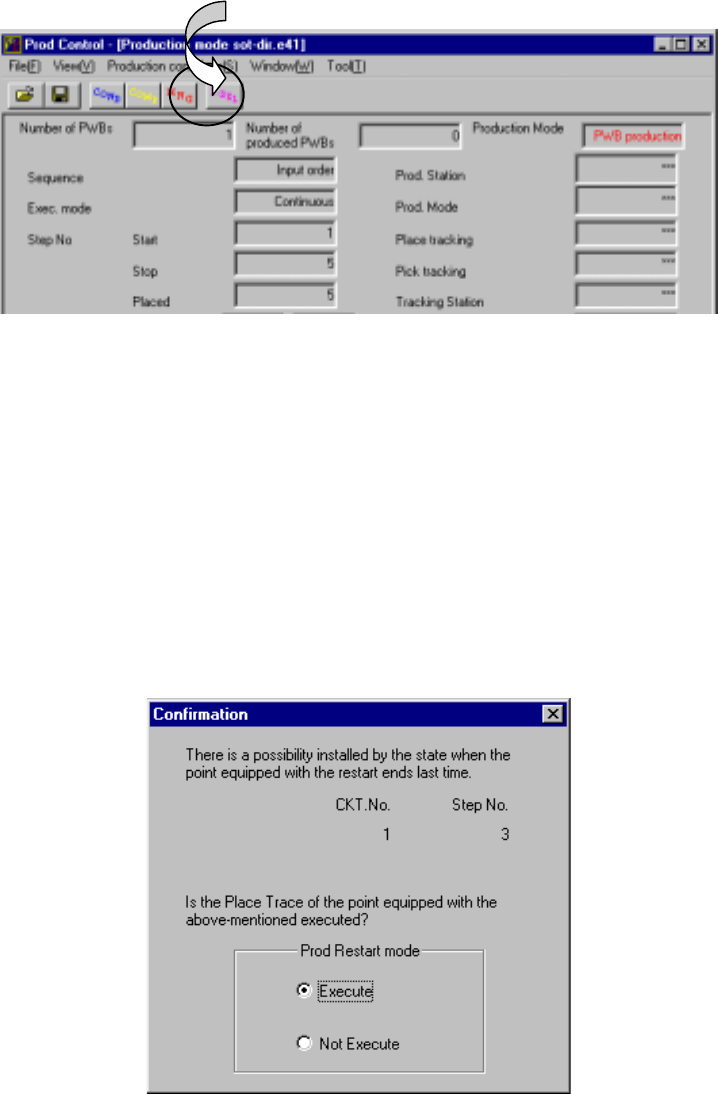
③ Continuous production data-deleting button
When there is continuous production data to be used for resuming the suspended
production, the “P-DEL” (continuous production data-deleting) button becomes
effective on the screen (① shown in Figure 6.4.10.3). Use this button to delete
continuous production data before starting resuming the suspended production.
When you click this button, the “Question” dialog box, which asks you whether to
delete the file, appears (see Figure 6.4.10.2.) on the screen. After the system
deletes the data, this button becomes inactive.
Figure 6.4.10.3 Screen for confirming you
that the continuous production data is to be deleted
④ Process for tracking placement of components when the continuous production
starts
A component may be already placed even at the next placement point of the last
placement point depending on the condition the previous production was aborted.
Therefore, the system allows you to track the placement operation to check to see
if a component is already placed on the next placement point.
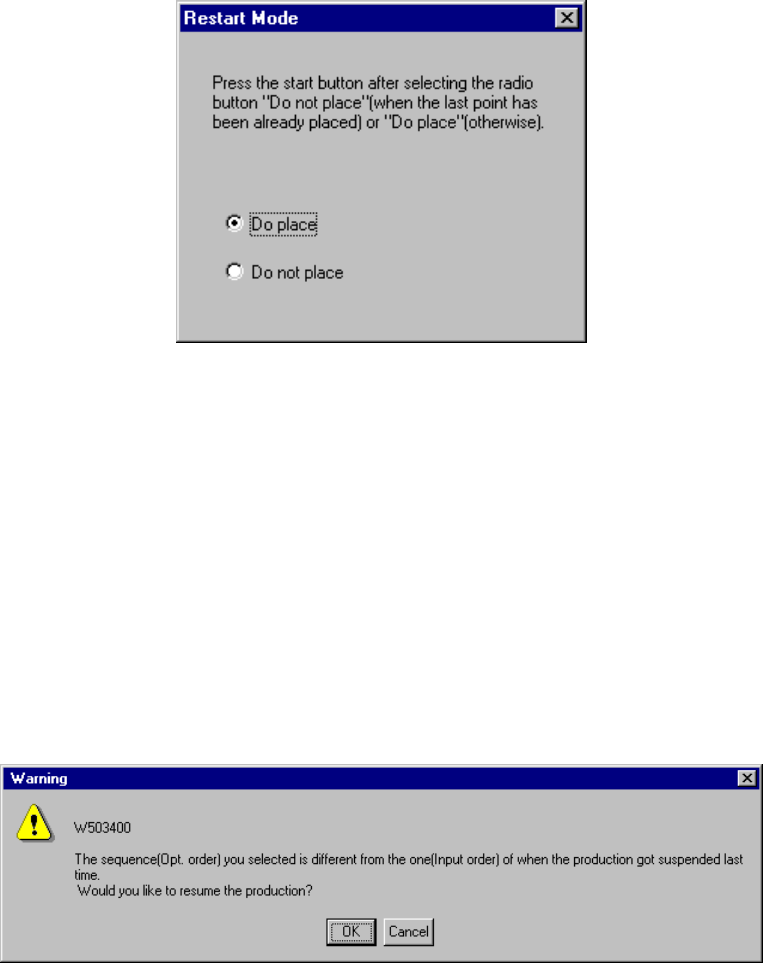
The following dialog box which allows you to track a placement result appears on
the screen after production starts and a PWB is clamped.
Figure 6.4.10.4 Tracking placement point confirmation dialog box
①
6 − 83
When you select the “Execute” radio button and press the <Start> key, the system
starts tracking the placement result. Check to see if a component is already
placed on the next placement point of the last placement point.
When you select the “Not Execute” radio button and press the <Start> key, the
system starts the continuous production without tracking the placement result.
After tracking the placement result, the system displays the following dialog box.
Figure 6.4.10.5 Restart Mode dialog box
If a component is not placed on the tracked position, select the “Do place” radio
button. Otherwise, select the “Do not place” radio button. Then press the
<Start> key to start the continuous production.
⑤ “Question” dialog box displayed when the continuous production starts
When you change the sequence (from “Input order” to “Opt. order”) on the PWB
production conditions dialog box and start the continuous production, the following
“Warning” appears on the screen.