KE2010.Instruction Manual.Ver.2.01,Rev.08.pdf - 第515页
6 − 139 6.7.2.5. 2 Continuous laser posi tion inspect ion • W hen you select t he [Laser check ] command on t he [Check] menu invoked fr om the [T ool] menu, the "Continuat ion inspection" dialog box appears on…
6 − 138
6.7.2.5 Laser height check operation
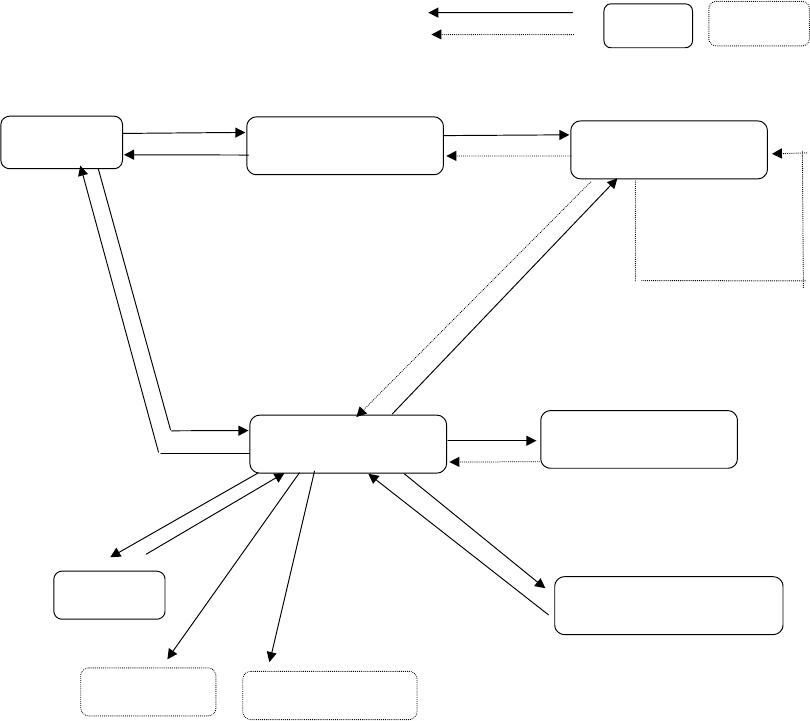
6.7.2.5.1 Operation transition during laser height check
Displayed screens and state are changed during laser height check as shown
below:
PREV/NEXT
User operation
MEAS.
START
ENTER/CANCEL
Process
Dialog box Process only
Selection
"Continuous inspection"
dialog box
Laser check
BACK
A
ll components
finish being
checked.
"Inspection" dialog box
Normally
BACK (only in Continuous
check mode)
Error
Change/laser
BACK
"Inspection" dialog box for
setting the conditions
"Inspection" dialog box
displayed in Single check
mode
Single check
Success/error
INSP.
"Laser position
measurement" dialog box
BACK
Change of a component
pick-up position
Feeder knock
FEED
Teaching
HOD device key
6 − 139
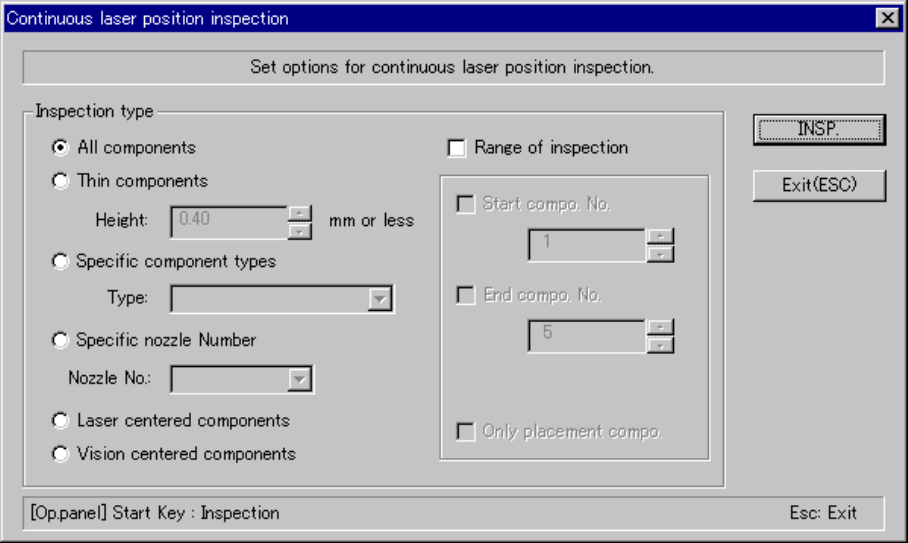
6.7.2.5.2 Continuous laser position inspection
• When you select the [Laser check] command on the [Check] menu invoked
from the [Tool] menu, the "Continuation inspection" dialog box appears on the
screen.
• Set the "Component of meas." and "Bounds of meas." menu items on the
"Continuation inspection" dialog box.
• When you click the <INSP.> button or press the <START> switch on the
"Continuation inspection" dialog box, the system starts checking the laser
height within the range specified.
• When the system centers a component successfully, the result of the check
operation is displayed on the "Inspection" screen, but the system does not
pause temporarily.
• The system repeats a check of a component until it finishes checking the last
component within the specified range, then returns to the "Continuation
inspection" dialog box.
• If the system detects an error during check, it enters Single check mode.
(1) "Continuous laser position inspection" dialog box
When you select the [Check] command on the [Tool] menu, then the [Laser
check] command, the following "Continuation inspection" dialog box, which
allows you to set the conditions for checking components continuously,
appears on the screen.
Figure 6.7.2.5.2.1 "Continuation inspection" dialog box
6 − 140
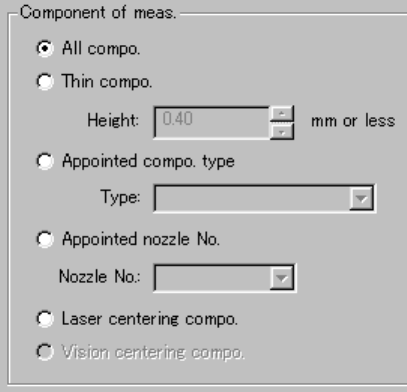
1) Component of meas. (measurement)
Set one of the radio buttons to check only components which satisfy the
certain condition from Component data.
① All compo.:
Checks all components specified in component data.
② Thin compo.:
Checks only components whose height is the value you specified in
the edit box or lower.
③ Appointed compo. type:
Checks only components whose types are specified with the combo
box.
④ Appointed nozzle No.:
Checks only components which are to be picked by the nozzle whose
number is specified with the combo box.
⑤ Laser centering compo.
Checks only components which are centered with laser.
⑥ Vision centering compo.
Checks only components which are centered with the VCS (not
available to a KE-2030/KE-2010).