KE2010.Instruction Manual.Ver.2.01,Rev.08.pdf - 第709页
10 − 25 − The machine f inished measuring the vacuum condition of the selected head at thi s poin t. - T o repeat measurement , click the <Exec.> button. - W hen you click the <Exec.> button, the initial scre…
10 − 24
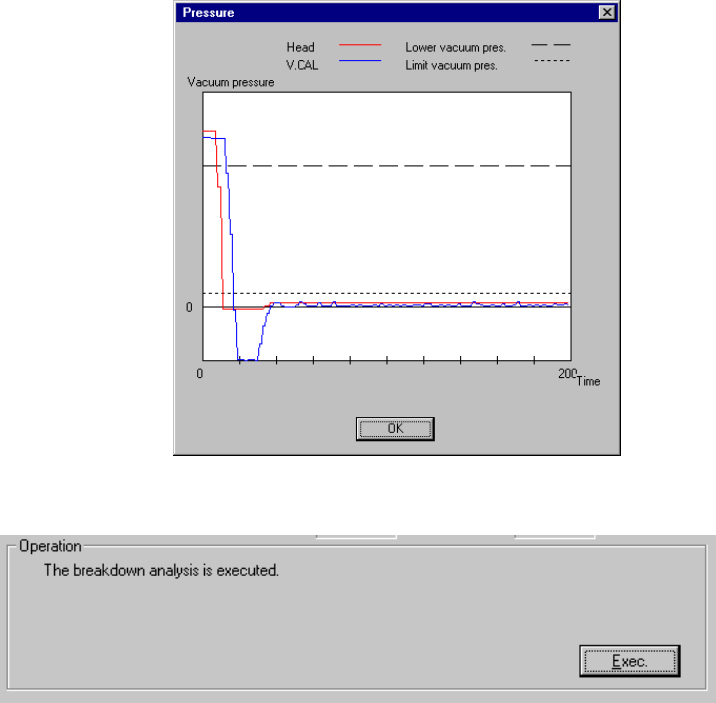
− Measurement
① The head you selected moves over the vacuum calibration unit, then
measures the pressurization breaking condition three times.
- The machine takes an average of the values measured for the second time
and third time, then displays it.
- After measurement, the machine displays a graph of the pressure values
obtained by the measurement performed for the third time.
Set the head you selected from the "Select Head" combo box.
- Click the <Exec.> button.
- When you click the <Exec.> button, the machine executes the malfunction
analysis.
10 − 25
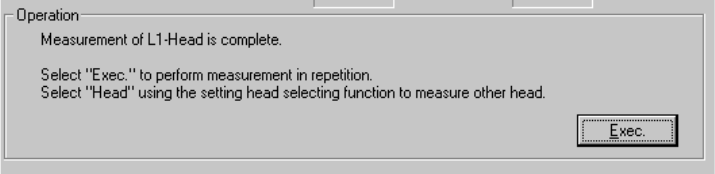
− The machine finished measuring the vacuum condition of the selected head
at this point.
- To repeat measurement, click the <Exec.> button.
- When you click the <Exec.> button, the initial screen reappears.
- To measure another head vacuum condition, select the desired head from
the "Select Head" combo box.
- When you change the selected head, the initial screen reappears.
− To quit the vacuum condition measurement operation, click the <OK> button.
11 − 1
CHAPTER 11 OPTIONS
11.1 Overview
The items to be set as options are shown in Table below.
Table 11.1.1 Options menu items
NO. Option group Description
1
Changing the user
group
Allows you to change the user group.
When you enter the user group, the functions available to
the entered user group are determined.
2
Setting the user
group
Allows you to change each password and set the default
user group.
3 Option Setting Allows you to set operational options.
11.2 Changing the User Group
How to change the user group:
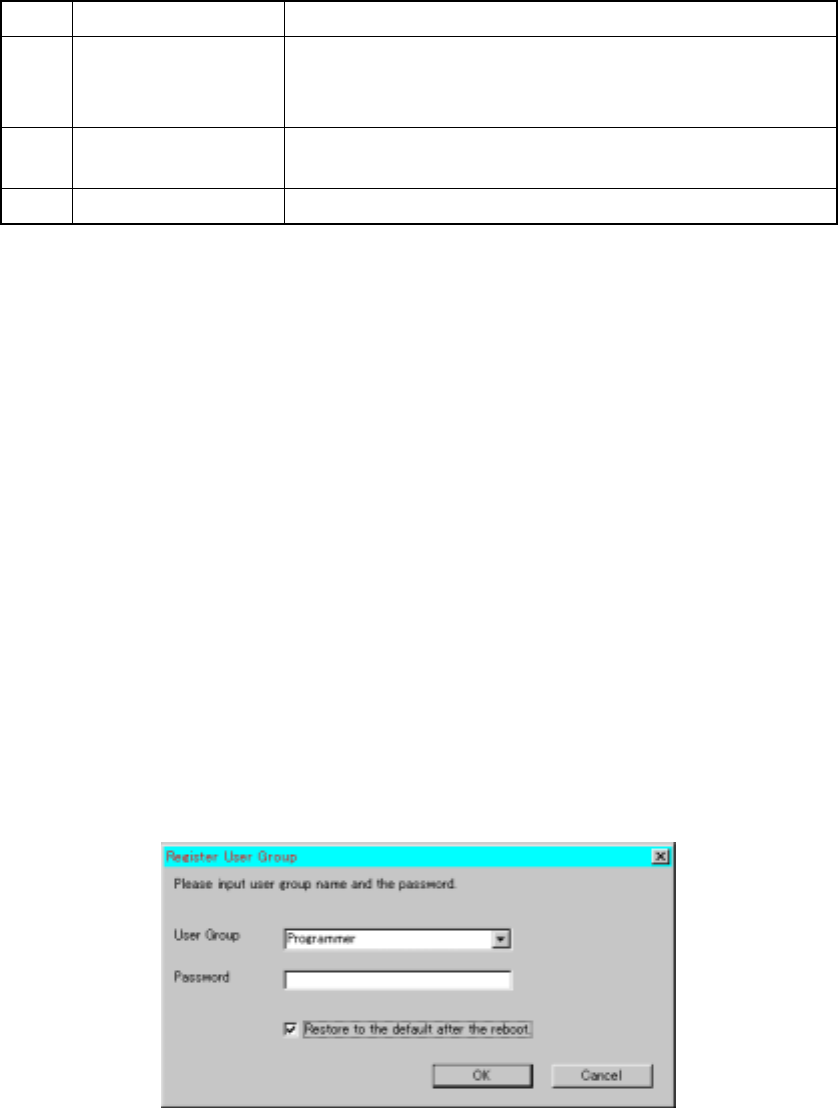
Select the [Options] command on the menu bar of the main menu, then the [User
Group Setting] command. Next, enter the user group and password, then click the
<OK> button.
When the check box "Restore to the default after the reboot" is checked at restart of
the system, the user group you set with this command functions until you quit the
system. At restart of the system, the system starts up as the default user.
When unchecked, the user group remains the same even after you restart up the
system.
If the password you entered is wrong, the user group is restored to the default setting.
User Group:
The user group is provided as one method for protecting the machine from
malfunctioning due to wrong operation of the machine, and restricts the available
operations according to an operator's knowledge and operating skill of the machine.
Figure 11.2 "Register User Group" dialog box
When you enter the user group, the available functions (such as menu items and
buttons you can select) are determined.