KE2010.Instruction Manual.Ver.2.01,Rev.08.pdf - 第190页
4 – 83 ③ Belt Feeder T ype Select the belt f eeder t ype. This item is available only w hen you select “Belt” at the menu it em “T ype” above. ④ Feed waiting time Set the rat io of t he component f eeding t ime to t he w…
4 – 82
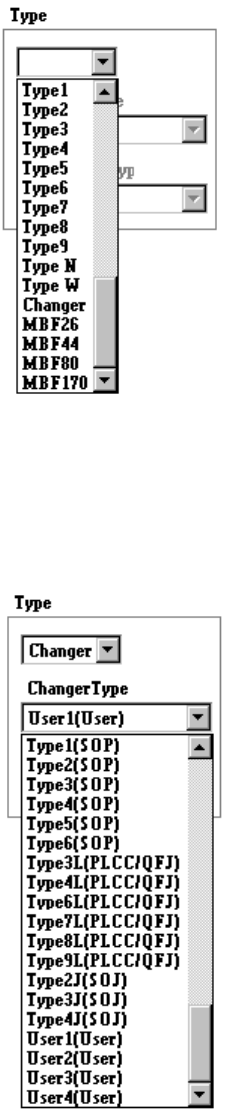
①
Type
Select the stick feeder type.
②
Changer Type
Select the stick changer type.
This item is available only when you select “Changer” at the menu item
“Type” above.
4 – 83
③
Belt Feeder Type
Select the belt feeder type.
This item is available only when you select “Belt” at the menu item “Type”
above.
④
Feed waiting time
Set the ratio of the component feeding time to the waiting time for the next
component to be picked up after the current component is picked up. A
unique value is provided to each component type. Specify this unique value
in percentage here.
⑤
Supply angle
Select the desired component supply angle with using the corresponding
radio button.
When you select “Other” as the component type, enter the appropriate angle
in the edit field (0 to 359 degrees).
4 – 84
3) When "Tray" is selected
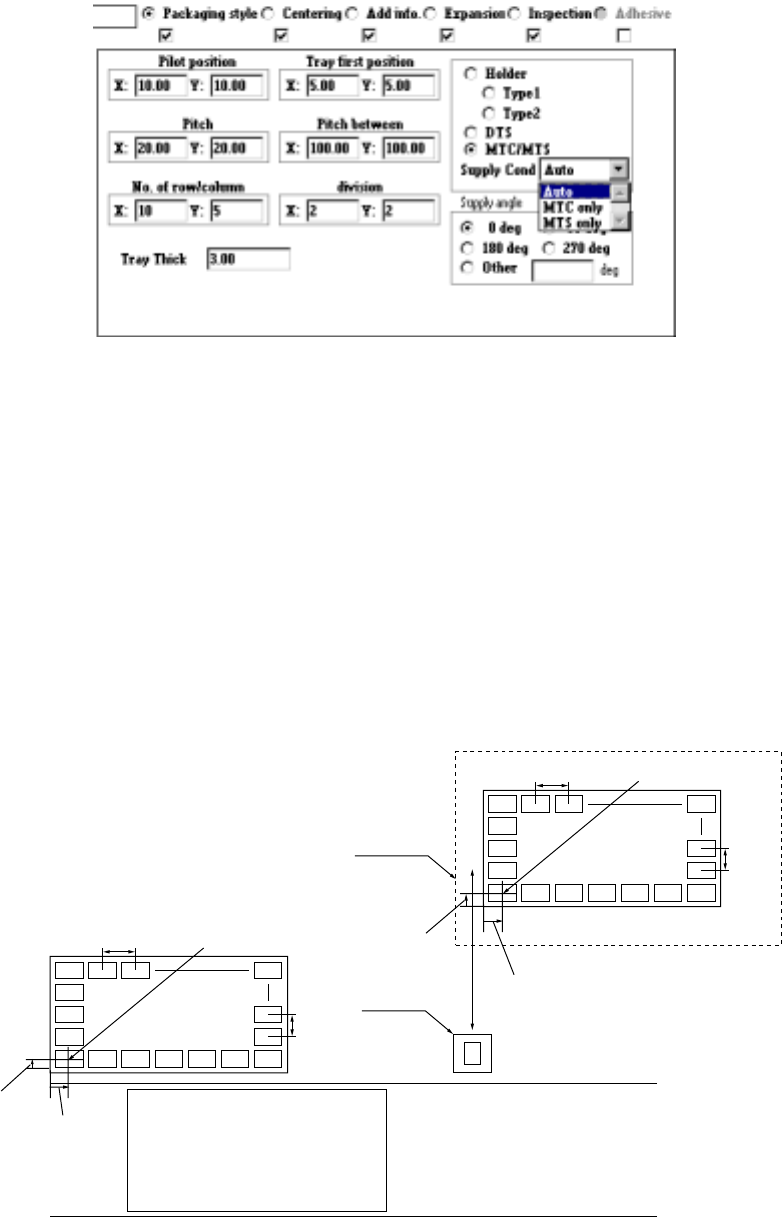
①
Pilot position
Enter the distance from the tray outline to the center point of the first
component position (X, Y).
②
Pitch
Enter the component pitch (distance between two consecutive components)
(X- and Y-pitch)
③
No. of row/column
Enter the number of components which are located in the X direction and
that in the Y direction (Xn and Yn) respectively.
Yn
Xn
Yn
Xn
MTC
TR4, TR6
Figure 4.7.3.1 First component position, pitch and number of components
Tray holder, DTS, MTS, (TR5)
Pitch X First
Pitch Y
First
component
First
component
position X
Shuttle
PWB Transport path
Pitch X
Pitch
Y
Front of the machine
First component
position X
First
component
position Y