KE2010.Instruction Manual.Ver.2.01,Rev.08.pdf - 第382页
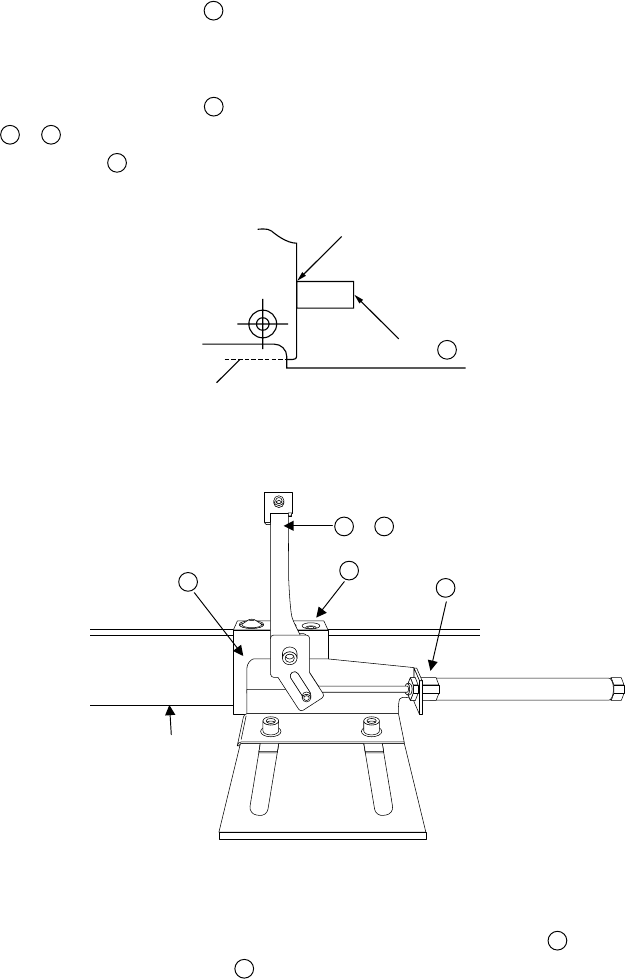
6 − 6 (4) Adj ustment of t he centering pin (Om itted f or the use of pin ref erence) (Figures 6. 1.3.4, 6.1.3. 5, 6.1.3. 6) 1) Tur n off the power, and also t urn of f the air valve. 2) Move the stopper ⑪ 24 by hand, an…
6 − 5
0.5mm
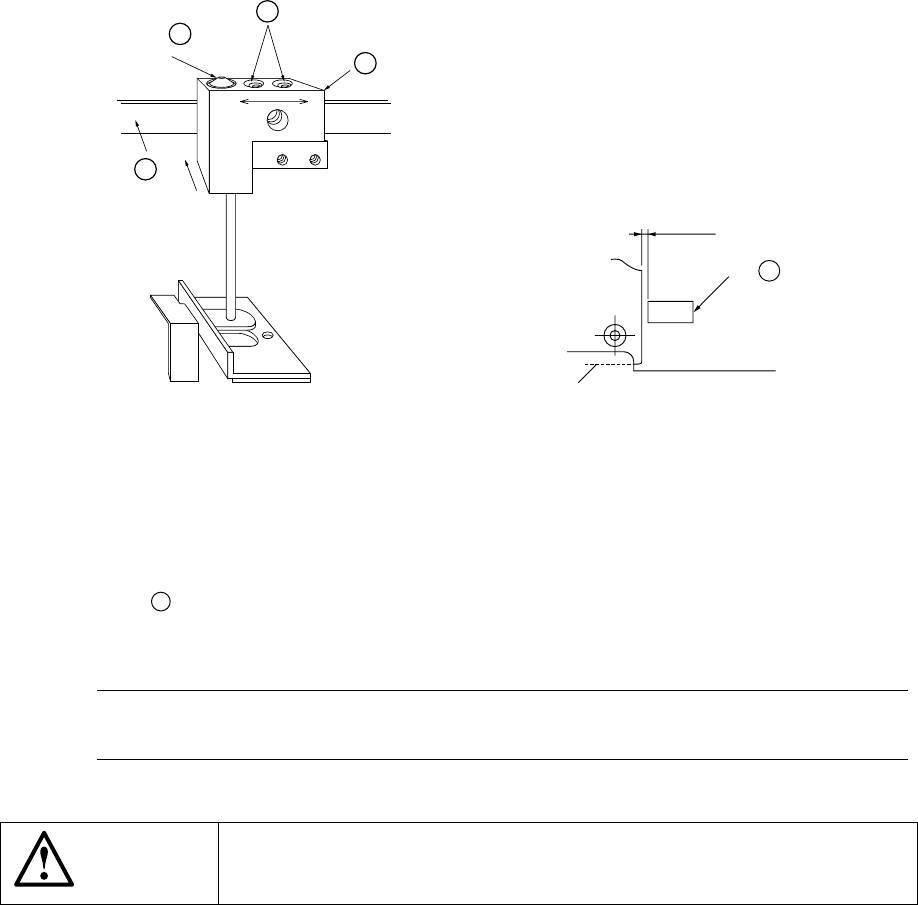
Figure 6.1.3.2 Figure 6.1.3.3
(3) Placement of backup pins
1) Place the backup pins
⑰
(8 medium pins, 12 large pins and 16 extra large
pins are supplied as the standard accessories.) on the backup table ⑮
28
according to the board to be produced.
2) Avoid placing the pins where the components are located on the back of the
board.
Note: If backup pins are located under the components which requires accurate
placement, such as QFP, higher accuracy can be achieved.
WARNING
Before starting to work, turn off the power of the machine to avoid a risk
of injury caused by unpredictable activation of the machine.
⑭
27
⑪
24
Pressing
direction
Board
36
38
38
6 − 6
(4) Adjustment of the centering pin (Omitted for the use of pin reference)
(Figures 6.1.3.4, 6.1.3.5, 6.1.3.6)
1) Turn off the power, and also turn off the air valve.
2) Move the stopper
⑪
24
by hand, and push the production board (avoid the
center of the board and any cutouts of the board to contact the stopper)
against the stopper (as far as it goes).
3) Slide the guide block
36
in the X direction and manually fit the pusher A
44
,
45
with the edge of the board. There shall be no space between the
stopper
⑪
24
and the board.
Figure 6.1.3.4
Figure 6.1.3.5
4) While holding the guide block pushed to the supporting bar
38
, tighten the M4
hexagon socket head bolts
37
to lock the guide block.
Contact
⑪,
24
Board
44
,
45
37
38
36
Push in this direction.
6 − 7
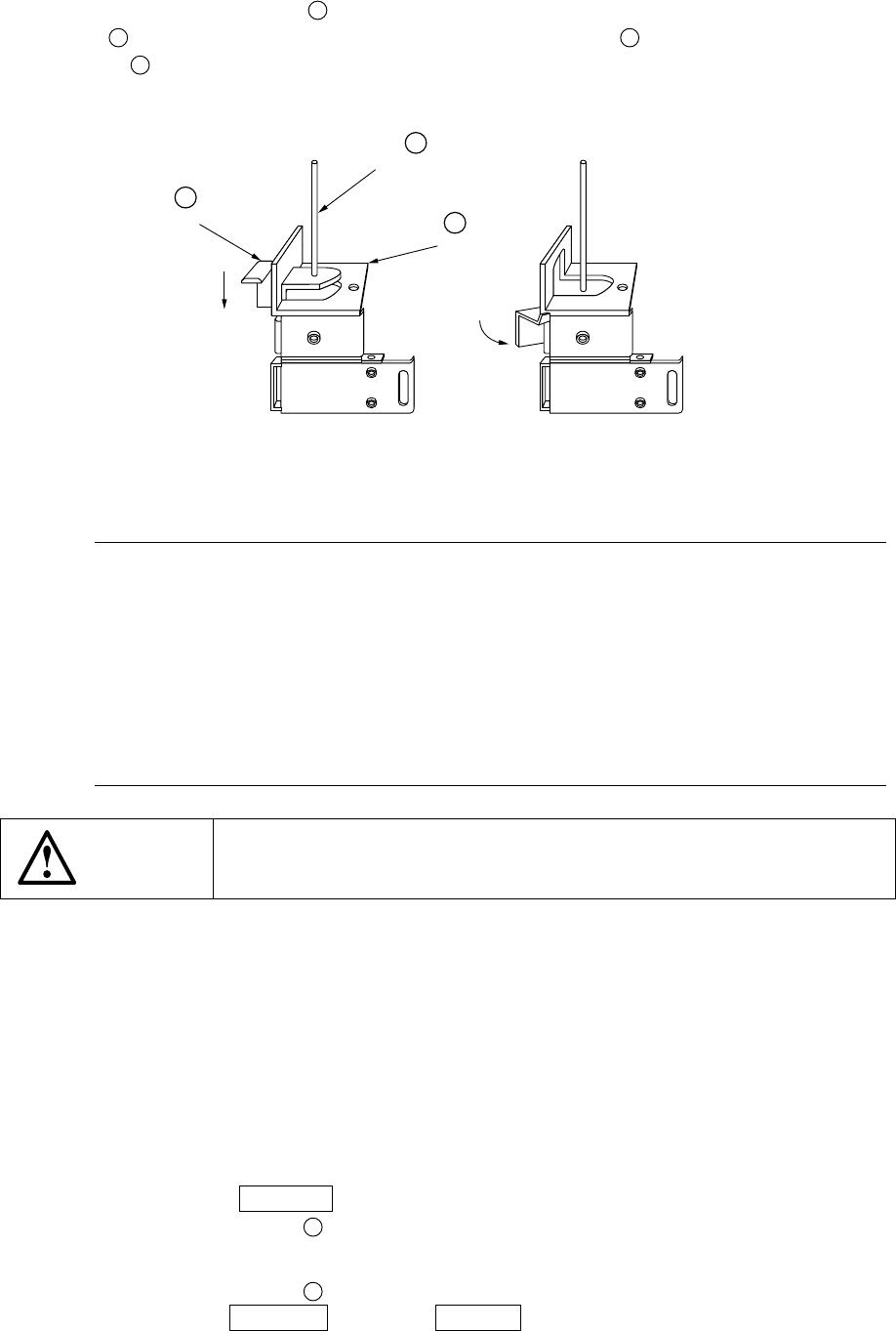
5) The centering pin
⑭
27
is not used. Therefore, push down the stopper lever
B
and rotate it with hooking it over the dumper plate
C
so that the centering pin
⑭
27
is pushed down to be locked.
Figure 6.1.3.6
Notes:
Adjustment procedures 1) through 5) under (4) above can also be
adjusted manually by turning on the power and the air valve, and
using the independent control in the conveyor system of the manual
control and the automatic control.
When the stopper is moved, be sure to reenter the position of the
edge reference for the machine setup. If it is not reentered, the
reference position of the data is made differently.
There is no need of adjustment for the board of same specifications.
WARNING
Before starting to work, turn off the power of the machine to avoid a risk
of injury caused by unpredictable activation of the machine.
(5) Entering the position of the centering pin (Skip this step when the board outline is
used for reference) (Figure 6.1.3.6)
1) Turn on the power of the machine, and also turn on the air valve.
Perform zeroing (origin setting).
2) Lift up the BU plate ⑫ displaying the mechanical setup pop-up menu on the
"Machine setup" menu.
3) Select the [Reference pin position] on the [Setting Group] menu to select the
centering pin position.
4) Press the CAMERA key of the HOD. The OCC camera moves over the
centering pin ⑭
27
.
5) While observing the CRT screen, perform teaching for the center of the
centering pin ⑭
27
.
(Use the WINDOW key or the 2 POINT key.)
6) Next, perform teaching for the follower pin (see Section 7.2.2.3 of Chapter 7
"MACHINE SETUP").
⑭
27
C
B