KE2010.Instruction Manual.Ver.2.01,Rev.08.pdf - 第171页
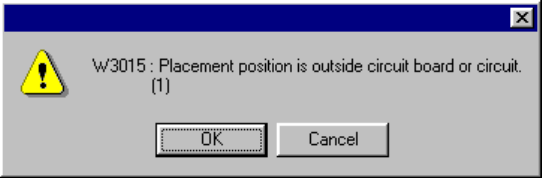
4 – 64 ● Since Placement data over rang e error may occur , the m achine perf orms t he range check . If an err or is detect ed, the f ollowing warning dialog box appears on the screen. • OK Continues the data type switc…
4 – 63
4.6.3 Range check
The range check to see if a component placement position is within a board (for a
single PWB) or within a circuit (for a multiple-circuit PWB) is performed with the
following timing. The range check error is processed as a warning or error.
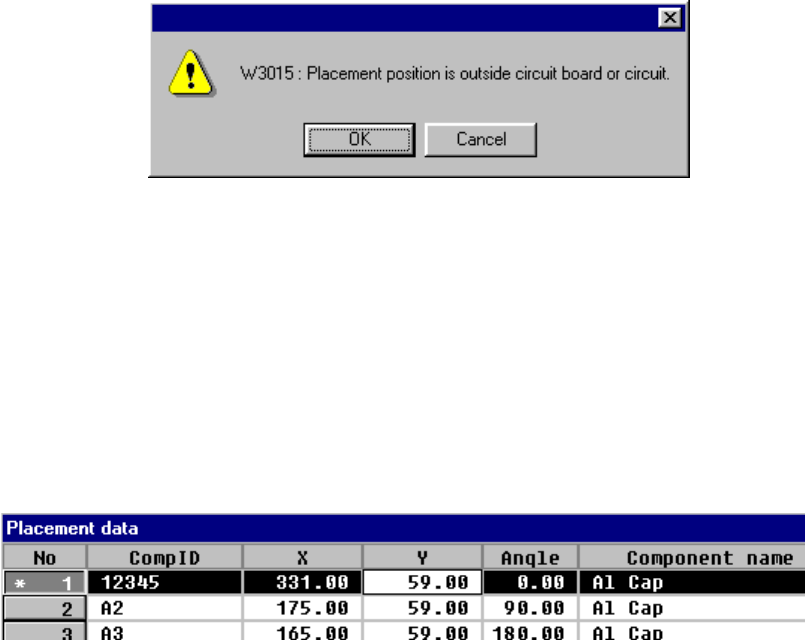
① When data is entered
When you enter the placement position X or Y, or when you change either of
them, the machine performs the range check. If an error is detected, the
following warning dialog box appears on the screen.
• OK
When you click the <OK> button, the entered data is validated, then an
asterisk mark “*”, which indicates an over range error, is displayed on the left
of the placement data number. When you enter a value within the range, this
mark disappears.
• Cancel
When you click the <Cancel> button, the entered data becomes invalid, then
the machine enters Data input mode.
② When you are switching data type
• When PWB data becomes inactive
• When Placement data becomes inactive
4 – 64
●
Since Placement data over range error may occur, the machine performs the
range check. If an error is detected, the following warning dialog box appears
on the screen.
• OK Continues the data type switching operation.
• Cancel Terminates the data type switching operation.
●
When the machine switches the data type to Placement data
The over range mark is displayed at the over range placement data.
4 – 65
4.7 Component Data
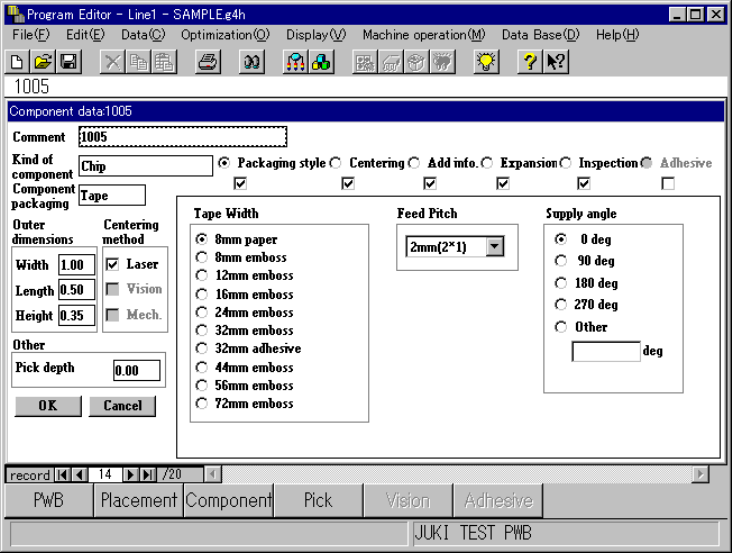
4.7.1 Data entry procedure
The working screen for the component data is shown whether in the form ① or list
format ②.
①
①①
① Component form screen
The component form format displays data on a component on one screen.
Enter data on this component form screen.