KE2010.Instruction Manual.Ver.2.01,Rev.08.pdf - 第329页
4 – 222 T o tr ack the com ponent pick- up height, select the [ Height t racking ] command on the m enu invoked f rom the " Machine Operation" menu pr ovided wi th t he Progr am Editing ut ility . T he followin…
4 – 221
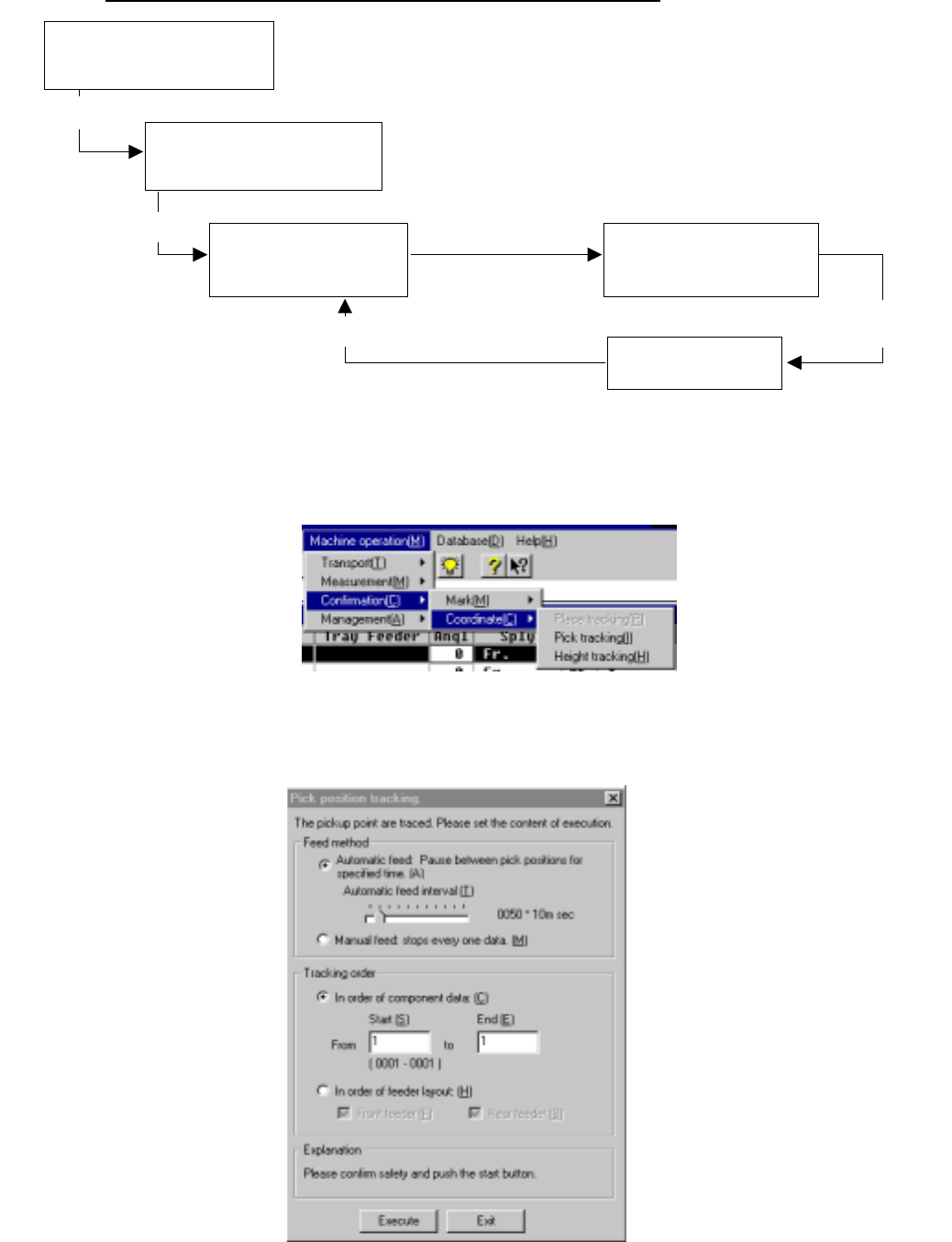
Operation flow for tracking a component pick-up point (height)
(1) Setting the tracking conditions
To track a component pick-up point, select the [Pick tracking] command on the
menu invoked from the “Machine Operation” menu provided with the Program
Editing utility.
When you select this [Pick tracking] command, the following "Pick position
tracking" dialog box appears on the screen as shown in the figure below.
Figure 4.12.3.4.1 “Pickup positions tracking” dialog box
Select the [Pick tracking] or
[Height tracking] command on
the Machine Operation menu
Select the command.
Execution
Modified coordinates take effect.
Moving to each set of
coordinates specified in
Pick data
Modification of each
set of coordinates
Setting of the pick-up point
tracking conditions
Checking of the
coordinates/value detected
with the HMS on the monitor
Teaching with the HOD
Executing of the
component pick-up point
(height) tracking operation
4 – 222
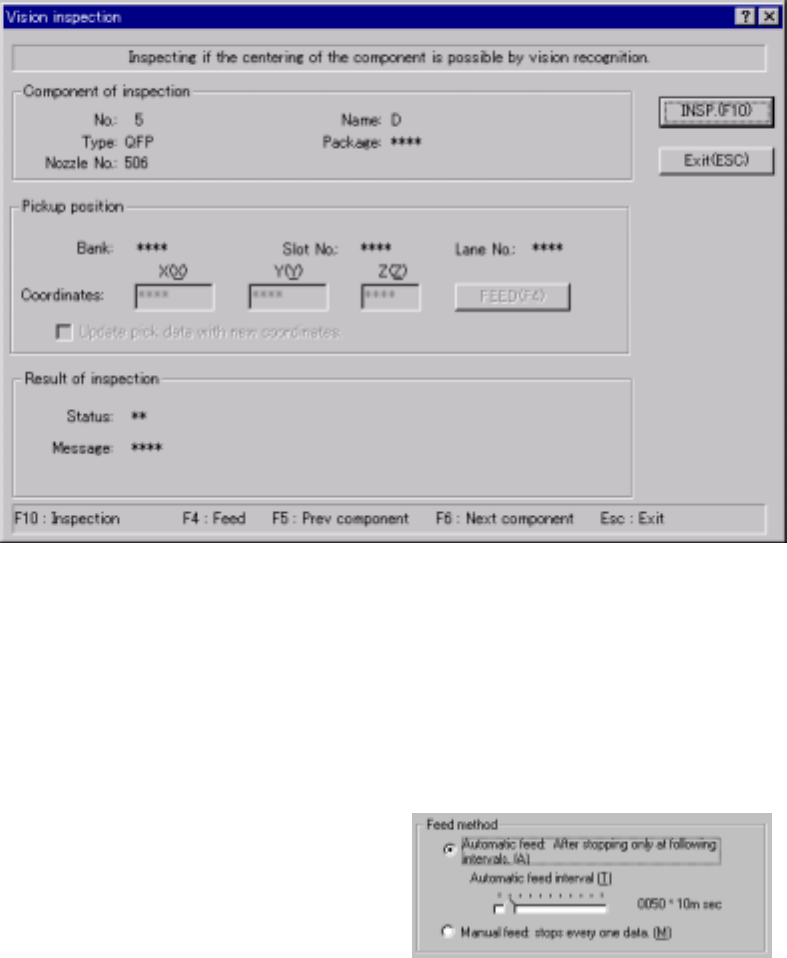
To track the component pick-up height, select the [Height tracking] command on
the menu invoked from the "Machine Operation" menu provided with the Program
Editing utility. The following "Pick height tracking" dialog box appears on the
screen as shown in the figure below.
Figure 4.12.3.4.2 "Pick height tracking" dialog box
1) Feed method
① Automatic feed
The camera or HMS obtains a component pick-up point one by one at
regular intervals. The camera or HMS stops for the time of period
specified with the “Automatic
feed interval” slider bar
displayed below, then moves to
the next position.
(Automatic feed interval)
Use this slider bar to adjust the
stop time.
② Manual feed
The camera or HMS stops without moving to the next position until an
operator operates it.
4 – 223
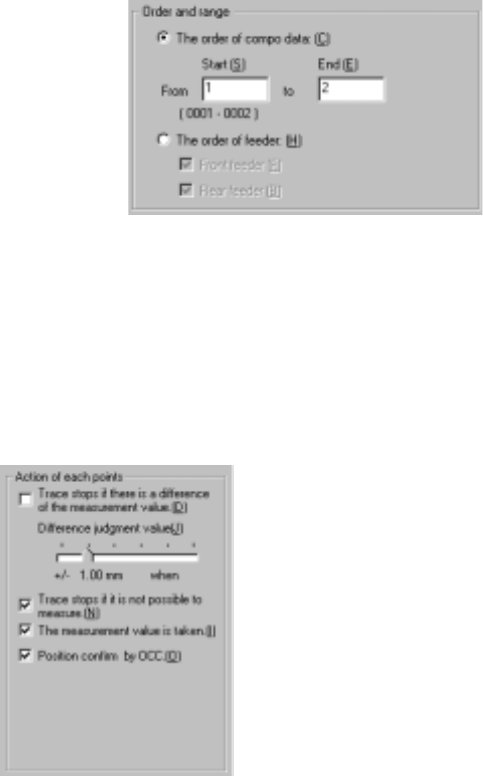
2) Order and range
① The order of component data
Enter the range of Component
data used for tracking: from the
start point to the end point. As
the default setting, all
components are to be tracked.
② The order of feeder
The camera or HMS tracks the front/rear of the feeder bank sequentially.
Select the feeder bank to be tracked.
3) Action of each points (displayed on the "Pick height tracking" dialog box)
The [Height tracking] command allows you to specify the action to be
performed after the machine moves to each tracking point.
① Trace stops if there is a difference of the measurement value.
If the difference between the value measured with the HMS and the
component pick-up height set in Pick data exceeds the "Difference
judgment level", the dialog box appears on the screen to stop the tracking
operation. (Difference judgment level)
Set the +/- upper and lower limits with the slider bar.
② Trace stops if it is not possible to measure.
If the HMS cannot measure the pick-up height (for example, because
there is no component at the measured pick-up point), the dialog box
appears on the screen to stop the tracking operation.
③ The measurement value is taken.
This choice allows you to save the value measured by the HMS into Pick
data by asking whether to save it for each point.
④ Position confirm by OCC.
Before moving the HMS to the pick-up point, you can check the pick-up
point on the VCS monitor.
After you specify the setting items, press the <Start> button or click the
<Execution> button.
When you click the <Exit> button, the system returns to the previous screen.
)