KE2010.Instruction Manual.Ver.2.01,Rev.08.pdf - 第211页
4 – 104 Component ty pe 0 ° ° ° ° 90 ° ° ° ° 180 ° ° ° ° 270 ° ° ° ° TSOP- 1 TSOP- 2 BGA FBGA Networ k resistor Trimmer Unidirectional lead connector Bidirectional lead connector Z-lead conne ctor *1 J-lead socket Gull-w…
4 – 103
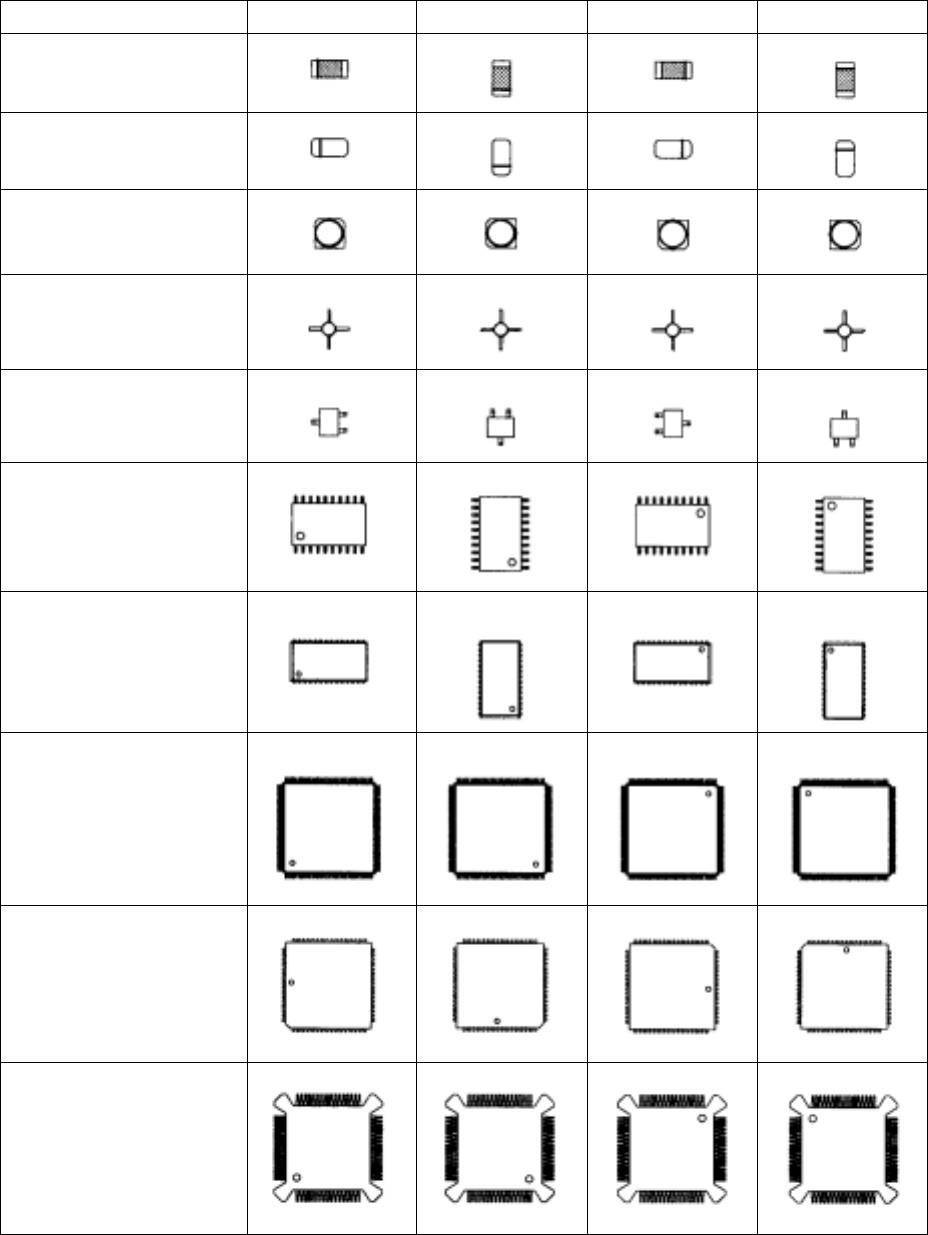
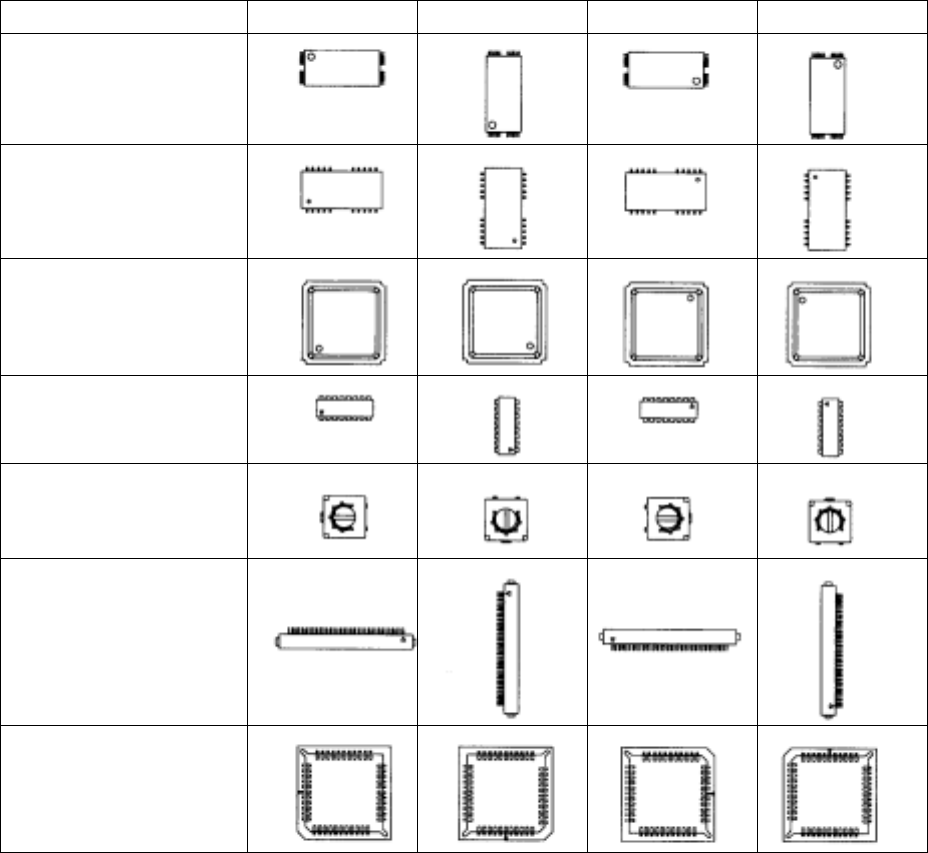
4.7.9 Definition of component feeding angle
Table 4.7.9 shows the definition of "component supply angle-0 degrees" and other
component supply angles. Supply angles of 0° and 180° and supply angles of 90° and
270° of unpolarized components are assumed to be identical.
Table 4.7.9 Definitions of Component Supply Angles
Component type 0°
°°
° 90°
°°
° 180°
°°
° 270°
°°
°
Square chip
MELF
(Cylindrical component)
Aluminum electrolytic
capacitor
GaAsFET
SOT
SOP
HSOP
SOJ
QFP
QFJ(PLCC)
BQFP(PQFP)
4 – 104
Component type 0°
°°
° 90°
°°
° 180°
°°
° 270°
°°
°
TSOP-1
TSOP-2
BGA
FBGA
Network resistor
Trimmer
Unidirectional lead
connector
Bidirectional lead
connector
Z-lead connector *1
J-lead socket
Gull-wing socket
Socket with bumper *1
*1 This item is applicable to machines other than a KE-2010.
4 – 105
4.7.10 Replacing Component data
The [Replacement] command allows you to specify each menu item on the
Component data screen to replace the corresponding data of the selected
components at a time.
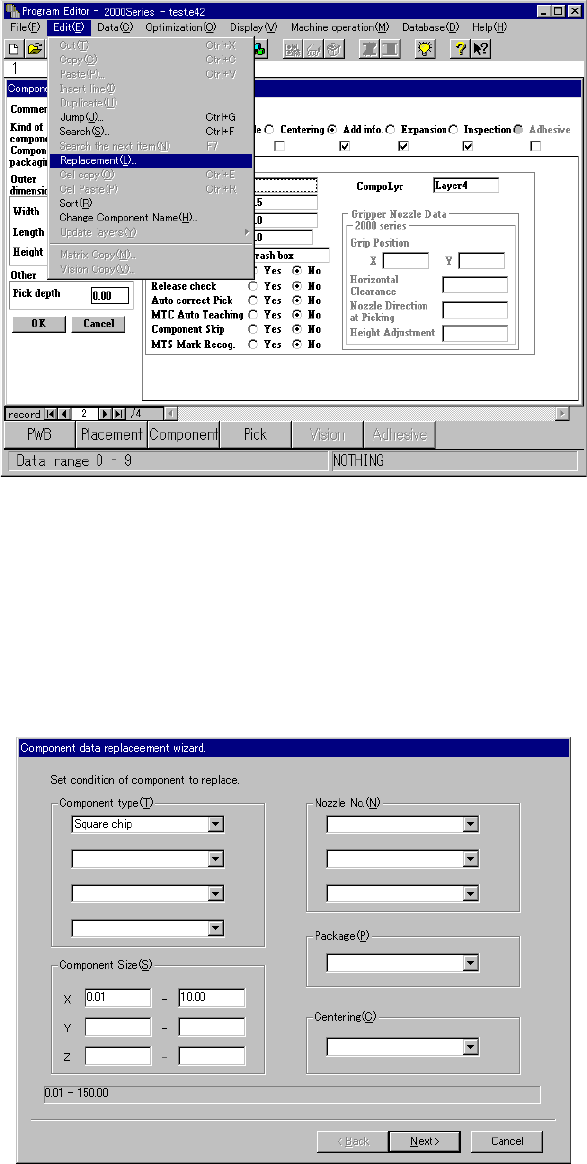
Select the [Replacement] command on the “Edit” menu when the “Component data
list screen” or “Component data form screen” (see Figure 4.7.10.1) appears on the
Program Editor menu. The Component data replacement wizard starts up.
Figure 4.7.10.1 Component data replacement command selection screen
(1) Setting conditions
When you select the [Replacement] command on the “Edit” menu, the screen
shown in Figure 4.7.10.2 appears.
− Set the conditions for changing data of the components on the following
conditions setting screen.
Figure 4.7.10.2 Conditions setting screen