KE2010.Instruction Manual.Ver.2.01,Rev.08.pdf - 第368页
5 − 15 [ * ] [ ] [ ] [ ] [ ] [ ] [ ] [ ] [ ] [ ] [ ] [ ] [ ] [ ] PR If , f or some reason, the result has an er ror , using the ↑ and ↓ keys (up and down arrow keys for moving t he XY axes) on the HOD, select the cor rec…
5 − 14
③ Perform the scale frame (mark data) teaching.
Using the top, bottom, left, and right arrow keys, adjust the scale frame in the
order: top, left, bottom and right, and enter the data (pressing the FAST key can
change the moving speed of the scale frame).
The mark is automatically recognized, then the data necessary for correction is
obtained.
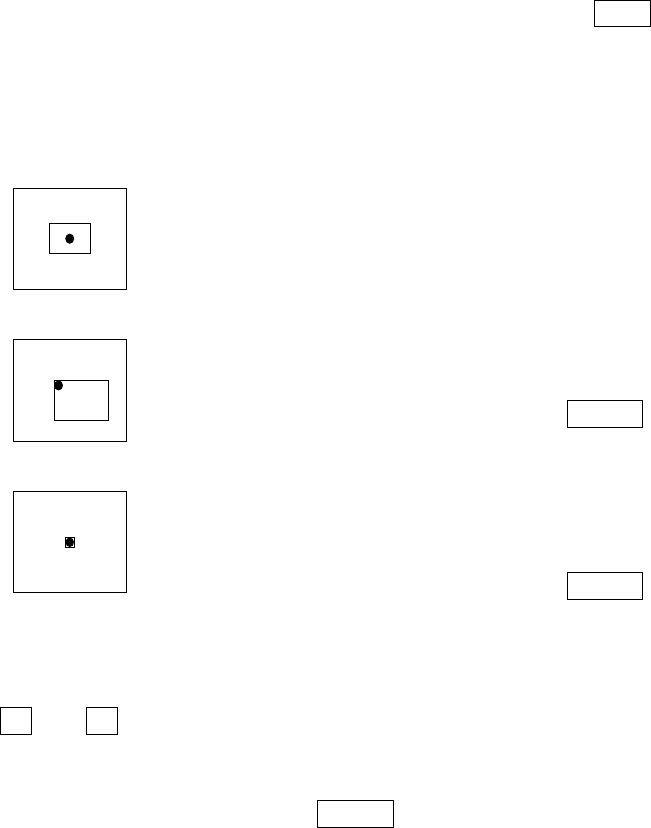
The camera picture and a rectangle frame appear.
Set the top and left scale frames first. Adjust them so
that they match with the top and left of the mark.
When adjustment is complete, press the ENTER key.
In the same manner as above, set the bottom and right
scale frames.
When adjustment is complete, press the ENTER key.
The noise cut level around the mark is automatically obtained and displayed on the
monitor.
Using the ↑ and ↓ keys (up and down arrow keys for moving the XY axes) on the
HOD, adjust the level so that the mark can be viewed clearly and the noise around
the mark is decreased as much as possible.
After completing the adjustment, press the ENTER key.
5 − 15
[ * ]
[ ]
[ ]
[ ]
[ ]
[ ]
[ ]
[ ]
[ ]
[ ]
[ ]
[ ]
[ ]
[ ] PR
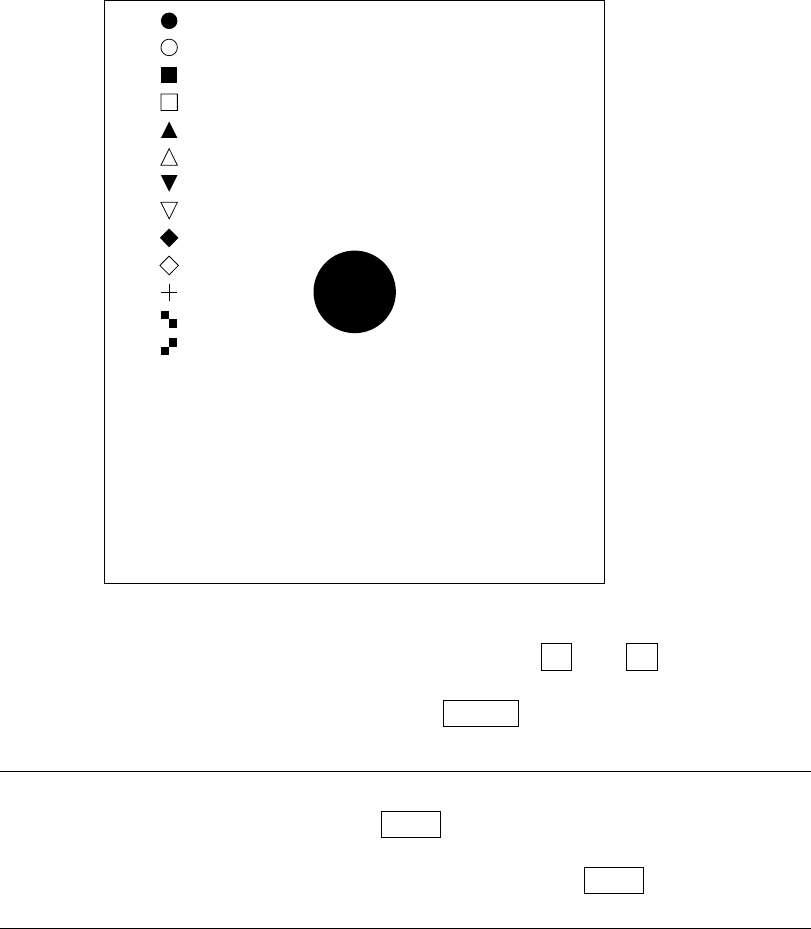
If, for some reason, the result has an error, using the ↑ and ↓ keys (up and
down arrow keys for moving the XY axes) on the HOD, select the correct mark.
When selecting the correct mark, press the ENTER key.
Note: When the data on the mark is the same but you want to teach again the
detection frame only, press the NEXT key on the HOD. You can skip Step
above.
However, if the mark recognition is made newly, the NEXT key has no
effect.
5 − 16
④ Next, perform the detection frame teaching.
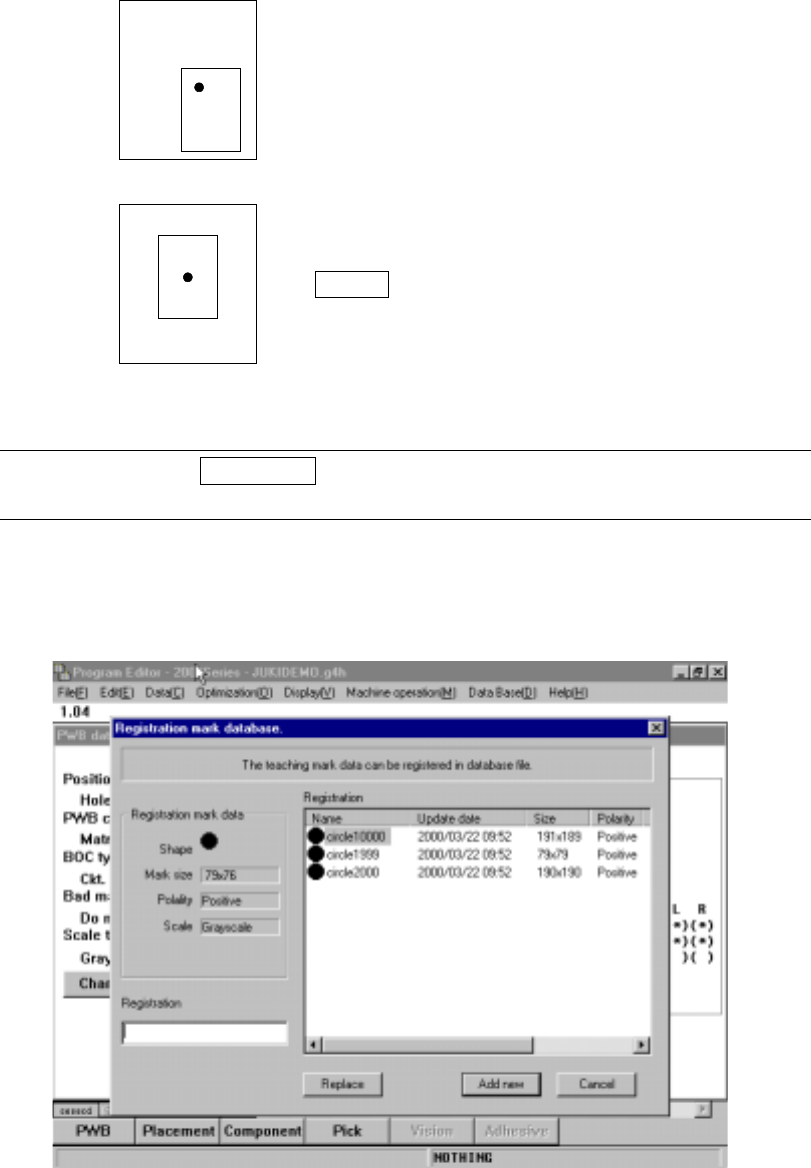
After completing Step 3 above, the window whose size is 1.5 times of the mark
size is automatically displayed at the center of the screen (default window).
To change the detection window, perform the same procedure as Step 3 above.
Set the detection frame in the same
manner as the scale frame is set.
After completing the adjustment, press
the ENTER key.
Note: Pressing the PREVIOUS key on the HOD here brings the operation back to
teaching of the scale frame (Step
).
⑤ When teaching has been completed, an message asking you whether or not to
register the taught mark onto the mark database appears for confirmation.
Figure 5.4.2 PWB mark teaching (2)