KE2010.Instruction Manual.Ver.2.01,Rev.08.pdf - 第669页
9 − 15 9.4.3 Head operating information 9.4.3.1 O peration inf ormation of each head W hen y ou select the [ W indow s] com mand on the menu bar , then the [ Operat ion Inf ormation of each head] comm and on the displaye…
9 − 14
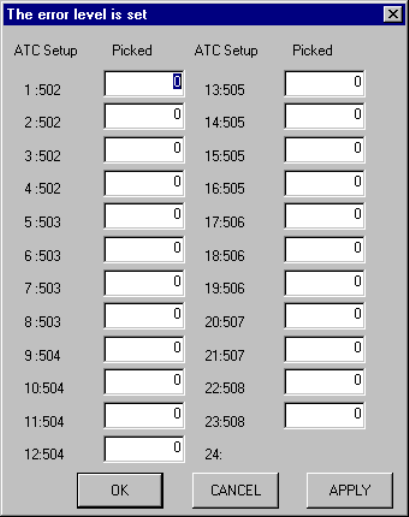
9.4.2.4 Setting the error level
When you select the [Tool] command on the menu bar, the [The Error level is set]
command on the displayed menu, then the [Each nozzle] command, the screen
appears as shown in Figure 9.4.2.4.1.
This screen allows you to set the error level.
Figure 9.4.2.4.1 "The error level is set" dialog box
− If the number of times components were picked up actually exceeds the error
level you set here, the nozzle is displayed in red on the "Operation Information of
each nozzle" screen shown in Figure 9.4.2.1.1.
The signal lights lighting condition remains unchanged.
9 − 15
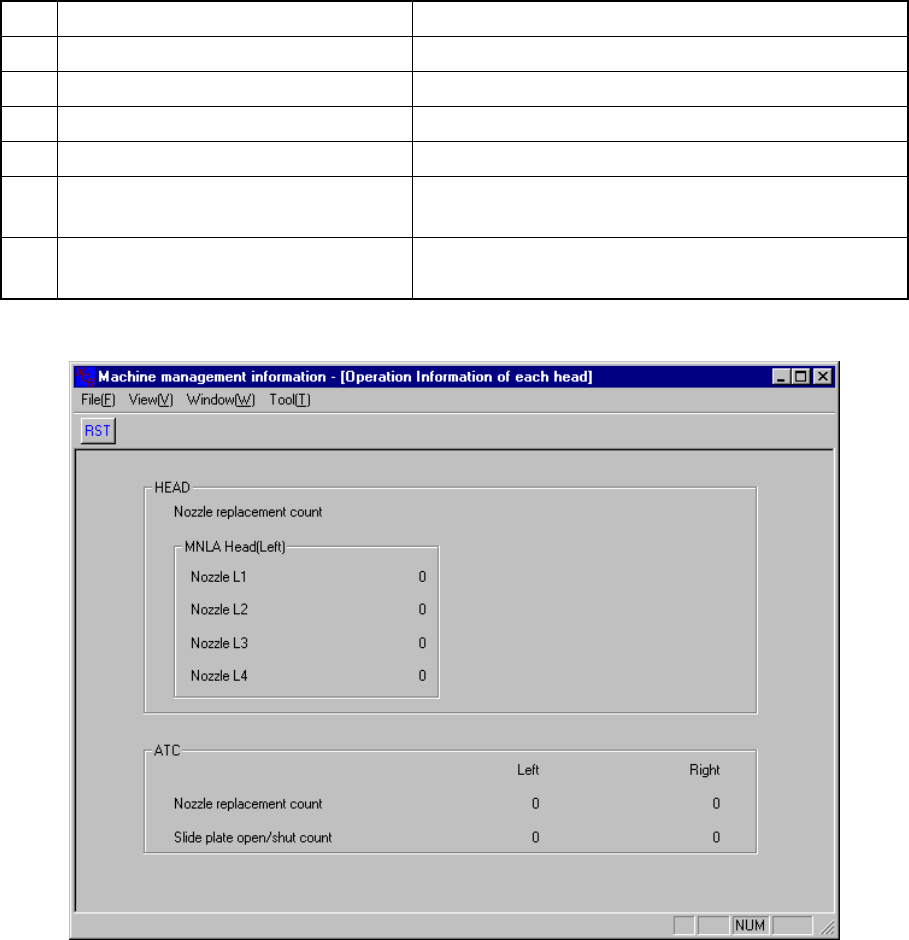
9.4.3 Head operating information
9.4.3.1 Operation information of each head
When you select the [Windows] command on the menu bar, then the [Operation
Information of each head] command on the displayed menu, the screen appears as
shown in Figure 9.4.3.1
No. Item Description
1 Nozzle replacement count (Nozzle L1) Displays how many times the nozzle L1 was replaced.
2 Nozzle replacement count (Nozzle L2) Displays how many times the nozzle L2 was replaced.
3 Nozzle replacement count (Nozzle L3) Displays how many times the nozzle L3 was replaced.
4 Nozzle replacement count (Nozzle L4) Displays how many times the nozzle L4 was replaced.
5 Nozzle replacement count
Displays how many times the nozzle was replaced per
a cylinder.
6 Slide plate open/shut count
Displays how many times the slide plate was
opened/closed.
Figure 9.4.3.1 Operation Information of each head
9 − 16
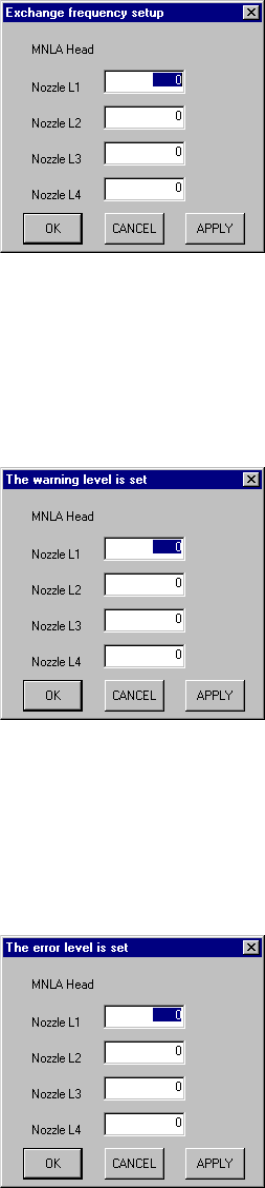
9.4.3.2 Setting the number of times for replacing a head
When you select the [Tool] command on the menu bar, the [Exchange frequency
setup] command on the displayed menu, then the [Each head] command the screen
appears as shown in Figure 9.4.3.2.1.
When you replace the head nozzle with another one, set this number to <0> to
initialize the number.
Figure 9.4.3.2.1 Exchange frequency setup dialog box
9.4.3.3 Setting the warning level
When you select the [Tool] command on the menu bar, the [The Warning level is set]
command on the displayed menu, then the [Each head] command, the screen
appears as shown in Figure 9.4.3.3.1.
Figure 9.4.3.3.1 "The warning level is set" dialog box
9.4.3.4 Setting the error level
When you select the [Tool] command on the menu bar, the [The error level is set]
command on the displayed menu, then the [Each head] command, the screen
appears as shown in Figure 9.4.3.4.1.
Figure 9.4.3.4.1 "The error level is set" dialog box