KE2010.Instruction Manual.Ver.2.01,Rev.08.pdf - 第651页
8 − 62 2) V acuum cont . This item turns on and/or off t he vacuum. - W hen t he control it em “V acuum cont .” is check ed, click the <ON>, <OFF> or <ON/O FF> button, or press the F3 , F4 or F5 key . T…
8 − 61
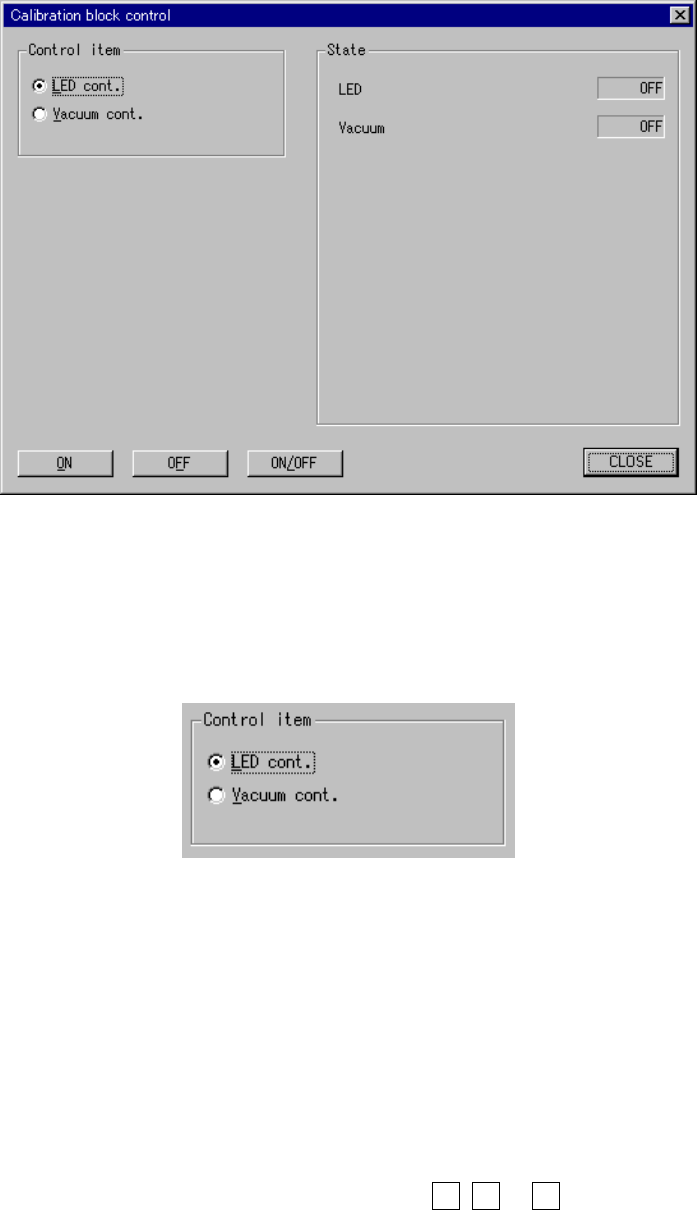
8.6.5 Calibration block control
When you select the [Others] command on the [Ctrl] menu, then the [Calibration
block control] command, the following “Calibration block control” dialog box appears
on the screen.
Figure 8.6.5 Calibration block control dialog box
(1) Control item
Select a control item with the corresponding radio button.
(2) Control button
Execute the selected control item with the corresponding radio button.
The display of the control buttons varies depending on the control item you
selected.
1) LED cont.
This item turns on and/ or off the LED
- When the control item “LED cont.” is checked, click the <ON>, <OFF>
or <ON/OFF> button, or press the F3, F4 or F5 key.
The state display is updated when the LED is controlled completely.

8 − 62
2) Vacuum cont.
This item turns on and/or off the vacuum.
- When the control item “Vacuum cont.” is checked, click the <ON>,
<OFF> or <ON/OFF> button, or press the F3, F4 or F5 key.
The state display is updated when vacuum is controlled completely.
(3) State display
The state of each unit is displayed when the unit is controlled completely.
8 − 63
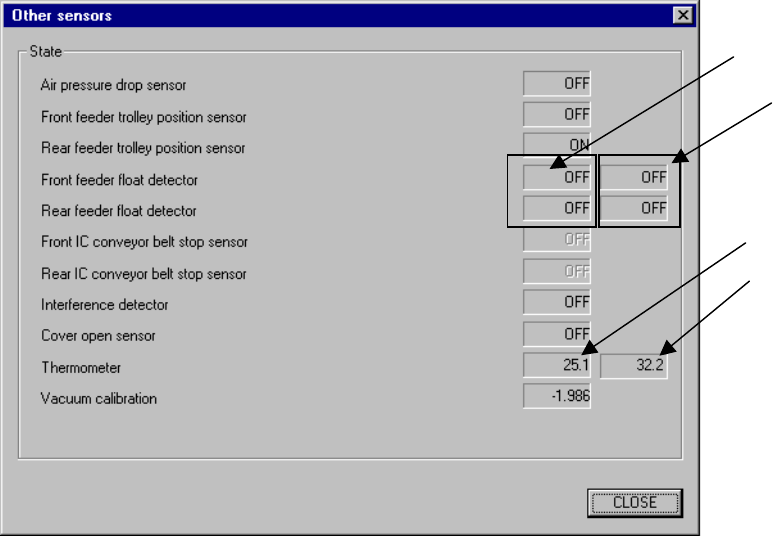
8.6.6 Other sensors
When you select the [Others] command on the [Ctrl] menu, then the [Other sensors]
command, the following Other sensors dialog box appears on the screen.
Figure 8.6.6 Other sensors dialog box
(1) State display
This displays the status of each sensor.
- This function does not affect the setting of the “Device enable” menu invoked
from the Machine Setup menu: this means that you can display the state of
a not-checked (not used) unit.
The state display of the sensors will be performed by continually reading and
displaying the status.
Front
Rear
Upper (VCS*)
available with a
KE-2020/2040 only.
Upper (X-axis)