Omron V-TS Teaching Manual.pdf.pdf - 第102页
2.4 Registeri ng f or Insp ection 2- 75 2.4.6 Setti ng Component Numbe r Group Component num bers with the sam e shape and color c an be grouped into o ne to share im ages and settings. 1. On the menu bar in the editing …
Chapter 2 Inspection Programming
2-74
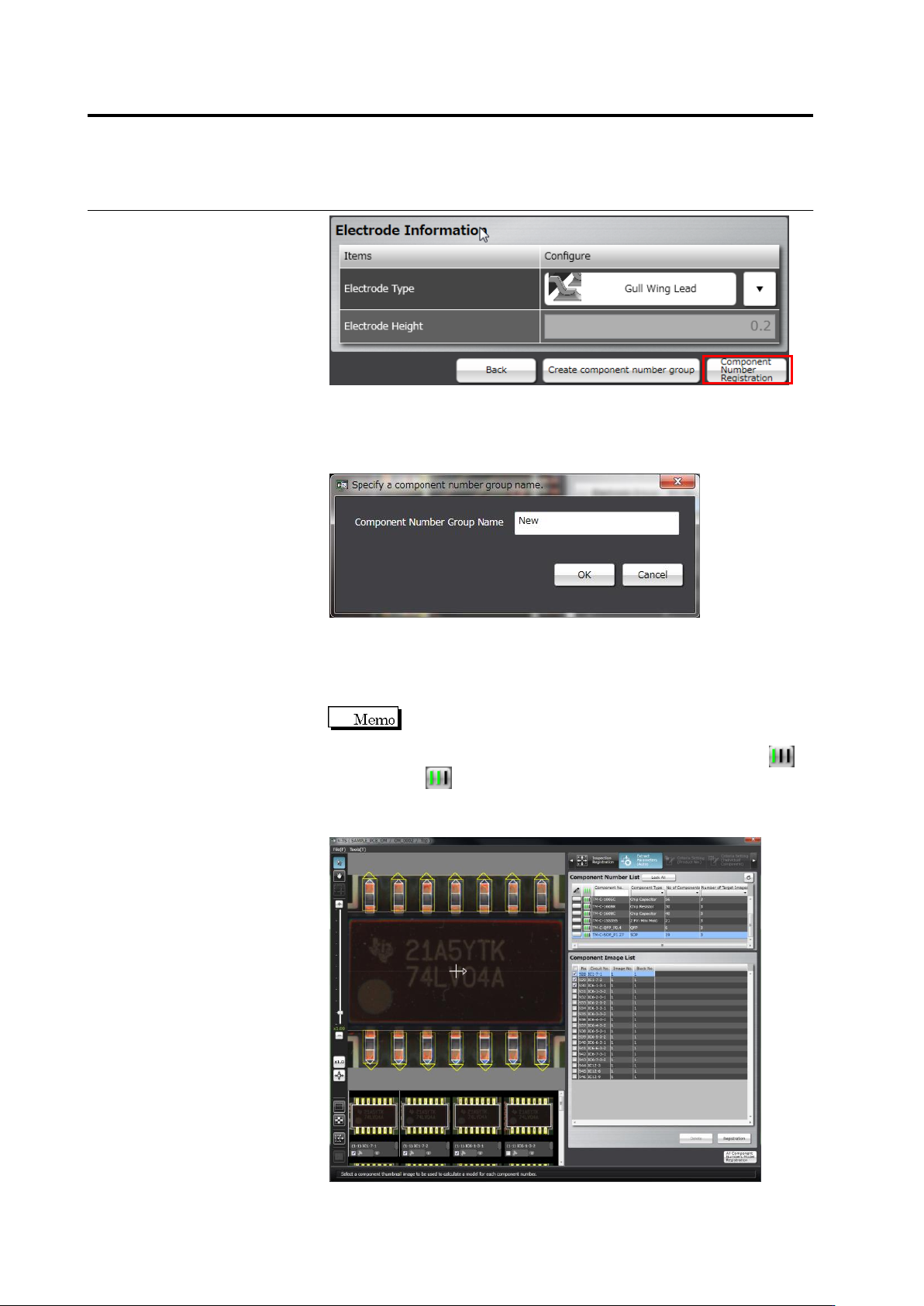
To create a component number group based on this component
number, click [Create component number group]. A component
number group is created simultaneously with the component number
registration. Specify a component number group name.
Go to the Component Setting screen if there are any more
component numbers to register.
Repeat the component setting to electrode setting procedures for
the components to register.
When performing component number registration, windows are
automatically pasted to all components of the same component
number, and the component number status changes from
to .
When registration for all component numbers is complete, the screen moves
to the component registration screen.
2.4 Registering for Inspection
2-75
2.4.6 Setting Component Number Group
Component numbers with the same shape and color can be grouped into one to share images
and settings.
1.
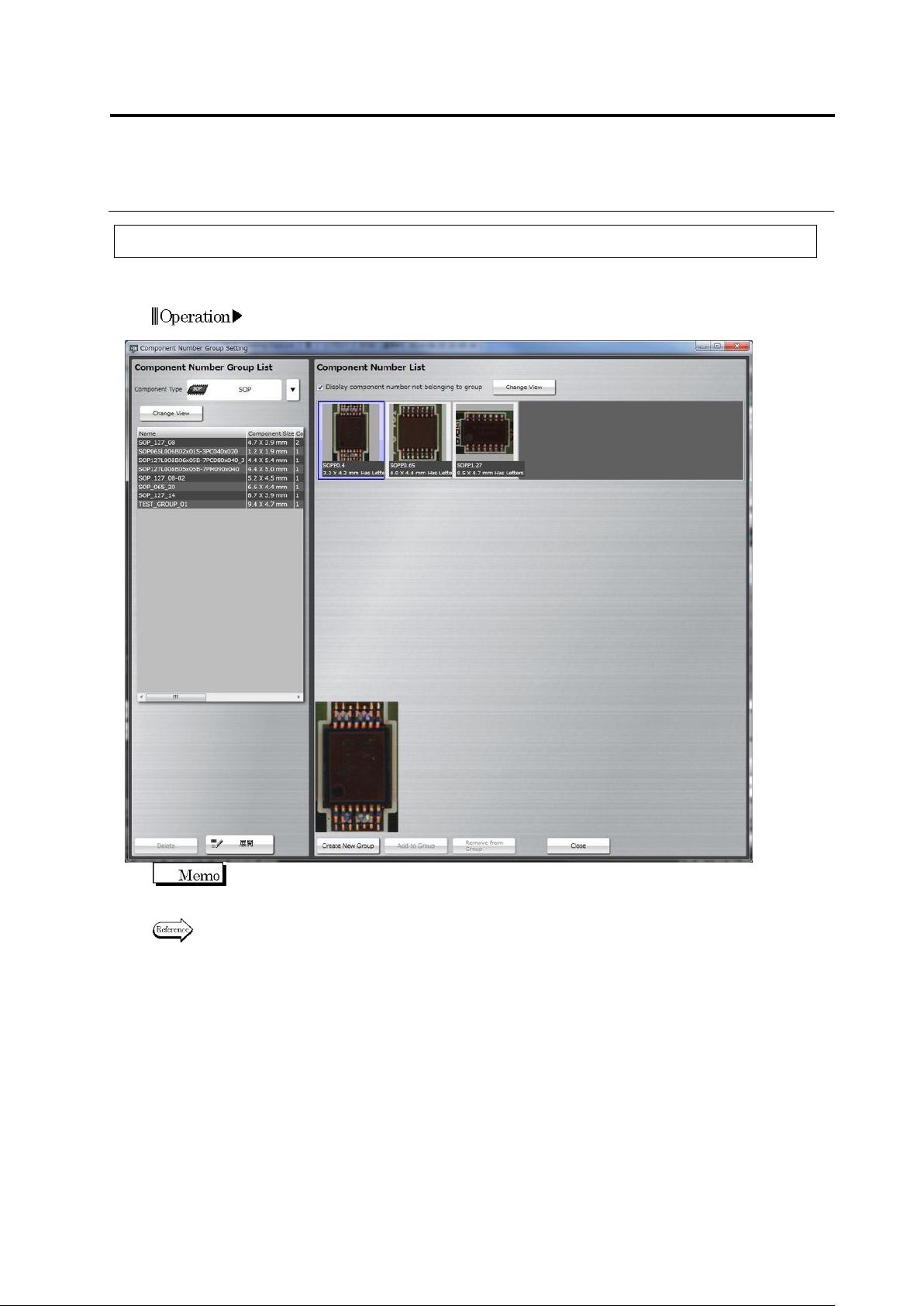
On the menu bar in the editing screen, select [Tools] -> [Component
Number Group Setting].
In a component number group, all the windows, inspection settings, and color parameters are
the same except for mask model of component difference/polarity difference inspection.
Refer to "2.15.3 Editing a Model" for [Deploy].
Chapter 2 Inspection Programming
2-76
2.4.6.1 Create New Component Number Group
A new component number group is created based on an existing component number.
1.
Select a component type.
Select a component type from the [Component Type] pull-down
menu.
2.
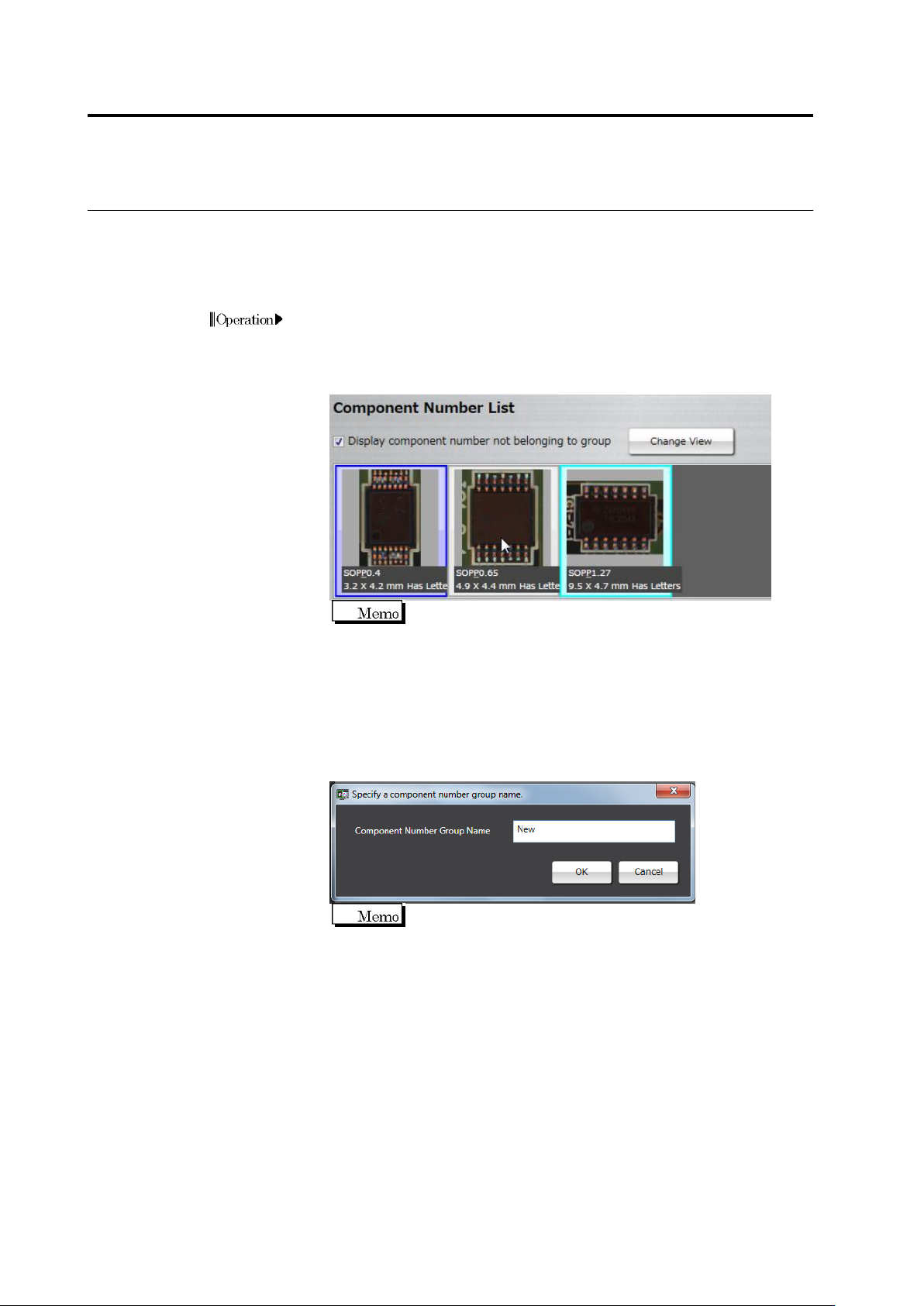
Select a component number.
Only the same component numbers as the selected
component type are displayed in the list.
Select the [Show component number not belonging to group] check box,
and select a component number for which you want to create a
group.
3.
Create a new component number group.
Click [Create New Group] at the screen bottom. The component
number group name dialog box appears. Enter a component number
group name.
You cannot specify the same component number group name
in one component type.