Omron V-TS Teaching Manual.pdf.pdf - 第268页
3.3 Configuring Qu ality Criteria Setting 3- 13 If it is needed to supply data to m ore than one site, register the destinations. Export information of the previous time is saved for each site; so, this information can b…
Chapter 3 Management Menu
3-12
3.4.2 Copying Component Number Data and Component
Number Group Data among Libraries
Any component number data or component number group data can be copied among
component number libraries.
Exporting component number data
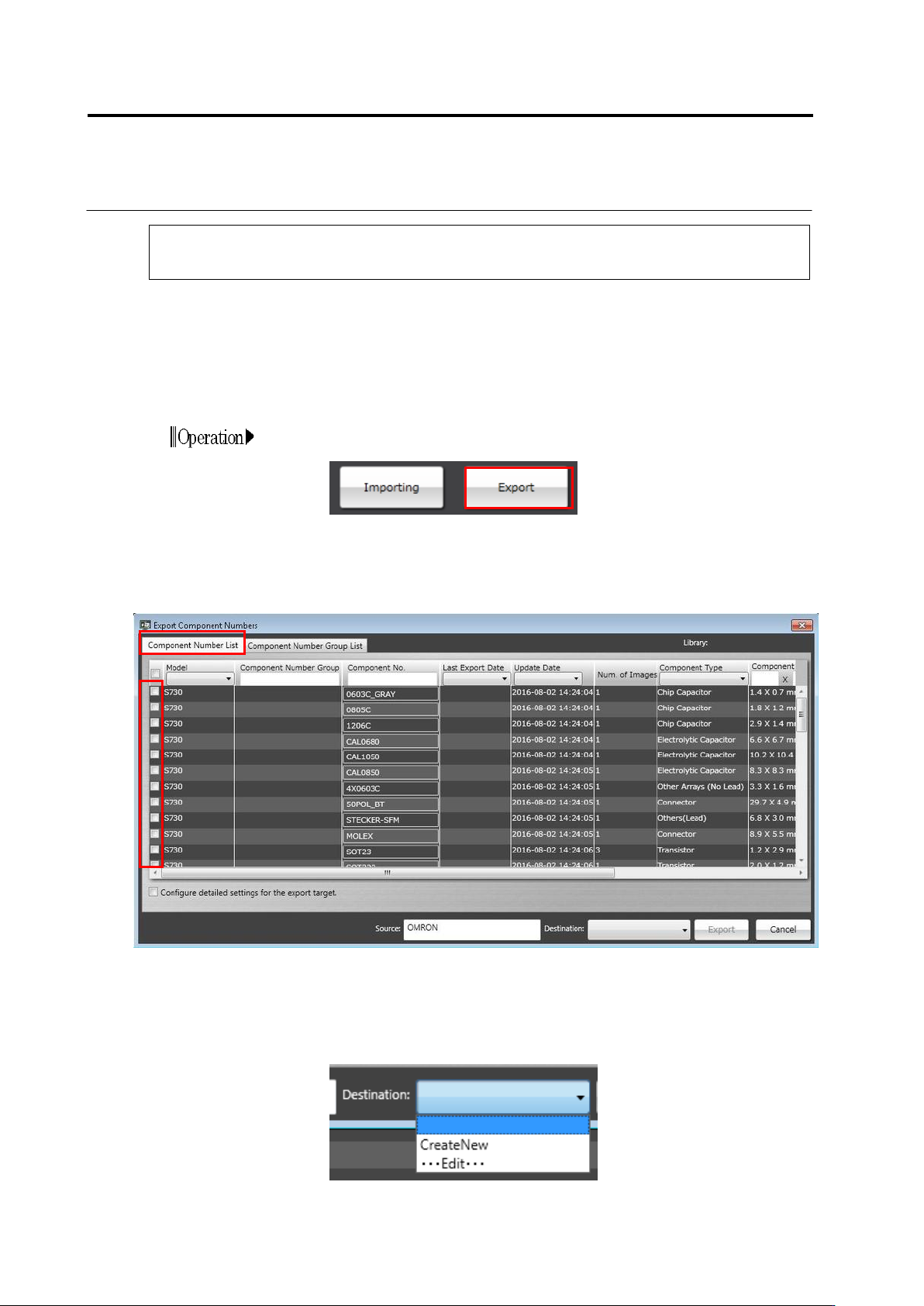
1.
Select a component number library from which you wish to
output a component number data, and click [Export].
2.
On the Export Component Numbers screen, click the
[Component Number List] tab. It is able to select the component
numbers you wish to export from the component number list, and
set information on the source or destination of data.
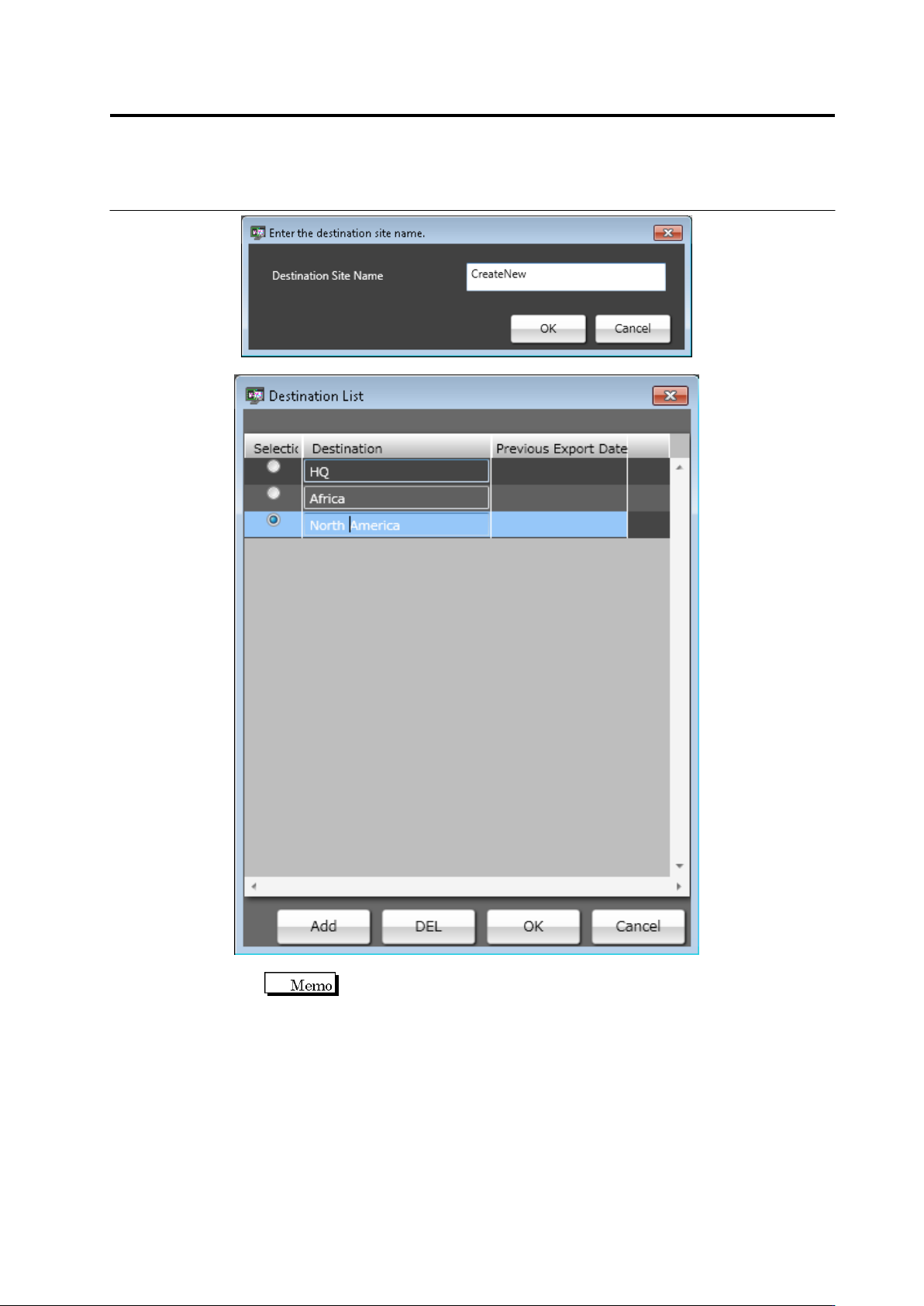
3.
The name of a data supply source can be set by filling in the
[Source] text box with text. For destinations, by clicking
[CreateNew] on the pull-down menu, a new destination can be
registered. When editing an existing destination, click [
・・・
Edit
・・・
]. Then, the destination list can be edited.
Chapter 3 Management Menu
3-14
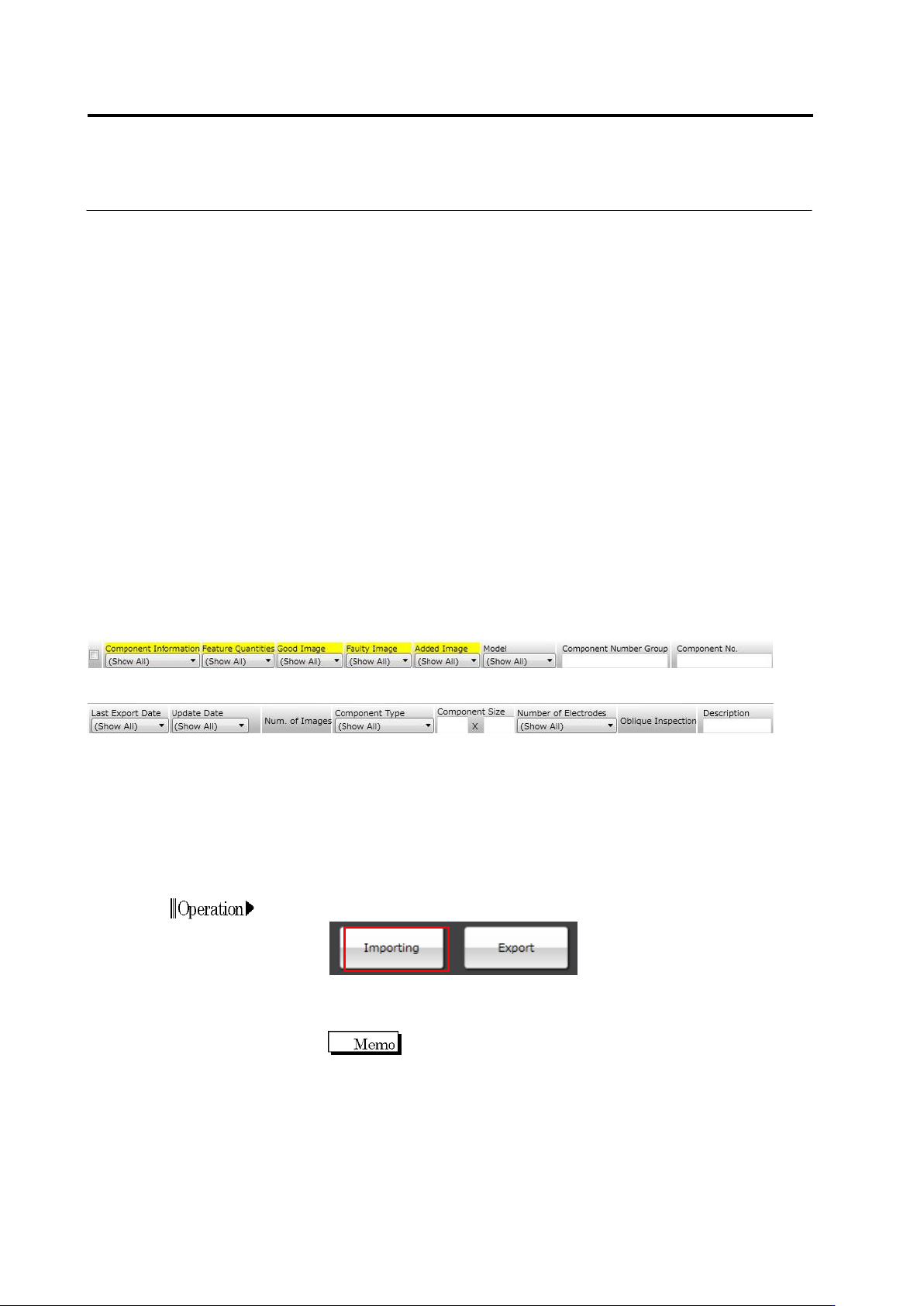
4.
To set the content you wish to export in detail, turn ON the [Set
content exported in detail] check box. When turned ON, items
②
to
⑥
below are displayed.
5.
When the component numbers and content exported have been
set, click [Export]. Select a folder to save the component number
data.
Importing component number data
1.
Select a component number library you wish to input the
component number data, and click [Importing].
2.
Select the folder containing the component number data you
wish to input.
All the component number data in the folder are applicable to
import. So, remove the component number data you don’t wish
to import from the folder in advance.
① ② ③ ④ ⑤ ⑥ ⑦ ⑧ ⑨
⑩ ⑪ ⑫ ⑬ ⑭ ⑮ ⑯ ⑰
⑨
① Turn ON/OFF export execution
② Turn ON/OFF export execution of component information data
③ Turn ON/OFF export execution of feature quantity data (color, mask information)
④ Turn ON/OFF export execution of OK images
⑤ Turn ON/OFF export execution of NG images
⑥ Turn ON/OFF export execution of only images added after previous export
⑦ Display inspection machine model
⑧ Display component number group name
⑨ Display component number name
⑩ Display date & time of previous export
⑪ Display date & time of updating component numbers
⑫ Display number of images
⑬ Display component type
⑭ Display component size
⑮ Display number of electrodes
⑯ Display presence of oblique inspection settings
⑰ Display component number explanation