Omron V-TS Teaching Manual.pdf.pdf - 第243页
Chapter 2 Insp ection Progr amming 2- 216 4. Inspection program reading starts. The following dialog is d isplayed if the file is suc cessfully read. Click [Close]. If the reading fails, an error dialog appears. W hen re…
2.17 Mass-Produced PCB Image
2-215
2.18.2 Reading an Inspection Program
1.
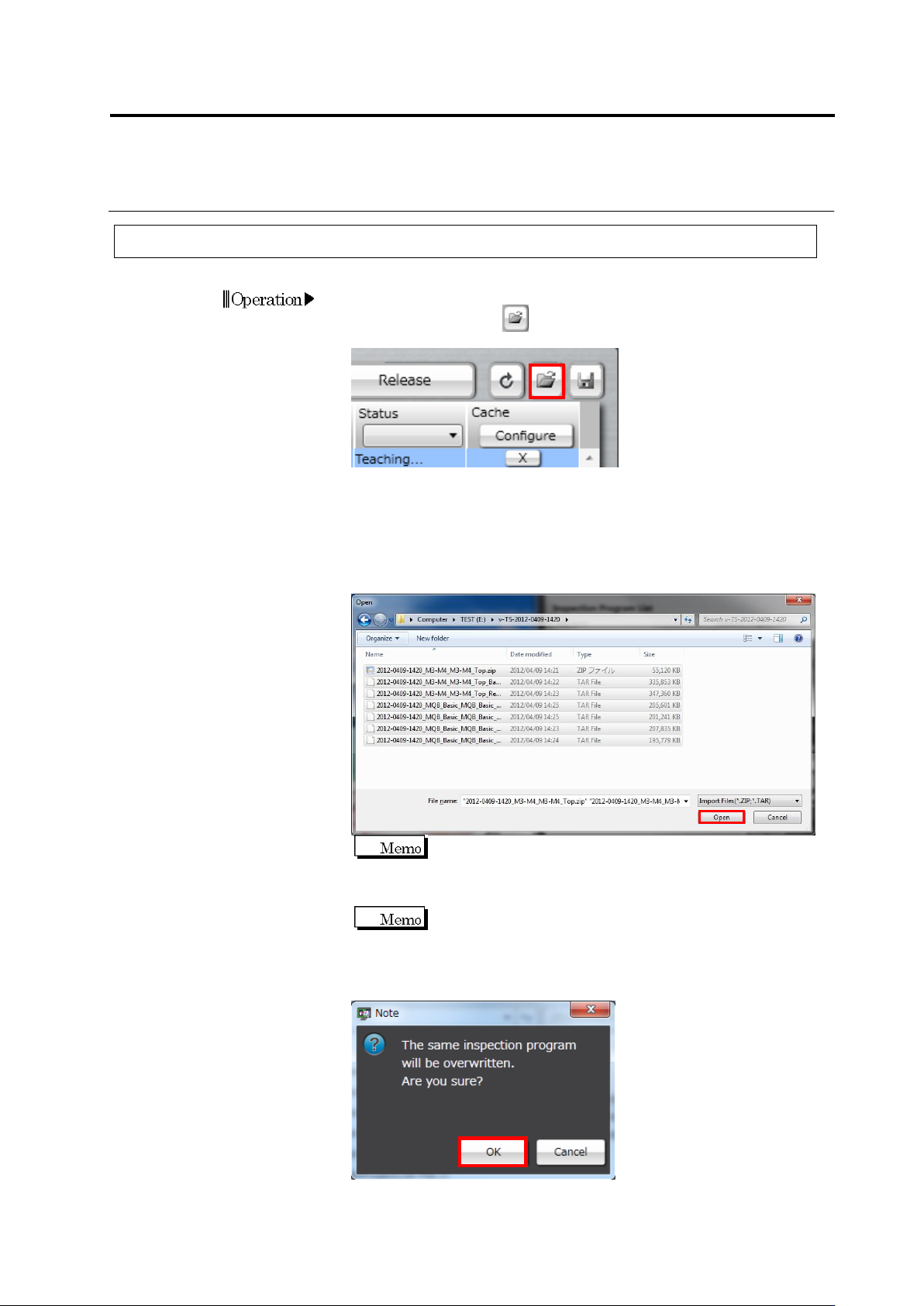
To read the saved inspection program on the PCB selection screen,
click the read button at the upper right of the inspection
program list.
2.
The file selection dialog appears. Specify the saving destination of
the reading target inspection program, select the file to be read and
then click [Open].
File names in which “Bare,” “Reflow,” and “adjust” are included are
the data of a raw PCB image, an inspection PCB image, and an
adjustment image, respectively.
The ZIP format file is data excluding PCB images, and TAR
format file is data of one PCB image. When reading all the
necessary data for inspection program teaching, select a ZIP
file and TAR file for necessary images, and then click [Open].
The component ID imported is equal to the component ID
when the files are exported.
3.
The inspection program overwrite confirmation dialog appears.
Click [OK].
Chapter 2 Inspection Programming
2-216
4.
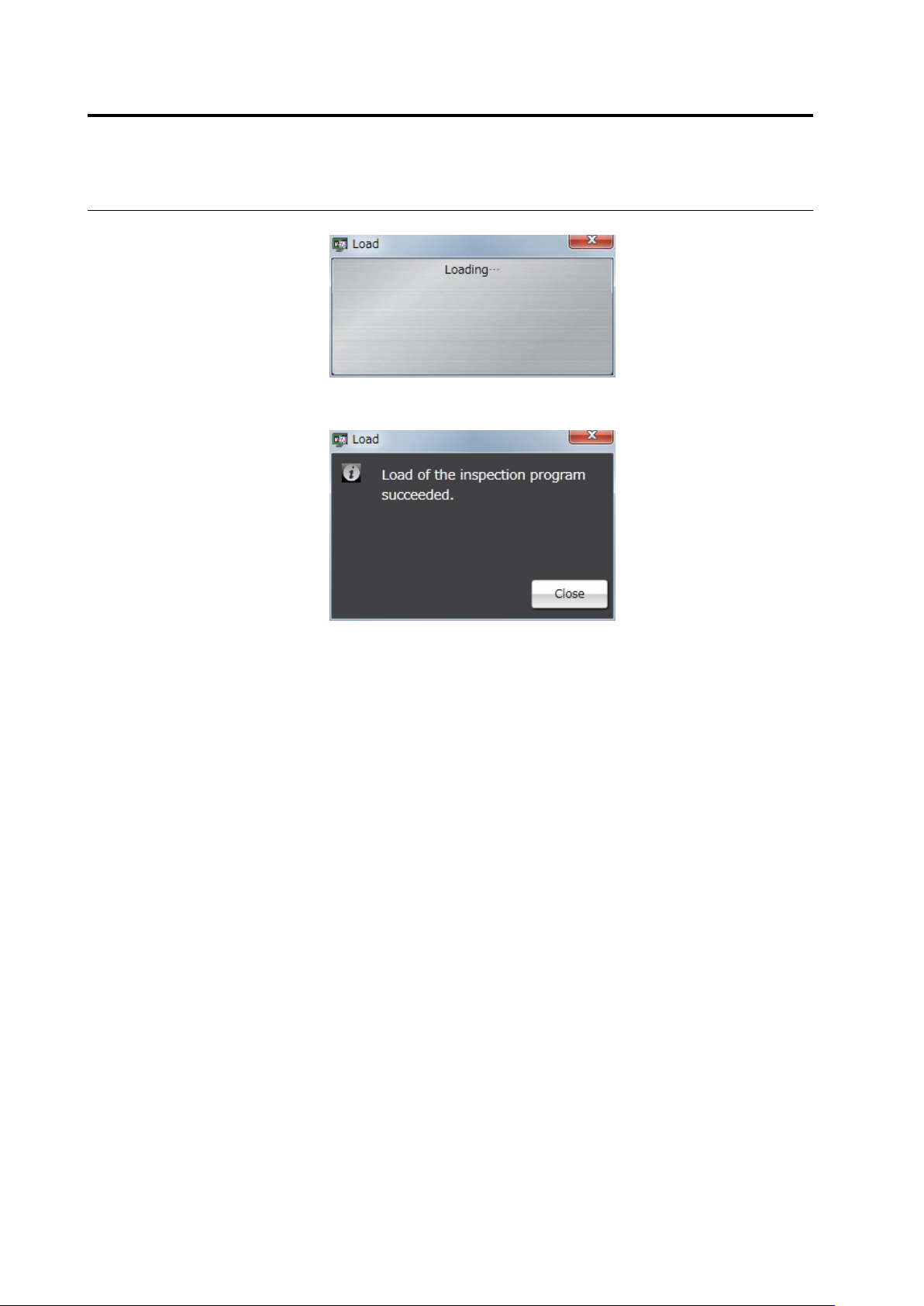
Inspection program reading starts.
The following dialog is displayed if the file is successfully read. Click
[Close].
If the reading fails, an error dialog appears.
When reading only the inspection program with the image captured
without presence of a capture image, a data mismatch occurs,
causing an error. Click [Close] to close the error dialog and select
the image and read the file again.
2.17 Mass-Produced PCB Image
2-217
2.18.3 Updating Inspection Program
1.
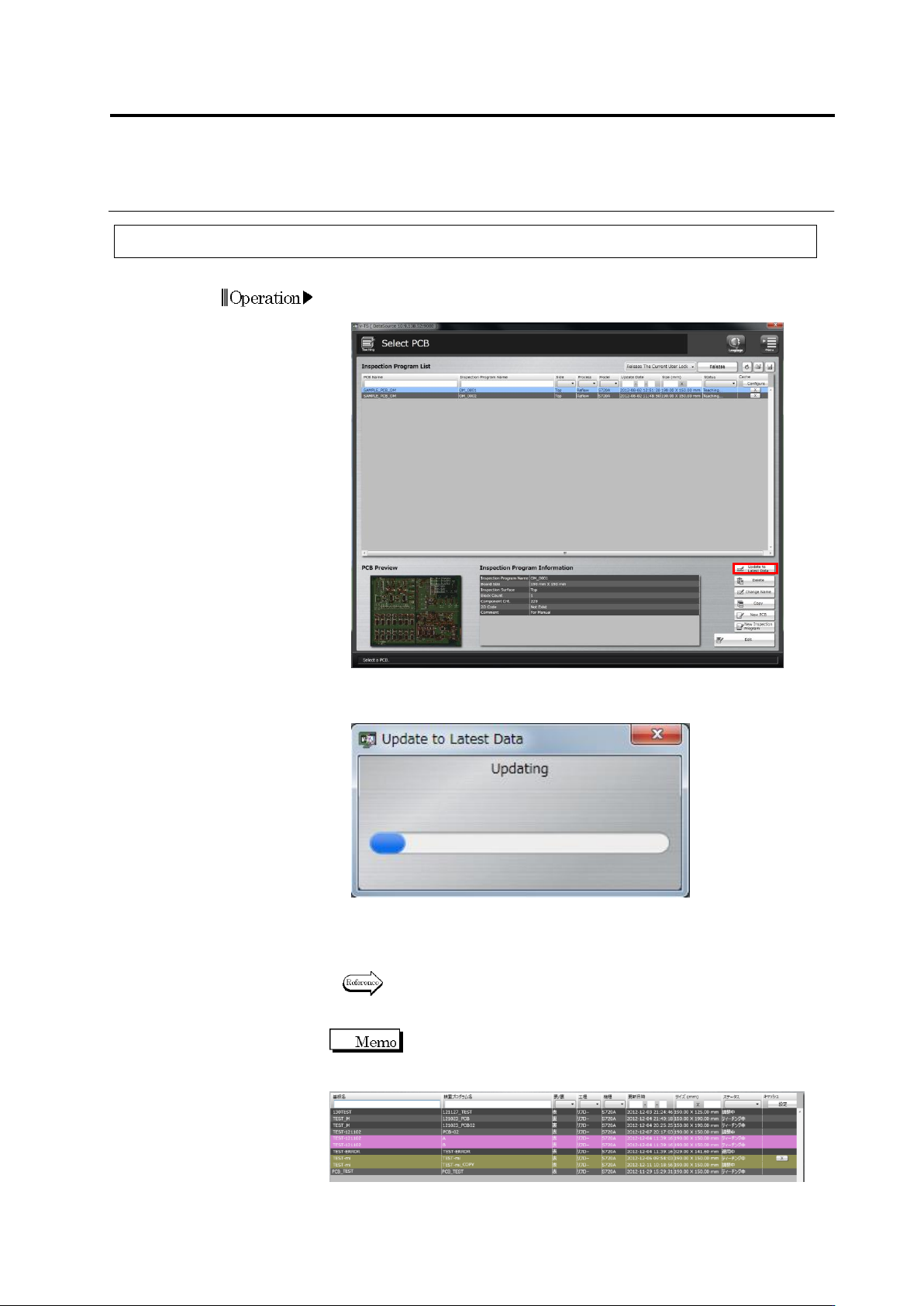
Select the inspection program in the Select PCB screen and click
[Update Data].
2.
The data update starts, and the progress is shown in the progress
bar.
The dialog closes when the update is complete.
Check that the update date and time of the inspection program is
updated in the Inspection Program List.
Refer to "2.3 Opening an Inspection Program" for the procedure when
the inspection program is opened in a state not updated.
If teaching of the latest product number is not completed
when the operating inspection program is updated to the latest data, the
status is shown by a pink band as follows.
In this case, open the inspection program and release the program
again after teaching of all the product numbers is completed.