Omron V-TS Teaching Manual.pdf.pdf - 第184页
2.15 M odifying an Inspection Pr ogram 2- 157 <Foreign O bject Edit ing To ol> The foreign object inspection ed iting tool is displa yed when the tem plate is selected and the foreign object inspectio n is selected…
Chapter 2 Inspection Programming
2-156
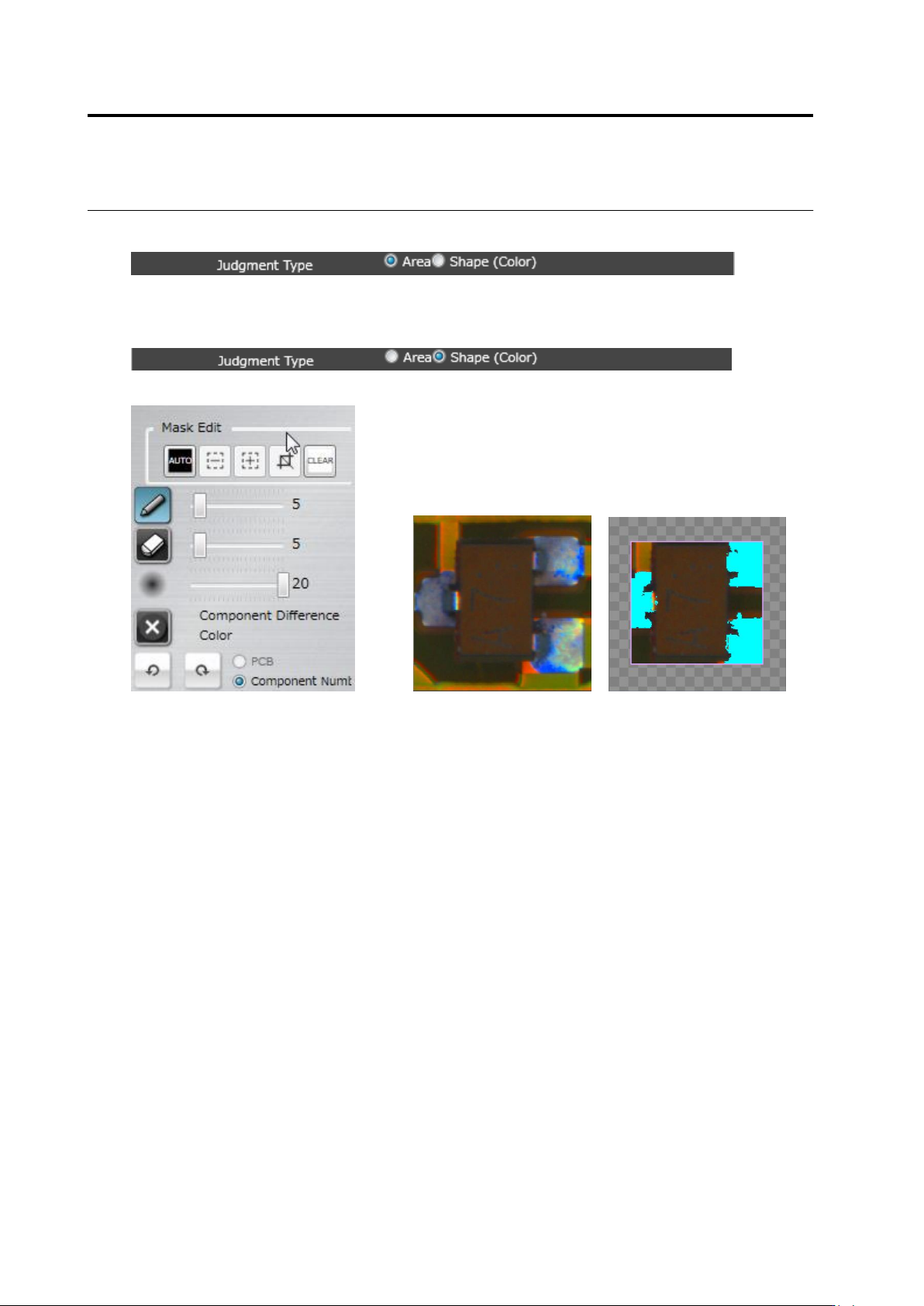
Judgment Type: Area (Color)
Refer to <Color Table Editing Tools>.
Judgment Type: Shape (Color)
Edit Tool Model Image (Image including component and electrode)
(1) Mask Area
Specify an area to exclude from a model image. Judgment Type: Same operation as in
Judgment Type: Shape (Brightness), (1).
(2) - (8) Set a color to extract character pattern. Same operation as in <Color Table Edit Tools>.
(1)
(2)
(3)
(4)
(5)
(6)
(8)
(7)
2.15 Modifying an Inspection Program
2-157
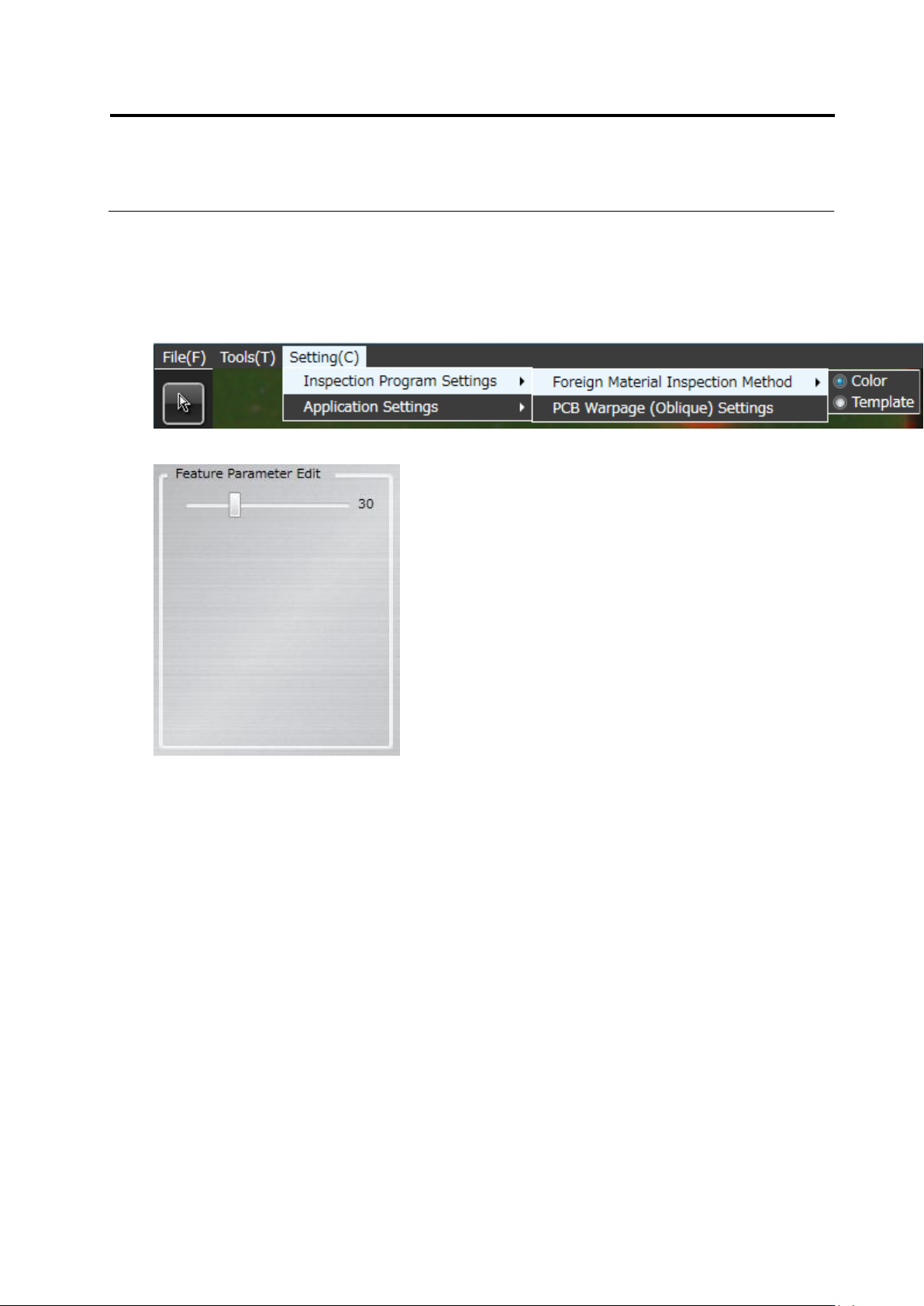
<Foreign Object Editing Tool>
The foreign object inspection editing tool is displayed when the template is selected and the
foreign object inspection is selected on foreign object inspection method.
* When the color is selected on the foreign object inspection method, the operation is the same
as <Color Table Editing Tools>.
Editing tool
(1) Acceptable variation
Sets the acceptable variation in the range of 1 to 99. The default value is 30.
(1)
Chapter 2 Inspection Programming
2-158
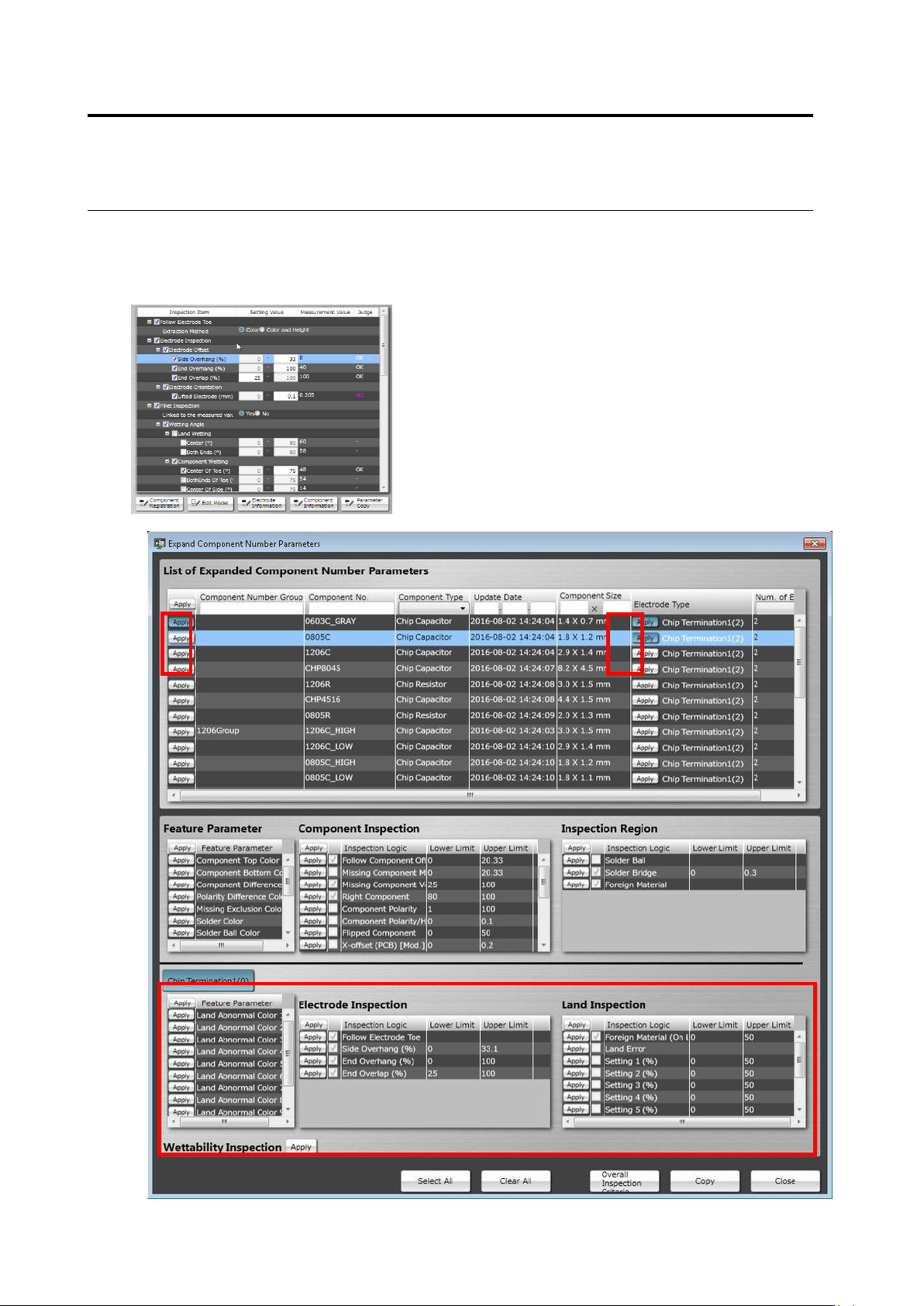
<Component Number Deployment Tool>
You can deploy characteristic parameter and inspection criteria of the selected component
number to other component number.
(1)
(2)
(3)
(5)
(6)
(4)
(7)
(8)
(9)
(11)
(12)
(13)
(14)
(15)
(17)
(16)
(10)