Omron V-TS Teaching Manual.pdf.pdf - 第202页
2.15 M odifying an Inspection Pr ogram 2- 175 Ju dgement results (OK/NG) are only displayed after PCB testing. (1) Displays com ponent number group and com ponent num ber name. (2) Displays the setting l ist of com ponen…
Chapter 2 Inspection Programming
2-174
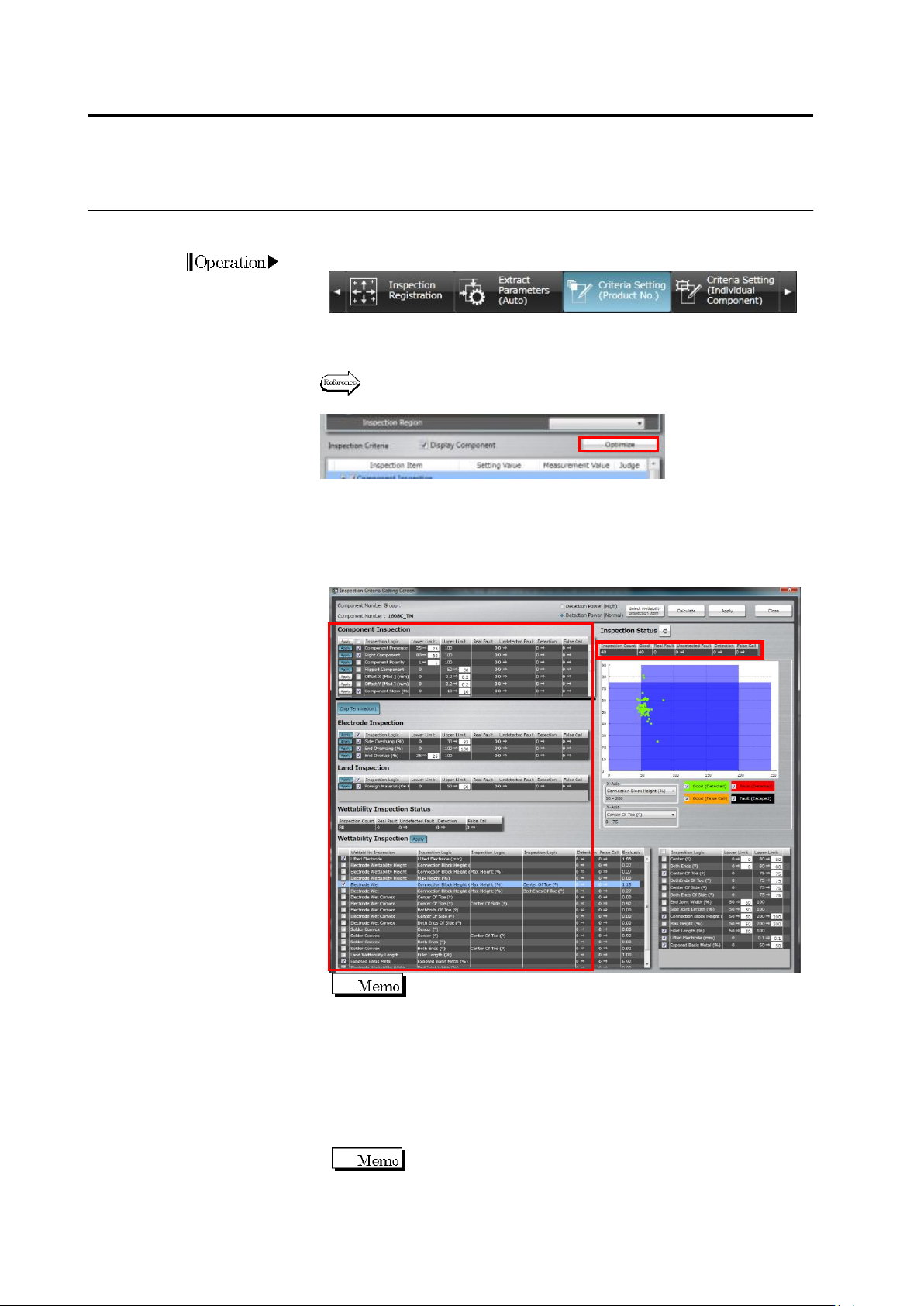
The following shows the procedure to optimize the inspection criteria.
1.
Select the [Criteria Setting (Product No.)] tab.
2.
Select a component number and click [Optimize].
Refer to "2.6.1 Criteria Setting (Product No.)" for the procedure up to
selecting a component number.
3.
The inspection criteria setting screen appears. Select either of "
Minimize false call risk” or " Minimize detection failure risk" and click
"Select wettability inspection item". The suitable Boolean
expression according to the component number and electrode is
automatically selected.
Inspection is optimized to minimize false calls regardless of the
selection between "Minimize detection failure risk" and
"Minimize false call risk". When the first is selected, inspection
criteria becomes more strict if the judgement is "Good" by a
great margin. However, even if it is the case, inspection criteria
does not become strict when the latter is selected.
4.
By clicking [Calculate], the inspection criteria which can minimize
undetected fault or excessive detection from the distribution of
measured values are set up.
The items on which the inspection criteria or the number of
detected errors changed are highlighted.
Operation
(1)
(2)
(4)
(5)
(3)
(6)
2.15 Modifying an Inspection Program
2-175
Judgement results (OK/NG) are only displayed after PCB
testing.
(1) Displays component number group and component number
name.
(2) Displays the setting list of component inspection, electrode
inspection, land inspection, and wettability error inspection.
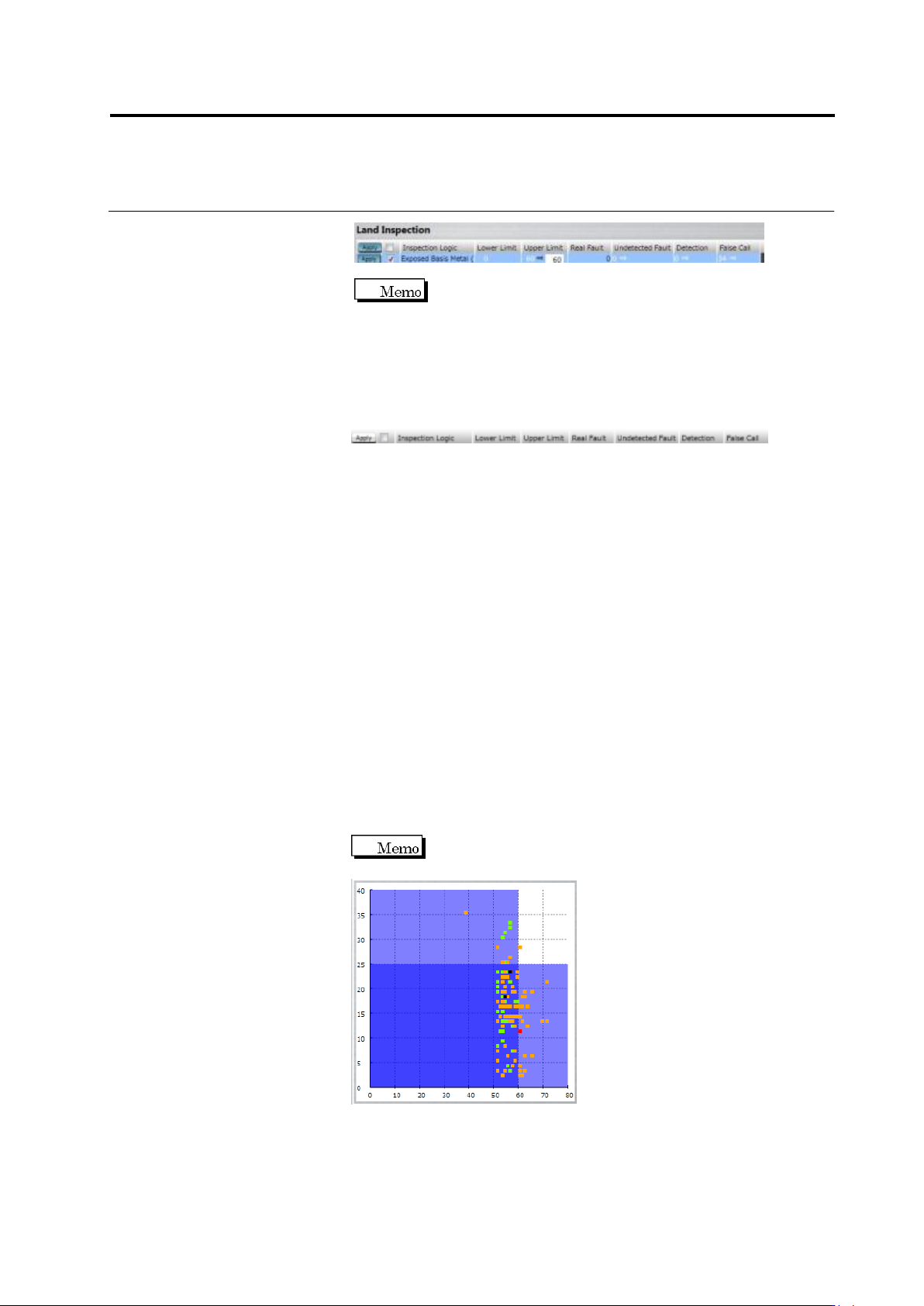
Apply to: If the [Apply] toggle button is ON, clicking the [Apply]
button reflects the change.
Checkbox: Specify ON/OFF of inspection item.
Inspection Logic: Displays inspection item name.
Lower Limit/Upper Limit: Specify inspection setting values.
Real Fault: Displays the number of real faults registered in this
inspection item.
Undetected Fault: Displays the number of the real faults which were
registered with this inspection item and undetected.
Detection: Displays the number of the real faults which were
registered with this inspection item and detected.
False call: Displays the number of the OK products which were
registered with this inspection item and detected as faults by
mistake.
(3) By clicking the toggle button of the electrode group name,
electrode groups are switched with each other.
(4) Displays the wettability inspection result.
(5) Displays a histogram.
A scattered chart is displayed if a Boolean expression is
selected.
Chapter 2 Inspection Programming
2-176
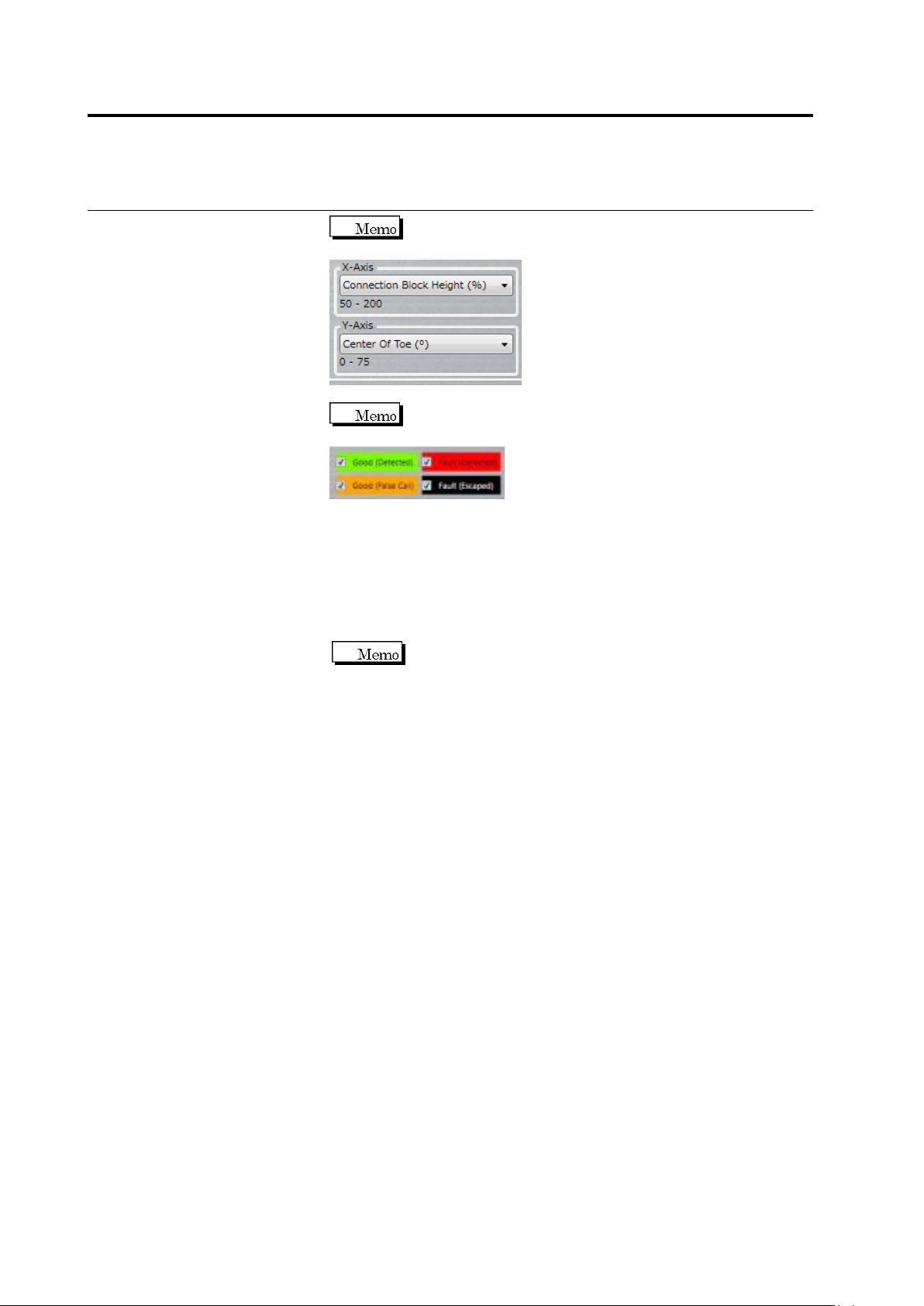
Use the combo box to switch between X and Y axes of
the scatter chart.
Selecting/unselecting the check box switches between
targets to show/hide in the scatter chart.
(6) The statistic information of the inspection result is displayed on a
per component basis.
5.
By clicking [Apply], the criteria of the inspection items with which
the [Apply] toggle button is enabled are updated.
If the inspection criteria have been changed manually, the
numerical values are updated by clicking the [Update Result]
button.
6.
Click [Close] to exit the inspection criteria setting screen.