Omron V-TS Teaching Manual.pdf.pdf - 第210页
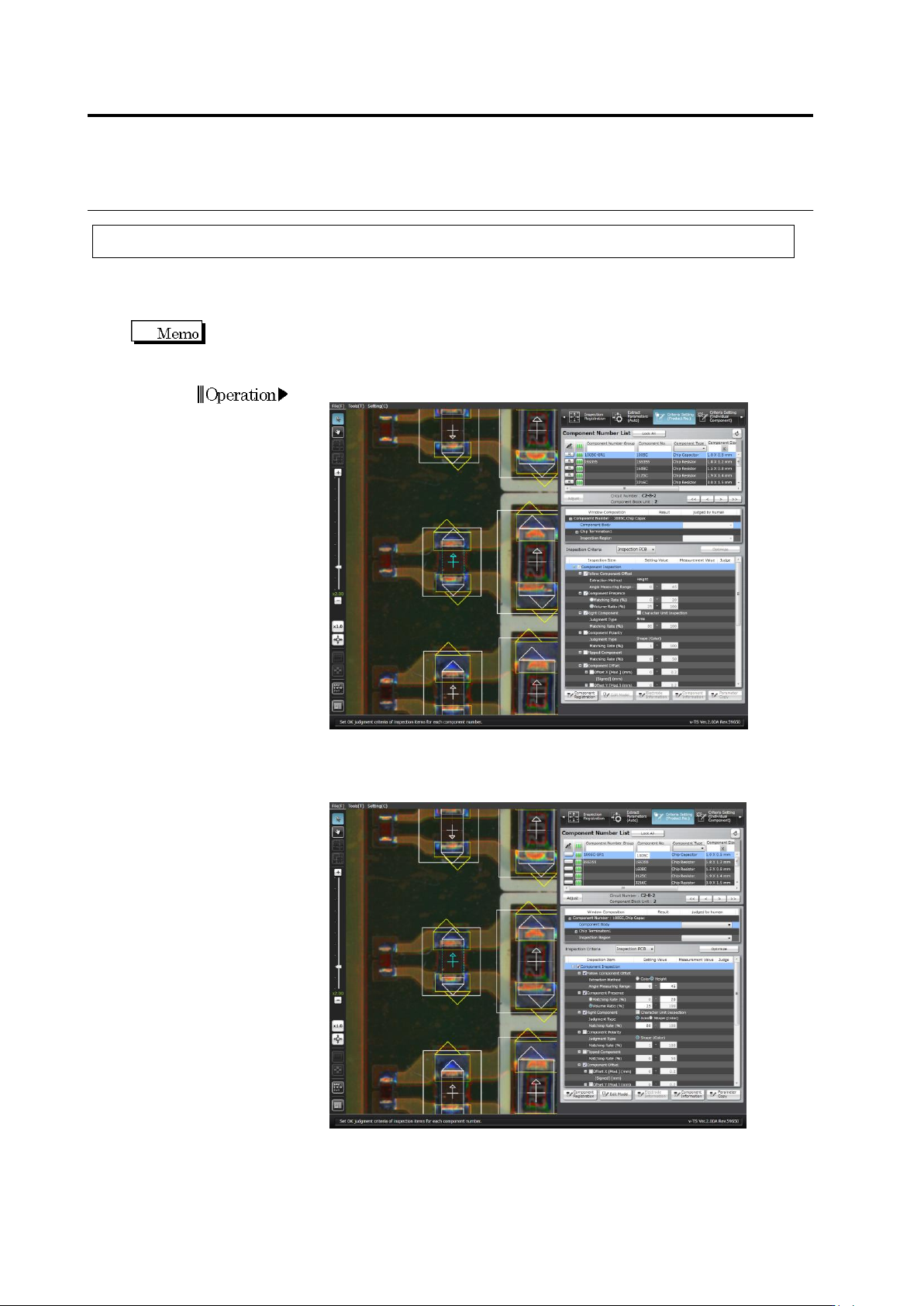
2.15 M odifying an Inspection Pr ogram 2- 183 3. Change the nam e to the new one.
Chapter 2 Inspection Programming
2-182
2.15.7 Changing the Component No. Name
The component number name can be changed.
After the component number has been changed, the lock cannot be unlocked until the
inspection program is saved.
1.
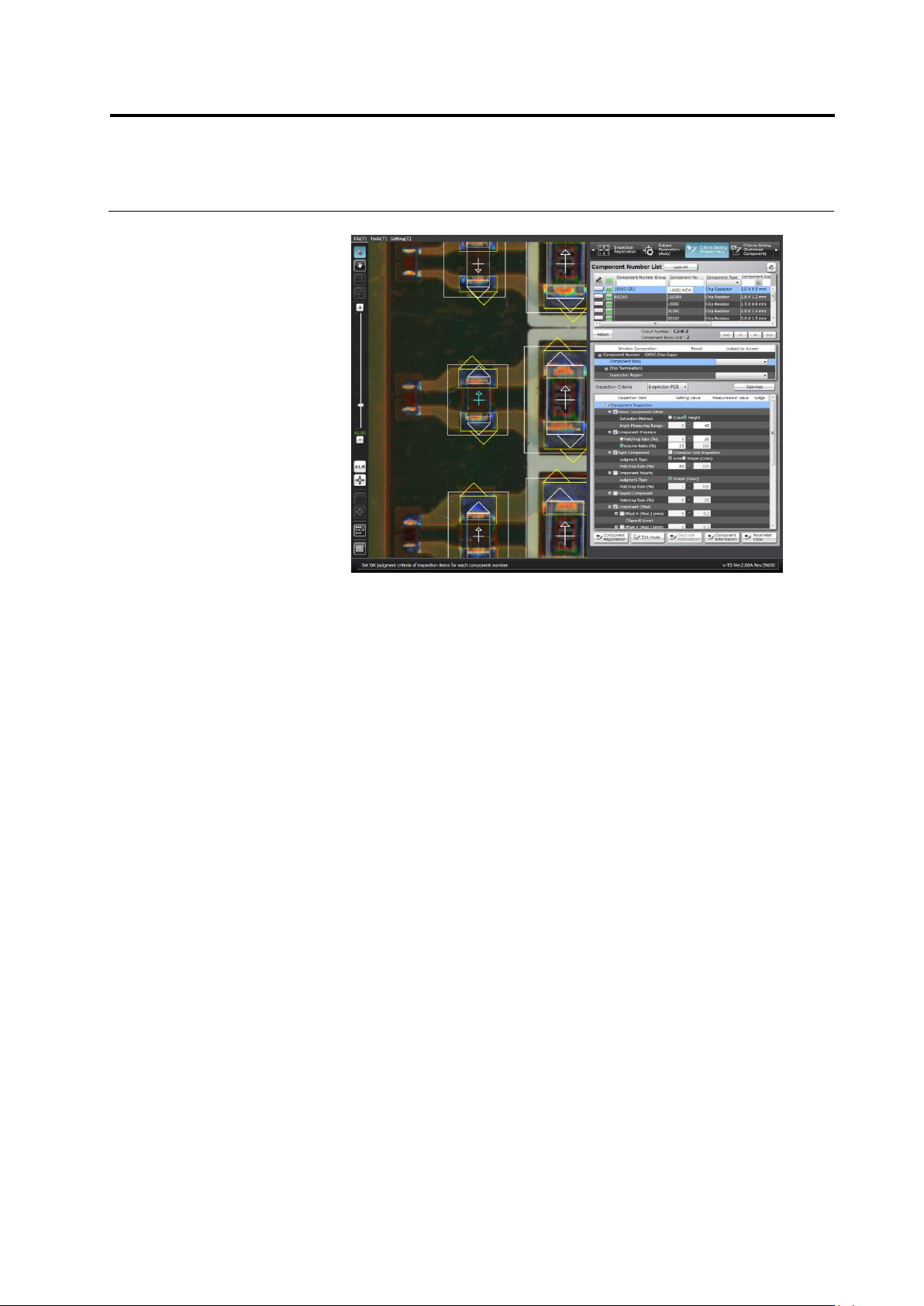
Select the [Criteria Setting (Product No.)] tab.
2.
Double click [Component No.] to which you want to change the
name.
2.15 Modifying an Inspection Program
2-183
3.
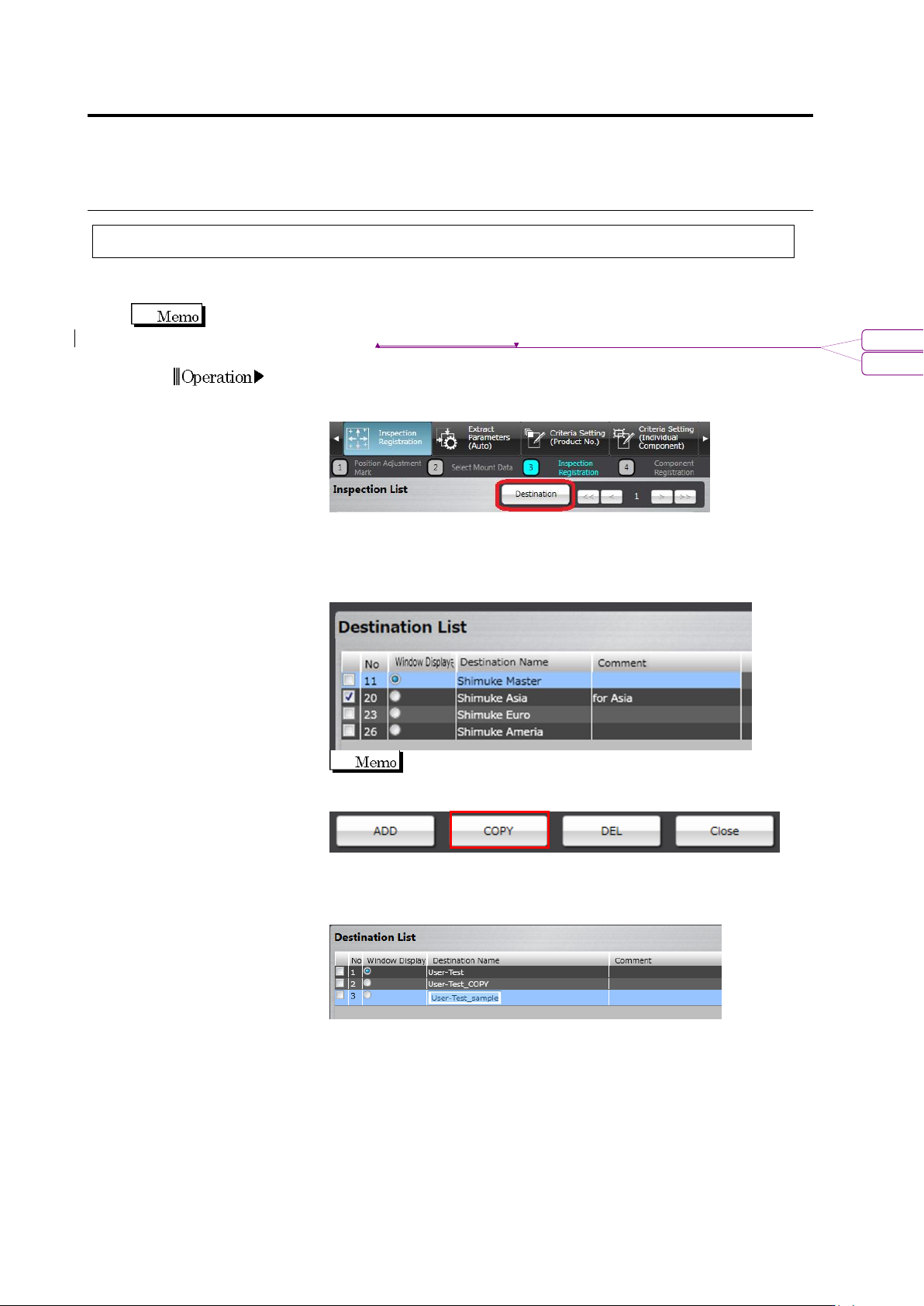
Change the name to the new one.
Chapter 2 Inspection Programming
2-184
2.15.8 Setting up Destination
It is able to set up destination on the inspection program being edited.
Execution result can be confirmed for each destination setting.
Refer to Section 2.8.1 “Testing Using PCBs”.
1.
On the [Register Inspection] tab, click the [Next] button.
2.
Press the [Destination] button.
3.
By clicking the [Add] button, the destination can be added. In
addition, by checking the checkbox of a destination on the
destination list screen and clicking [Copy], the selected destination
is copied.
The numbers on the destination list correspond to the
numbers of headers of destinations on the inspection list.
4.
By double-clicking a destination name on the [Destination Name]
column, the name can be changed or set up. In addition, by
double-clicking the [Comment] column, a comment can be entered.
5.
Register destination for the necessary number by performing steps
3 and 4 above repeatedly.
6.
Unnecessary destinations can be deleted by checking their
checkboxes and clicking [Delete].
書式変更: フォント : Arial
削除: Testing Using PCBs