Omron V-TS Teaching Manual.pdf.pdf - 第274页
3.3 Configuring Qu ality Criteria Setting 3- 19 3. Select a co mponent No. library No. used by an insp ection program, an d click [Output C SV]. 4. A file saving dia l og is disp layed. Select a f older to sa ve, and cli…
Chapter 3 Management Menu
3-18
3.4.3 Outputting List of Component Numbers Used by
Inspection Programs
To simply grasp which component number is used for each inspection program, a list of the
component numbers used by inspection programs can be output.
To output the content of the inspection program list, refer to Section 2.18.7
“Outputting Content of Inspection Program List.”
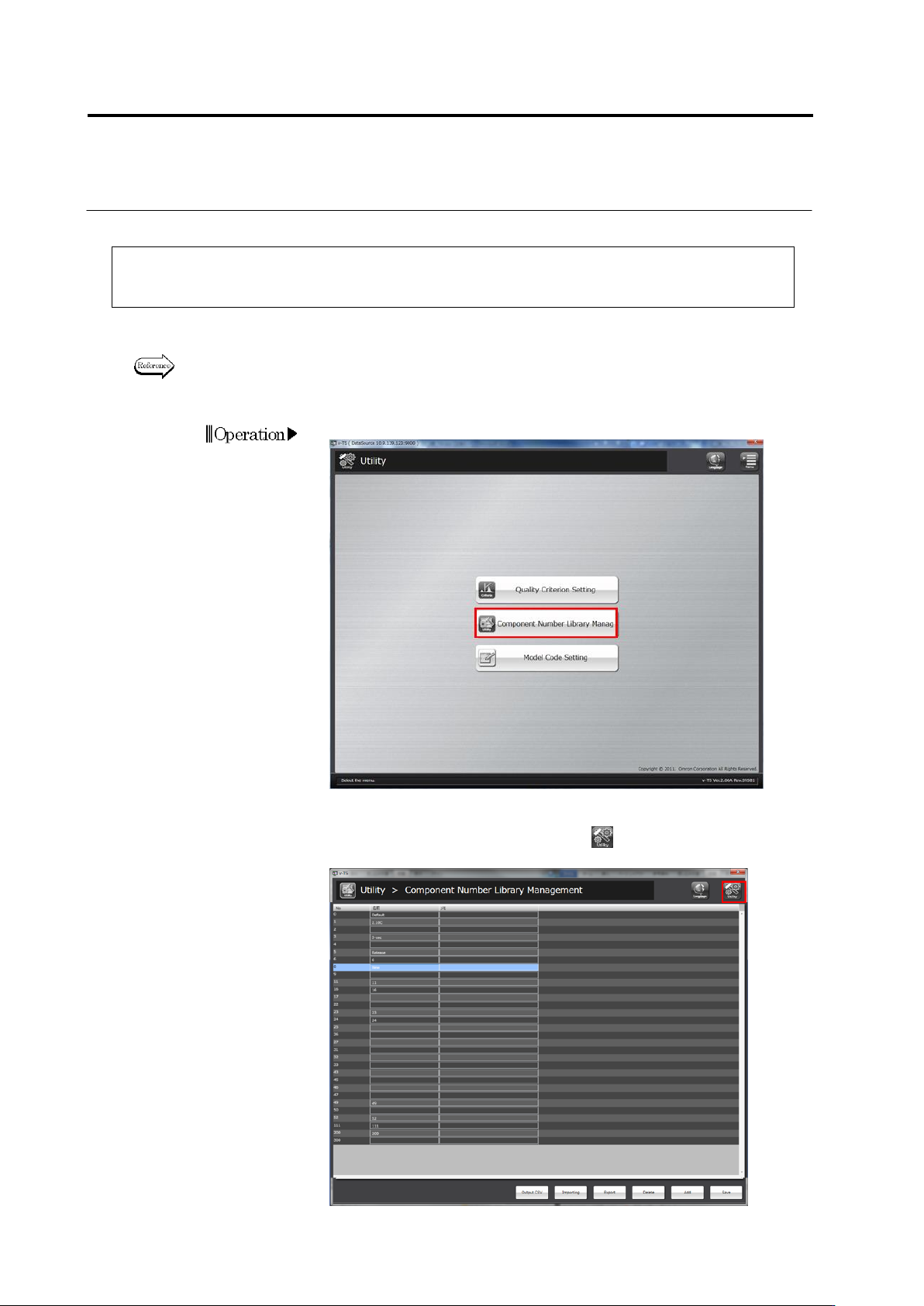
1.
On the Utility menu, click [Component No. Library Management].
2.
The component No. library management screen is opened.
To return to the Utility menu, click the button in the upper right
corner of the screen.
3.3 Configuring Quality Criteria Setting
3-19
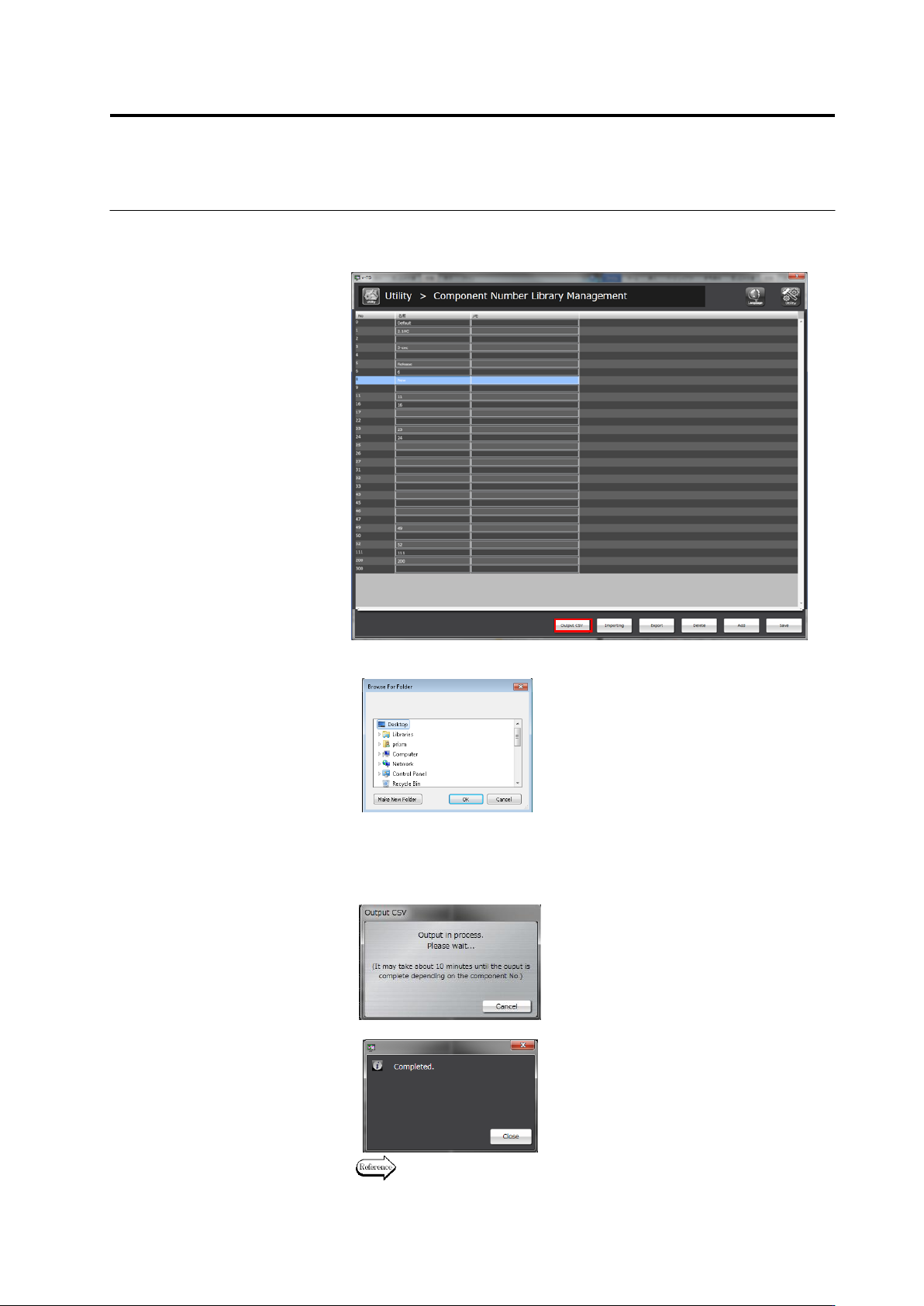
3.
Select a component No. library No. used by an inspection
program, and click [Output CSV].
4.
A file saving dialog is displayed. Select a folder to save, and click
[OK].
5.
When the finish screen is displayed after the CSV outputting
screen appears, click the [Close] button.
A CSV output file is saved in the selected folder.
To abort outputting the file, click [Cancel].
↓
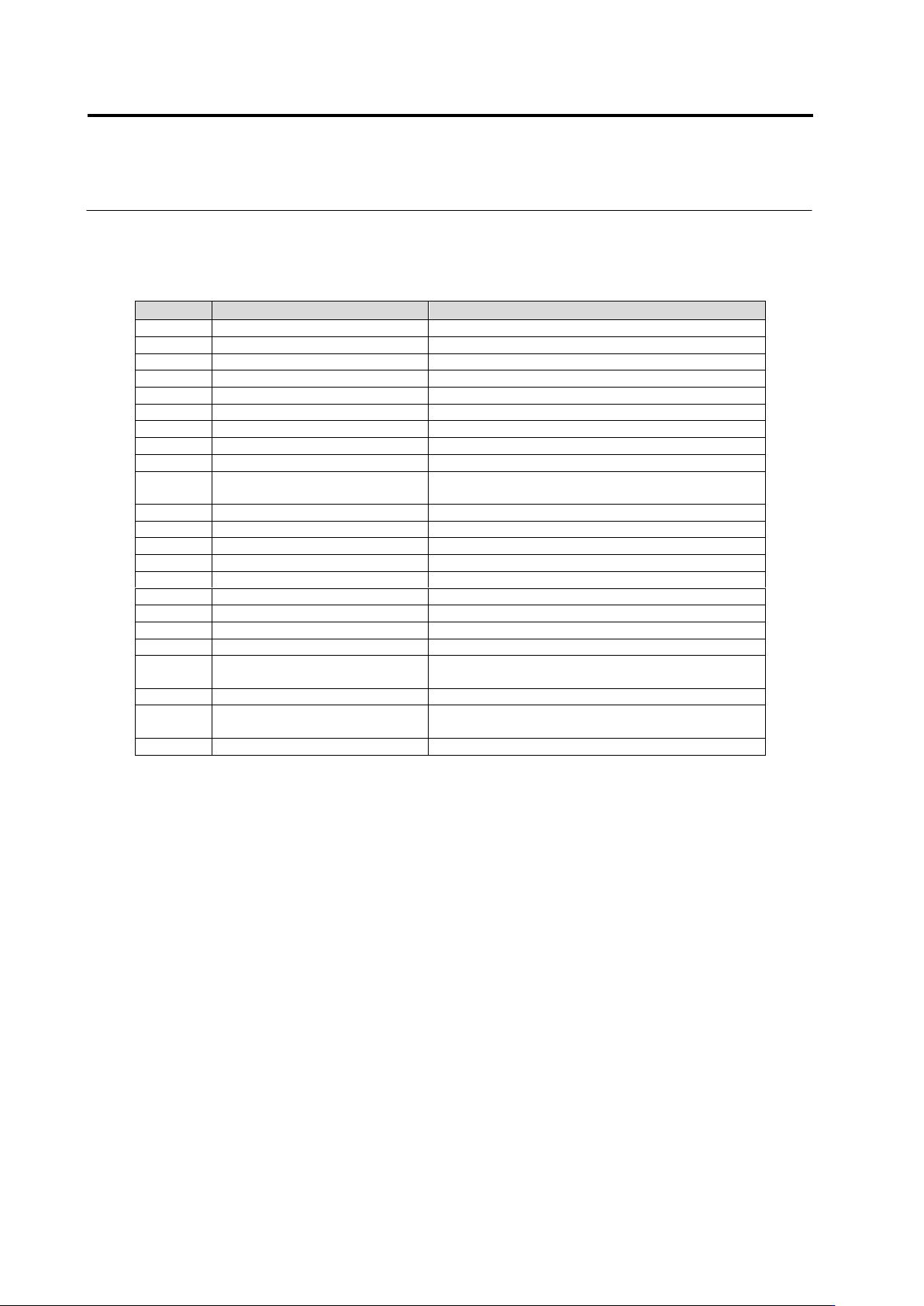
For details of the output format, refer to the following page.
Chapter 3 Management Menu
3-20
Output format of a list of the component numbers used by inspection
programs
Column
Item
Description
1
CompanyId
ID of component No. library
2
Model
Model name of inspection program
3
Component No. group ID
ID of component No. group
4
Component No. group revision
Revision of component No. group
5
Component No. group name
Name of component No. group
6
Component No. ID
ID of component No.
7
Component No. revision
Revision of component No.
8
Component No. name
Name of component No.
9
Component type
Type of component
10
Update date and time
(component No.)
Date and time of update of component No.
11
Inspection logic version
Version of inspection logic used by component No
12
PJ-ID
System ID of PCB
13
PG-ID
System ID of inspection program
14
PJ-Revision
System revision of PCB
15
PG-Revision
System revision of inspection program
16
PCB name
Name of PCB
17
Inspection program name
Name of inspection program
18
Front/back
Front/back of PCB inspected by inspection program
19
Process
Name of inspection process
20
Update date and time
(inspection program)
Date and time of update of inspection program
21
Status
Status of inspection program
22
Component No. revision
(inspection program)
Revision of component No. referred by inspection
program
23
Comment
Content of comment