Omron V-TS Teaching Manual.pdf.pdf - 第93页
Chapter 2 Inspecti on Programm ing 2- 66 ・ Edit the A uto Extraction Result The auto extraction of lands may not be successf ul if the bare PCB is appl ied with solder leveling. Use the s ystem learning feature to t each…
2.4 Registering for Inspection
2-65
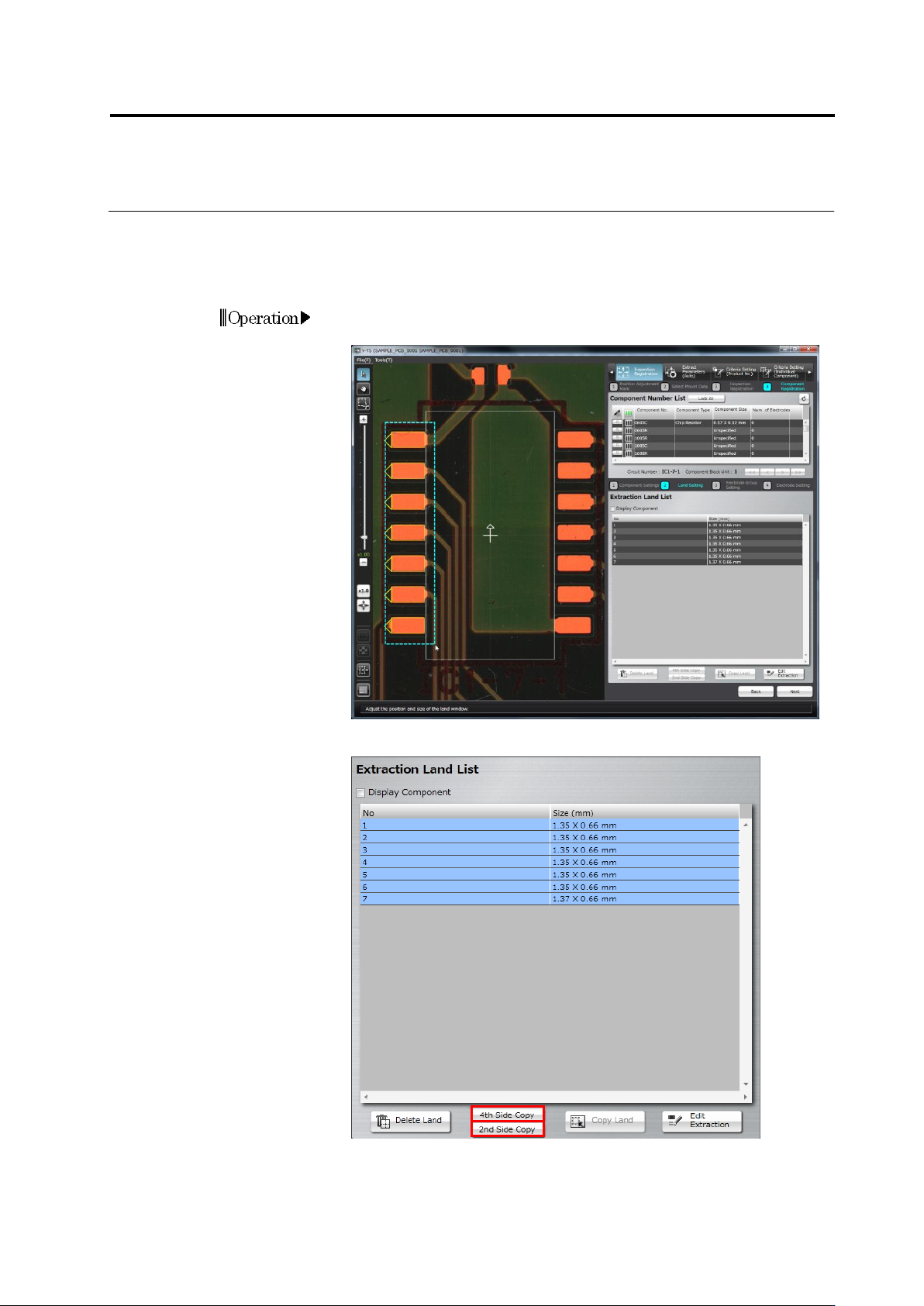
・ Copy on Two Sides or Four Sides
The land window group specified for one side of the component can be duplicated for the
remaining sides.
Click [2nd Side Copy] for an SOP, and [4th Side Copy] for a QFP.
1.
Drag and drop the cursor on the image display area to surround the
specified side of the land window to select it.
2.
Click [2nd Side Copy] or [4th Side Copy].
3.
The land windows are copied on the remaining side(s) of the
component.
Adjust the window positions if necessary.
Operation
Chapter 2 Inspection Programming
2-66
・ Edit the Auto Extraction Result
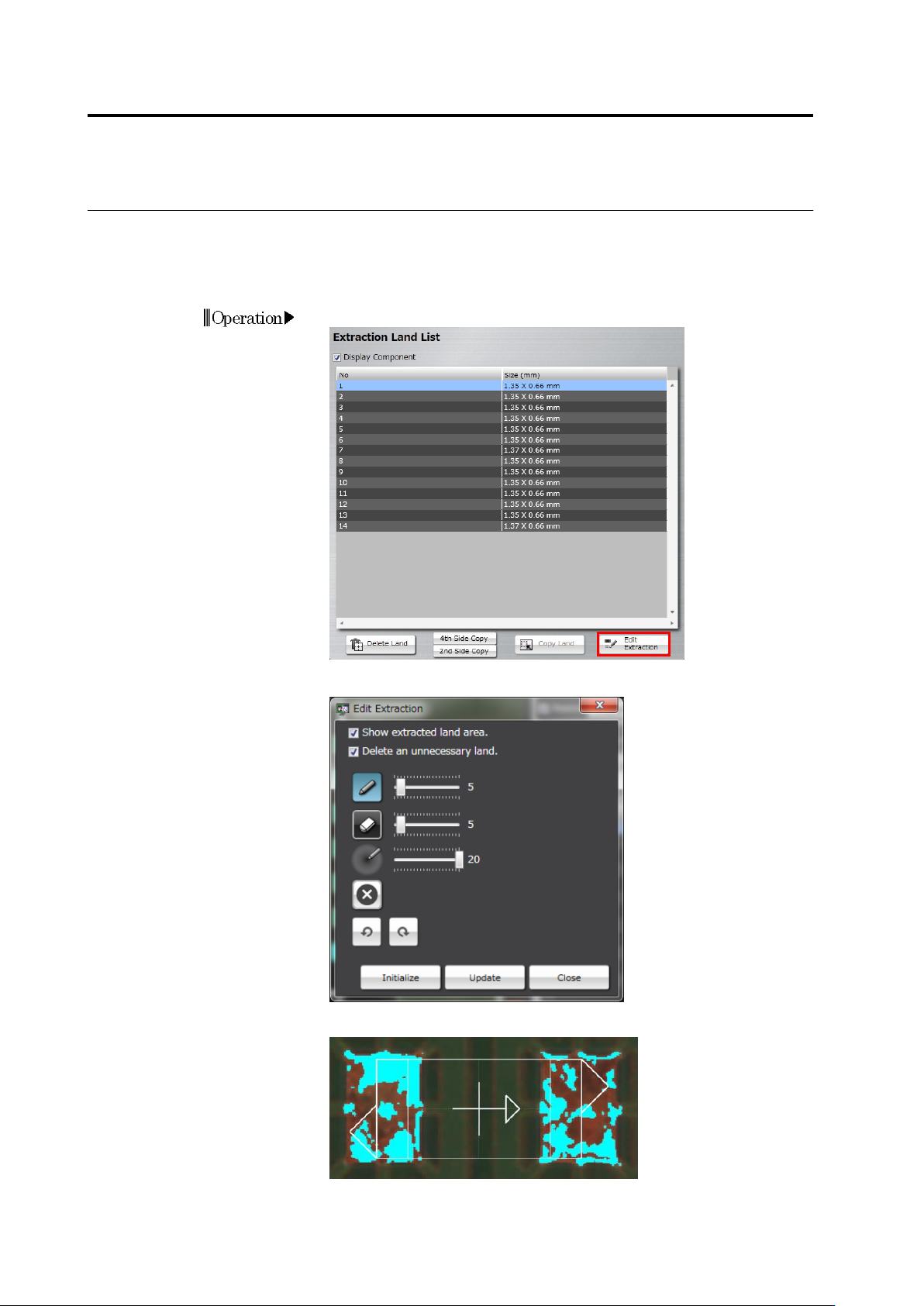
The auto extraction of lands may not be successful if the bare PCB is applied with solder
leveling. Use the system learning feature to teach it the colors of the lands. The more lands the
system learns, the more precise the auto extraction can be.
1.
Click [Edit Extraction].
2.
The extraction editing tool starts up.
Select the [Show extracted land area] checkbox. The land pixels
successfully extracted are shown in aqua color.
Operation
2.4 Registering for Inspection
2-67
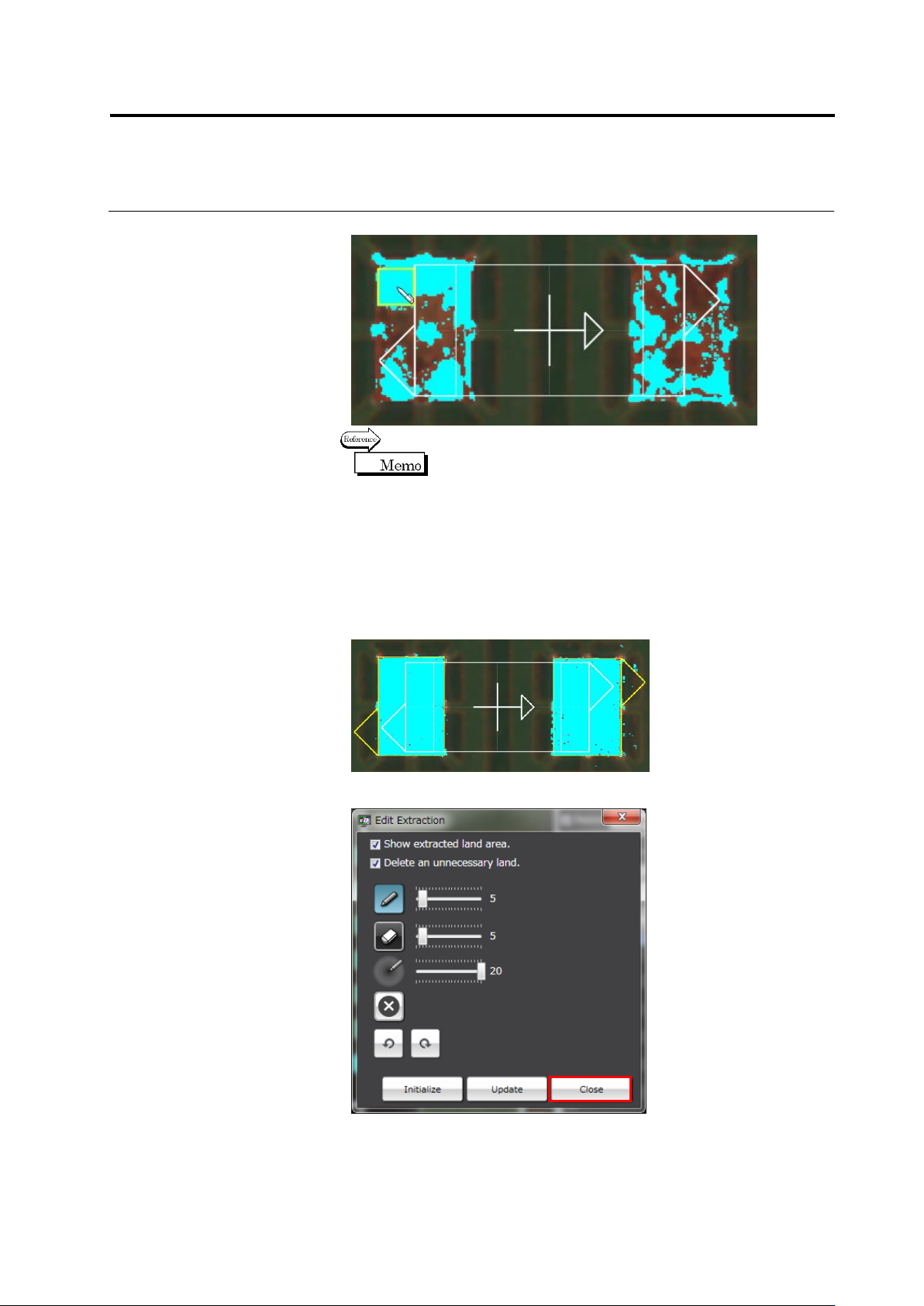
3.
Click unextracted land areas on the image display area.
Refer to <Color Table Edit Tool> on “2.15.3 Editing a Model”.
Click [Initialize] to return to the pre-editing image.
4.
Click [Update]. The land window is auto extracted and displayed.
5.
If irrelevant locations e.g. the lands of other components in the
surroundings are extracted, select the [Delete an unnecessary
land.] checkbox and click [Update] again.
Repeat Steps 3 to 6 until only the land windows for the relevant
component are extracted.
6.
Click [Close] to quit the extraction editing operation.