Omron V-TS Teaching Manual.pdf.pdf - 第238页
2.17 M ass-Produced PCB Image 2- 211 5. For the remaining c omponent num ber/im age management job, ad d an image. 6. W hen you s elect im ages from all the im age management jobs, sa ve this inspection program . T o del…

Chapter 2 Inspection Programming
2-210
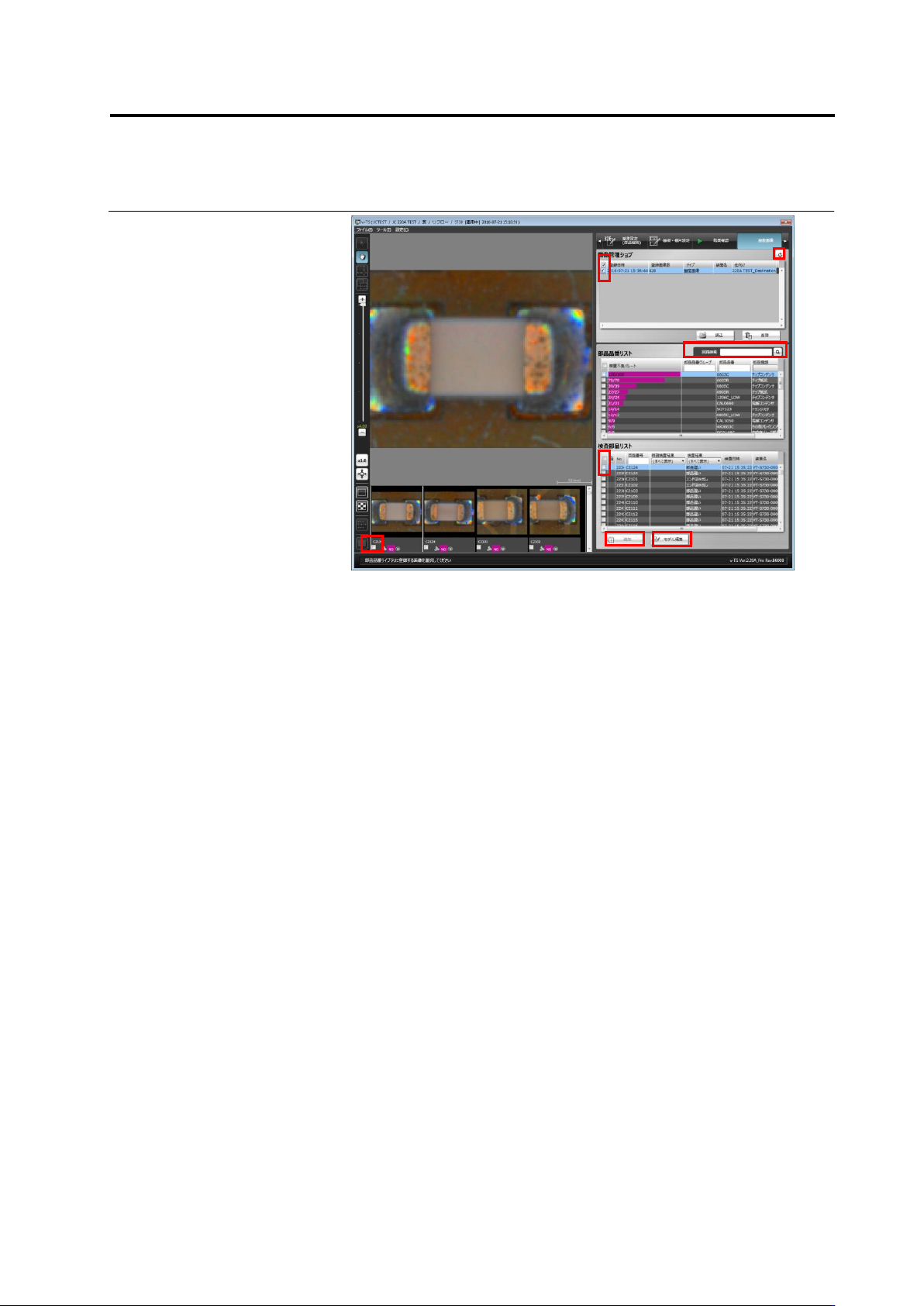
Click ON the check box of the image to be registered in the
component thumbnail image list or the inspection component list,
and click [Add].Click the check box to cancel the selected state.
Click [Model Edit] to go to the criteria setting screen. Click at the
upper right of the screen if the list of image management jobs is not
the latest.
Chapter 2 Inspection Programming
2-212
2.18 Inspection Program Maintenance
Use the Select PCB screen to save/read, update, delete, rename and copy an inspection
program. Follow the procedure below to display the screen, and perform necessary maintenance
operation, which is described in the subsequent sections.
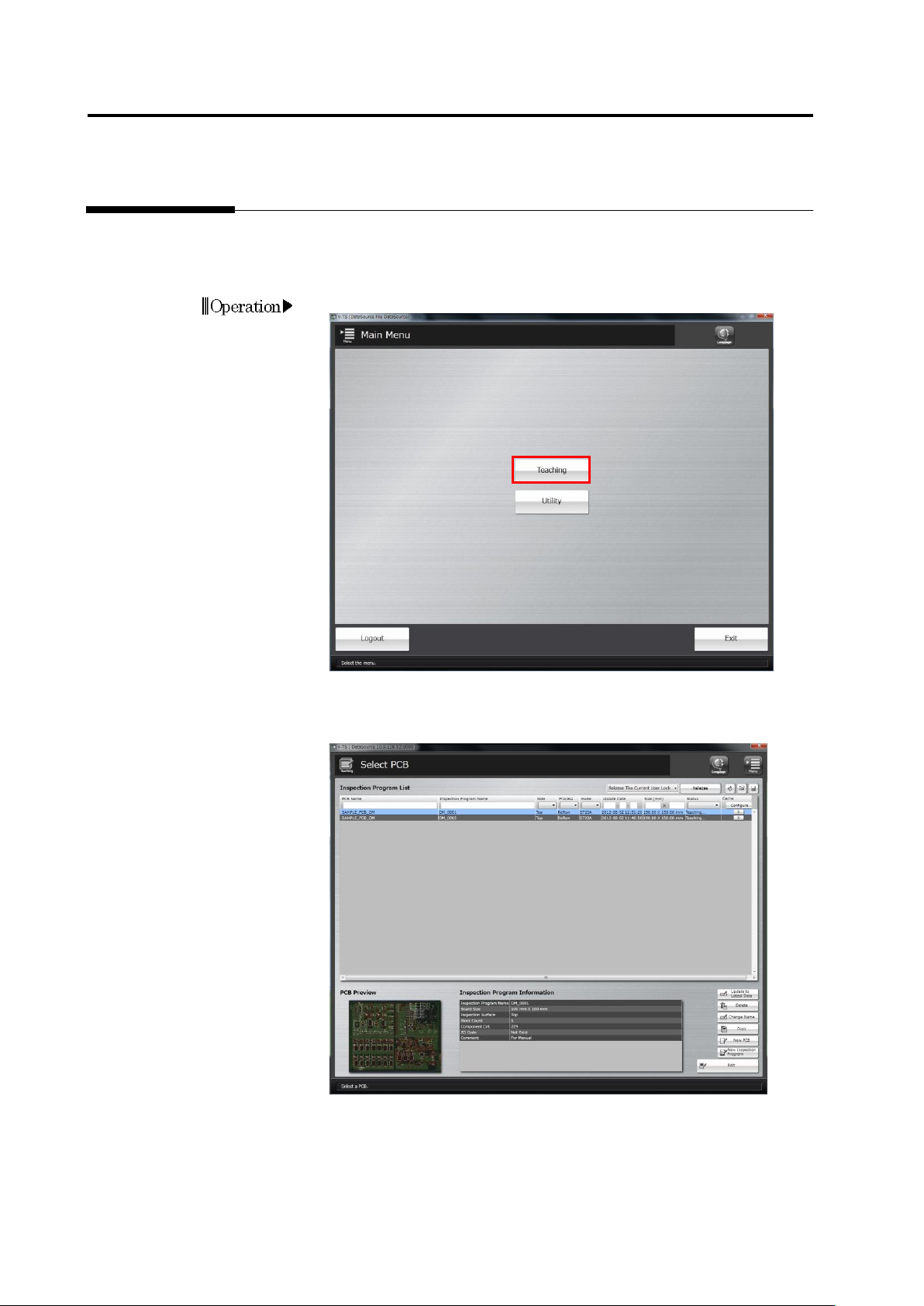
1.
Click [Teaching] in the main menu.
2.
The Select PCB screen appears.
Access individual inspection program maintenance menu items from
this screen.
Operation