Omron V-TS Teaching Manual.pdf.pdf - 第170页
2.15 M odifying an Inspection Pr ogram 2- 143 (8) Visual Check Result Select the visual check res ult for the thumbnail t o display. Click [(Displa y All)] to display all thum bnails reg ardless of the visual check r esu…
Chapter 2 Inspection Programming
2-142
(6) Inspection Item
Displays the inspection items for the model currently being edited.
(7) Inspection Result
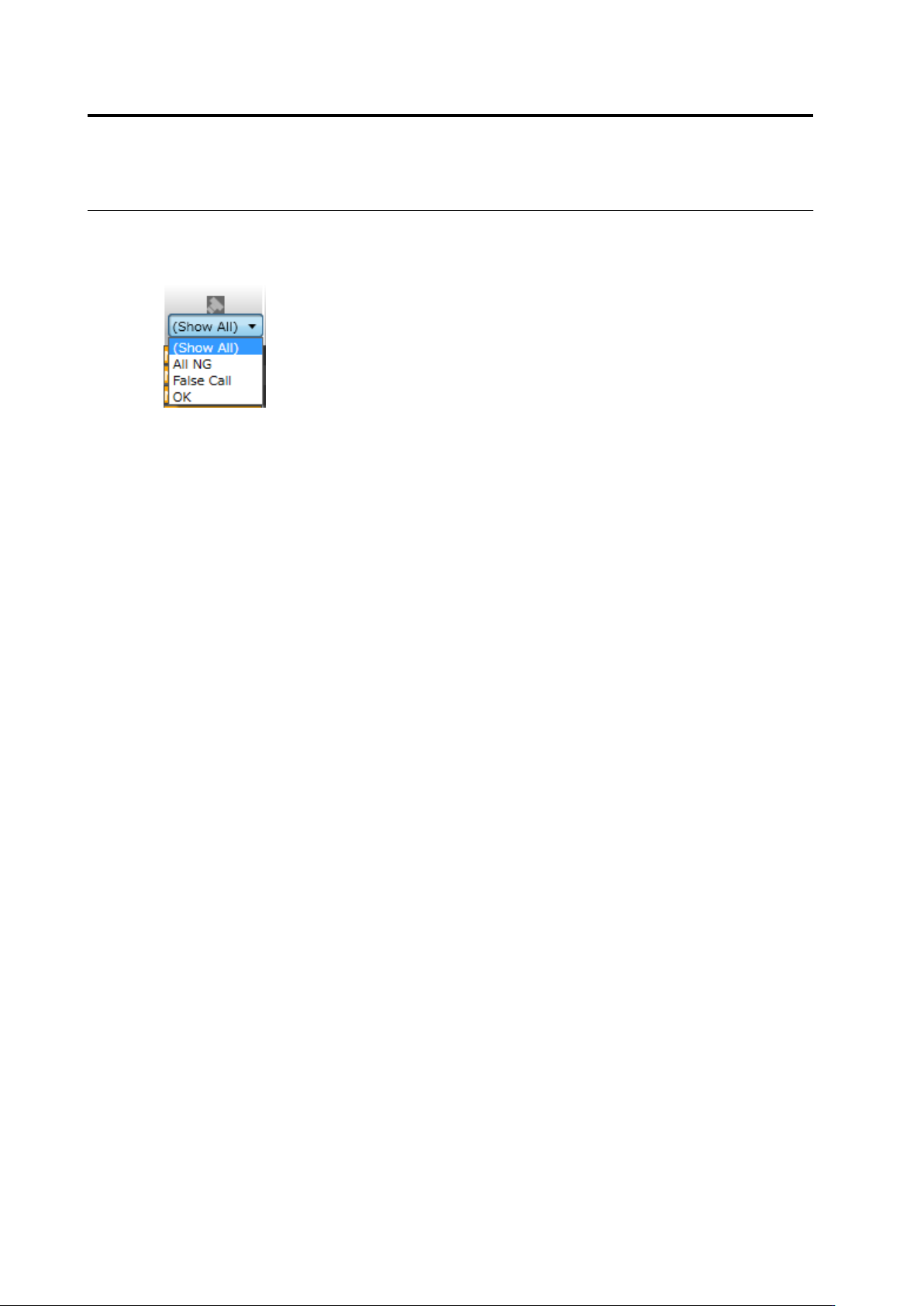
Select the inspection result for the thumbnail to display.
Click [(Display All)] to display all thumbnails regardless of the inspection result.
Click [(Blank)] to display only thumbnail(s) without an inspection result.
Click [OK] to display only the thumbnails whose inspection result is "OK".
Click [NG] to display only the thumbnail that the selected inspection item is "NG".
Click [All NG] to display only the thumbnails whose inspection result for any of the inspection
items is "NG".
Clicking [False Call] displays only a thumbnail of window without visual check result that is
judged as defect in the inspection.
Clicking [Undetected Fault] displays only a thumbnail of window with its visual check result
judged as OK in the inspection.
2.15 Modifying an Inspection Program
2-143
(8) Visual Check Result
Select the visual check result for the thumbnail to display.
Click [(Display All)] to display all thumbnails regardless of the visual check result.
Click [(Blank)] to display only thumbnail(s) without a visual check result.
Click [None] to display only thumbnail(s) with the visual check result as None.
Click [OK] to display only the thumbnails whose visual check result is "OK".
Click [Acceptable] to display only the thumbnails whose visual check result is "Acceptable".
Click [NG] to display only the thumbnail whose visual check result for any of the inspection
items is "NG".
(9) Thumbnail Type
Select the thumbnail type to display.
Click [(Display All)] to display all thumbnails regardless of type.
Click [Model] to display only the tumbnails registered as models using captured PCB images.
Click [Mask Model] to display only mask model thumbnail(s).
Click [PCB Test Result] to display only thumbnails created from the PCB test result.
Click [Mass Production Image] to display only thumbnails registered using mass production
images.
Click [Mass Production Image (not registered)] to display only thumbnails for which a model
has not been registered using mass production images.
Click [Adjust] to display only the thumbnails obtained by the adjusted images.
(10) Sort
Clicking the list header sorts the thumbnails for each item.
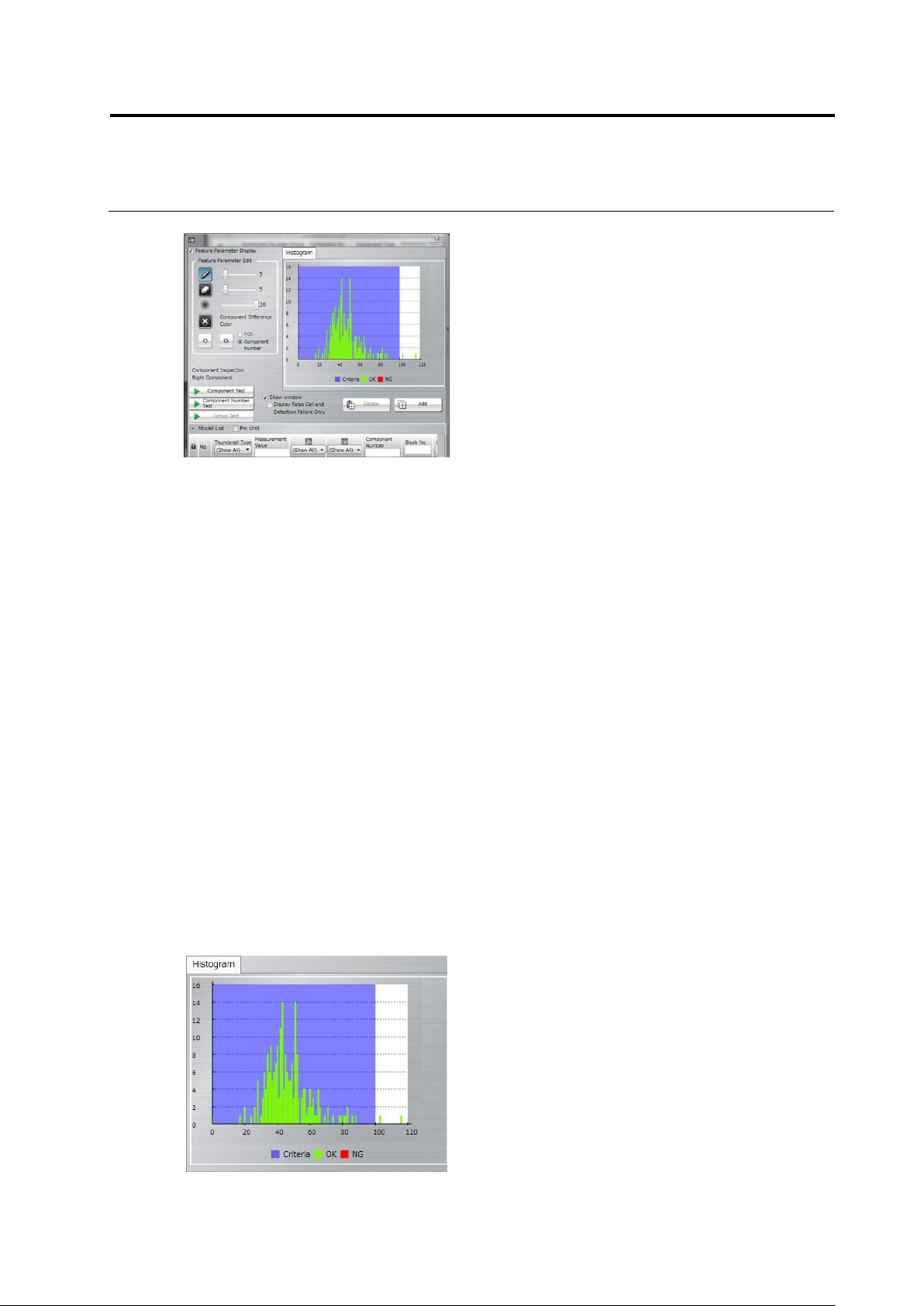
(11) Histogram
When a test is peformed, the measured values of the thumbnails to display are shown in a
histogram.
(11)
(8)
(9)
(10)
Chapter 2 Inspection Programming
2-144
The currently set inspection criteria values are displayed in a blue region.
OK shows the thumbnails where the visual check result is not entered (normal), and NG the
thumbnails where the visual check result has already been entered (actually faulty).
Measured values are displayed on the histogram only for the inspection items with which a
measured value is present.
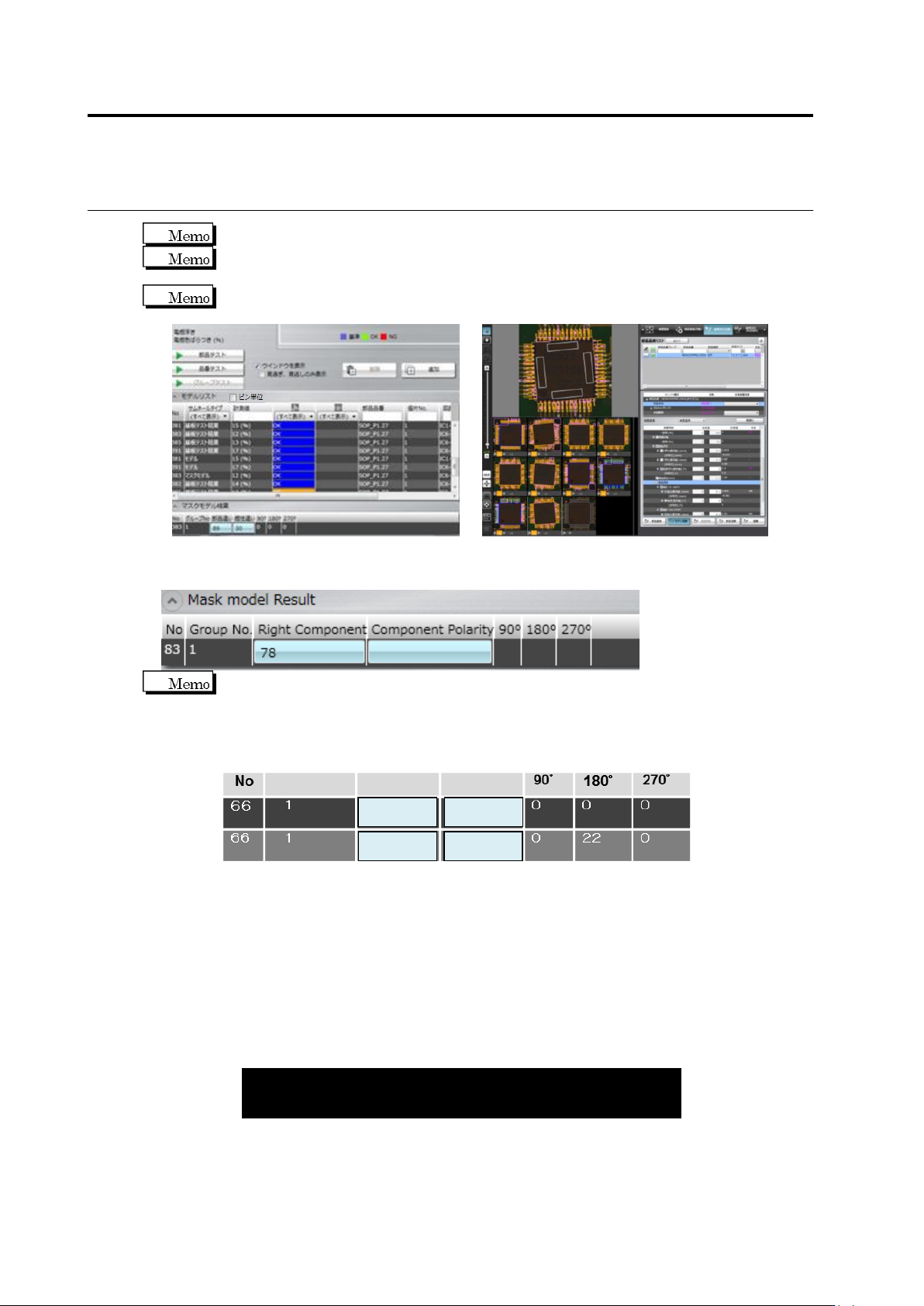
(12) Mask model result
List of the measured values per mask model is displayed.
The relation of measured values of multiple models in polarity inspection is
explained as follows:
The measured value of wrong polarity means the measured value of zero degree,
displayed according to 1) the calculation formula of wrong polarity measured values
and 2) the matching rate of each revolved model.
(1) Calculation formula of wrong polarity measured value
Measured value of 0° = [Matching rate of 0°] - [Maximum matching rate of other
angles (90°,180°, or 270°)]
Measured values are also displayed for each revolved model of other angles (90°,
180°, or 270°).
(2) Matching rate of each revolved model
When measured values are calculated, matching rate (%) is processed internally.
Examples of each revolved model (0°, 90°, 180°, or 270°) are as follows:
Wrong polarity
(0°)
90°
180°
270°
Model 1
85
39
71
45
Model 2
60
62
84
50
85
84
14
0
Group No
Wrong Compo.
Wrong Polarity
(15)
(12)
(14)
(13)