Omron V-TS Teaching Manual.pdf.pdf - 第143页
Chapter 2 Insp ection Progr amming 2- 116 2.10 Setting Secondary Reflection Inspection This section describes the setup procedure of the secondar y reflection inspect ion. It is unable to set up the secondar y reflection…
2.9 Setting Oblique Inspection
2-115
3.
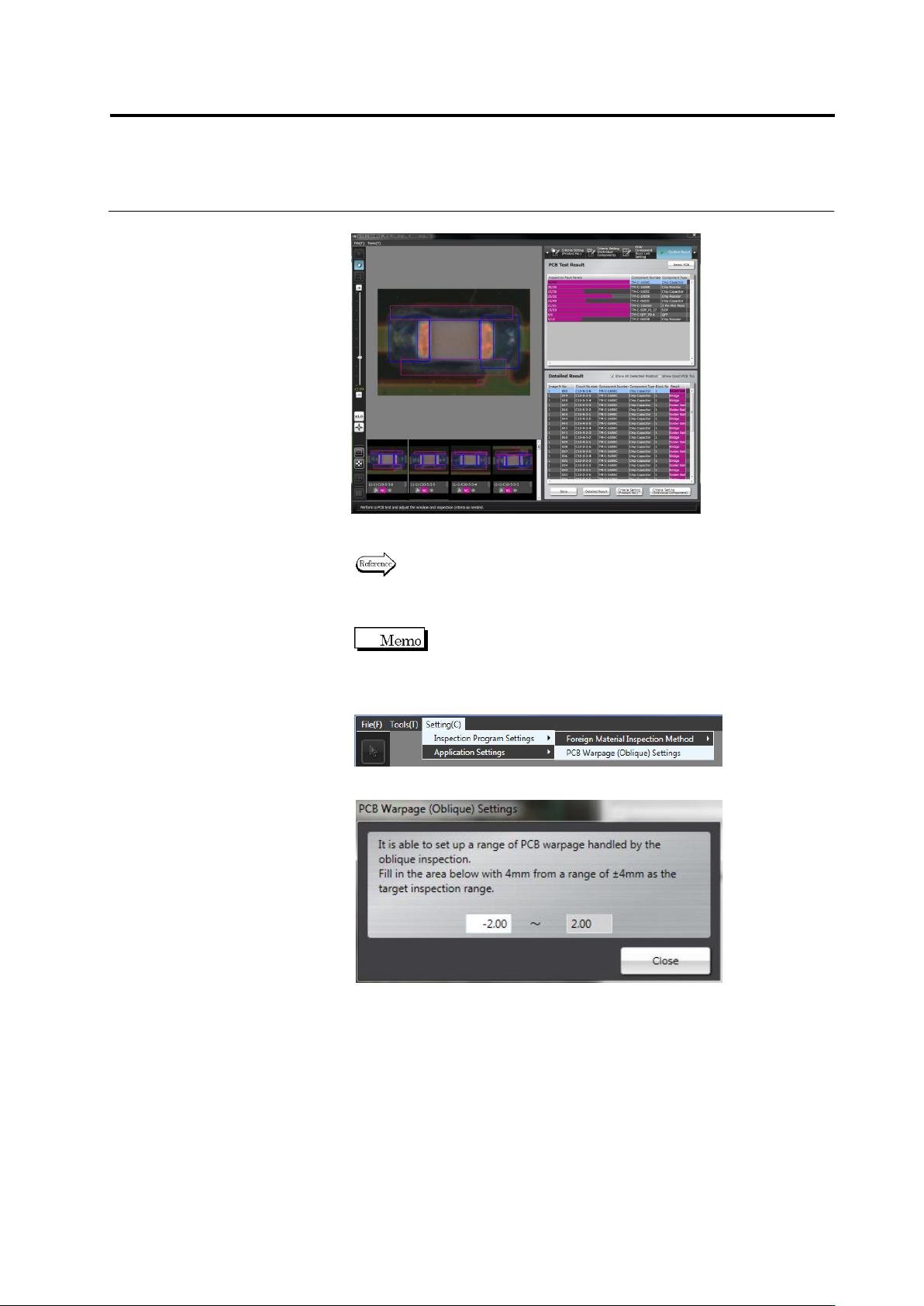
Check the test result.
Click [Detailed Result] to check the result of individual oblique
inspection items.
Refer to "2.8.2 Interpreting PCB Test Result" and the subsequent
pages for the procedure to operate the PCB test result check
screen.
If the inspection range is not appropriate due to warpage of the
PCB, adjust the allowable quantity of warp by the following
steps.
1. On the [Settings] menu, click [Inspection Program Settings] - [PCB
Warpage (Oblique) Settings].
2. The screen below is displayed.
Fill in the lower limit of warpage as a range of -4.00mm to 0.00mm.
3. Click [File] - [Release] to release the inspection program.
Chapter 2 Inspection Programming
2-116
2.10 Setting Secondary Reflection Inspection
This section describes the setup procedure of the secondary reflection inspection.
It is unable to set up the secondary reflection inspection on a component with an
inspection range window of 10mm or more square.
2.10.1 Setting a target component for the secondary reflection inspection
This section describes a procedure to change an existing component to a target component of
the secondary reflection inspection.
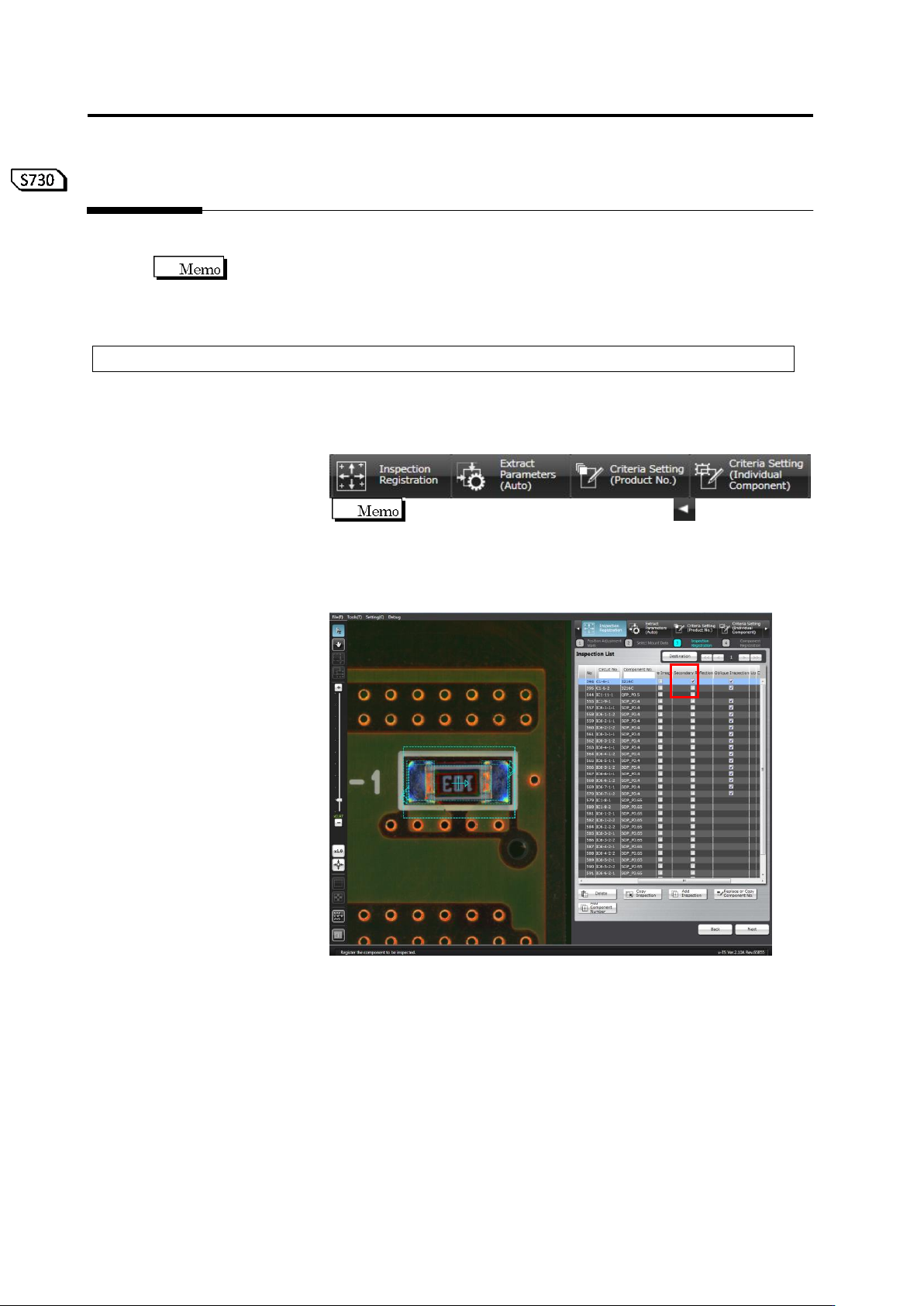
1.
Select the [Register Inspection] tab.
If this tab is not being displayed, click on the left
end. The hidden tab appears.
2.
The screen moves to the inspection registration screen. Select a
target component of the secondary reflection inspection from the
inspection list, and check the [Secondary Reflection] checkbox.
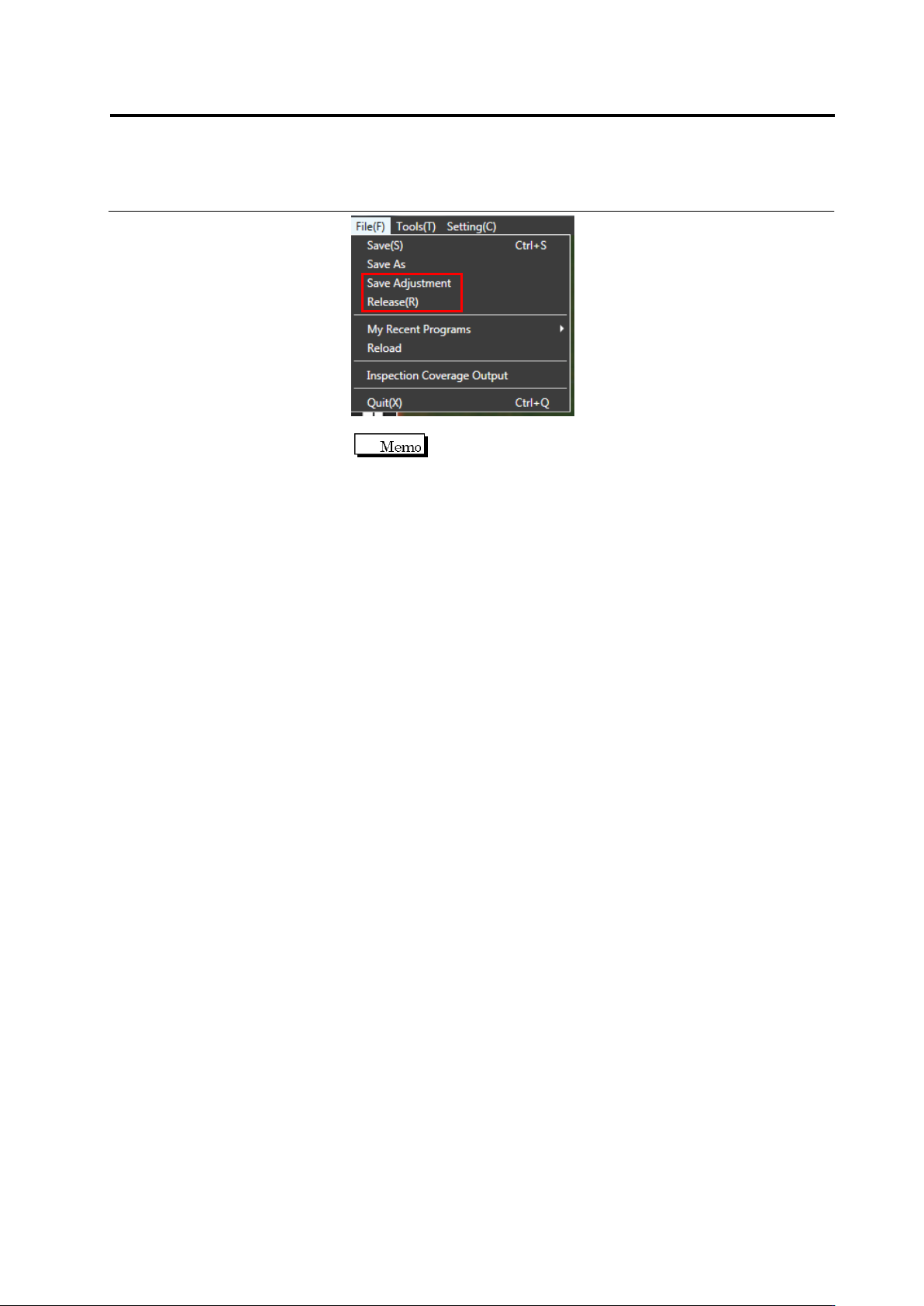
3.
Adjust and save the inspection program, or release it. (On the menu,
select [File] - [Save Adjustment] or [Release].) After it is saved,
close the inspection program.
Operation procedure
2.10 Setting Secondary Reflection Inspection
2-117
If there is no target component of the secondary
reflection inspection around the target component of it, a
warning message is displayed when the inspection
program is closed. If it happens, review the settings of
the secondary reflection inspection.