Omron V-TS Teaching Manual.pdf.pdf - 第27页
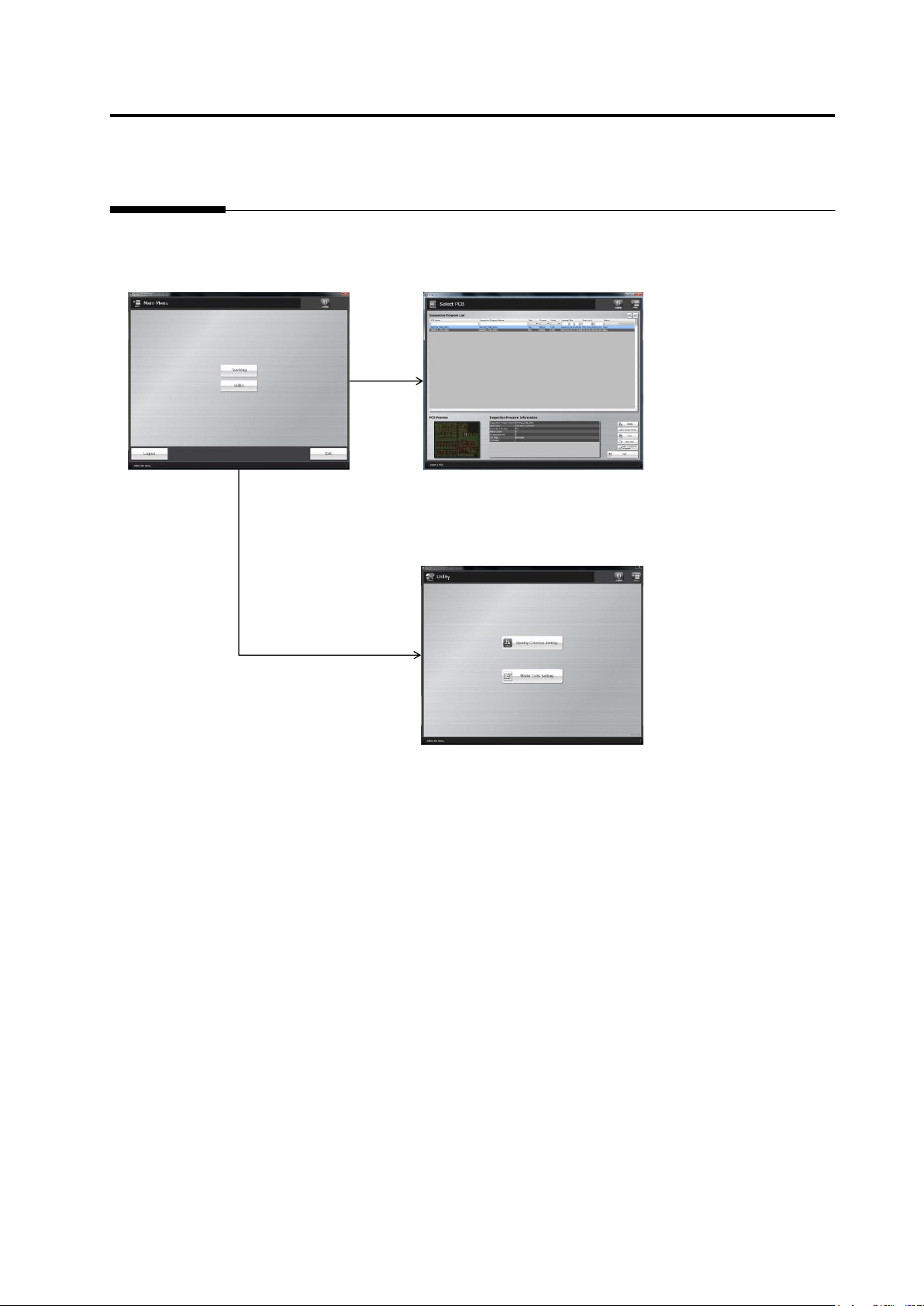
1.6 Menu La youts 1- 13 1.6 Menu Layout s This syst em has the following menus: Main menu T eaching menu (PCB selection screen) Utility menu - Quality Criterion Setting - Component No. Management - Model Code Setting - U…
Chapter 1 Before Getting Started
1-12
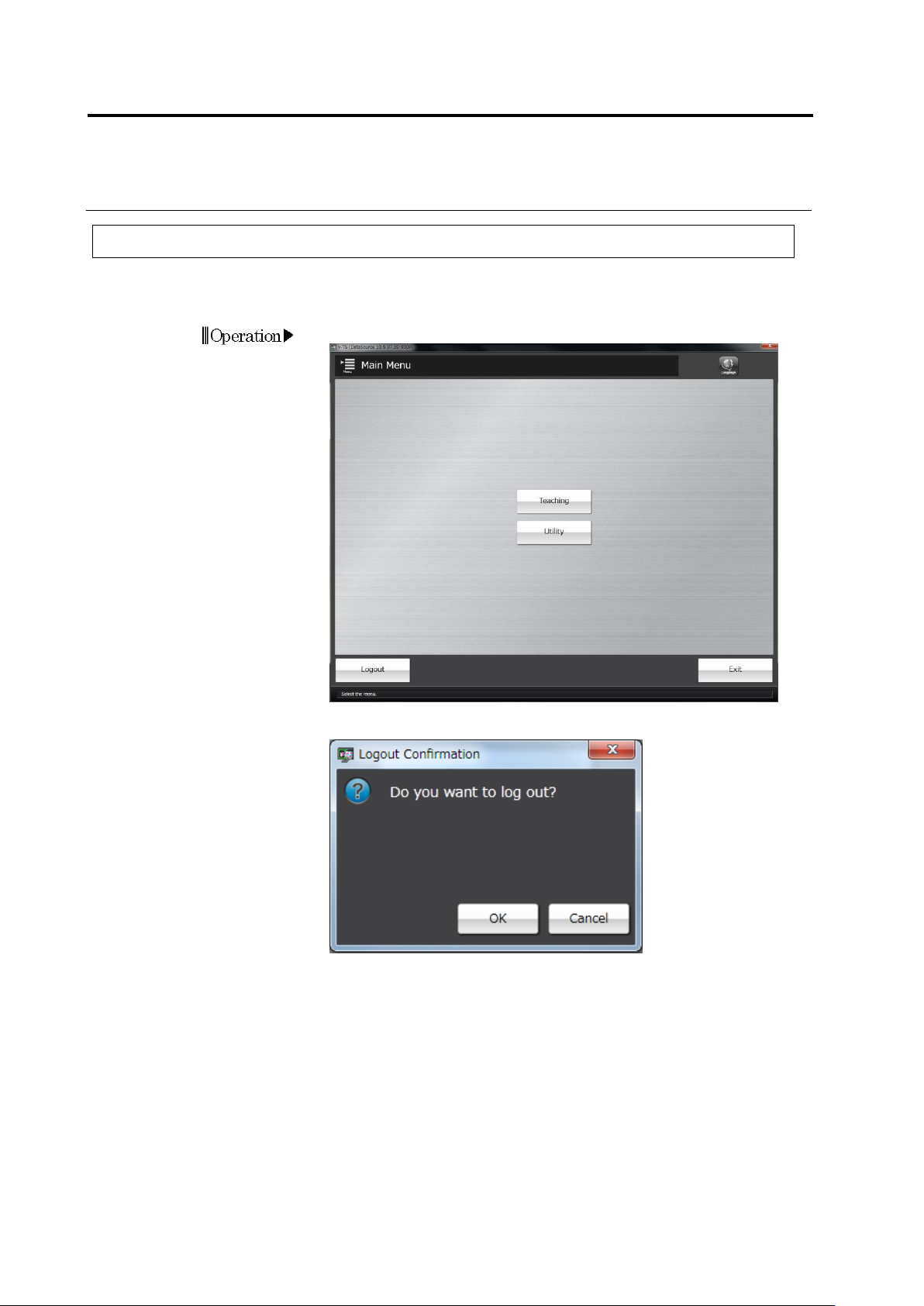
1.5.2 Logout
The following logout procedures are used when teaching operation is finished, or when the
operator is changed
1.
Click [Logout] on the main menu.
2.
The Confirmation message will be displayed.
・ Clicking [Cancel] will return the system to the main menu without
logging out.
Clicking [OK] will close the dialog and return to the main menu. Then
all the menus will not be able to be started. To continue to operate
the system, follow the login procedure.

2-1
Chapter
2 Inspection Programming
2.1 Basics of Teaching ............................................................................................. 2-3
2.1.1 Basic Knowledge of Teaching ................................................................. 2-3
2.1.2 Configuration of the Editing Screen ...................................................... 2-10
2.1.3 Image Display Area Operation .............................................................. 2-17
2.2 Creating a New Inspection Program ................................................................ 2-25
2.3 Opening an Inspection Program....................................................................... 2-33
2.4 Registering for Inspection ................................................................................. 2-37
2.4.1 Registering Position Adjustment Marks ................................................ 2-38
2.4.2 Selecting Mount Data ............................................................................ 2-41
2.4.3 Mount Alignment ................................................................................... 2-46
2.4.4 Inspection Registration.......................................................................... 2-50
2.4.5 Component Registration ....................................................................... 2-53
2.4.6 Setting Component Number Group ...................................................... 2-75
2.5 Registering the Component Number Model .......................................................... 2-79
2.6 Specifying Inspection Criteria ........................................................................... 2-83
2.6.1 Criteria Setting (Product No.) ................................................................ 2-83
2.6.2 Criteria Setting (Individual Component) ................................................ 2-88
2.7 PCB/Component Block Unit Setting ................................................................. 2-91
2.7.1 Component Block Unit Setting .............................................................. 2-91
2.7.2 Mark Setting .......................................................................................... 2-95
2.8 PCB Testing/Result Check ............................................................................ 2-99
2.8.1 Testing Using PCBs .............................................................................. 2-99
2.8.2 Interpreting PCB Test Result .............................................................. 2-103
2.8.3 Saving Inspection Result..................................................................... 2-105
2.8.4 Displaying Inspection Detailed Result ................................................. 2-106
2.8.5 Modifying Inspection Criteria ............................................................... 2-107
2.9 Setting Oblique Inspection ............................................................................. 2-109
2.9.1 Setting Oblique Inspection Target Component Number ..................... 2-109
2.9.2 Setting Criteria for Oblique Inspection Items ...................................... 2-111
2.9.3 Specifying Oblique Inspection Component and Direction .............................. 2-113
2.9.4 Including Oblique Inspection in PCB Test........................................... 2-114
2.10 Setting Secondary Reflection Inspection ..................................................... 2-116
2.10.1 Setting a target component for the secondary reflection inspection ... 2-116
2.11 Saving an Inspection Program ..................................................................... 2-118