Omron V-TS Teaching Manual.pdf.pdf - 第338页
Appendix 10 . Insp ection Criteria Settin g a- 61 Appendix 10. Inspection Criteria S etting 1. Logical expres sion and inspection c riteria setting (1) Select the Crit eria Setting (Com ponent Num ber) tab. (2) If there …
Appendix 9. Land Inspection Adjustment Procedure
a-60
Characteristic parameters are not set
appropriately.
1) Move to the “Criteria Setting” tab.
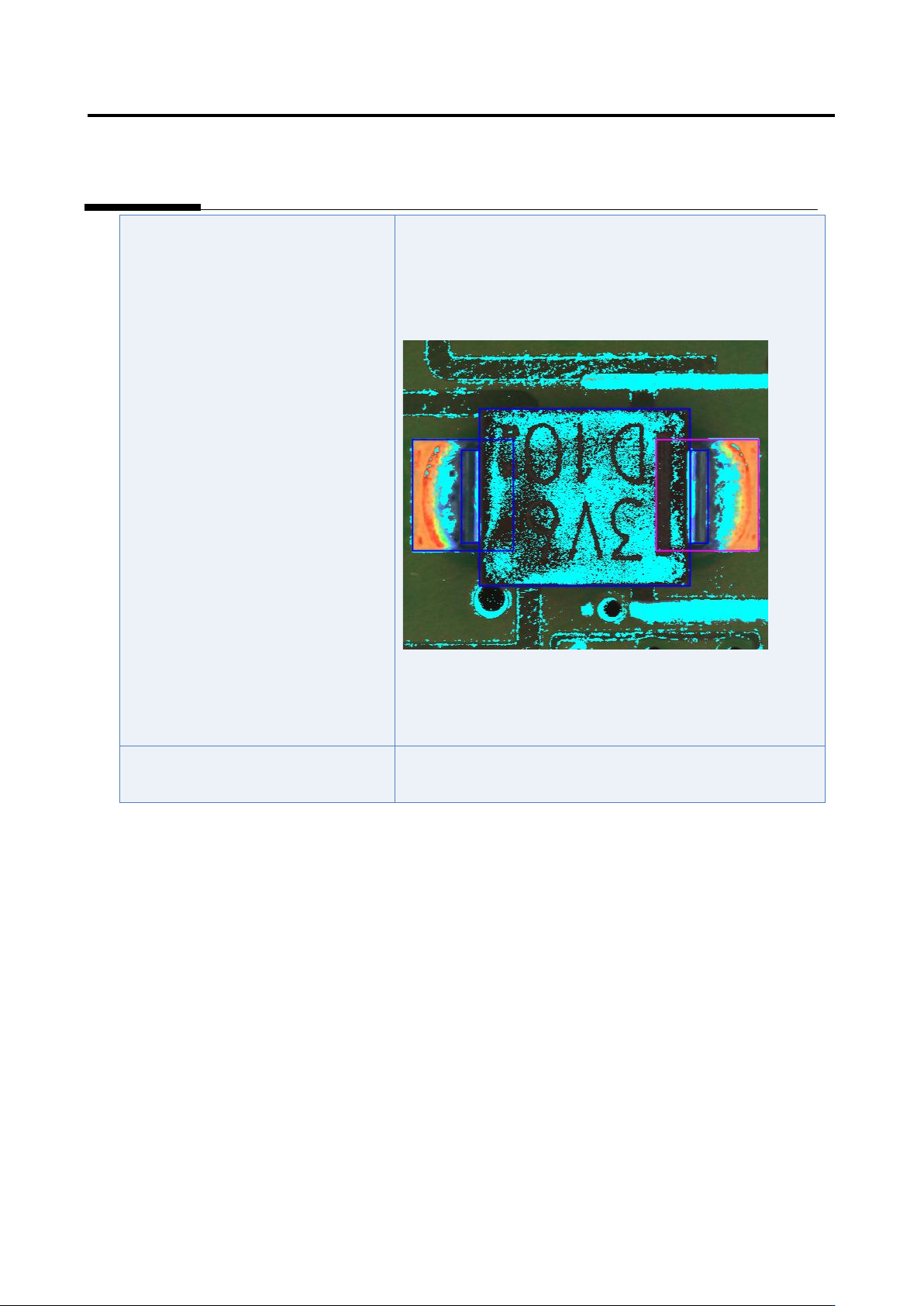
2) Select “Inspection Criteria” - “Foreign Object (Land)”, and
click the [Model Editing] button.
3) Confirm if solder color is set as “land foreign object color.”
4) If solder color is set as “land foreign object color,” exclude
solder color using the color table editing tool. (*Image to be
pasted)
The inspection criteria are not set
appropriately.
Refer to Appendix 10.1.
Appendix 10. Inspection Criteria Setting
a-61
Appendix 10. Inspection Criteria Setting
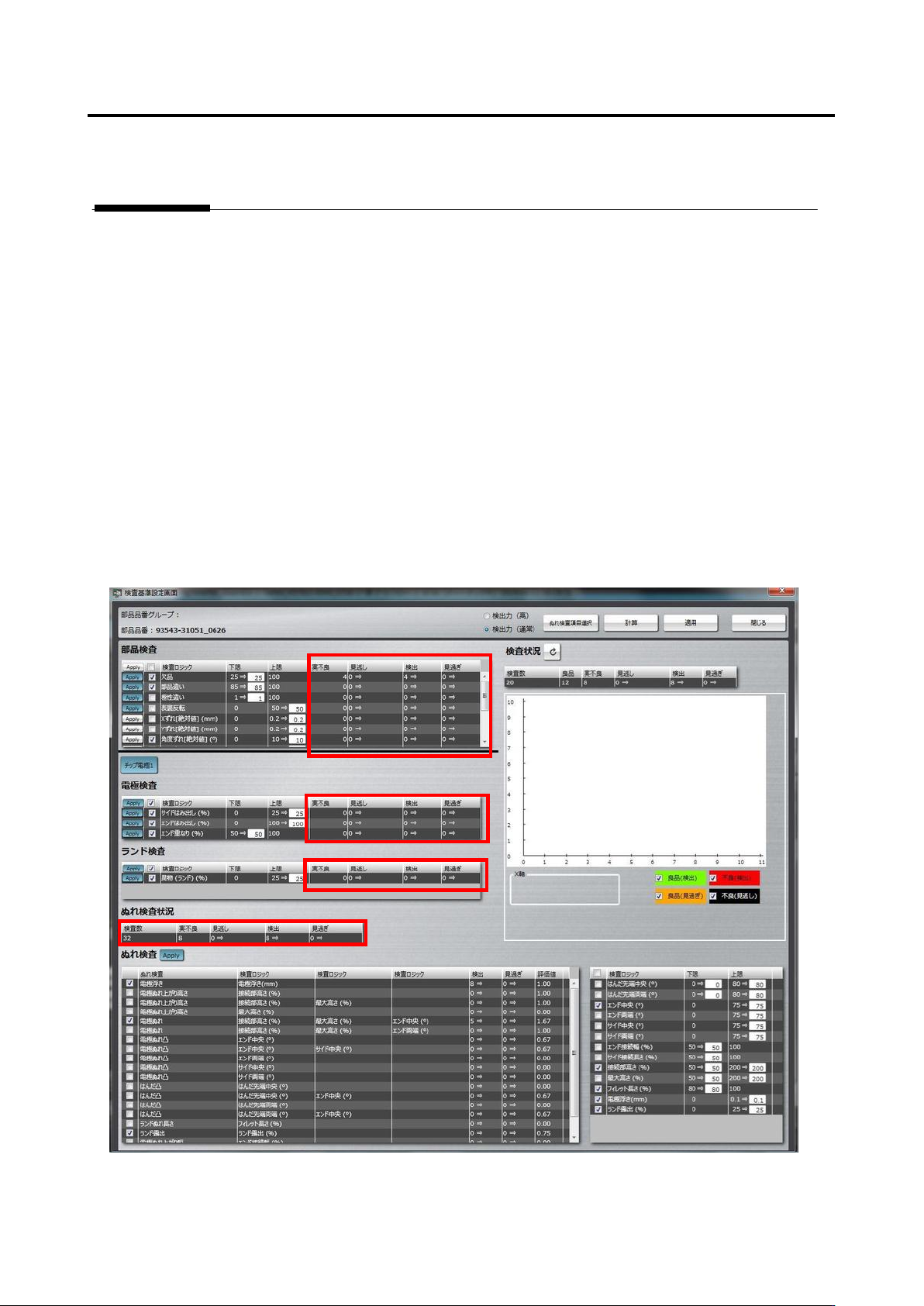
1. Logical expression and inspection criteria setting
(1) Select the Criteria Setting (Component Number) tab.
(2) If there is an actual fault, register the visual inspection result on the component body, land, and
terminal items.
(3) Press the [Optimize] button to display the inspection criteria setting screen.
(4) Operations on the inspection criteria setting screen
1) On the left portion of the screen, confirm that the numbers of overlooking and false call are zero in
the “Component Inspection,” “Electrode Inspection,” “Land Inspection,” and “Wetting Inspection
Status” areas. If they are zero on both the columns, adjustment of this product number is
completed.

Appendix 10. Inspection Criteria Setting
a-62
2) If overlooking or false call is detected in the “Wetting Inspection Status” area, press the [Select
Wetting Inspection Item” button.
Then, the logical expressions on the left side of “Wetting Inspection” are switched between
effective and not effective.
3) Press the [Calculate] button.
4) If the number of overlooking or false call varies, the number background turns green. So, confirm
how the background has changed.
4)-1 If the number of overlooking or false call is zero, press [Apply] and [Close] to close the
screen.
4)-2 If there is an overlooking or false call, confirm the extraction status, component information,
and color parameters of the logic, and correct them if not appropriate.
4)-3 If OK and NG products are separated and difference from the set reference value is very
small on the inspection screen, make the setting criteria manually.
4)-4 If it is no problem even when an inspection item is not specified, deselect the inspection item.
4)-5 If false call or overlooking still remains even after performing step 4)-1 to 4)-4 above, use the
functions of land error.
For details of land error, refer to P5-17 section 5.10 “Land Error” of the inspection logic
manual.