Omron V-TS Teaching Manual.pdf.pdf - 第239页
Chapter 2 Insp ection Progr amming 2- 212 2.18 Inspection Program Maintenance Use the Select PCB s creen to save/read, u pdate, delete, renam e and cop y an inspection program. Follow the procedure below to d isplay the …
Chapter 2 Inspection Programming
2-212
2.18 Inspection Program Maintenance
Use the Select PCB screen to save/read, update, delete, rename and copy an inspection
program. Follow the procedure below to display the screen, and perform necessary maintenance
operation, which is described in the subsequent sections.
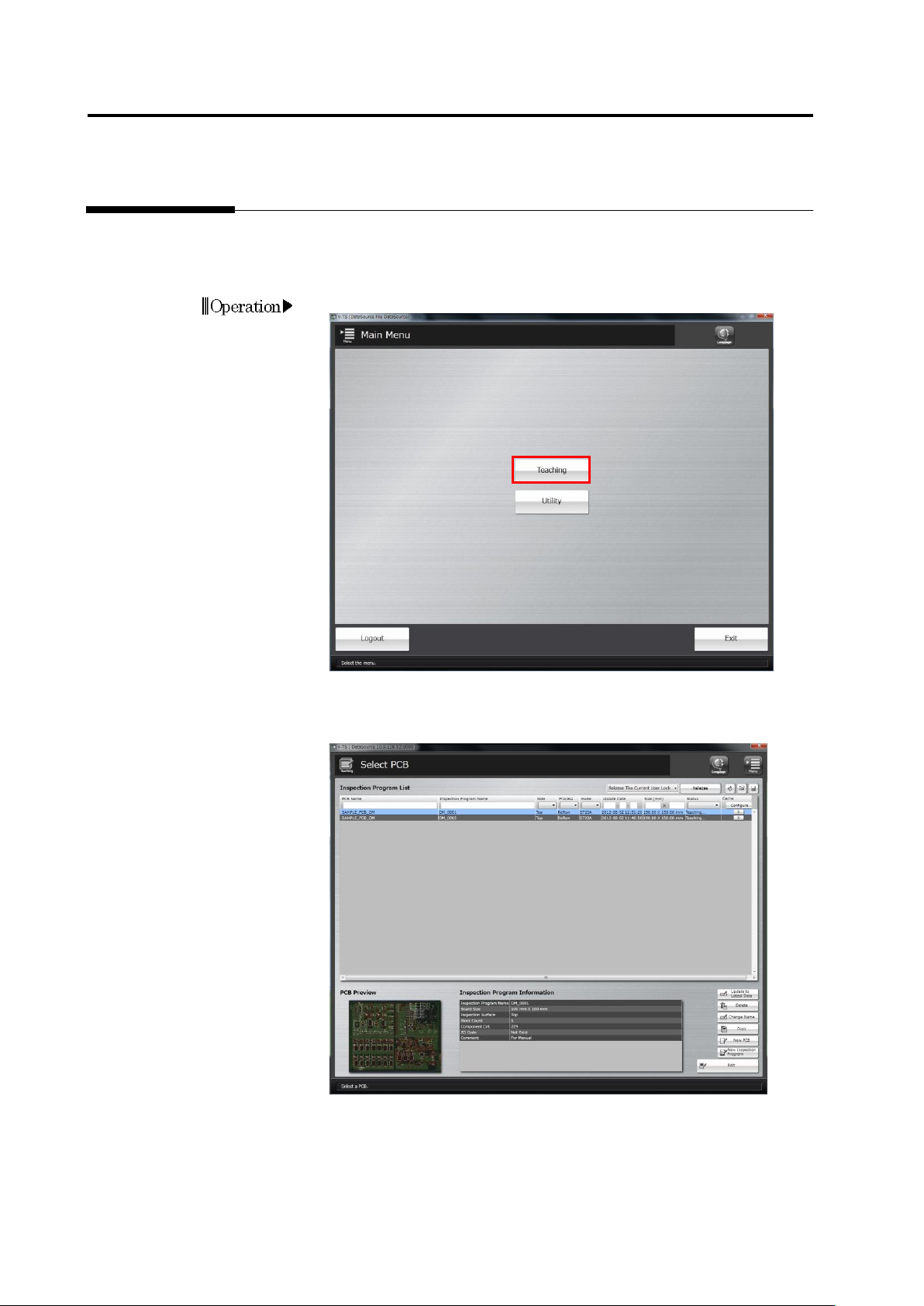
1.
Click [Teaching] in the main menu.
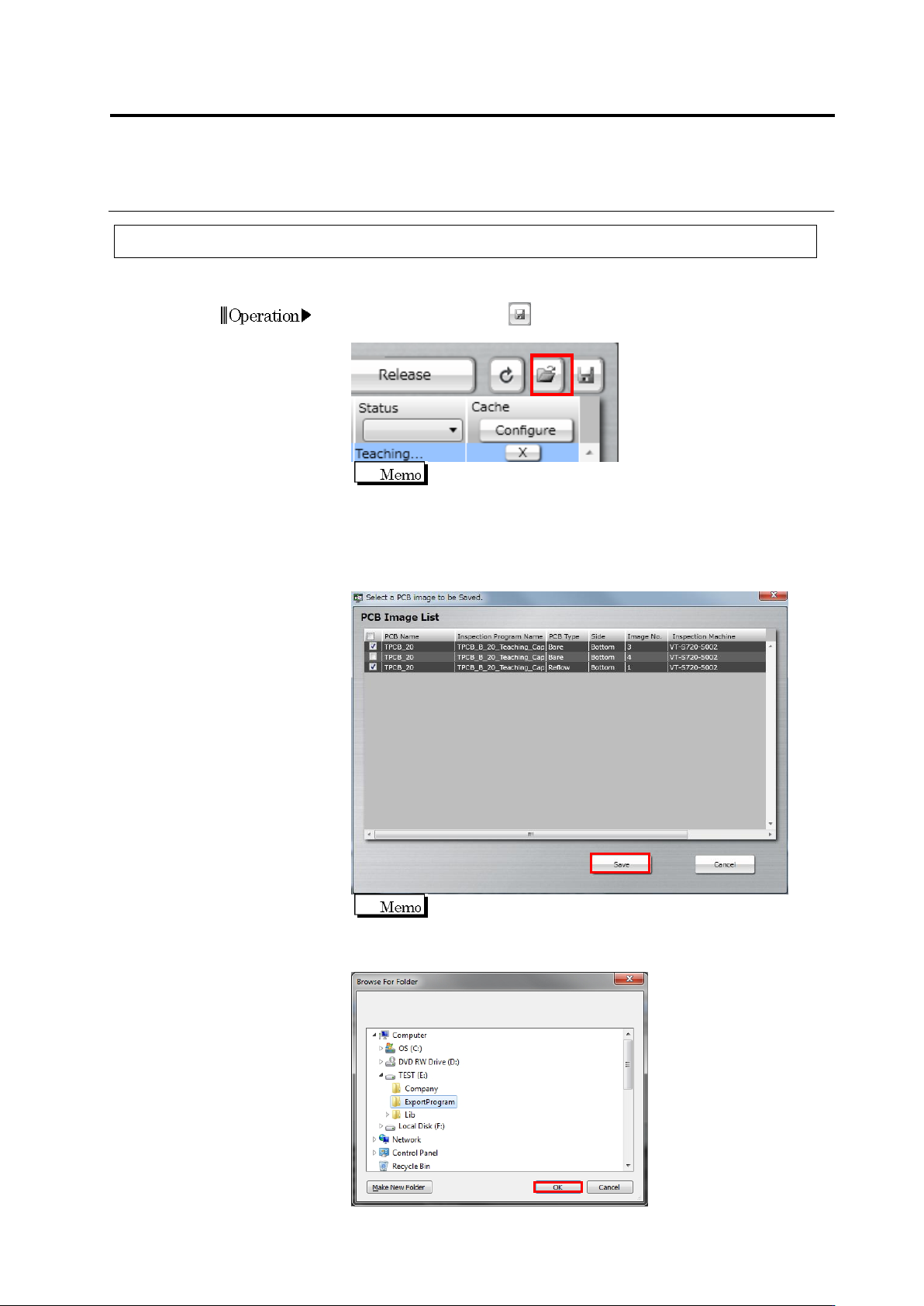
2.
The Select PCB screen appears.
Access individual inspection program maintenance menu items from
this screen.
Operation
2.17 Mass-Produced PCB Image
2-213
2.18.1 Saving an Inspection Program
This section describes the procedure to save an inspection program.
1.
Click the save button at the right above the Inspection Program
List in the Select PCB screen.
You cannot select multiple inspection programs at the same
time.
2.
The file selection dialog is displayed. Select the file to import and
click [Open]. When you also save PCB images, select the check
box of the target PCB image and click [Save]. When you do not
save PCB images, clear all the check boxes.
It takes a while to save PCB images.
3.
The folder reference dialog appears. Specify the destination and
click [OK].
Operation