Omron V-TS Teaching Manual.pdf.pdf - 第290页
Appendix 6. S election of Optim ization Items a- 13 Appendix 6. Selection of Optimizatio n Items Optimization is a too l to autom atically set a logical express ion suitable for the component t ype and electrode type of …
Appendix 5. Real Fault Registration Procedure
a-12
↓
Land
Foreign
object
(Land)
↓
Wetting
error
Appendix 6. Selection of Optimization Items
a-13
Appendix 6. Selection of Optimization Items
Optimization is a tool to automatically set a logical expression suitable for the component type and
electrode type of the component number when inspection criteria are set up.
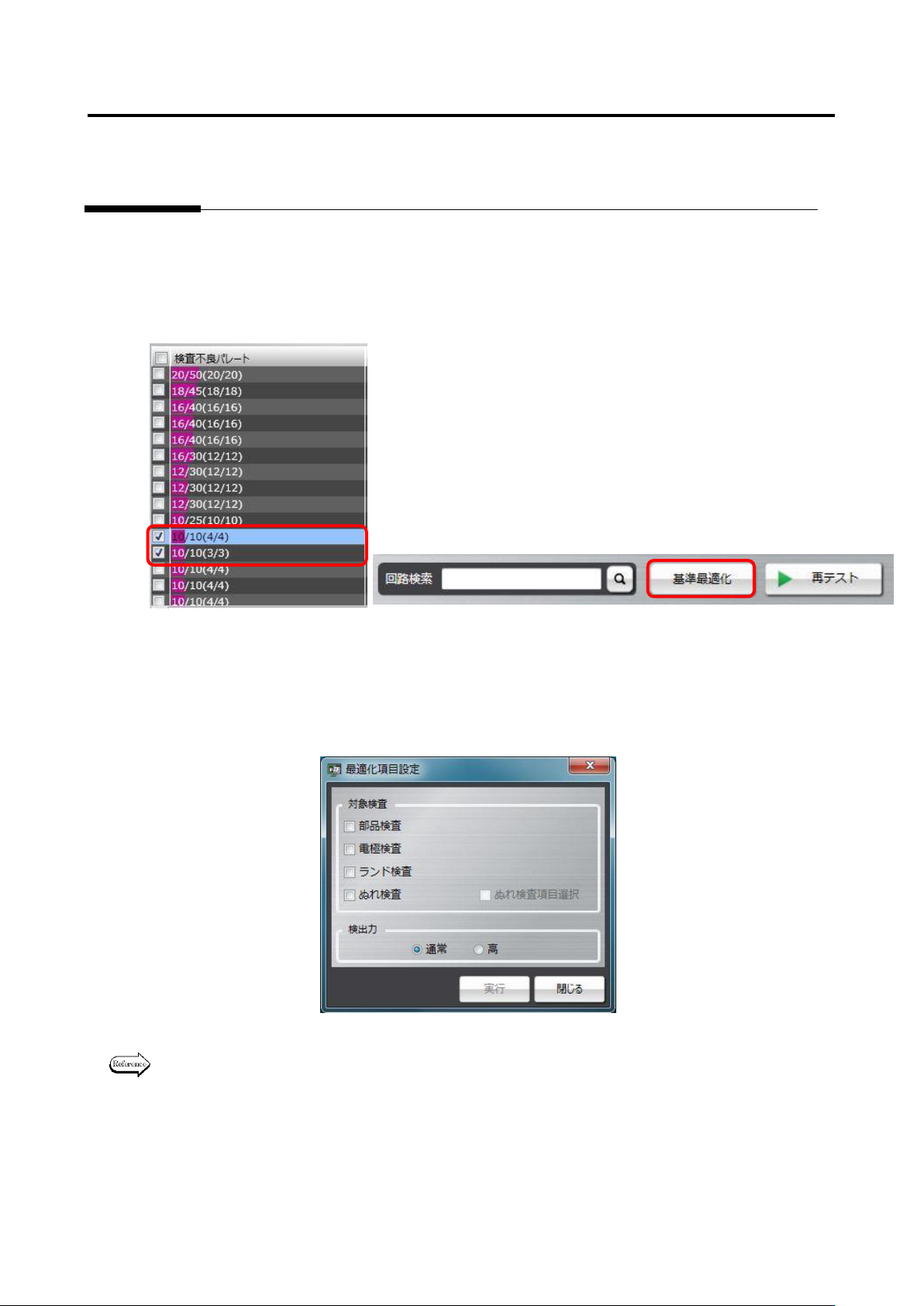
To use optimization, select a component number or a component number group to be optimized on the
result confirmation screen as framed in red below, and press the Optimize Criteria button. Since
reference values are changed to suitable values, if there is a component number and so on you don’t
wish to change, perform optimization without selecting it.
Then, options can be selected for the target inspection and inspecting ability items.
When optimization is performed, selecting all options of the target inspection item is recommended.
However, if you don’t wish to change the criteria of the inspection program, select necessary inspection
options only, and perform optimization.
For details of the optimization execution method, refer to P2-154 Section 2.15.4 “Optimizing
Boolean Expressions and Inspection Criterion Values” of the Teaching Manual.
Appendix 7. Position Correction/Extraction
a-14
Appendix 7. Position Correction/Extraction
In this section, procedures to confirm position correction/extraction, which is a misjudgment factor
common to each inspection, and repair errors.
1. Fiducial correction
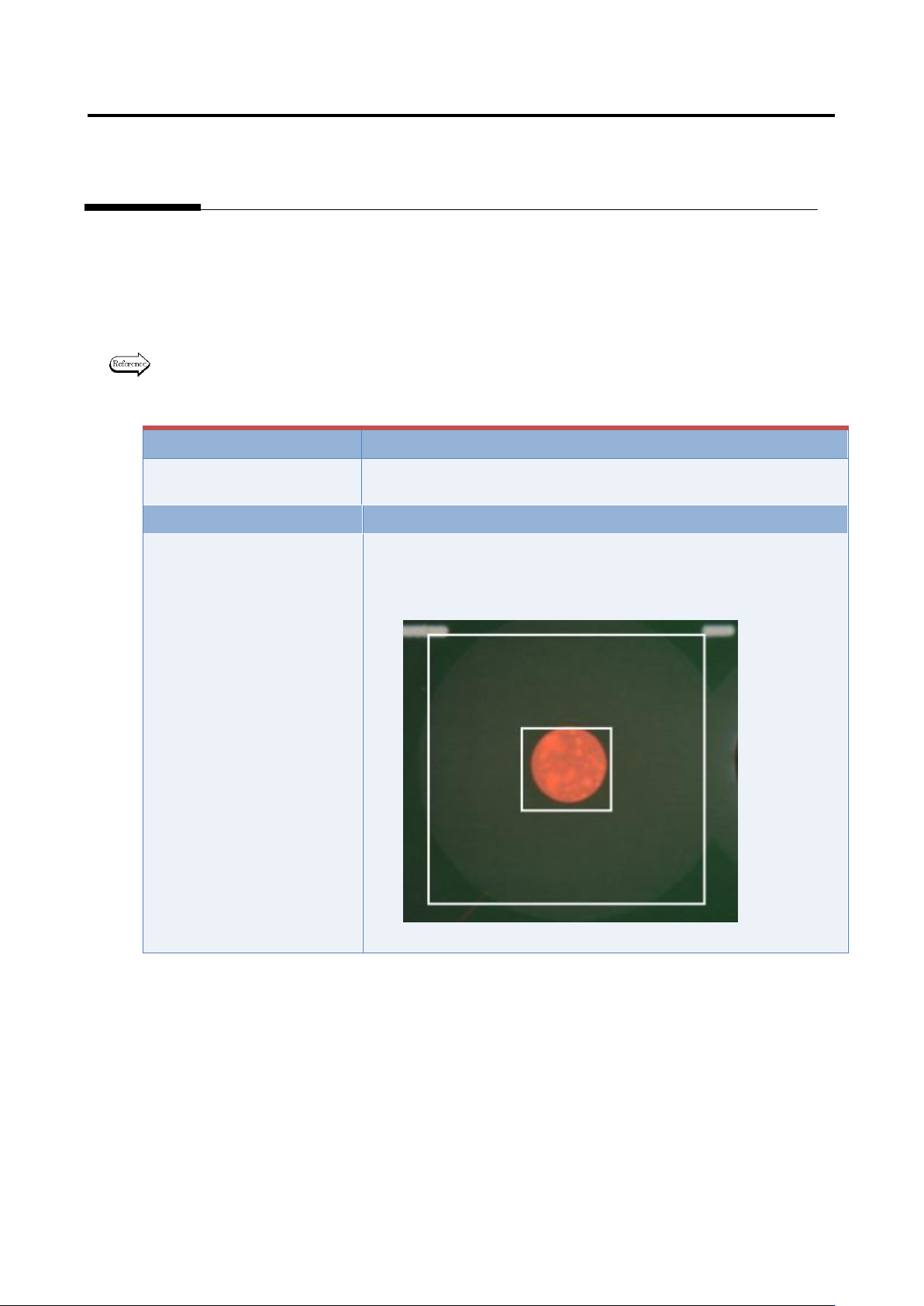
In the fiducial correction window, recognize PCB’s fiducial mark, and correct the camera capturing
position.
For details of fiducial correction, refer to P2-2 Section 2.2 “Fiducial Correction” of the inspection
logic manual.
Inspection result
Component image (PCB test)
N/A
N/A
Cause
Confirmation and repair method
1) Move to the “Inspection Registration” tab.
2) Click “Add Position Correction Mark” button.
3) Confirm the position and size of the fiducial window.
4) Change the position or size if not appropriate.