Omron V-TS Teaching Manual.pdf.pdf - 第133页
Chapter 2 Insp ection Progr amming 2- 106 2.8.4 Dis playing Inspec tion Detailed Result This section shows the pr ocedure to disp lay the detailed result f or an individual com ponent. 1. Select the com ponent to check i…
2.8 PCB Testing/Result Check
2-105
2.8.3 Saving Inspection Result
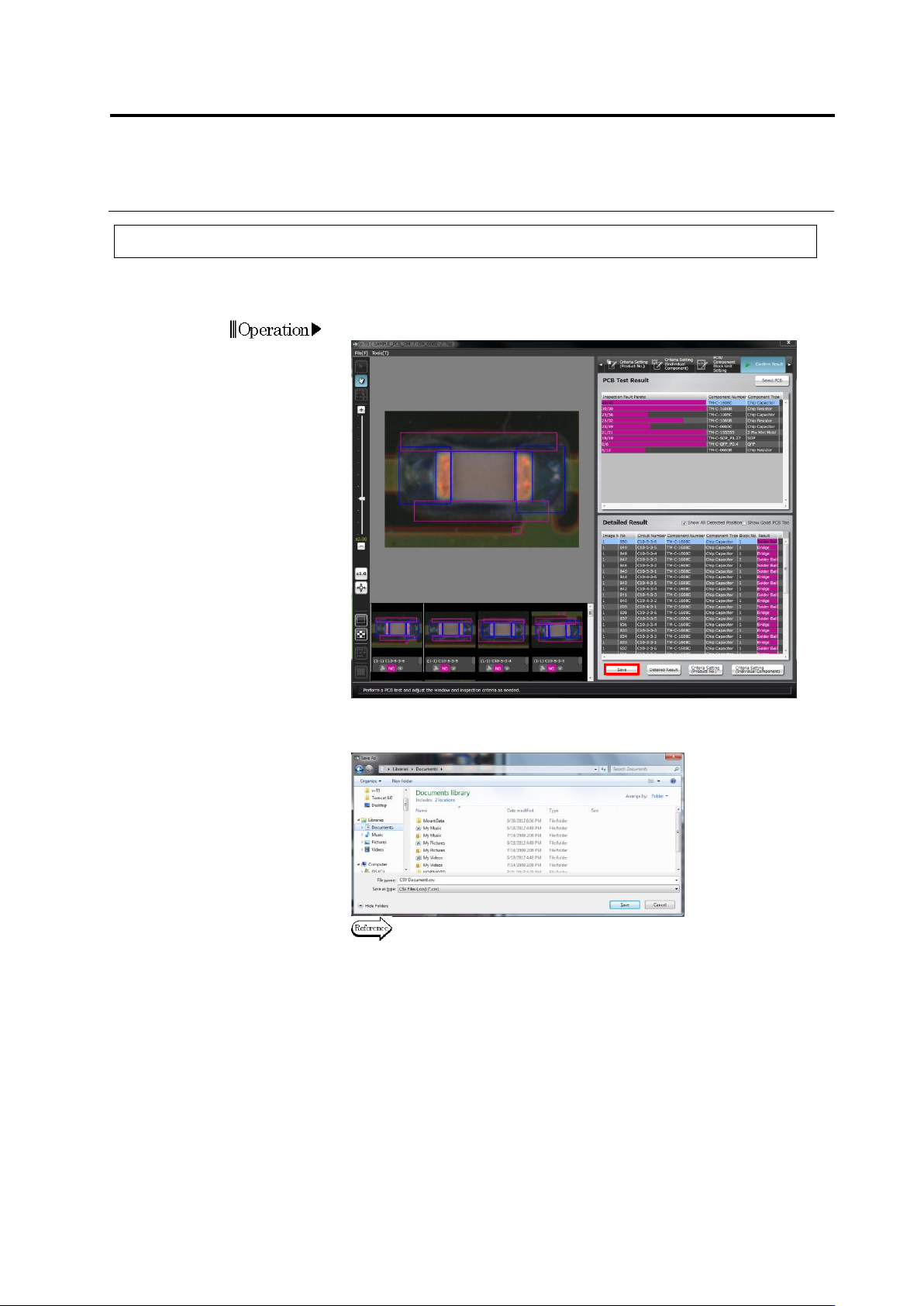
This section explains the procedure to save the PCB test result in the CSV format.
It is used for managing the PCB test result, etc.
1.
Click [Save].
2.
The file save dialog appears. Select the save destination, specify
the file name and click [Save].
Refer to the next page for the details of output formats.
Operation
Chapter 2 Inspection Programming
2-106
2.8.4 Displaying Inspection Detailed Result
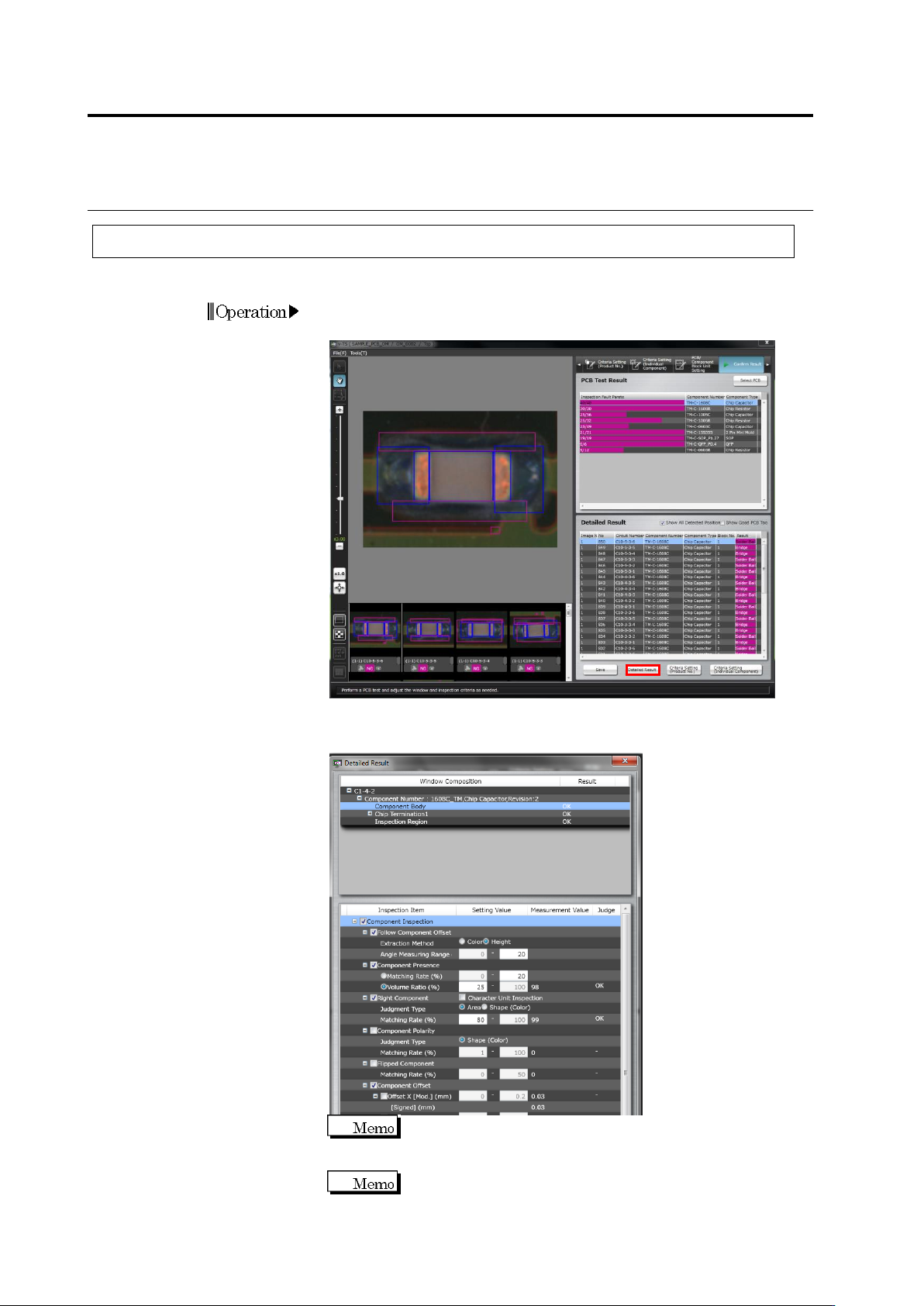
This section shows the procedure to display the detailed result for an individual component.
1.
Select the component to check its detailed result in the Detailed
Result list and click [Detailed Result].
2.
The Detailed Result dialog appears, showing the set value,
measured value and judgment result.
If other component is selected while the dialog is open, the
dialog display is updated with the detailed result for the
selected component.
In the Detailed Result dialog, criterion values can be changed
and inspection values can be set ON/OFF.
Operation
2.8 PCB Testing/Result Check
2-107
2.8.5 Modifying Inspection Criteria
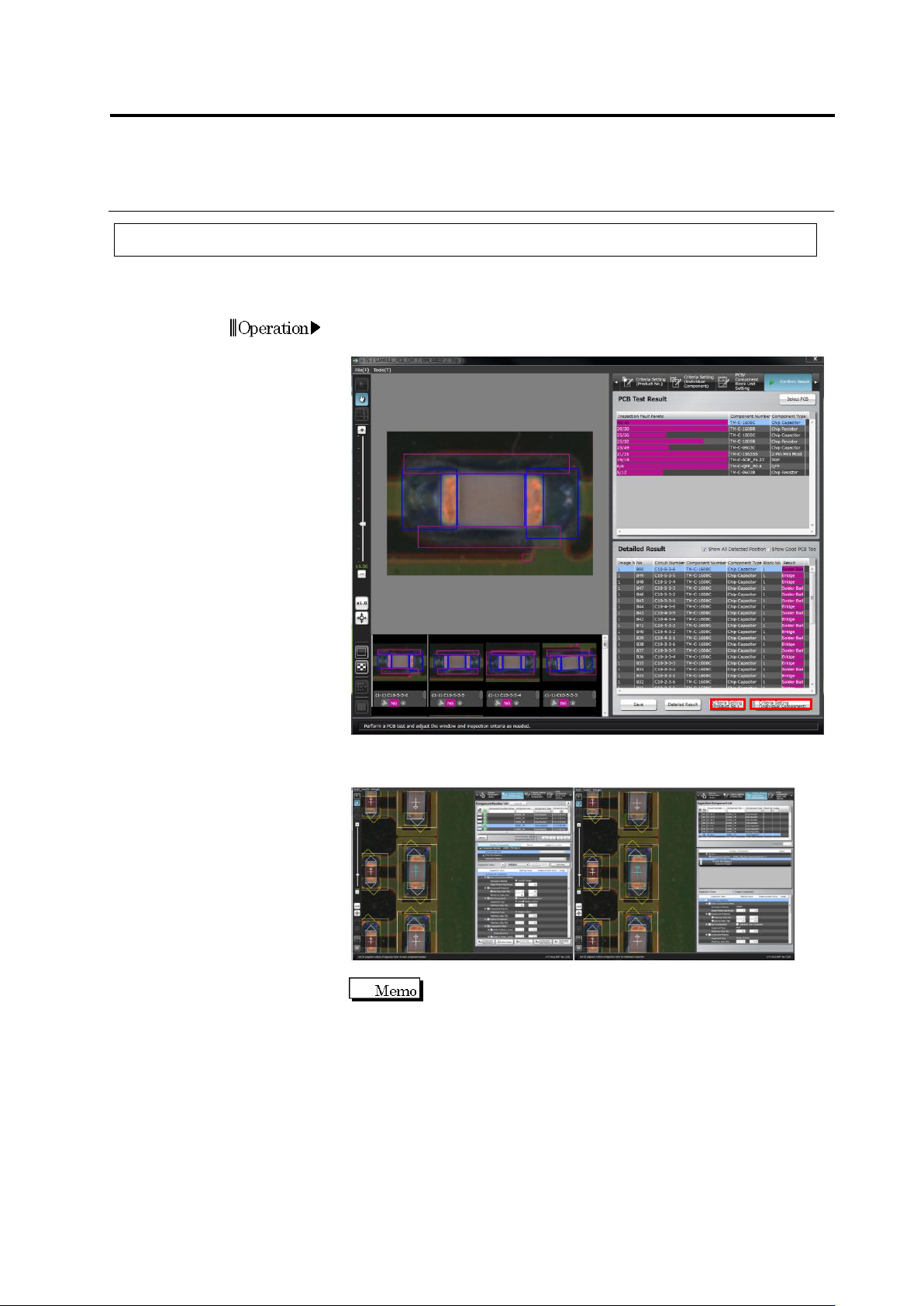
This section shows the procedure to modify the inspection criteria of the components where a
false call is output, by the unit of component number or component.
1.
Select the component in the Detailed Result list, and click [Criteria
Setting (Product No.)] or [Criteria Setting (Individual Component)].
2.
The display switches to the Inspection Criteria screen.
[Criteria Setting (Product No.)] [Criteria Setting (Individual Component)]
The screen displays the component selected in the result check
screen.
The inspection result for the individual windows of the displayed
component is shown in either of the "OK" or Fault Name descriptions,
together with the measured value of each inspection item and its
judgment (OK or NG).
[Criteria Setting (Product Number)]
Operation