Omron V-TS Teaching Manual.pdf.pdf - 第254页
2.18 Insp ection Program Mai ntenance 2- 227 Shown below is the data verification flow: ① [Tool] - [Data Ver ification], or automatic execution ④ Click the tab and ch eck the verification result ③ Viewing data verif icat…
Chapter 2 Inspection Programming
2-226
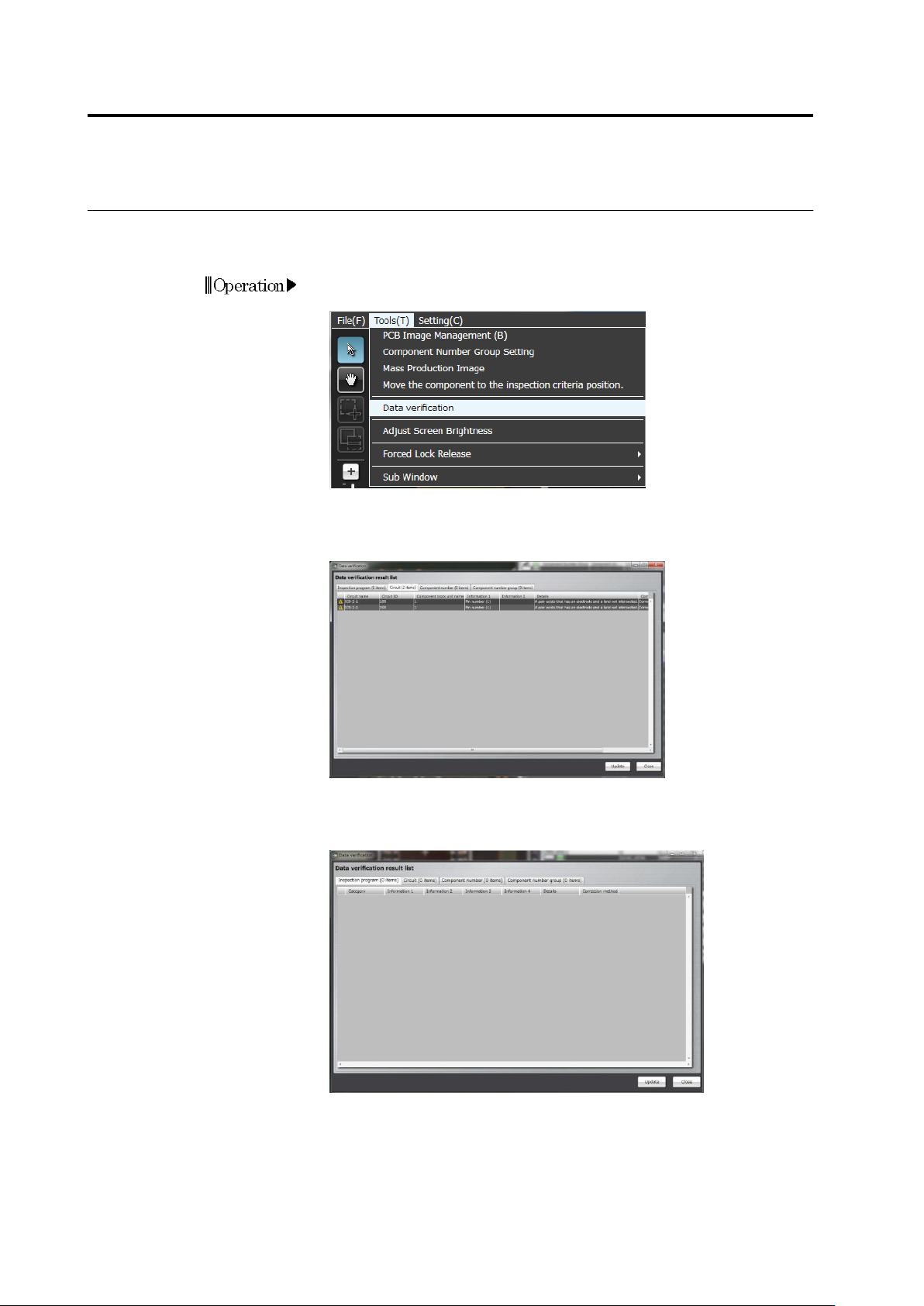
You can manually perform data verification at any timing
.
This section describes manual data verification steps
.
1.
On the menu bar of the edit screen, select [Tool] - [Data
Verification].
2.
Data verification is performed and the data verification result list
appears. If an error is detected in the data verification result list,
recover the data based on the recovery steps.
3.
After data recovery, press the [Update] button and check for a
result error in the data verification result list.
2.18 Inspection Program Maintenance
2-227
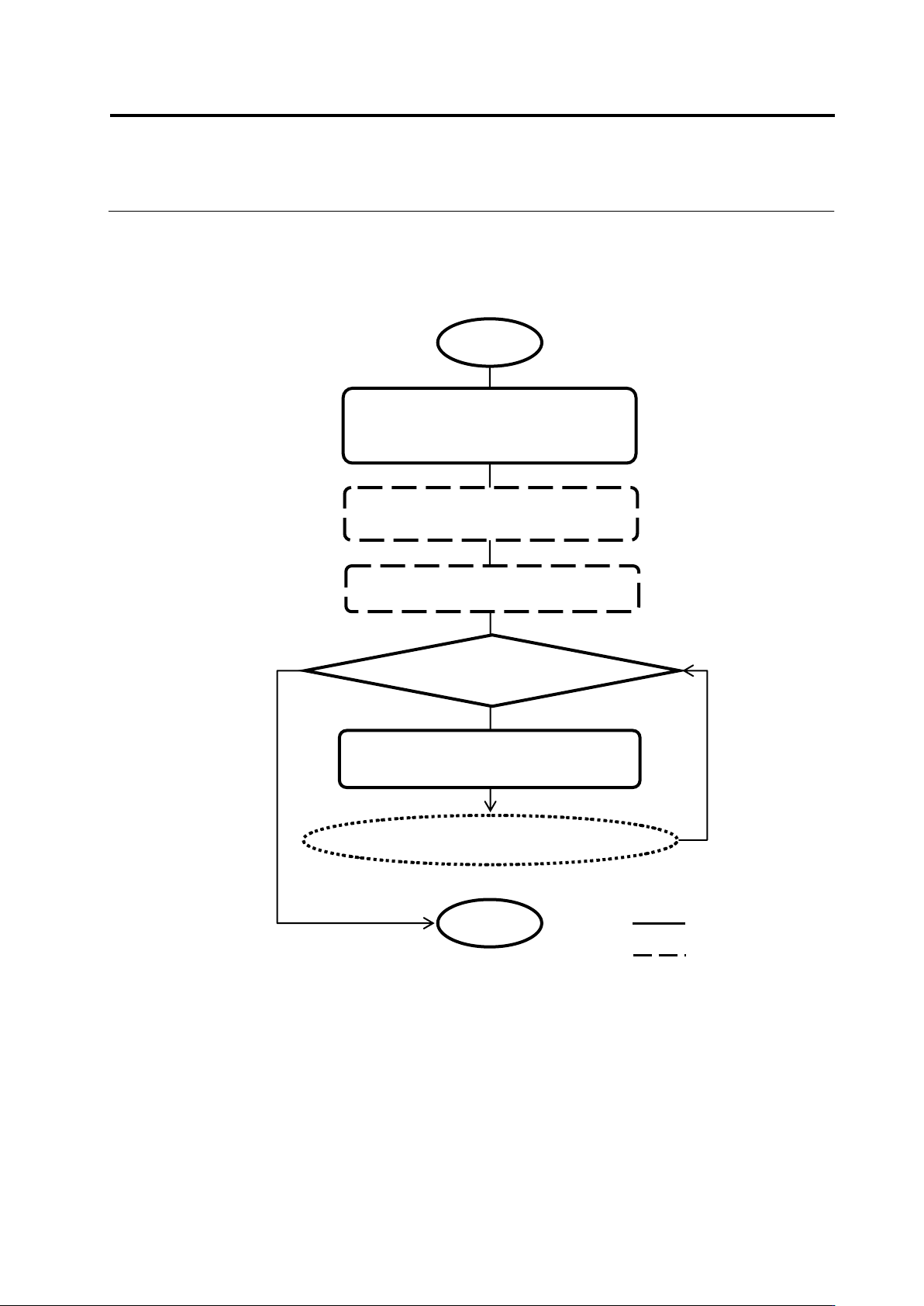
Shown below is the data verification flow:
① [Tool] - [Data Verification], or
automatic execution
④ Click the tab and check the
verification result
③ Viewing data verification result list
■ Data Verification Flow
Start
Data mismatched
Go to data recovery flow
② Data verification is performed (for
all component numbers)
User
v-TS
End
Chapter 2 Inspection Programming
2-228
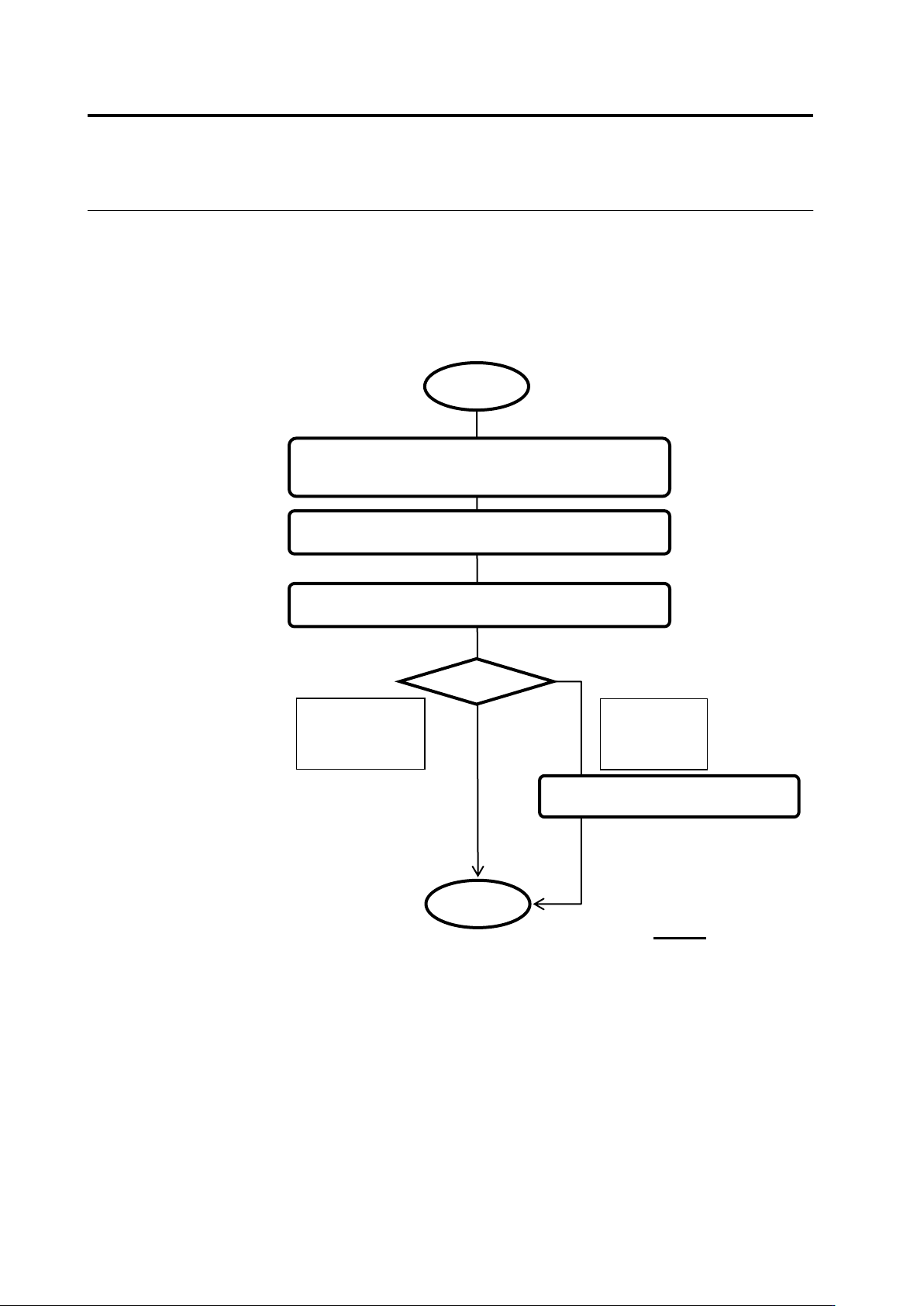
If an error is detected as a result of data verification, recover the data based on the recovery
steps.
Shown below is the data recovery flow:
Check the recovery target and recovery step
message
Click [Update]
■ Data Recovery Flow
User
Recover and check based on the recovery steps
Recovery
successful
(Disappeared
from the list)
Recovery
unsuccessful
(Remains in
the list)
Contact OMRON
End
Start