Omron V-TS Teaching Manual.pdf.pdf - 第152页
2.13 Out putting Inspec tion Covera ge 2- 125 Inspection Coverage Output Format The following inform ation is output f or individual com ponents. Output for ind ividu al component numbers does not outp ut any component…
Chapter 2 Inspection Programming
2-124
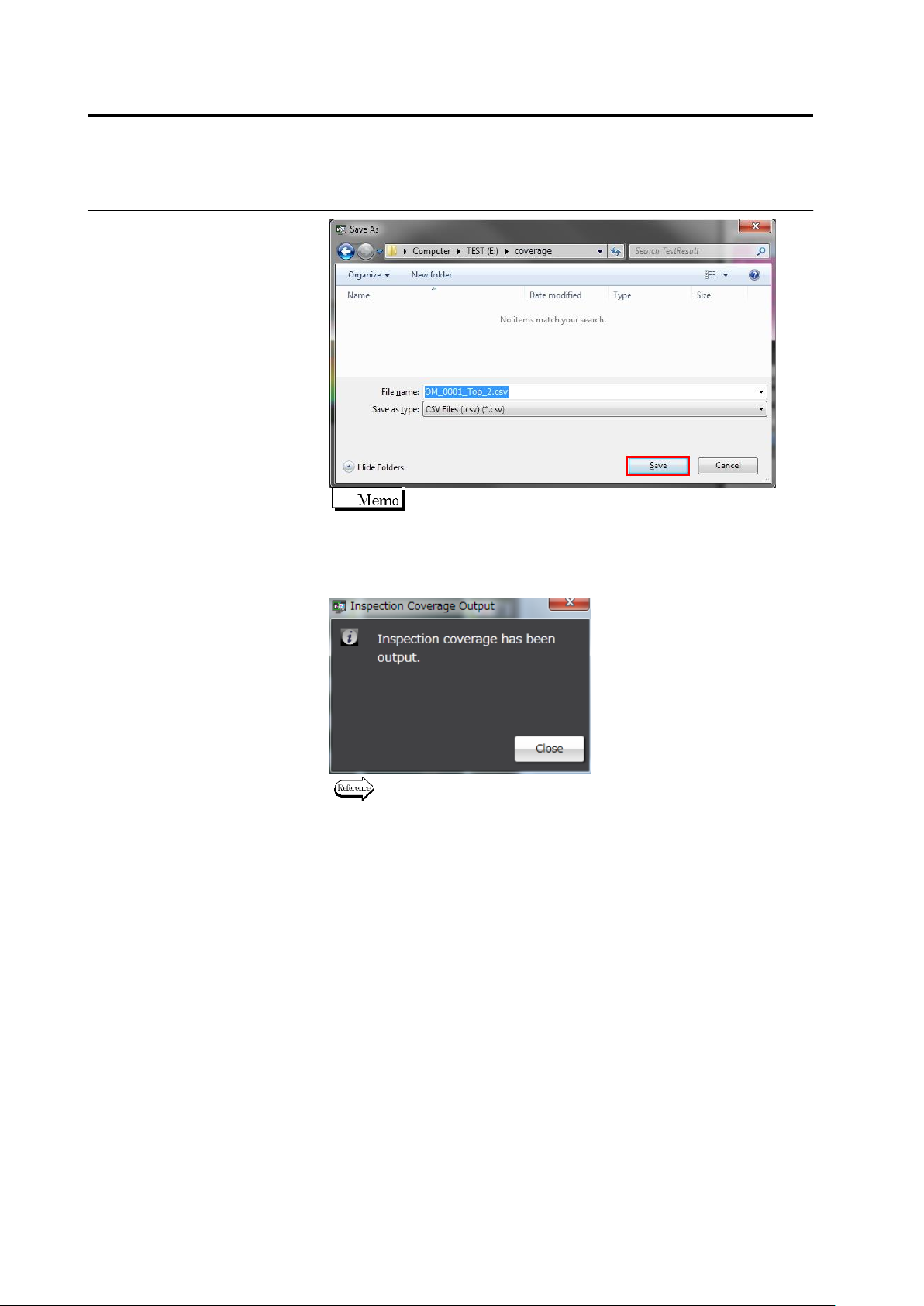
The format of the default file name is "Inspection Program
Name_Top/Bottom_Inspection Program Revision
Description.csv".
3.
When file output is complete, the following dialog appears. Click
[Close].
Refer to the next page for the details of output formats.
2.13 Outputting Inspection Coverage
2-125
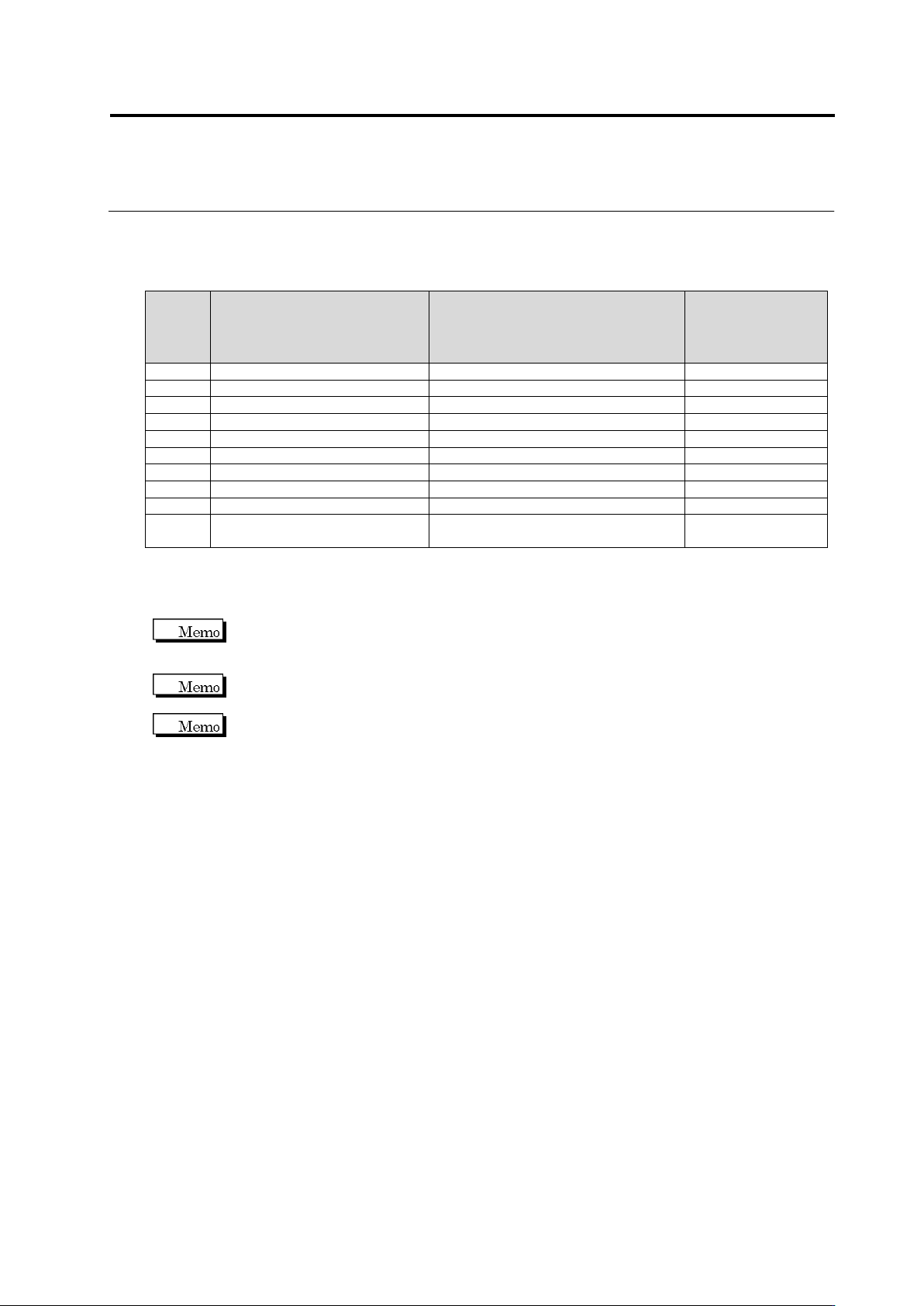
Inspection Coverage Output Format
The following information is output for individual components. Output for individual component
numbers does not output any component-specific information.
Column
Item Name
Description
Availability at
Component. No.
Information
Output
1
No
Component Number
-
2
CircuitId
Circuit Number
-
3
ComponentNumberGroupName
Component Number Group Name
4
ComponentNumberGroupId
Component Number Group ID
5
ComponentNumberName
Component Number Name
6
Revision
Component Number Revision
7
ComponentType
Component Type
8
ComponentBlockUnitName
Component Block Unit Name
-
9
Window
Inspection Window Name
10
Individual
Individual Setting
(True: Available, False: Not available)
-
Setting details for individual inspection items are output to 9th and subsequent columns.
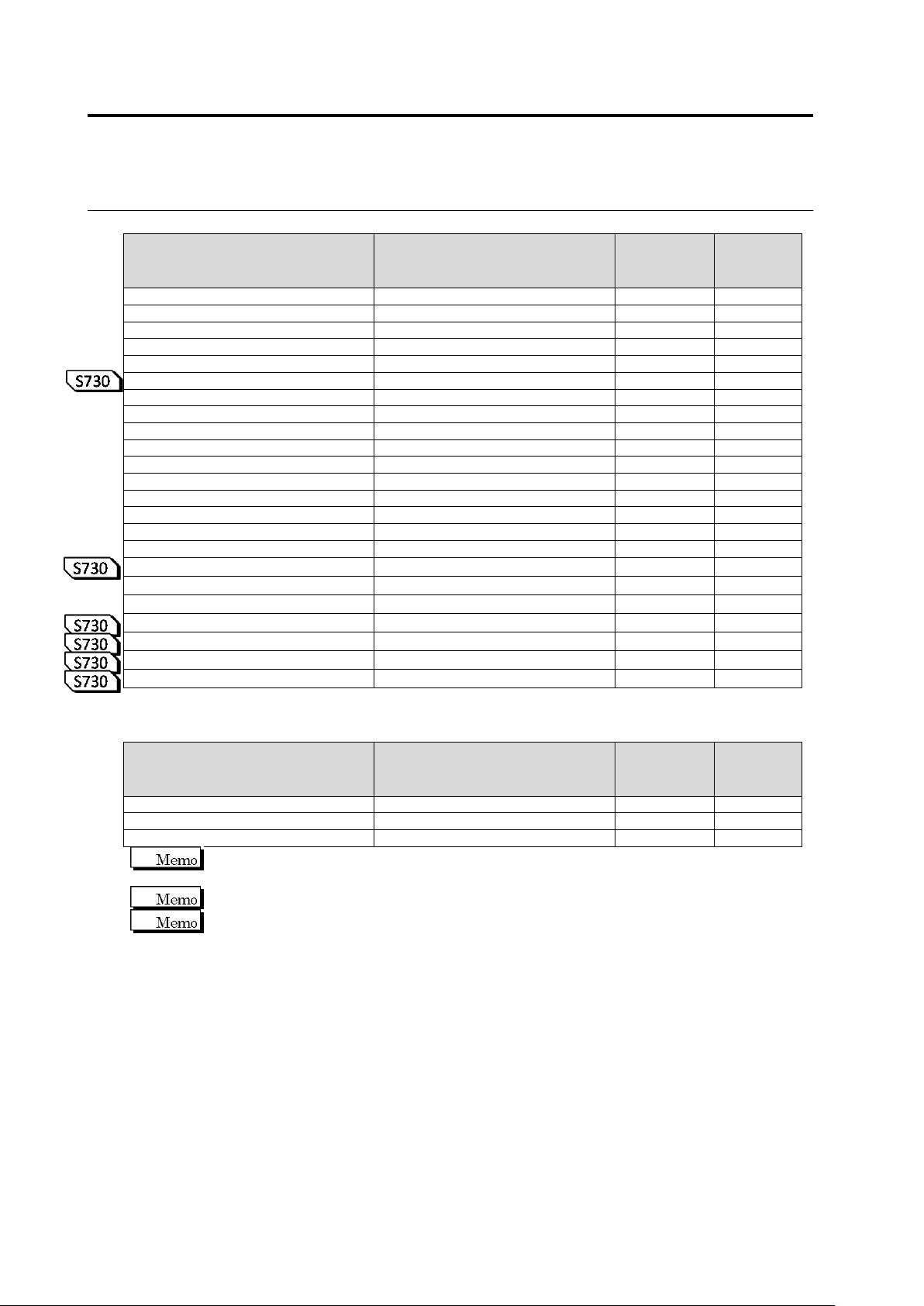
The lists below show the inspection items and display details output for individual inspection
windows.
For the setting item ON/OFF column on the table above, ON/OFF status is output only for
checked items. For the criteria value output column, the criteria value is output only for checked
items. (Input is not possible with teaching for items with "-".)
If criteria values are set for an item, lower limit (LowerLimit) and upper limit (UpperLimit) values
are output after the inspection name.
The same name description may be used for some sub items; therefore, the parent item names
(at the upper columns) are used for identification.
Chapter 2 Inspection Programming
2-126
Component Body Window
Item Name
Description
Setting
Item
ON/OFF
Criteria
Value
Output
ComponentInspection
Component Inspection
-
FollowComponentOffset
Follow Component Offset
-
AngleMesuringRange
Angle Measuring Range
-
ComponentPresence
Component Presence
-
MatchingRate
Matching Rate
-
VolumeRate
Volume Rate
RightComponent
Right Component
-
MatchingRate
Matching Rate
-
ComponentPolarity
Component Polarity
-
MatchingRate
Matching Rate
-
FlippedComponent
Flipped Component
-
MatchingRate
Matching Rate
-
ComponentOffset
Component Offset
-
OffsetX
Offset X [MOD]
OffsetY
Offset Y [MOD]
ComponentSkew
Component Skew [MOD]
OffsetXComponent
Offset X (Component) [MOD]
OffsetYComponent
Offset Y (Component) [MOD]
ComponentHeight
Component height
LiftedComponent
Lifted component
-
Inclination0
Inclination (0-180)
Inclination90
Inclination (90-270)
LiftAverageHeight
Average height of lifted component
Electrode Group Window
Item Name
Description
Setting
Item
ON/OFF
Criteria
Value
Output
FollowElectrodeOffset
Electrode horizontal extraction
-
FollowElectrodeToe
Electrode toe extraction
-
OffsetIndividually
Individual extraction
-
The inspection items for electrode and land windows are also output in an electrode group
window format.
Follow Electrode Horizontal Offset is not output for chip-type or non-lead electrodes.
Follow Electrode Toe is not output for a castellated or non-lead electrode.