Omron V-TS Teaching Manual.pdf.pdf - 第259页
Chapter 3 Man agement Menu 3-4 3.3 Configuring Quality Criteria Setting For each el ectrode type, initial set tings for inspe ction criteria as wel l as perip heral inspection criteria are done in this section. More than…
Chapter 3 Management Menu
3-4
3.3 Configuring Quality Criteria Setting
For each electrode type, initial settings for inspection criteria as well as peripheral inspection
criteria are done in this section.
More than one setup details can be saved as criteria rulebooks.
For how to specify a criteria rulebook, refer to "2.2 Creating a New Inspection Program."
3.3.1 Opening Setup Screen
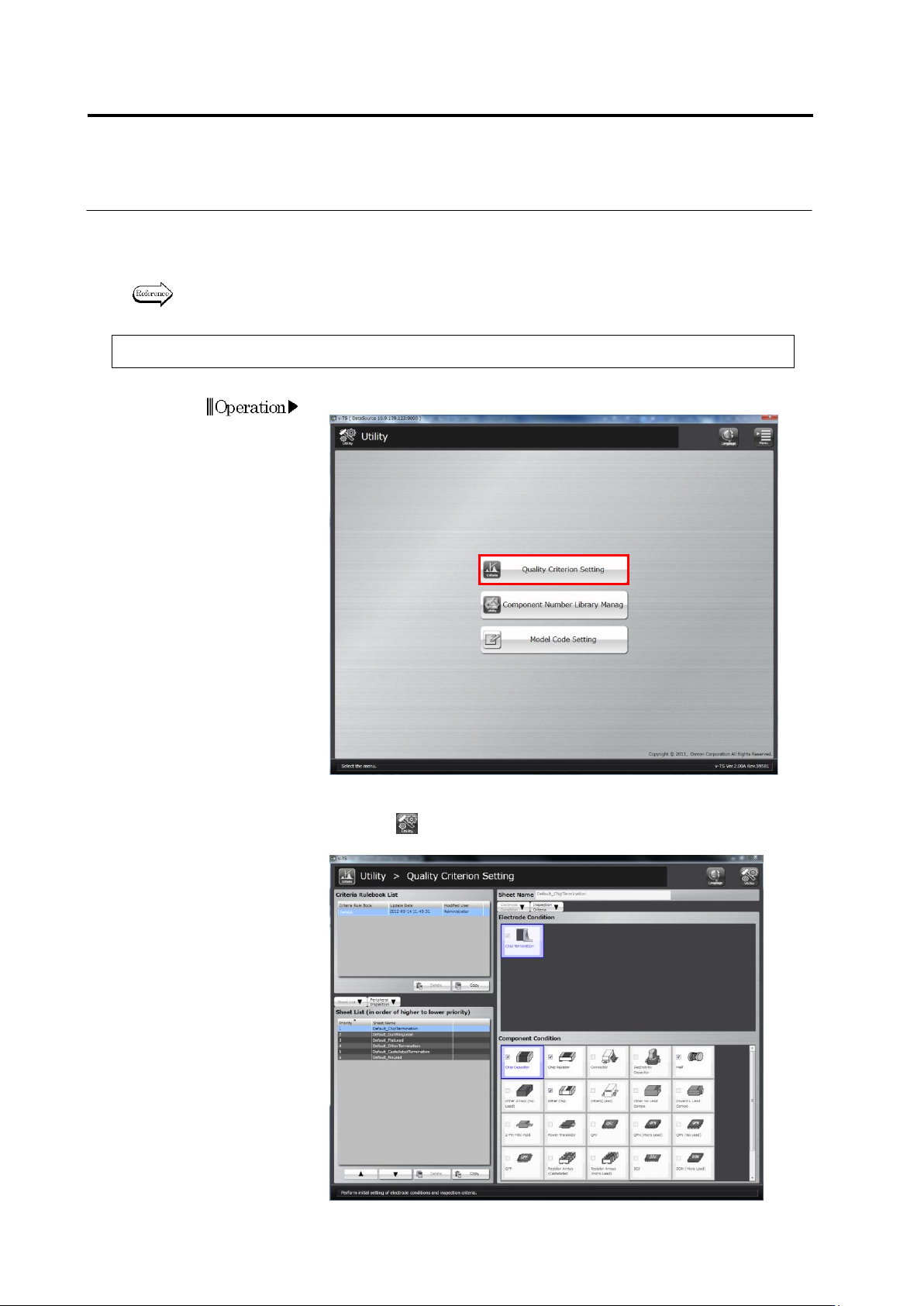
1.
Click [Quality Criterion Setting] on the utility menu.
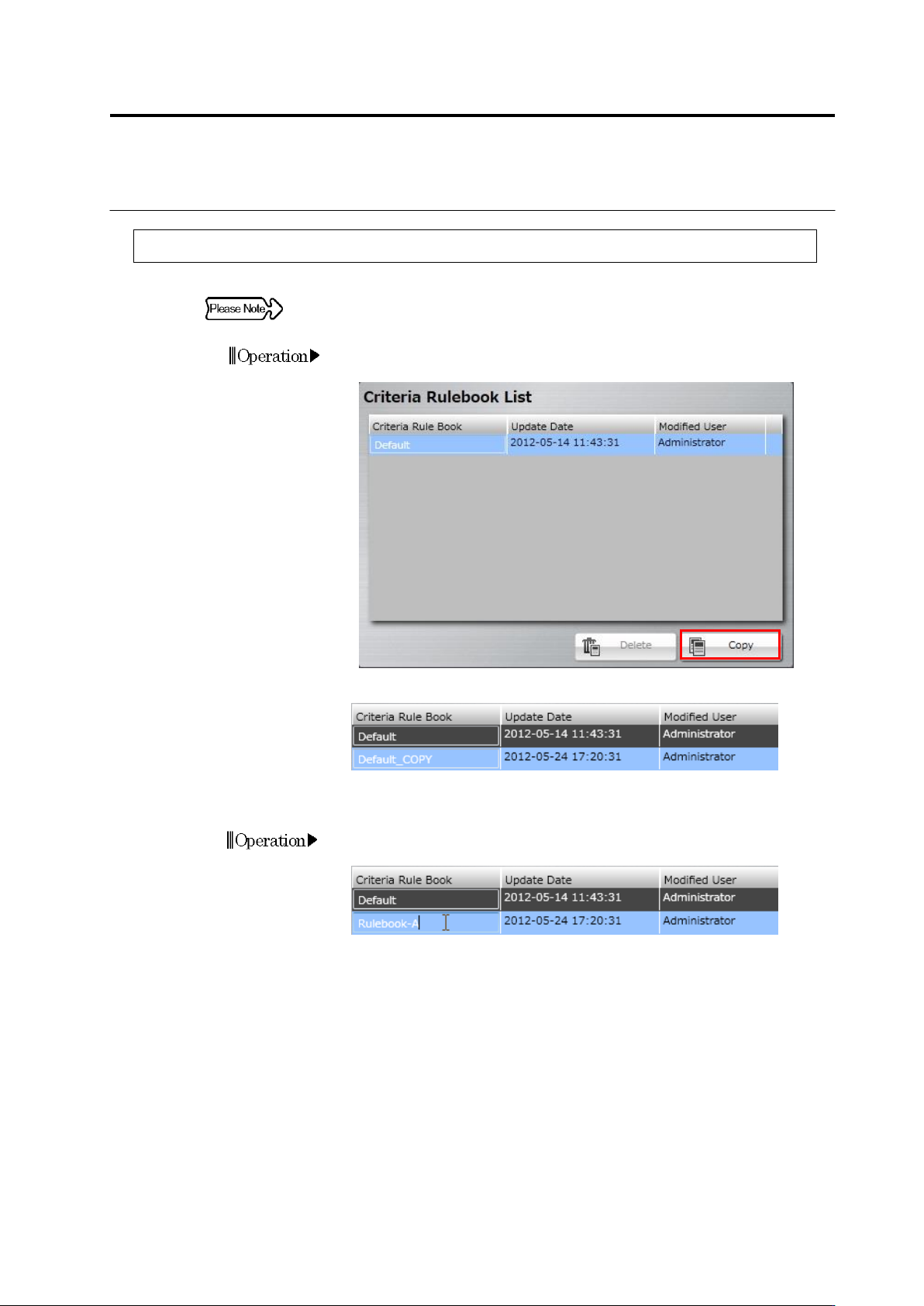
2.
The quality criterion setting screen will appear.
Click the button on the top-right screen to return to theutility
menu.
3.3 Configuring Quality Criteria Setting
3-5
3.3.2 Managing Criteria Rulebook
Copying Criteria Rulebook
You will not be able to restore the default criteria rulebook if you directly edit it. If you
want to keep the setup, copy it before editing.
1.
Select a criteria rulebook from the criteria rulebook list, and click
[Copy].
A file "original_criteria_rulebook_name_COPY" will be created.
Changing Criteria Rulebook Name
1.
Click the name of a criteria rulebook you wan to change in the
criteria rulebook list to edit, and enter a new name.