Omron V-TS Teaching Manual.pdf.pdf - 第193页
Chapter 2 Insp ection Progr amming 2- 166 (1) Lifted C omponent W indow Specify a meas urement range of heigh t information used f or the component he ight/lifted component inspection . Use the m ouse to edit the window …
2.15 Modifying an Inspection Program
2-165
<Lifted Component Inspection Editing Tools>
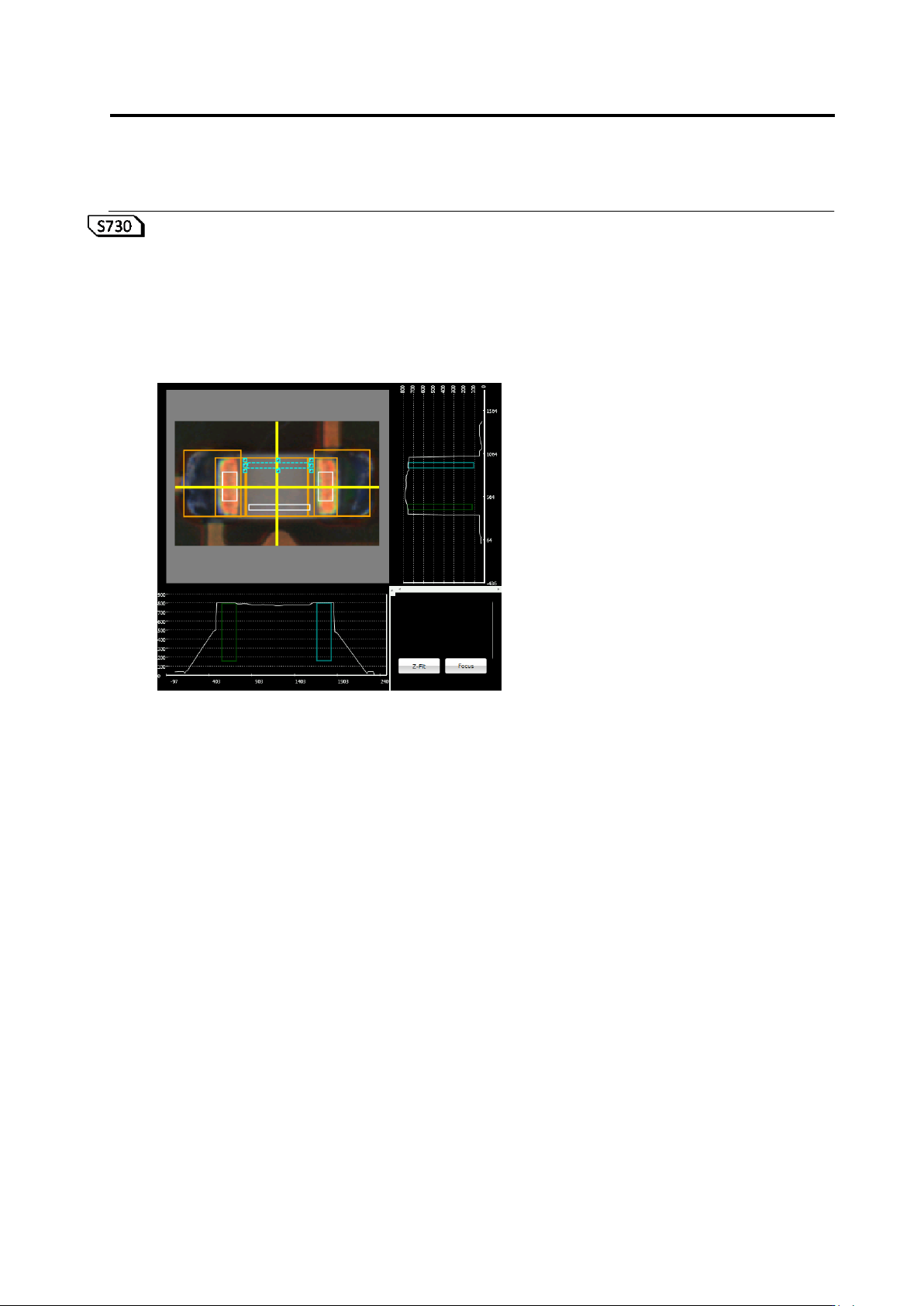
If the component height/lifted component inspection is being selected, the lifted component
inspection editing tools are displayed.
If the component height or lifted component (average height) is being selected, the lifted
component window is displayed in a white frame on top of the component. Inspect component
height/lifting by editing the position and/or size of the lifted component window.
(1)
Chapter 2 Inspection Programming
2-166
(1) Lifted Component Window
Specify a measurement range of height information used for the component height/lifted
component inspection. Use the mouse to edit the window position and size.
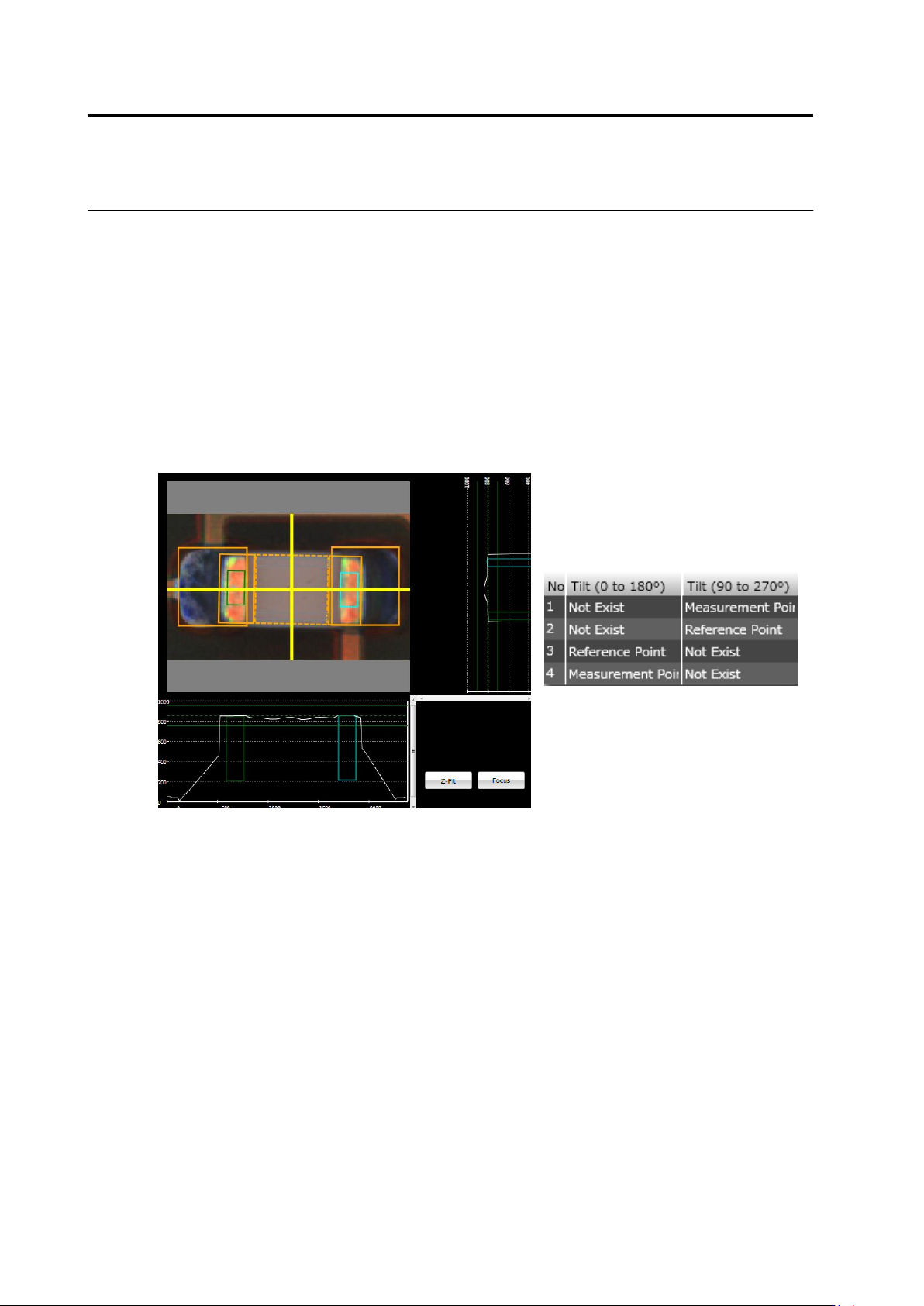
If the component tilt (0-180)/(90-270) is being selected, the lifted component window is
discriminated to reference point and measurement point. Described below are details.
Reference Point: Indicates a region as a height reference to measure the component tilt
(framed in yellow).
Measurement Point: Indicates a region to calculate a height from the reference point to
measure the component tilt (framed in light blue).
To change the reference point/measurement point setting, use the lifted component window
list.
2.15 Modifying an Inspection Program
2-167
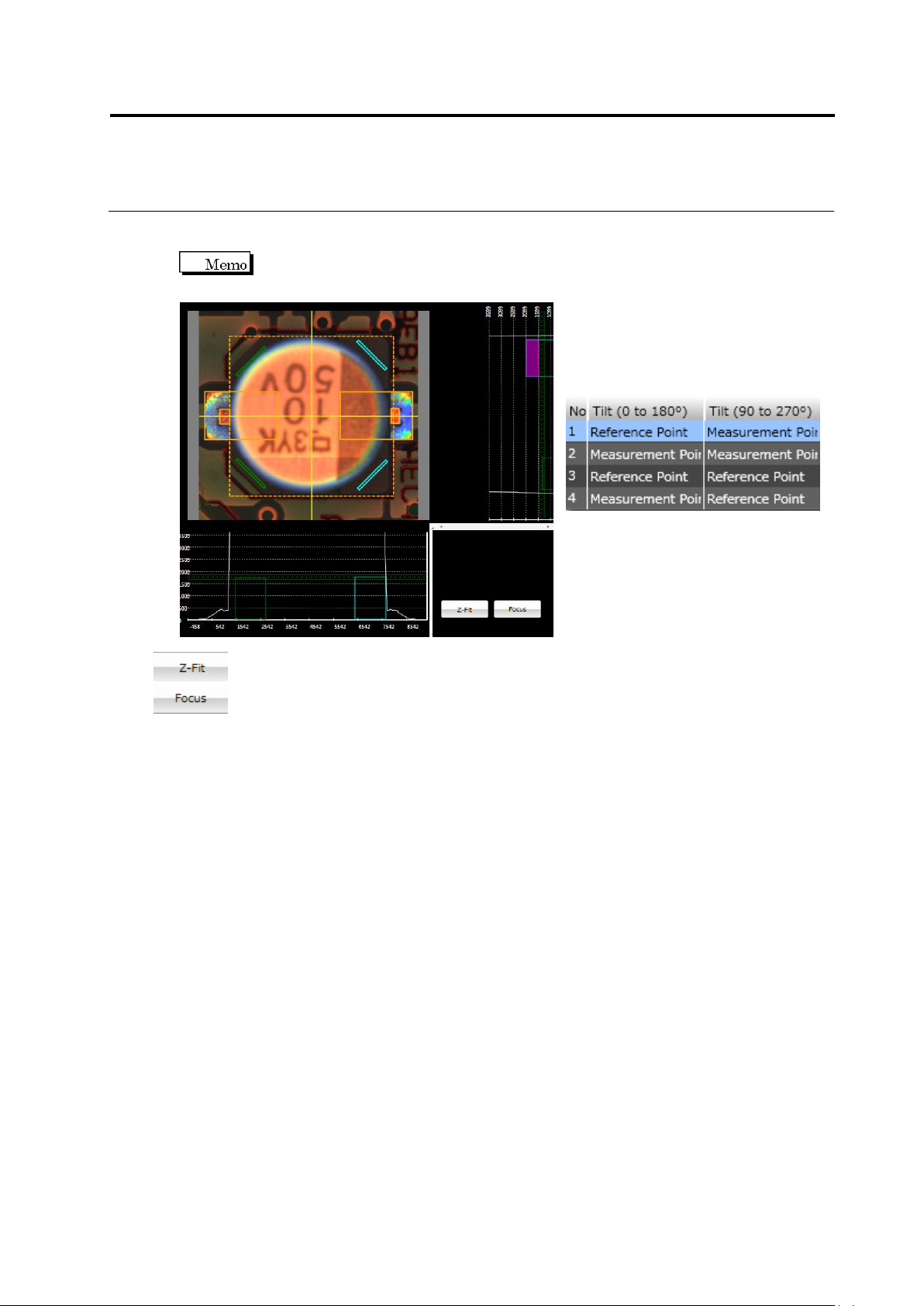
If a component type is electrolytic capacitor, the lifted component window is configured as
shown below.
Two component tilts are calculated in horizontal and vertical directions, and
averaged as inspection results.
Expands the Z scale by the maximum height.
Displays the selected window.