Omron V-TS Teaching Manual.pdf.pdf - 第162页
2.15 M odifying an Inspection Pr ogram 2- 135 2.15.3 Editing a Model The color inform ation of the feature param eters auto specified b y model calculatio n is registered in the color table in the librar y, which can be …
Chapter 2 Inspection Programming
2-134
3.
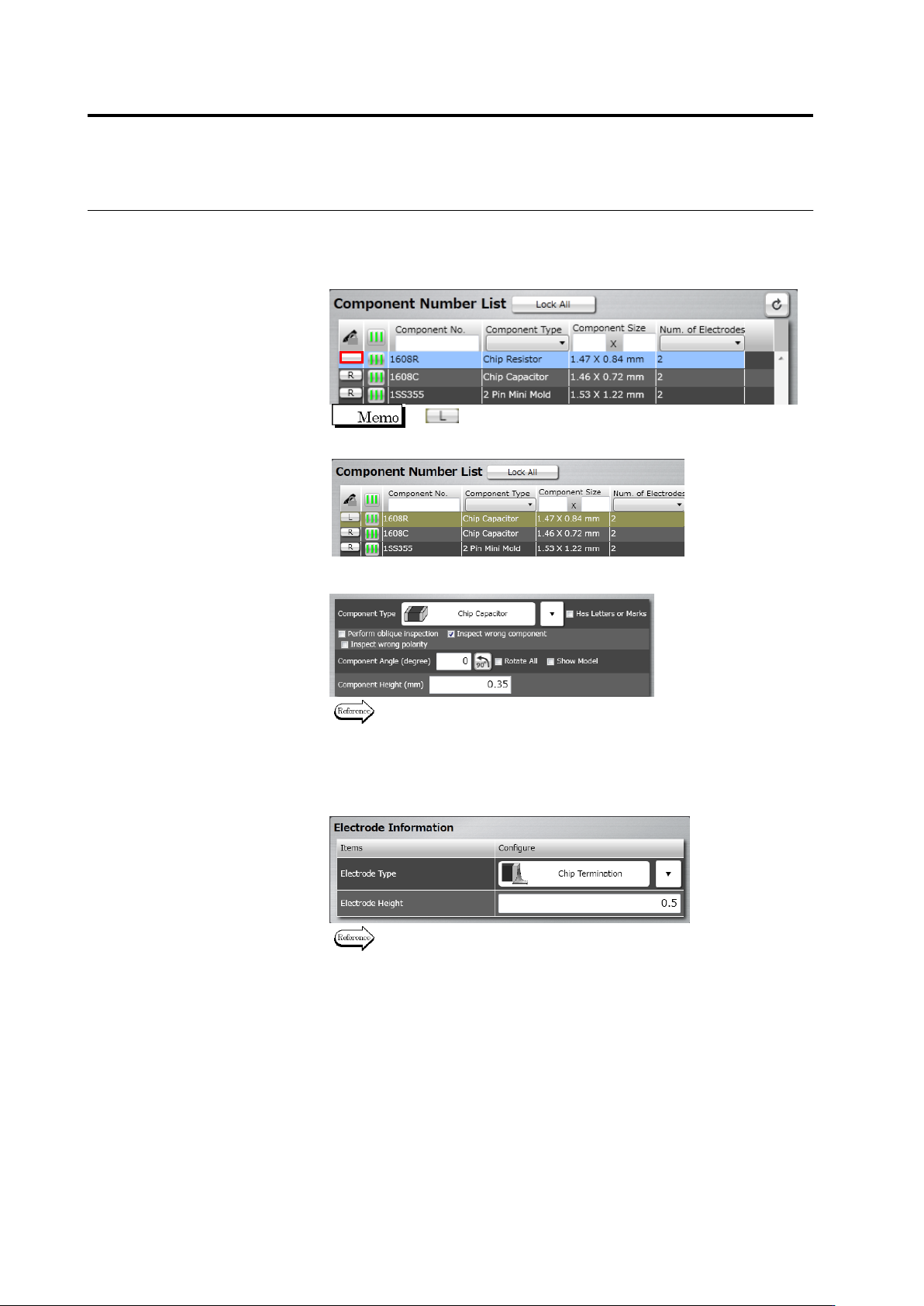
The Component Registration screen is displayed.
Click the [R] (Read-only) button for the target component number to
cancel the Read-Only mode. “R” disappears when canceling
Read-Only mode.
If (Locked) is displayed, editing is not possible since
other user is currently editing the component number.
4.
Edit the component information.
Refer to "2.4.5.1 Component Setting" for the editing procedure.
5.
Click [Next] several times until the Electrode Setting screen
appears.
6.
Specify electrode information for individual electrode groups.
Refer to "2.4.5.4 Electrode Setting" for the electrode setting
procedure.
7.
Click [Component Number Registration] after all the groups are
specified with the electrode information.
2.15 Modifying an Inspection Program
2-135
2.15.3 Editing a Model
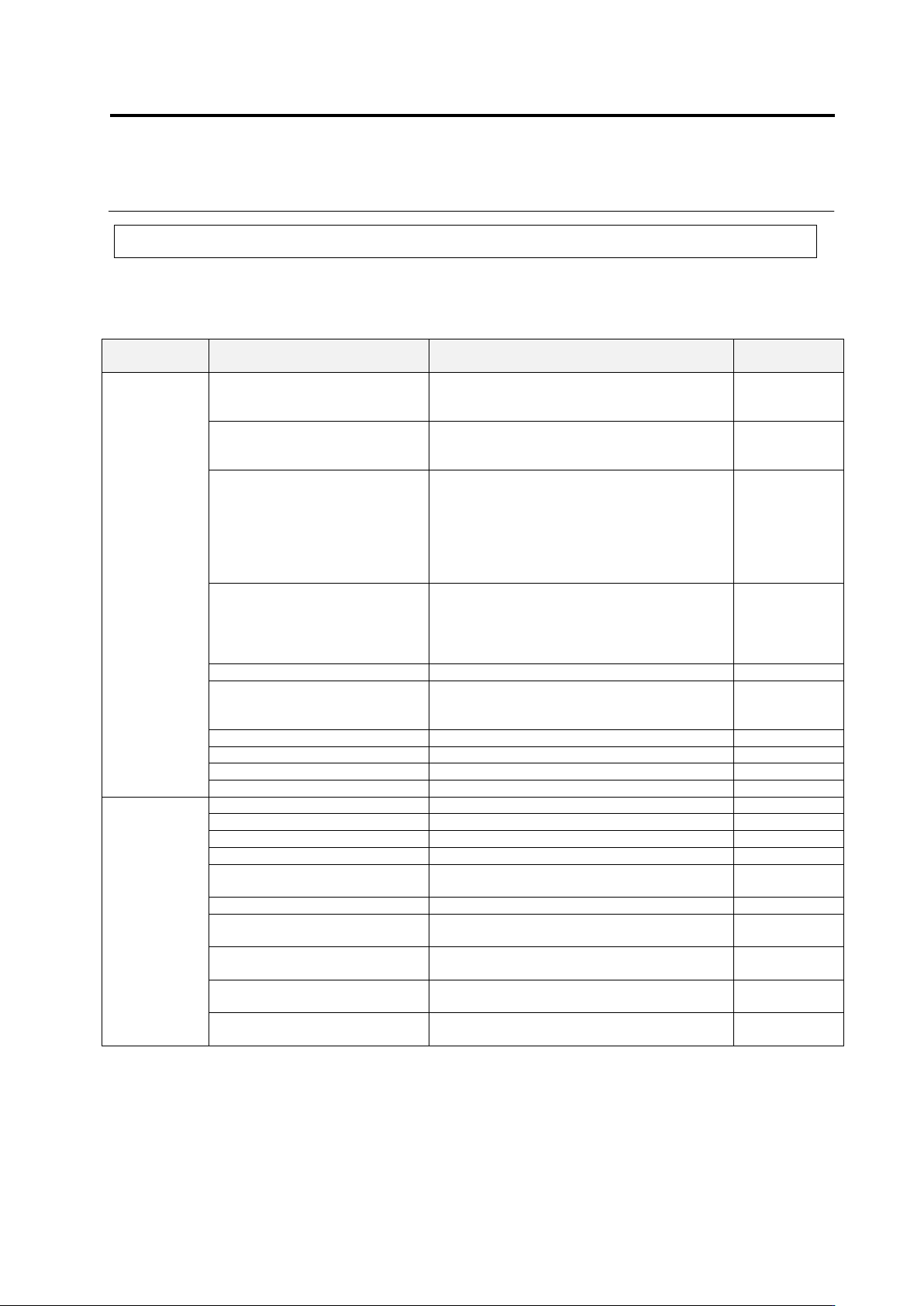
The color information of the feature parameters auto specified by model calculation is registered
in the color table in the library, which can be adjusted manually.
Feature Parameters Adjustable in Model Editing
Window
Composition
Inspection Item
Feature Parameter
(Mask)
Window
Component
Body
Component Body Extraction
Component body top color + electrode color
Component
extraction
mask
Missing Component
(PCB color + exposed land color + solder
color)
– Missing component excluded color
Missing mask
Component Difference
Available if character/mark exists
Shape (Brightness): Mask, Brightness
Available if no character/mark exists
Area (Color): Component Difference Color
Always Available
Shape (Color): Mask, Component Difference
Color
-
Polarity Difference
Available if character/mark exists
Shape (Brightness): Mask, Brightness
Always Available
Shape (Color): Mask, Component Difference
Color
-
Polarity Difference - Height
None
Height window
Reversed Top/Bottom
Component bottom color
Reversed
Top/Bottom
Mask
Component Offset (PCB)
Component body top color + electrode color
-
Component Offset (Component)
Component body top color + electrode color
Component Height
None
Lifted Window
Lifted Component
None
Lifted Window
Electrode
Group
Electrode Horizontal Extraction
Component body top color + electrode color
Electrode Toe Extraction
Component body top color + electrode color
-
Electrode Offset
Component body top color + electrode color
-
Electrode Presence
Electrode Color
Electrode Posture - Lifted
Electrode
Electrode Color
Electrode Posture - Coplanarity
Electrode Color
Electrode Posture - Electrode
Protrusion
Component body top color + electrode color
-
Electrode Posture - Electrode
Area
Component body top color + electrode color +
electrode lift color
-
Electrode Posture - Exposed
Electrode Toe
Component body top color + electrode color
Electrode Posture - Electrode
Variation
Component body top color + electrode color
Chapter 2 Inspection Programming
2-136
Window
Composition
Inspection Item
Feature Parameter
(Mask)
Window
Electrode Posture - Electrode
Side Bend
Component body top color + electrode color +
Electrode side bend color
Electrode Posture - Electrode
Height (Oblique)
Electrode color (Oblique) + position correction
color (Oblique)
Electrode Posture - Exposed
Electrode Toe (Oblique)
Electrode color (Oblique)
Electrode Posture - Electrode
Variation (Oblique)
Electrode color (Oblique)
Fillet Inspection
Fillet excluded color + component body top
color + electrode color
Exposed Basis Metal
Exposed land color
-
Foreign Material (Land)
Color of foreign material inside land
-
Exposed Basis Metal (Oblique)
Land color (for oblique),
position adjustment color (for oblique)
-
Abnormal Land
Abnormal land color, inspection are
specification
Abnormal Land (Oblique)
Land color (for oblique),
position adjustment color (for oblique)
Inspection
Region
Solder Ball
Solder ball color
Solder
ball/bridging
mask
Solder Bridge
Solder bridge color
Solder bridge color (lead shoulder) (for gull
wing only)
Foreign Material
PCB color (except resist, land, through-hole,
silk or other normally appearing colors)
Peripheral
foreign object
mask
Solder Ball (Oblique)
Solder ball/bridge color (for oblique),
position adjustment color (for oblique)
-
Solder Bridge (Oblique)
Solder ball/bridge color (for oblique),
position adjustment color (for oblique)
-
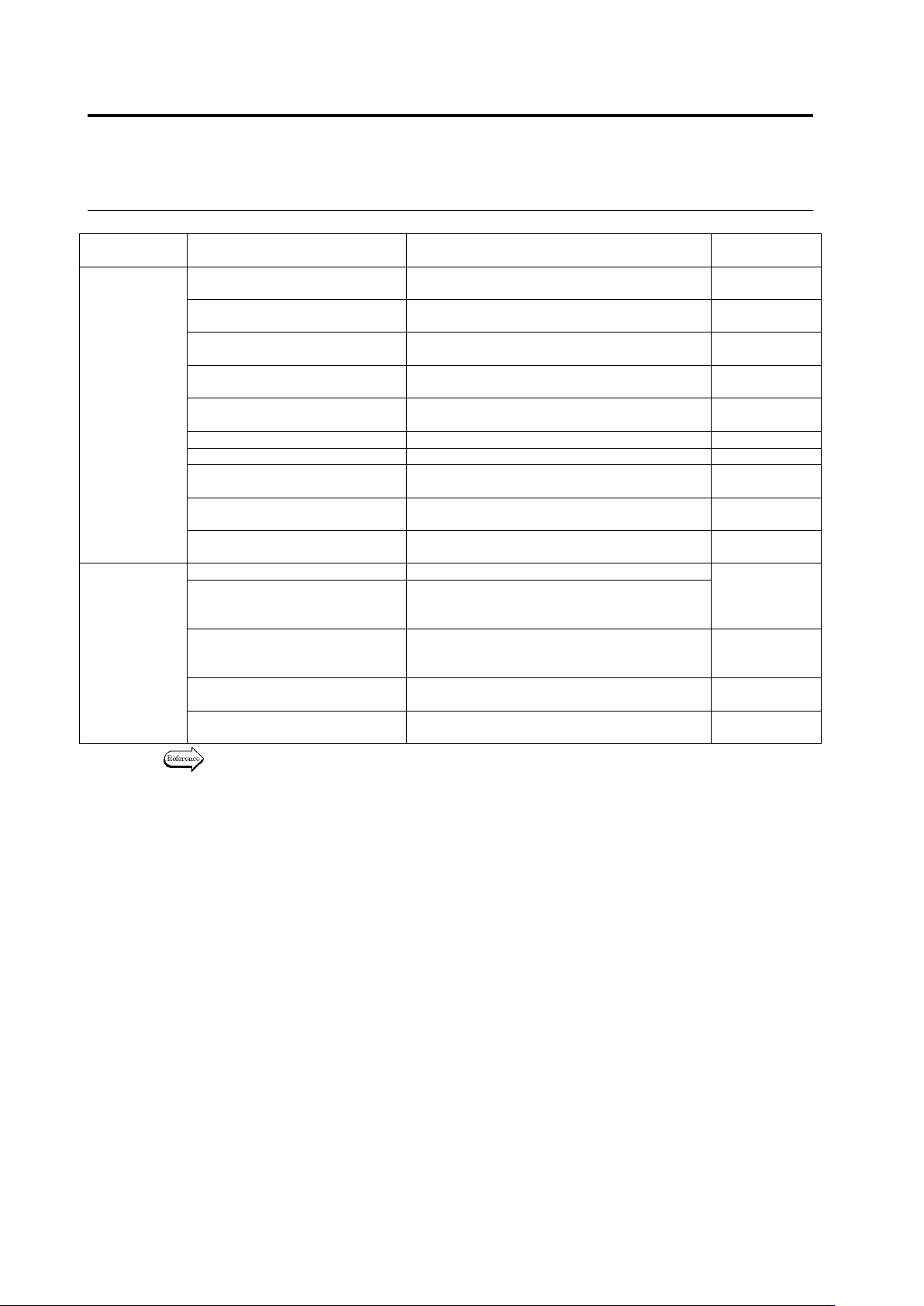
Refer to the Inspection Logic Manual for the details on the characteristic parameters of the
individual inspection items.