Omron V-TS Teaching Manual.pdf.pdf - 第258页
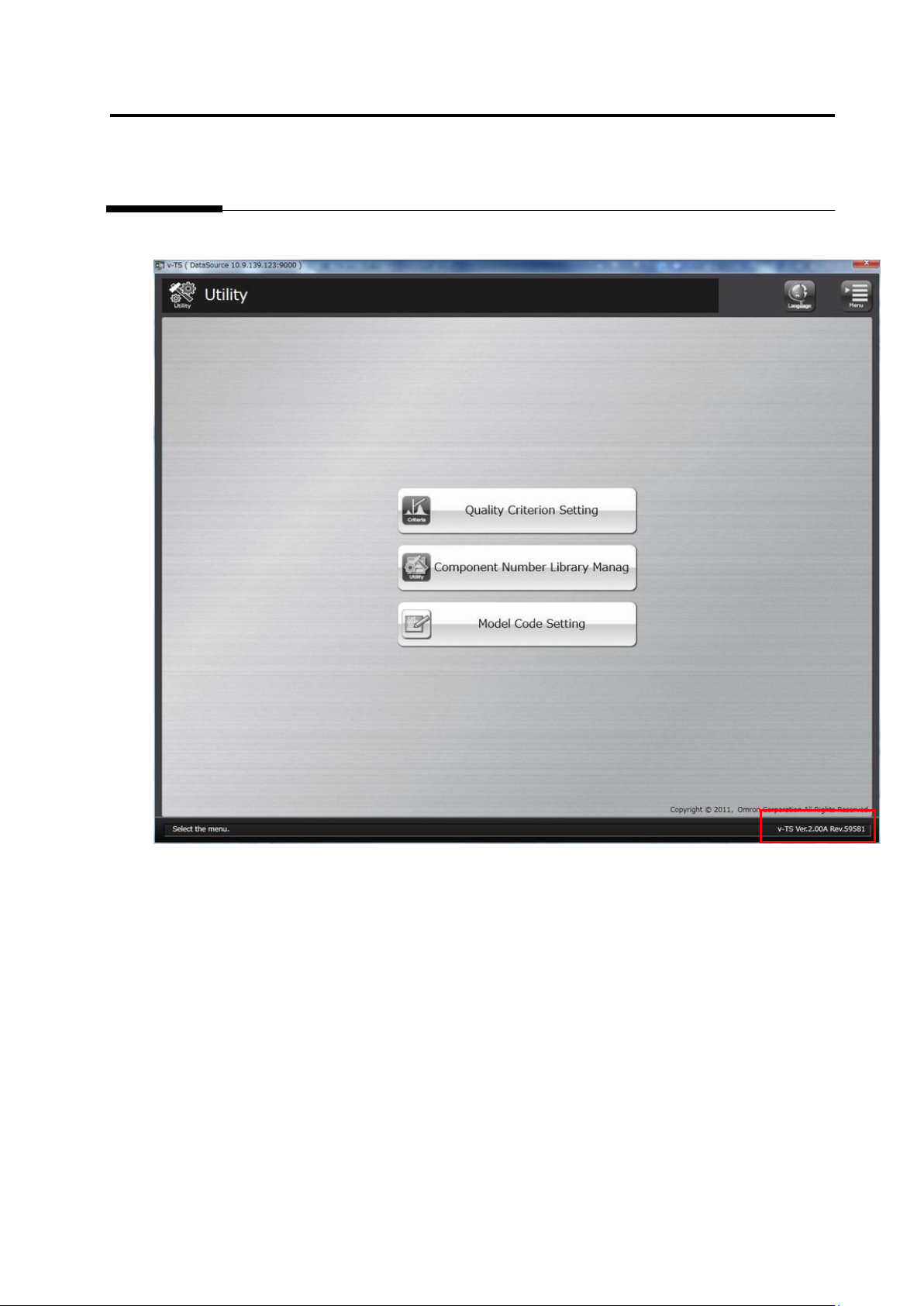
3.2 Check ing V ersion I nform ation 3-3 3.2 Checking V ersion Information Check the v ersion of this softwar e at the right botto m of the screen.
Chapter 3 Management Menu
3-4
3.3 Configuring Quality Criteria Setting
For each electrode type, initial settings for inspection criteria as well as peripheral inspection
criteria are done in this section.
More than one setup details can be saved as criteria rulebooks.
For how to specify a criteria rulebook, refer to "2.2 Creating a New Inspection Program."
3.3.1 Opening Setup Screen
1.
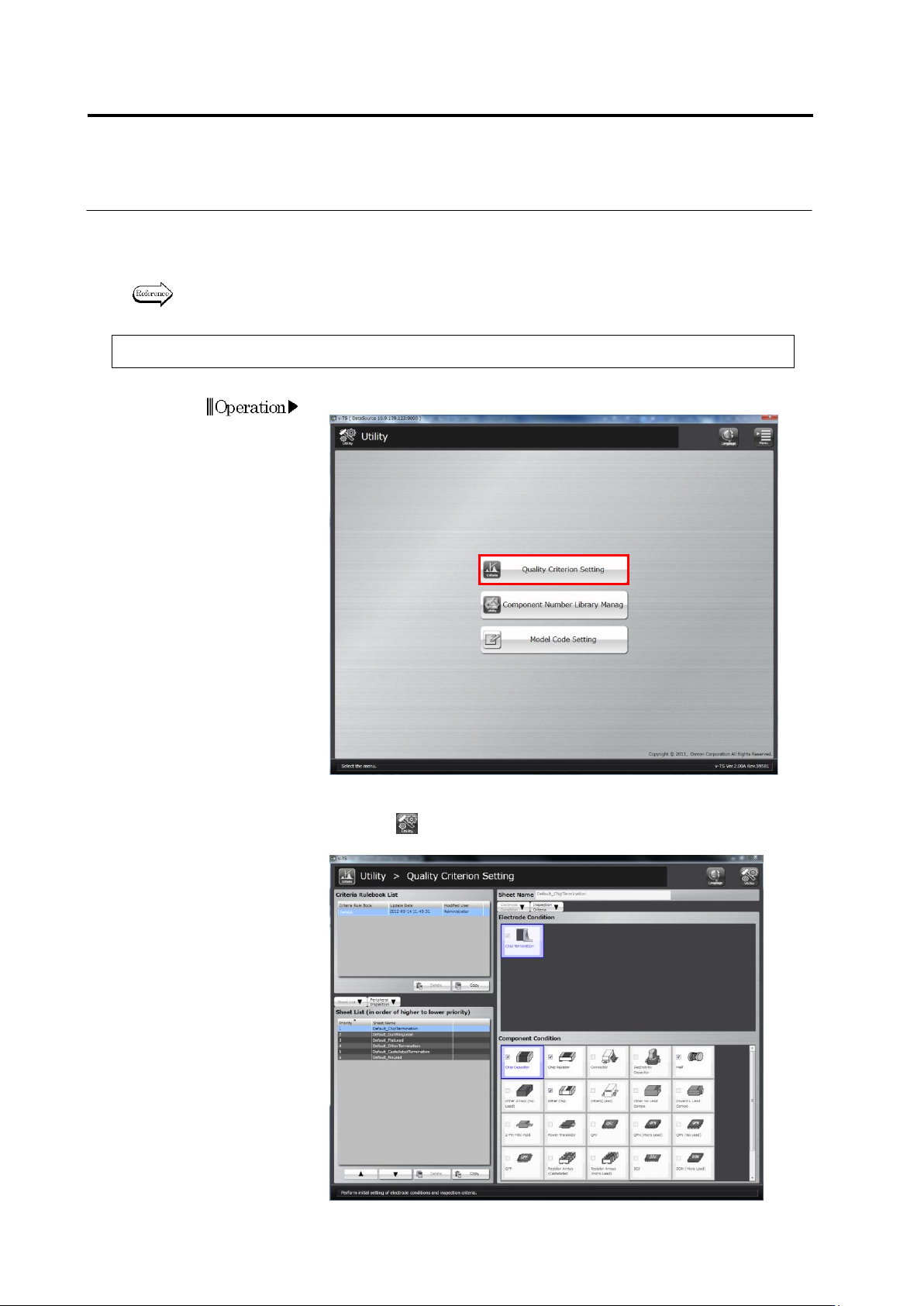
Click [Quality Criterion Setting] on the utility menu.
2.
The quality criterion setting screen will appear.
Click the button on the top-right screen to return to theutility
menu.