Omron V-TS Teaching Manual.pdf.pdf - 第235页
Chapter 2 Insp ection Progr amming 2- 208 2.17 Mass-Produced PCB Image A mass -produced PCB image specifie d by Q-upN avi or the specified pro duct im age saving function can be acqu ired and registered in the library. 1…
2.16 Managing PCB Images
2-207
削除: Managing PCB Images
2.16.8 Deleting Cache
This section describes the procedure to delete PCB images saved in the local.
1.
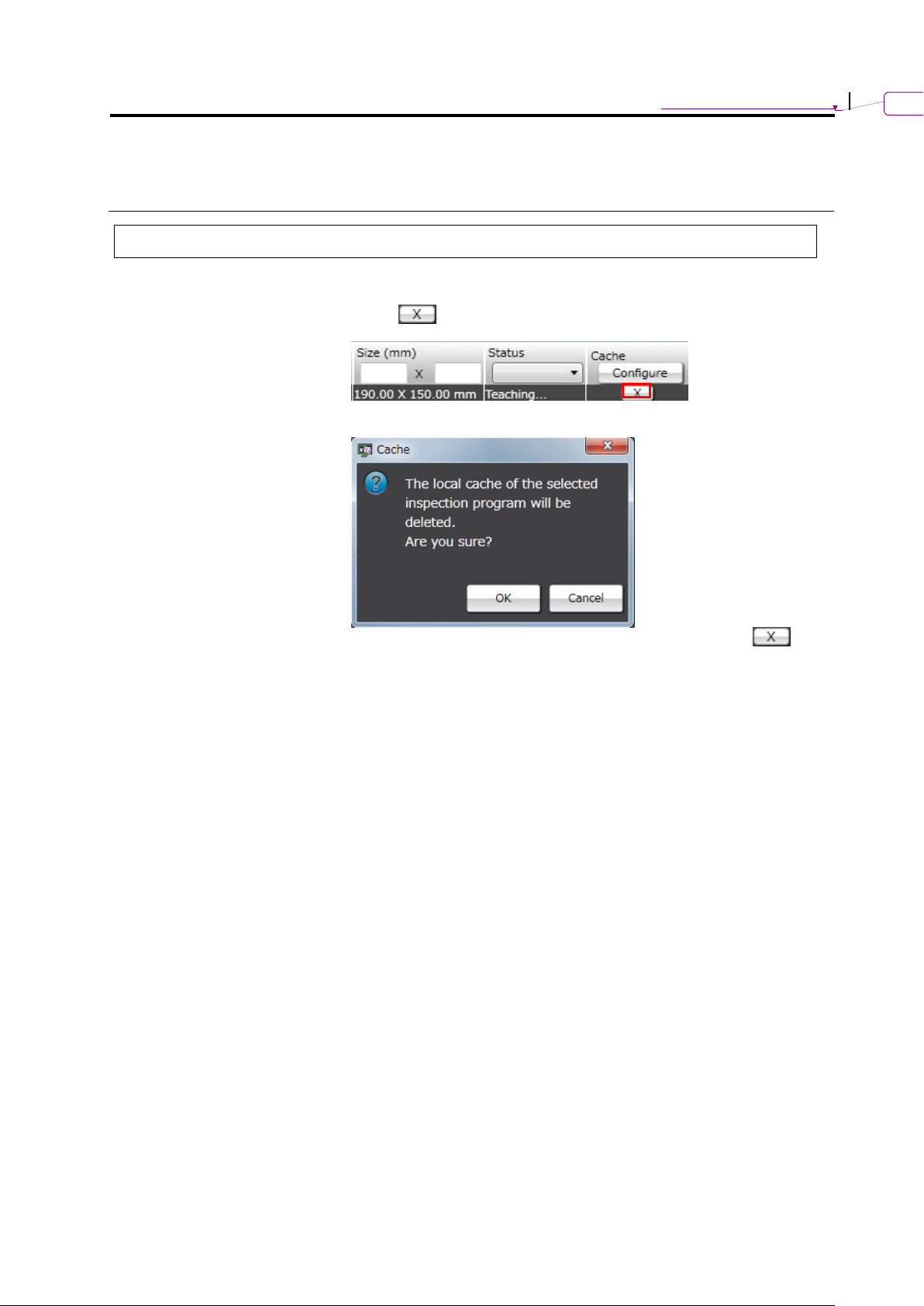
Click of the target inspection program on the PCB selection
screen.
2.
The deletion confirmation dialog appears.
Clicking [OK] delete the image saved in the local, and the
button will disappear from the inspection program list.
Chapter 2 Inspection Programming
2-208
2.17 Mass-Produced PCB Image
A mass-produced PCB image specified by Q-upNavi or the specified product image saving
function can be acquired and registered in the library.
1.
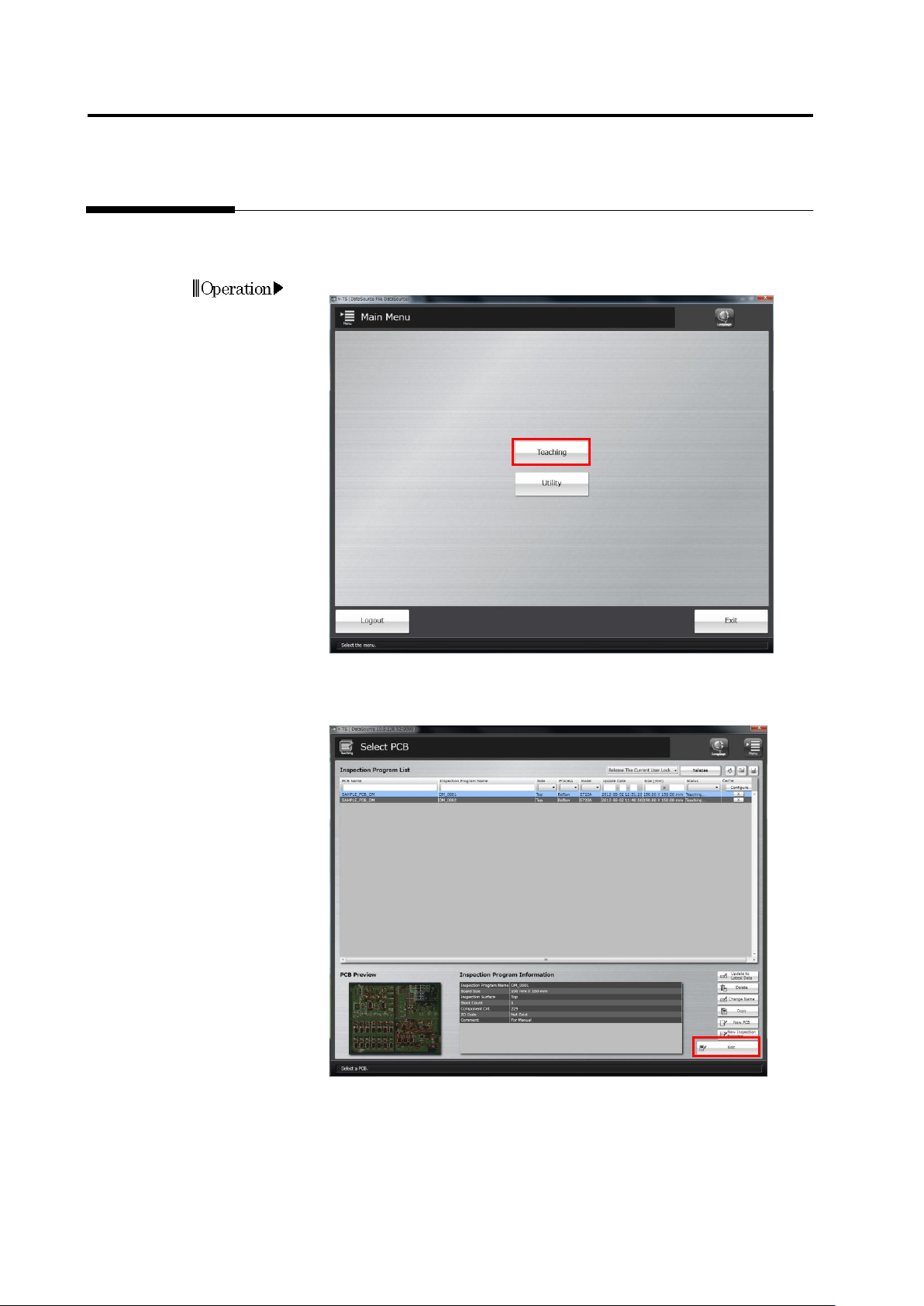
Click [Teaching] in the main menu.
2.
The Select PCB screen appears.
Click to select the inspection program whose mass-produced PCB
image to acquire in the Inspection Program List, and click [Edit].
Operation
2.17 Mass-Produced PCB Image
2-209
3.
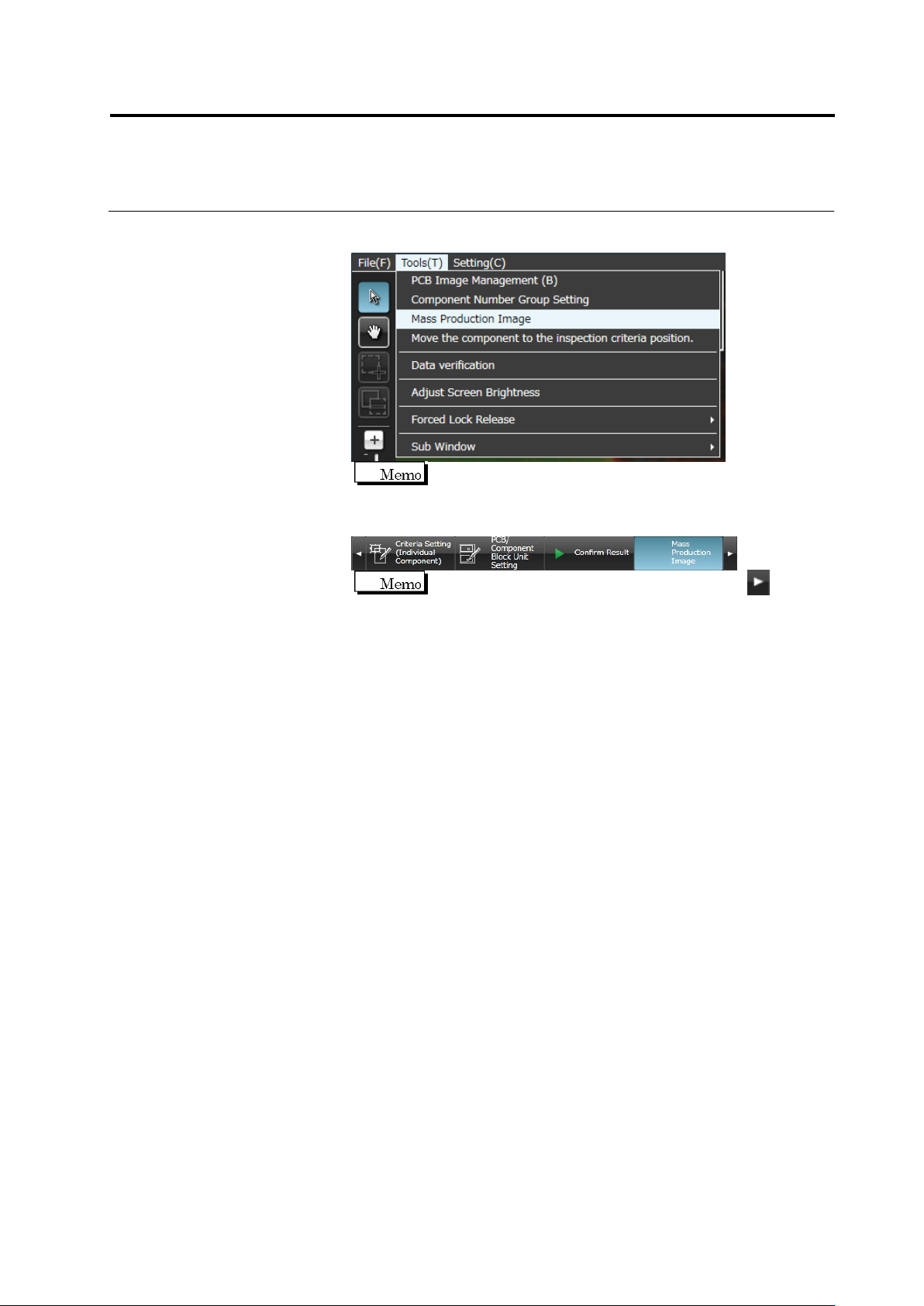
Select [Tool] – [Mass Production Image] in the editing screen menu
bar
Unless the component registration is completed, the item is
shaded and cannot be selected.
Or select the [Mass Production Image] tab.
If the [Mass Production Image] tab is hidden, click at the
right to display it.
4.
The mass production management screen appears.
To confirm the image registered by Q-upNavi, select the image
management job and select the job with the [Mass Production
Image] type. Select the component number to be registered in the
component number list.
To confirm the image specified by the specified component image
saving function, select a job whose type is [Mass Production
Inspection OK Image] or [Inspection NG].
If the former item is selected, the image of inspection OK selected
by the specified component image saving function is displayed. If
[InspectionNg] is selected, the image of the component judged as
NG by the inspection is displayed.
When the machine executes inspection, one OK line and one NG
line of the job of the [Mass Production Image] type increase. These
lines (including both OK and NG) increase at 30-minute intervals,
and the latest information is displayed at the top.
On the destination column, the destination name which was used for
inspection is displayed.
The component number list shows all the component numbers for
which check boxes of image management job are selected ON.
Enter the circuit number in the circuit search box, and click to
display the image of the specified circuit number only.
On the component number group column, the component number
group to which the component number belongs is displayed.