Omron V-TS Teaching Manual.pdf.pdf - 第91页
Chapter 2 Inspecti on Programm ing 2- 64 ・ Copy a Land Windo w A multiple num ber of land windows can be added efficien tl y for a component such as Q FP, which requires m any lands. By selecting the lands at both ends o…
2.4 Registering for Inspection
2-63
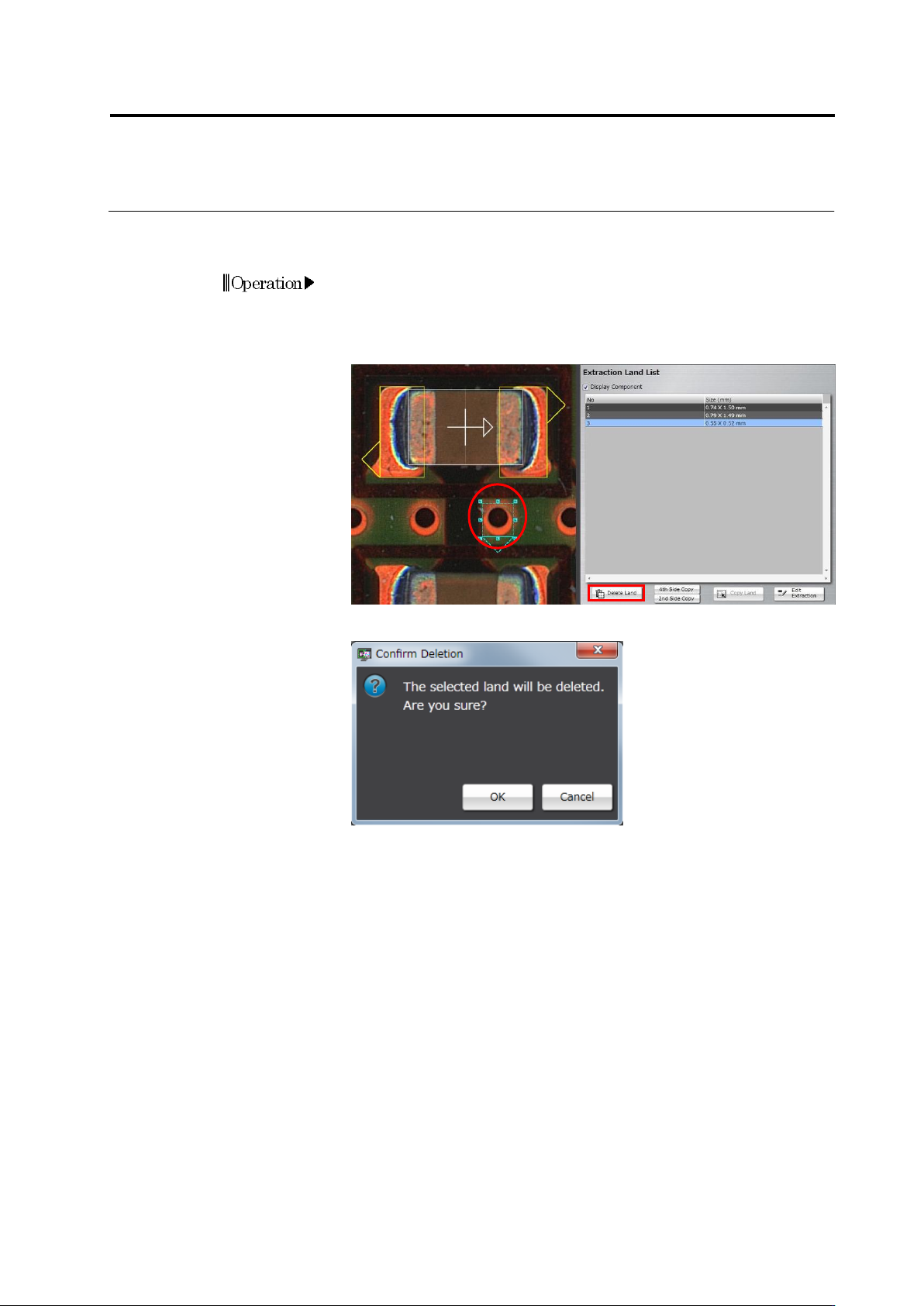
・ Delete a Land Window
Delete extra land windows automatically extracted, if there are any.
1.
Select the land to delete.
Click the land window in the image display area, or click the land in
the Extraction Land List.
2.
Click [Delete Land].
3.
The following dialog appears. Click [OK].
Operation
Chapter 2 Inspection Programming
2-64
・ Copy a Land Window
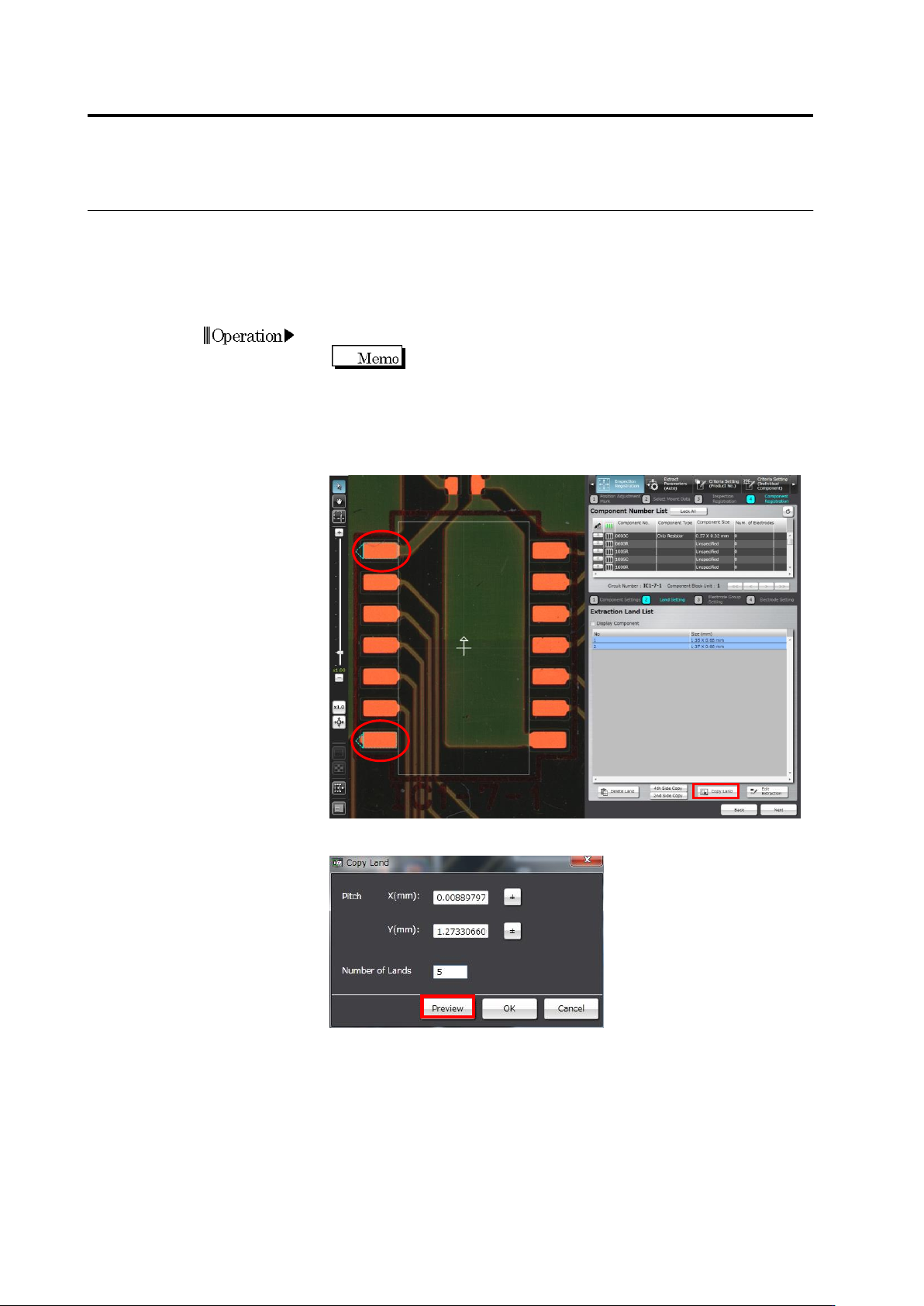
A multiple number of land windows can be added efficiently for a component such as QFP,
which requires many lands.
By selecting the lands at both ends of the same side, land windows are automatically copied
and inserted among the selected lands.
1.
Add land windows to one side of the component.
Delete the land windows (if any) at positions other than the
both ends of the side.
2.
Select the lands at both ends and click [Copy Land].
To select two lands simultaneously, click the land windows on the
image display area while holding down the [Ctrl] key on the
keyboard, or click the lands in the Extraction Land List.
3.
Enter the number of lands to add, and click [Preview].
4.
Click [OK] to apply the result shown in the preview, or [Cancel] to
abort it and quit land copying.
Operation
2.4 Registering for Inspection
2-65
・ Copy on Two Sides or Four Sides
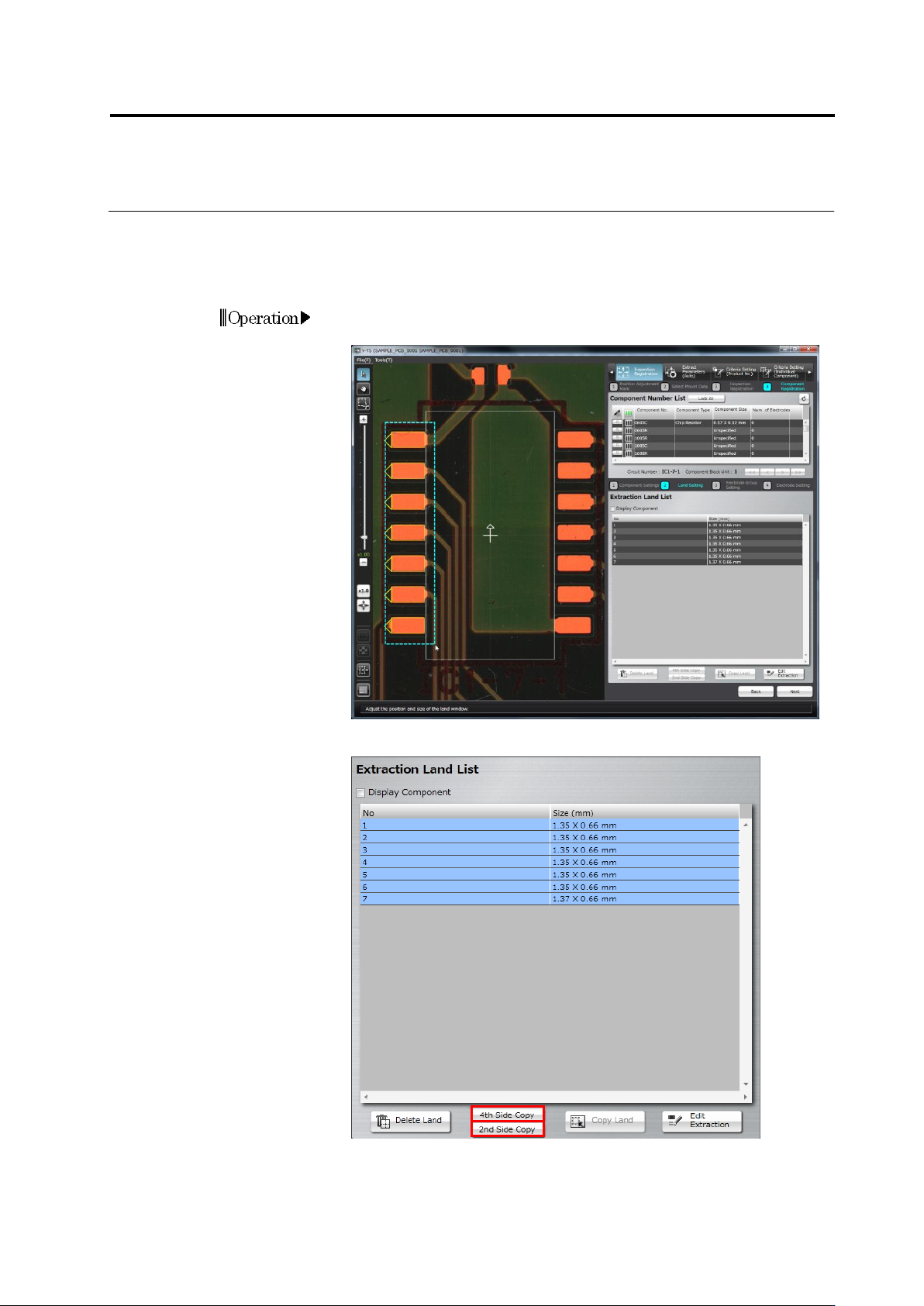
The land window group specified for one side of the component can be duplicated for the
remaining sides.
Click [2nd Side Copy] for an SOP, and [4th Side Copy] for a QFP.
1.
Drag and drop the cursor on the image display area to surround the
specified side of the land window to select it.
2.
Click [2nd Side Copy] or [4th Side Copy].
3.
The land windows are copied on the remaining side(s) of the
component.
Adjust the window positions if necessary.
Operation