Omron V-TS Teaching Manual.pdf.pdf - 第168页
2.15 M odifying an Inspection Pr ogram 2- 141 The Model Editing screen shows the measured values, judgment result, and hi s to gram of PCB testing when it is opened after the test. However, the re s ult of oblique inspec…
Chapter 2 Inspection Programming
2-140
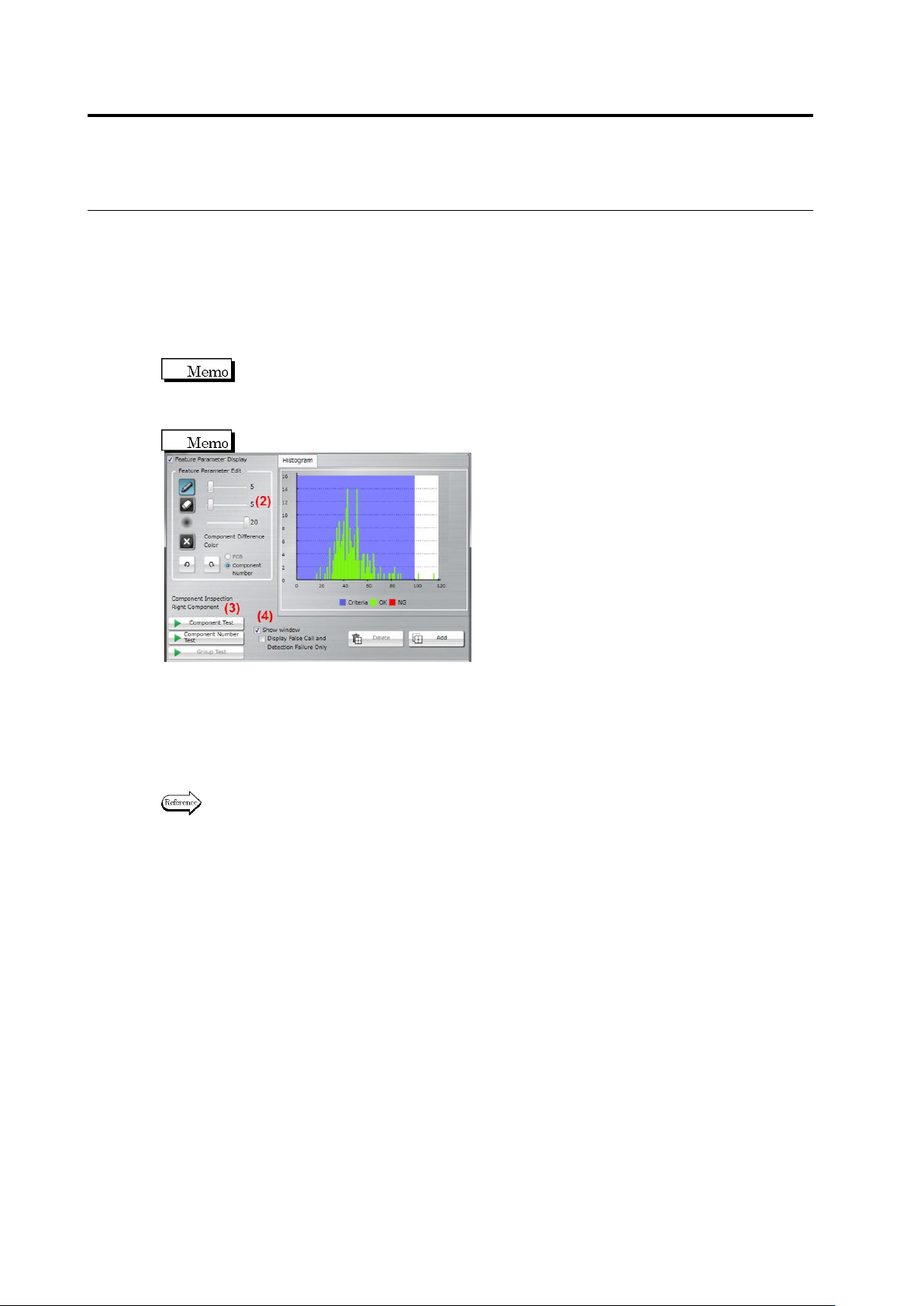
(1) Feature Parameter Display
When this checkbox is selected, the component thumbnail image is binarized and the
extracted pixels using the characteristic parameters are displayed in aqua color.
For component extraction or component presence, two or more characteristic parameters
can be displayed simultaneously.Select the display item from [Show All Colors] or [Show
Selected Colors]. If [Show All Colors] is selected for component extraction, the component
top color is displayed in yellow, and electrode color, in aqua.
Binarization refers to the process of converting individual pixels into binary values based
on a brightness threshold, in which pixels equal to or below the threshold value is
represented in "0" and those above the threshold value, in "1". In TS, "0" values are
displayed in aqua color.
The checkbox is selected by default.
(2) Feature Parameter Edit
Displays the characteristic parameters editing tool.
The tool is consisted the following two types:
・Color Table Editing Tool … For characteristic parameters other than character and mark
colors
・Model Image Editing Tool … For are (color), shape (brightness), and shape (color)
Refer to <Color Table Editing Tools> or <Model Image Editing Tools> of 2.15.3 “Editing a Model”
of for the procedures to operate individual editing tools.
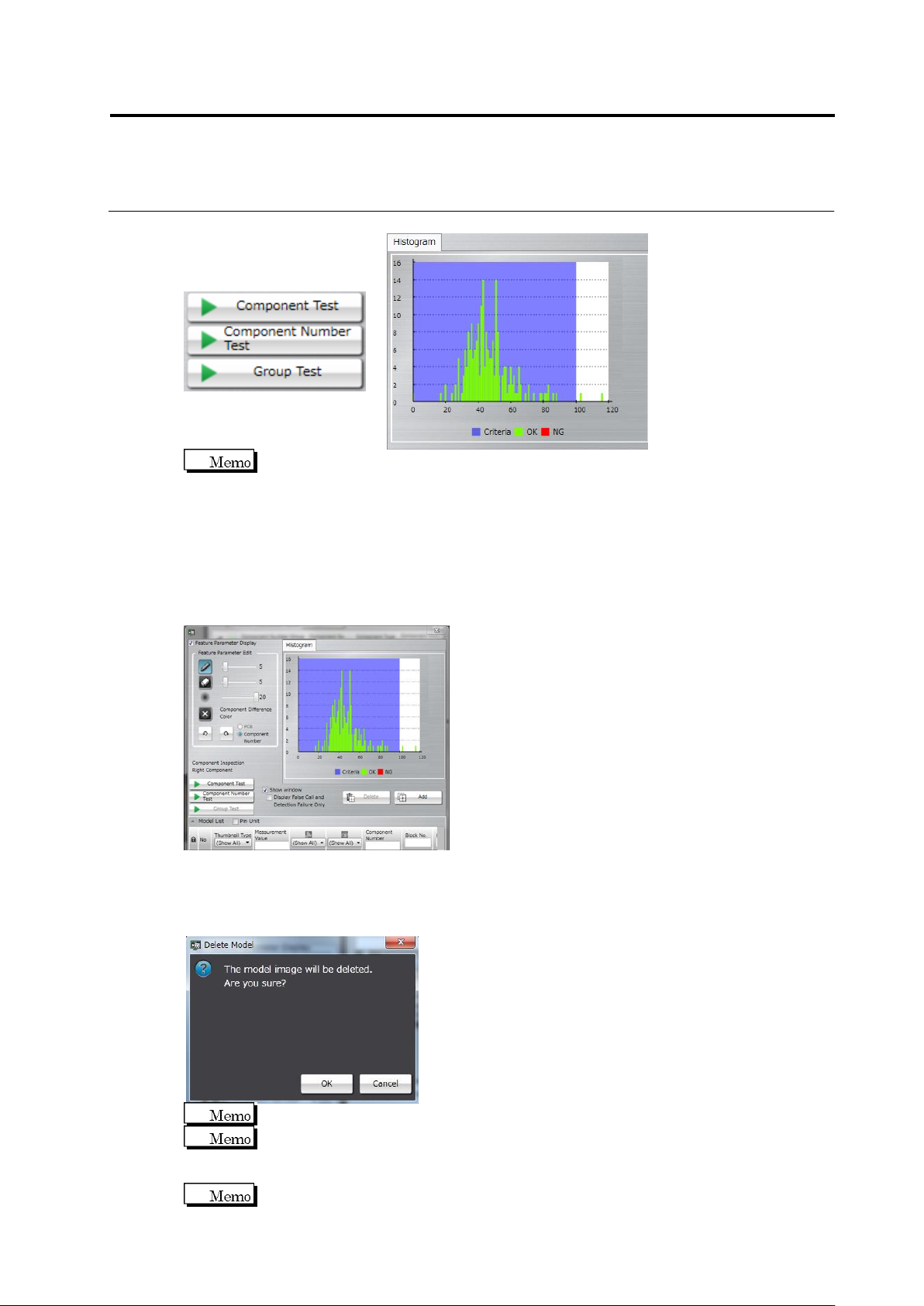
(3) Test
Test the component thumbnail images with the edited characteristic parameters. After
testing, the measured value and judgement result for the individual component thumbnails,
as well as the histogram of all the measured values are displayed.
[Component Test]: Test is performed only for the selected component.
[Component Number Test]: Test is performed for all images of the selected component
number.
[Group Test]: Test is performed for all images of the component number group to which the
selected component number belongs.
2.15 Modifying an Inspection Program
2-141
The Model Editing screen shows the measured values, judgment result, and histogram of
PCB testing when it is opened after the test. However, the result of oblique inspection is
not displayed. Perform a test to check the result.
(4) Show Window (Display False Call and Undetected Fault only)
- Show Window: Switches a view of window detection position detected by the test.
Selecting/unselecting this option shows/hides the window, respectively.
- Display False Call and Undetected Fault only: Inspection result is displayed only in the
case of false call or undetected fault.
(5) Delete/Add
Deletes/Adds the model image selected in the component thumbnail list.
Click the [Delete] button. The delete confirmation dialog appears. Click [OK] to delete the
image.
The [Delete] button is not effective if an image other than a model image is selected.
The [Delete] button is also disabled when only one model image is in the component
number.
Click the [Add] button to register the selected image as a model.
The [Add] button is disabled if a model image is selected.
(5)
(7)
(6)
Chapter 2 Inspection Programming
2-142
(6) Inspection Item
Displays the inspection items for the model currently being edited.
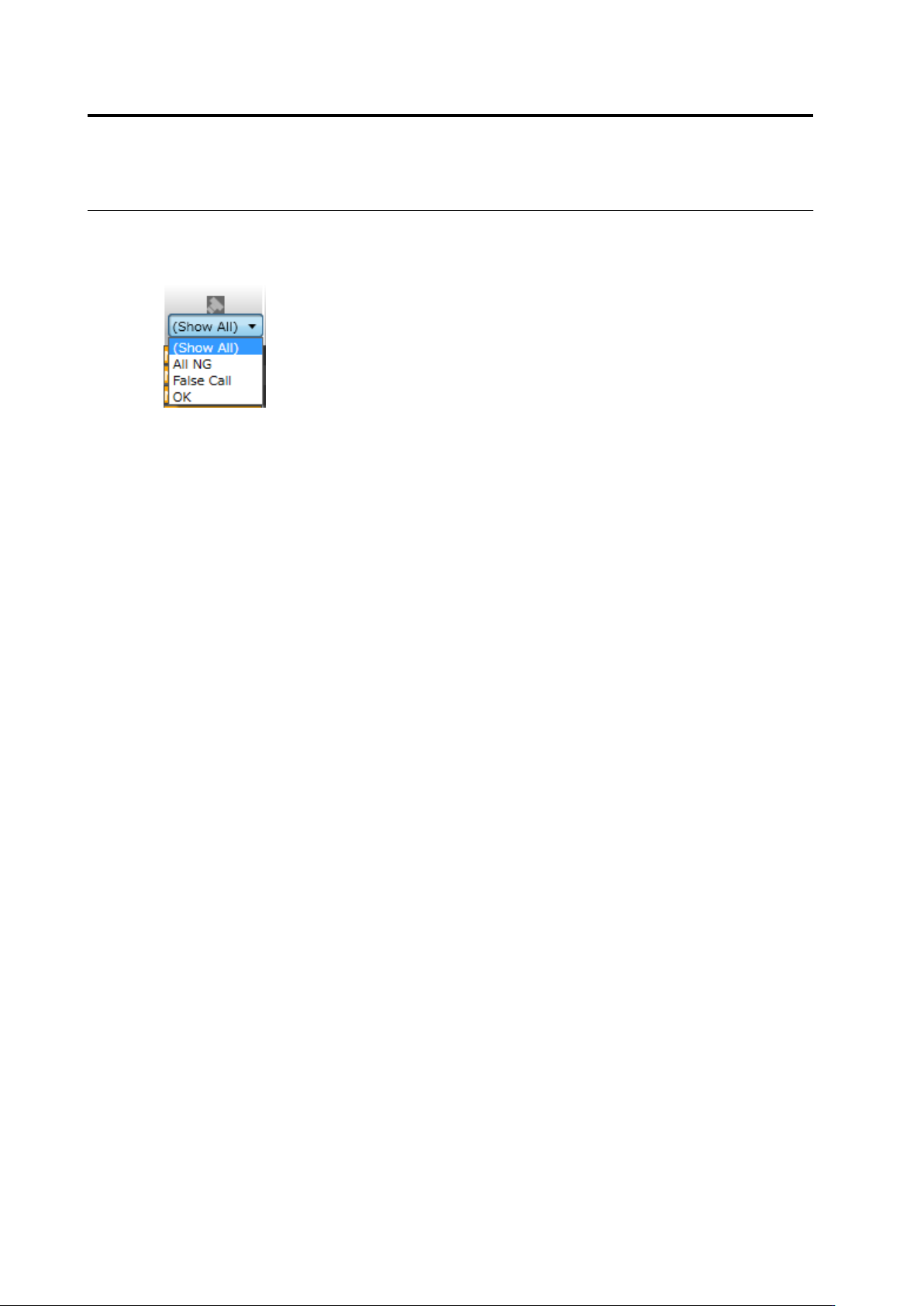
(7) Inspection Result
Select the inspection result for the thumbnail to display.
Click [(Display All)] to display all thumbnails regardless of the inspection result.
Click [(Blank)] to display only thumbnail(s) without an inspection result.
Click [OK] to display only the thumbnails whose inspection result is "OK".
Click [NG] to display only the thumbnail that the selected inspection item is "NG".
Click [All NG] to display only the thumbnails whose inspection result for any of the inspection
items is "NG".
Clicking [False Call] displays only a thumbnail of window without visual check result that is
judged as defect in the inspection.
Clicking [Undetected Fault] displays only a thumbnail of window with its visual check result
judged as OK in the inspection.