Omron V-TS Teaching Manual.pdf.pdf - 第265页
Chapter 3 Man agement Menu 3- 10 3.4 Managing Co mponent Number Libraries 3.4.1 Adding/Deleting Compo nent Num ber Libraries Y ou can specify the component num ber library to us e for each inspectio n project. Utilizing …
3.3 Configuring Quality Criteria Setting
3-9
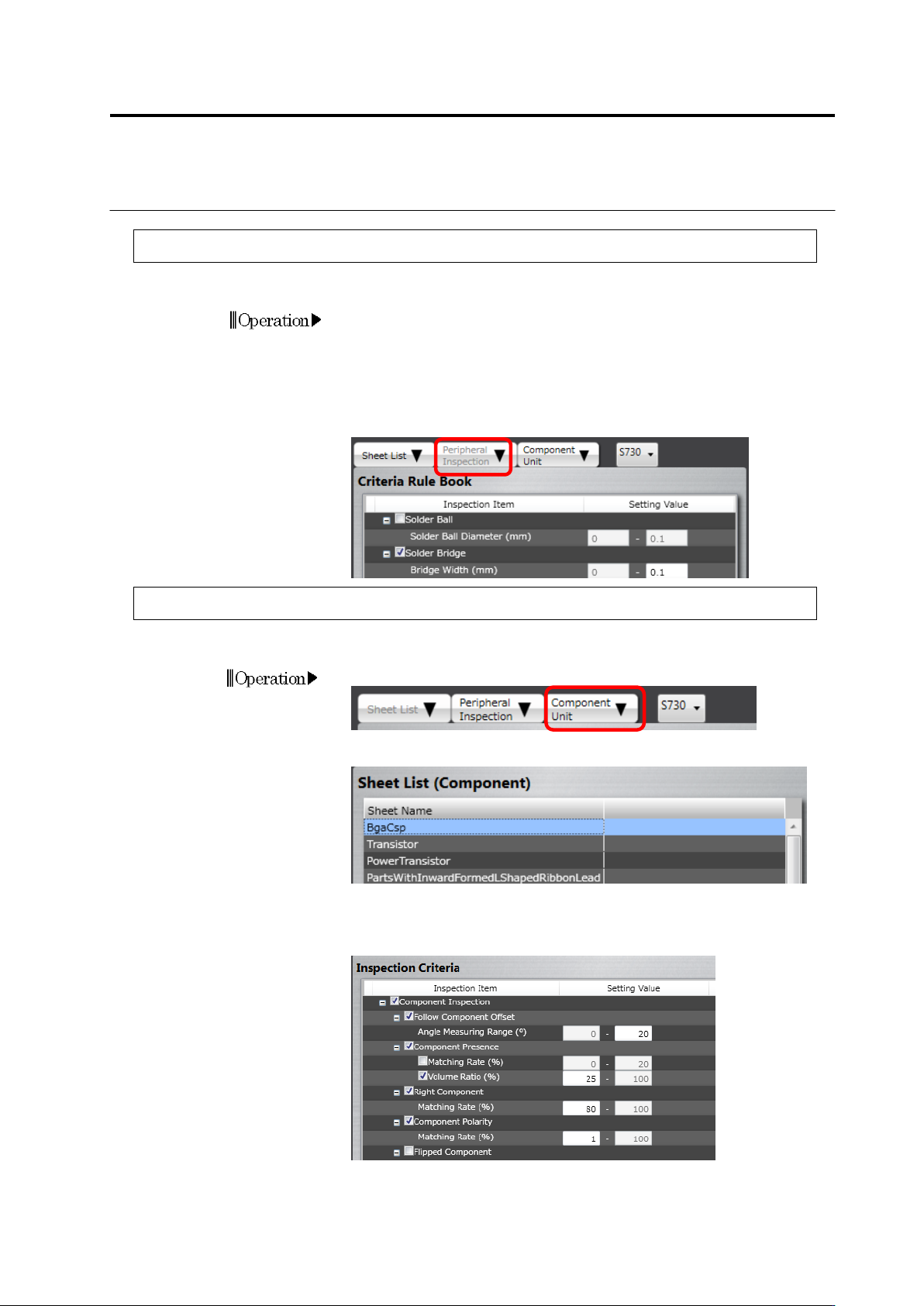
3.3.4 Configuring Peripheral Inspection Criteria
Initial settings of peripheral inspection are done in this section.
1.
Click the [Peripheral Inspection] tab.
2.
Edit the initial setting of the peripheral inspection criteria.
If the check box is being selected, inspection for the item will be
performed. If not, it will not be performed.
For an inspection item with its check box being selected, set a
reference value for OK judgment.
3.3.5 Configuring Component Unit Inspection Criteria
The inspection criterion values for component body inspection can be changed.
1.
Click the [Component Unit] tab.
2.
Click the sheet to be changed on the sheet list.
3.
On the right-hand inspection criterion list, the inspection criteria of
the applicable sheet are displayed.
Correct the items as needed.
The meaning of Setting ON/OFF the checkboxes is the same as that
of the peripheral inspection above.
Chapter 3 Management Menu
3-10
3.4 Managing Component Number Libraries
3.4.1 Adding/Deleting Component Number Libraries
You can specify the component number library to use for each inspection project.
Utilizing multiple component number libraries materializes separate management of required
quality and component numbers.
1.
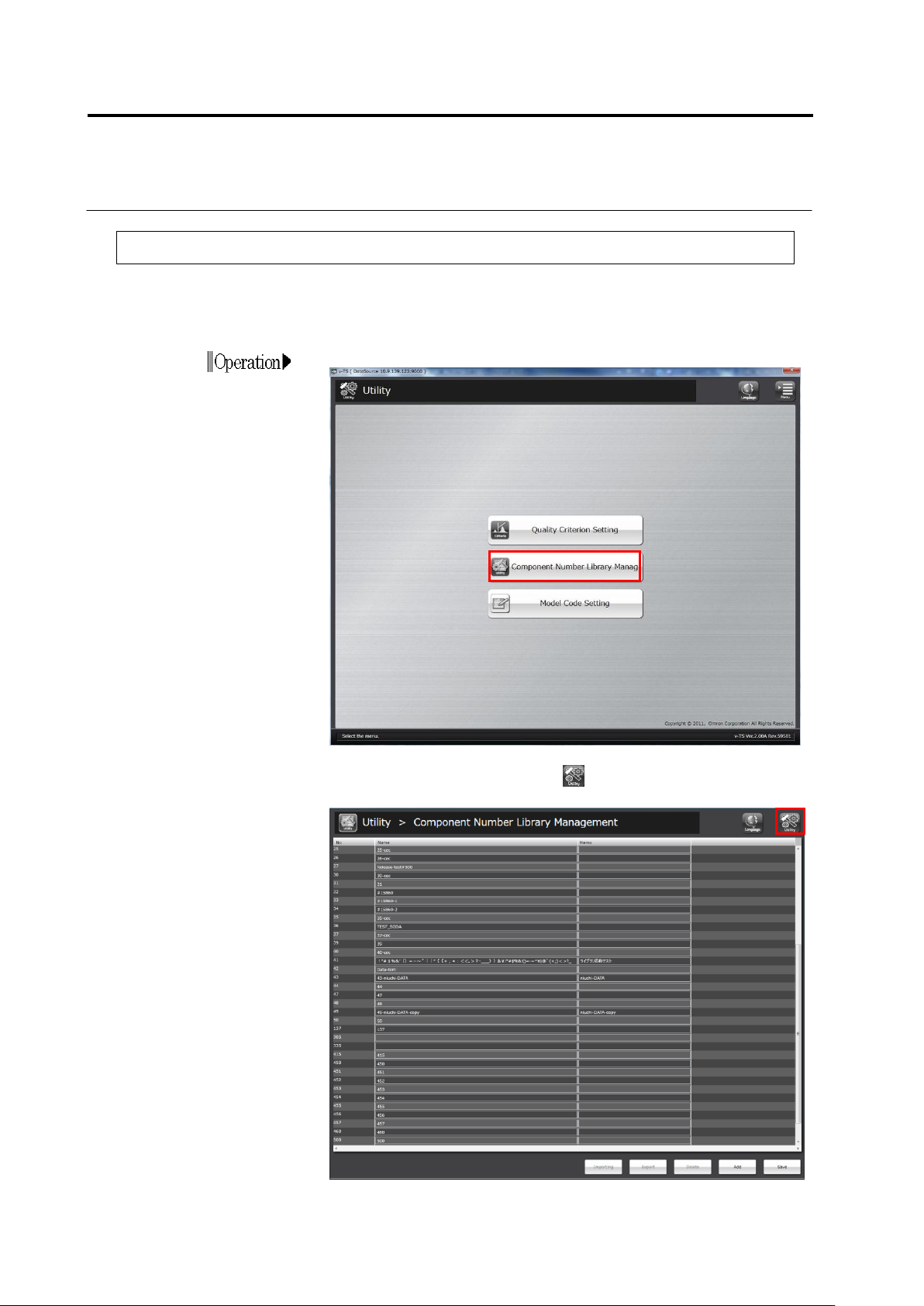
Click [Component Number Library Manag] on the utility menu.
2.
The component number library management screen appears.
To return to the utility menu, click button on the top-right screen.
3.3 Configuring Quality Criteria Setting
3-11
3.
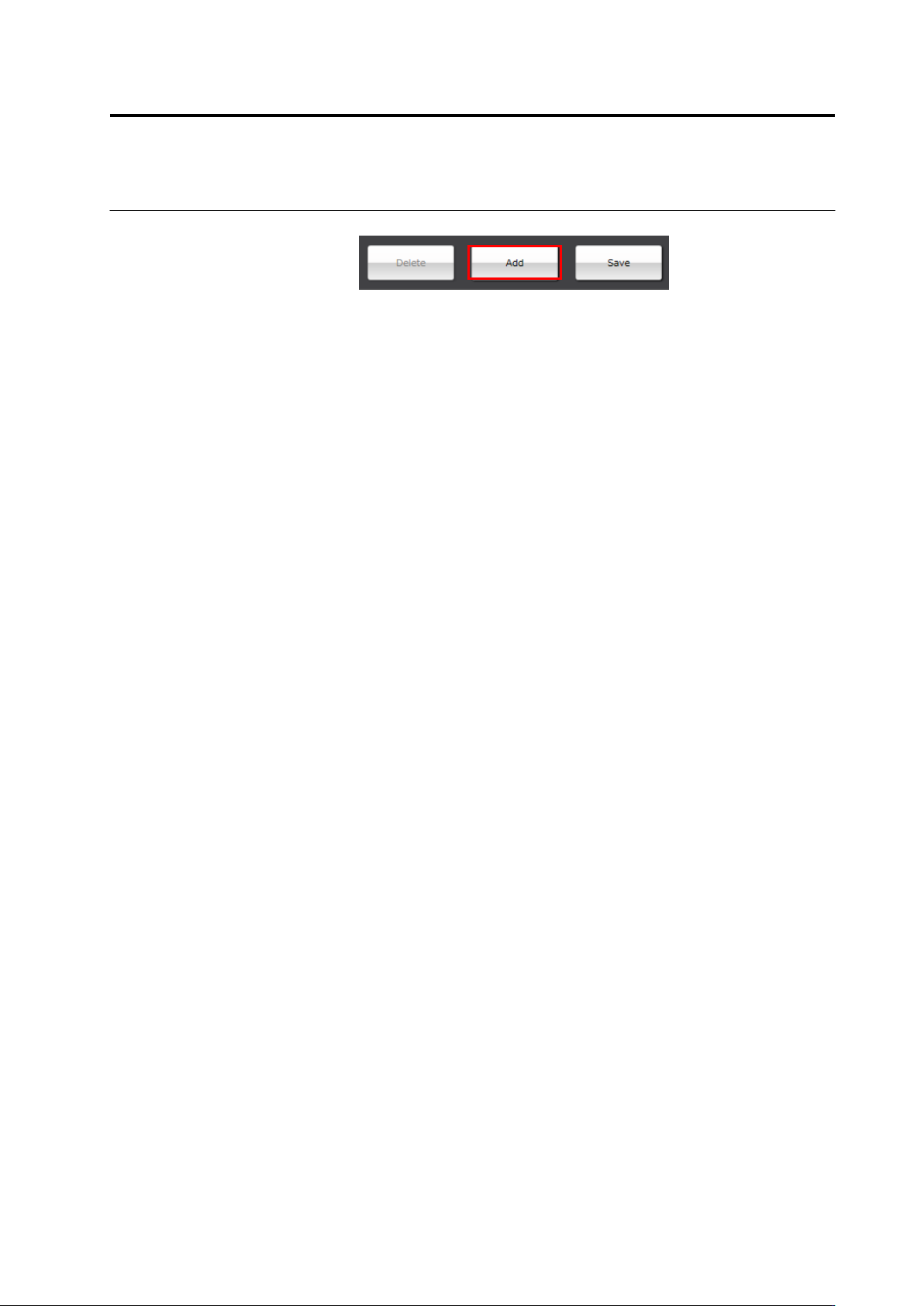
To create a new component number library, click [Add].
A component number library is created and added to the list.
For easier identification, enter a component number library name
and a comment.
4.
To delete the component number library, select a component
number library and click [Delete]. When you delete a component
number library, delete inspection programs that use the library as
the inspection programs that refer to the component number
library will become unavailable.
5.
After completing the setting, click [Save] to save the change.