Omron V-TS Teaching Manual.pdf.pdf - 第296页
Appendix 7. Positio n Correction/Extractio n a- 19 3. Extraction offset confirmation procedu re After conducting a PCB tes t using an adjustm ent image, whether the extraction off set occurs or not on the c omponent numb…
Appendix 7. Position Correction/Extraction
a-18
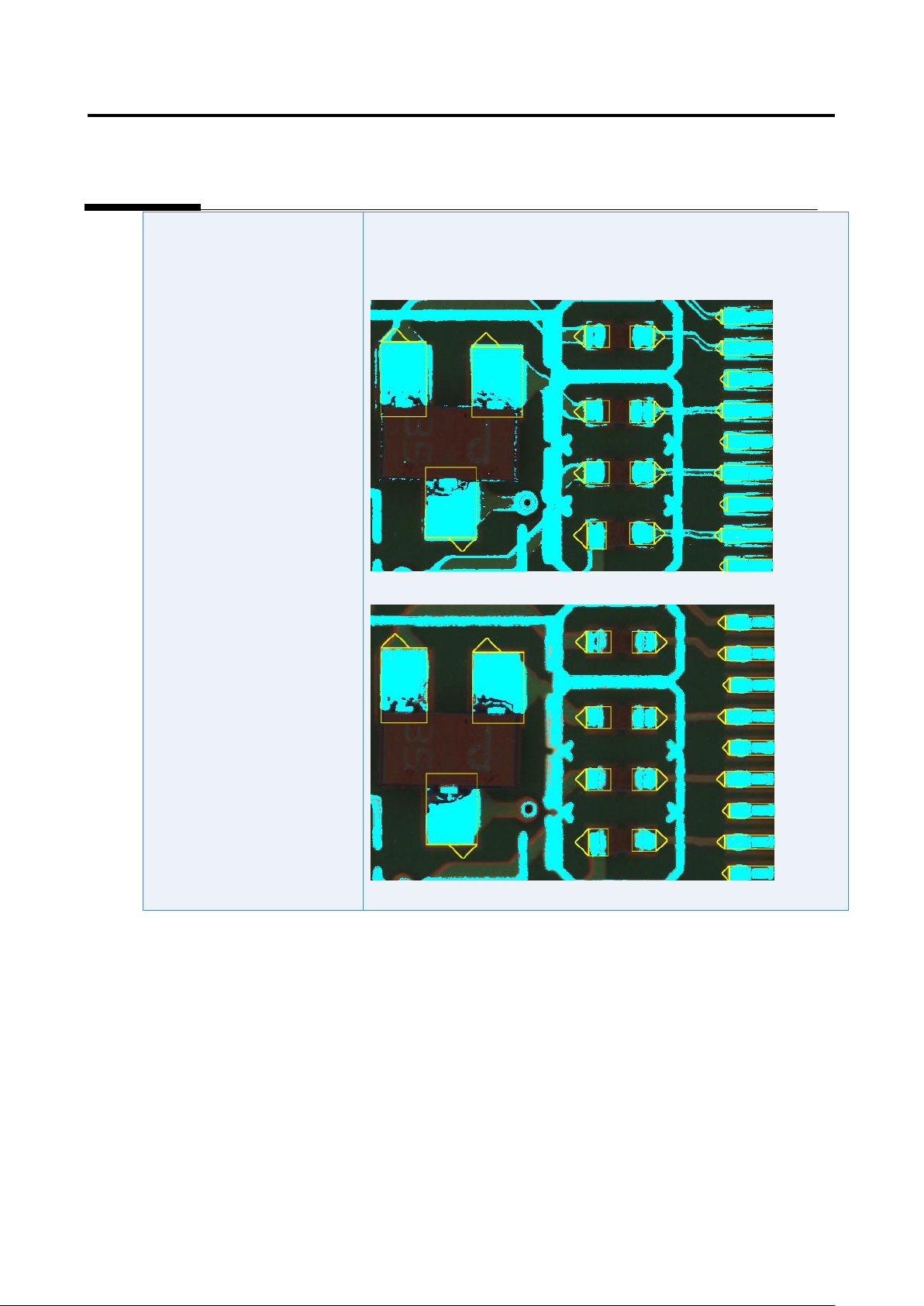
The position correction color
is not appropriate.
1) Select “Tool” - “PCB Image Management.”
2) Click the [Model Editing] button.
3) Confirm that the position correction color is set appropriately.
4) Change the color if not set appropriately.
Appendix 7. Position Correction/Extraction
a-19
3. Extraction offset confirmation procedure
After conducting a PCB test using an adjustment image, whether the extraction offset occurs or not on
the component number (component number group) in which an inspection fault has occurred is verified
based on the shape of the histogram of the model editing screen according to the following inspection
items.
When the extraction offset occurs, refer to the component extraction procedure and the
component tip extraction procedure of appendix section 5 and 7, respectively to adjust to
eliminate extraction offset.
Comp. type
Condition
Inspection item to select
Judgment criteria for no
skew
Chip component
Electrode
capacitor
Transistor
Powered
transistor
2-pin mini mold
Non-lead
component
Other component
applicable to the
conditions on the
right
Component whose
width is at least 120%
or no electrode for the
electrode width
For the component body
window:
- Component offset –
Offset X [Absolute
value]
- Component offset –
Offset Y [Absolute
value]
All the measured
values of good
components must be
within the default
inspection criteria.
IC
Connector
Resistor array
The width of the land
for the electrode width
is less than 120%.
Electrode window:
- Side overhang
- End overhang
The distribution width of
the measured value of
the good component
must be 20% or less.
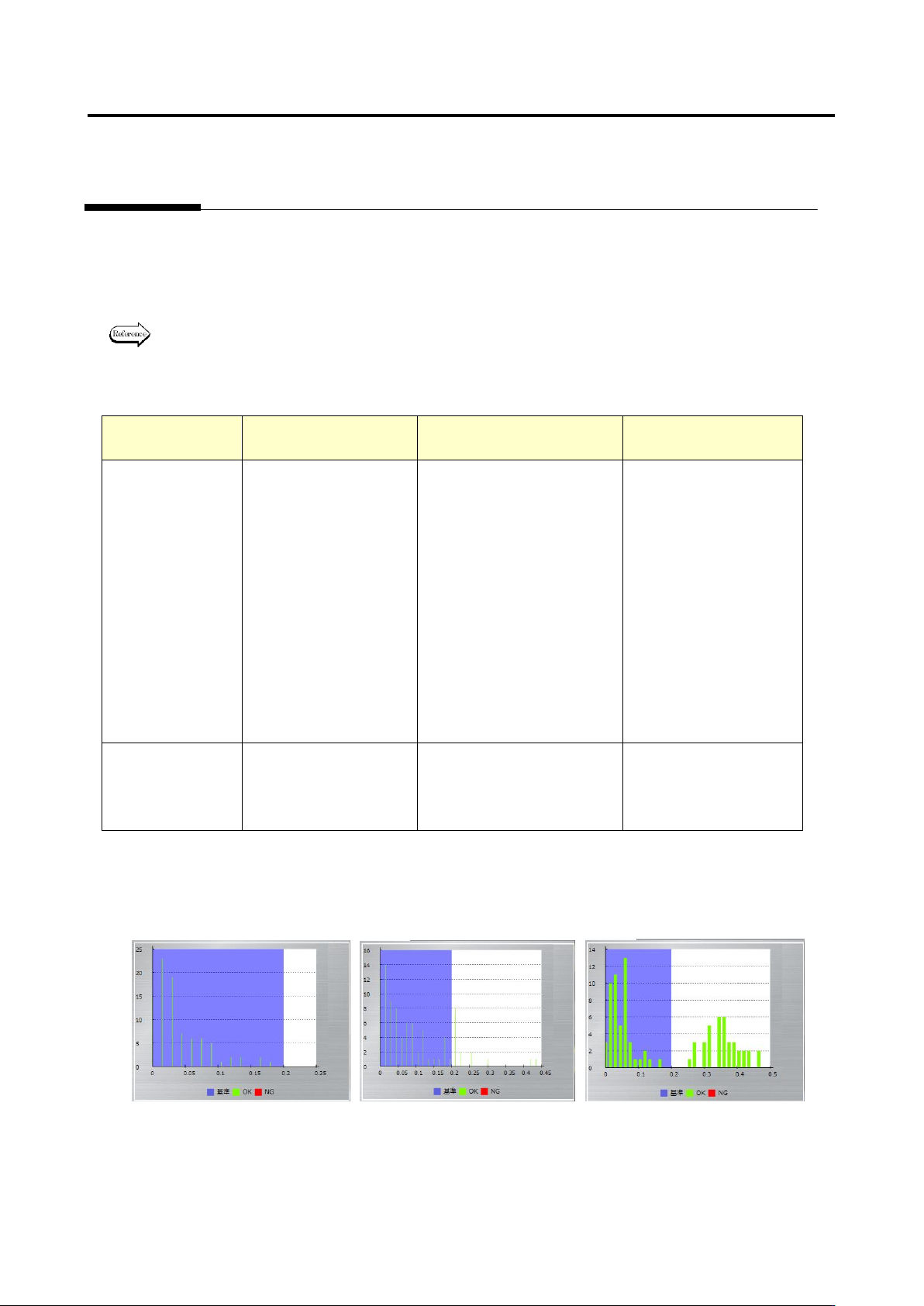
Example 1: Verifying extraction offset of 2-pin mini mold
On the left figure, the values are within the inspection criteria so it is judged as no offset. On the center
and right figures the values are not within the inspection criteria so they are judged as offset.
Appendix 7. Position Correction/Extraction
a-20
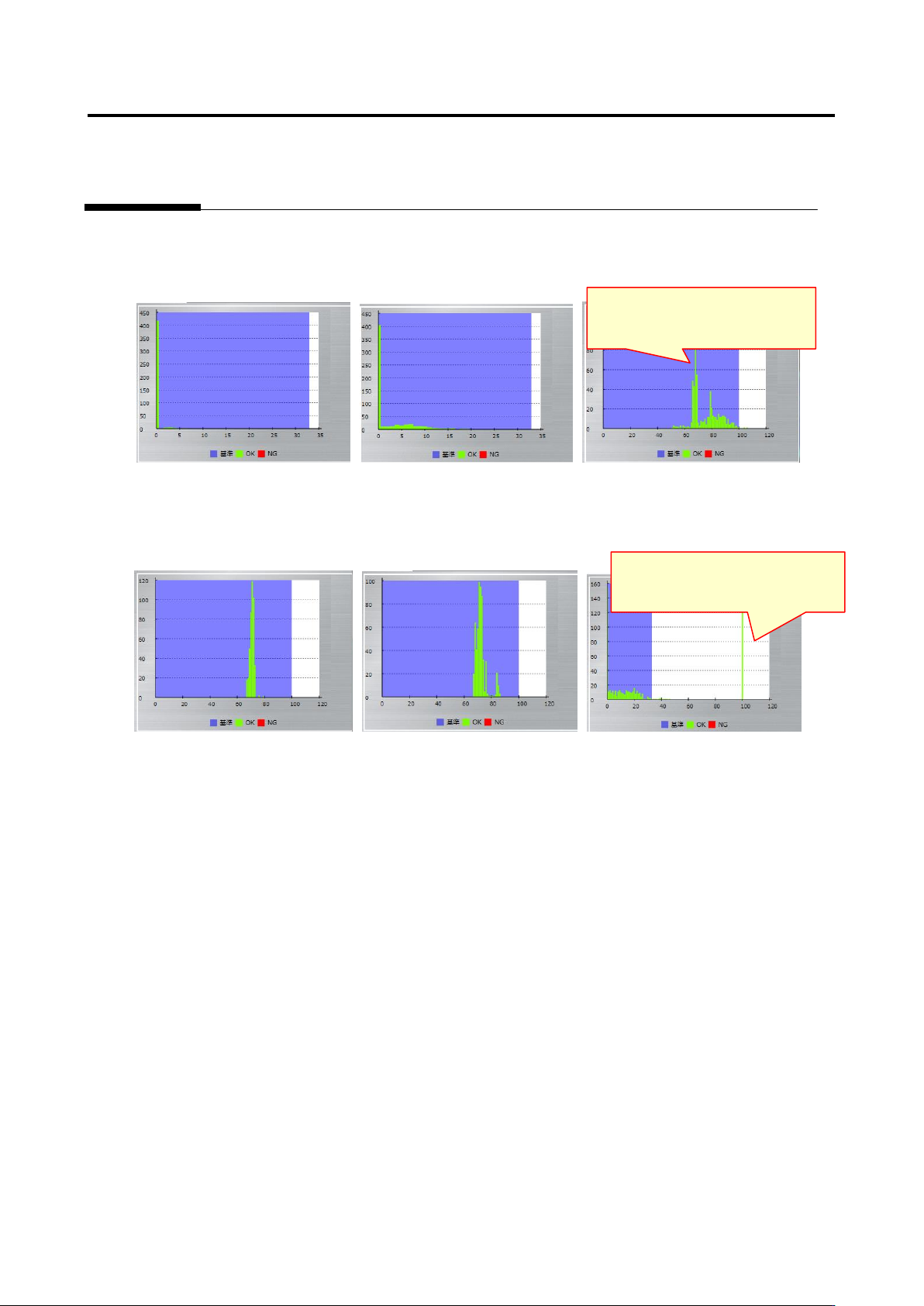
Example 2: Verifying extraction offset of QFP
On the left and center figures the distribution widths are within 20% so they are judged as no offset. On
the right figure the distribution width is larger than 20% so it is judged as an offset.
Example 3: Verifying extraction offset of QFP
On the left and center figures the distribution widths are within 20% so they are judged as no offset. On
the right figure the distribution width is larger than 20% so it is judged as an offset.
The minimum and maximum values
are 0% and 100% respectively, and the
distribution width is 100%, making it
larger than 20%.
The minimum and maximum values
are 49% and 106% respectively, and
the distribution width is 57%, making it
larger than 20%.