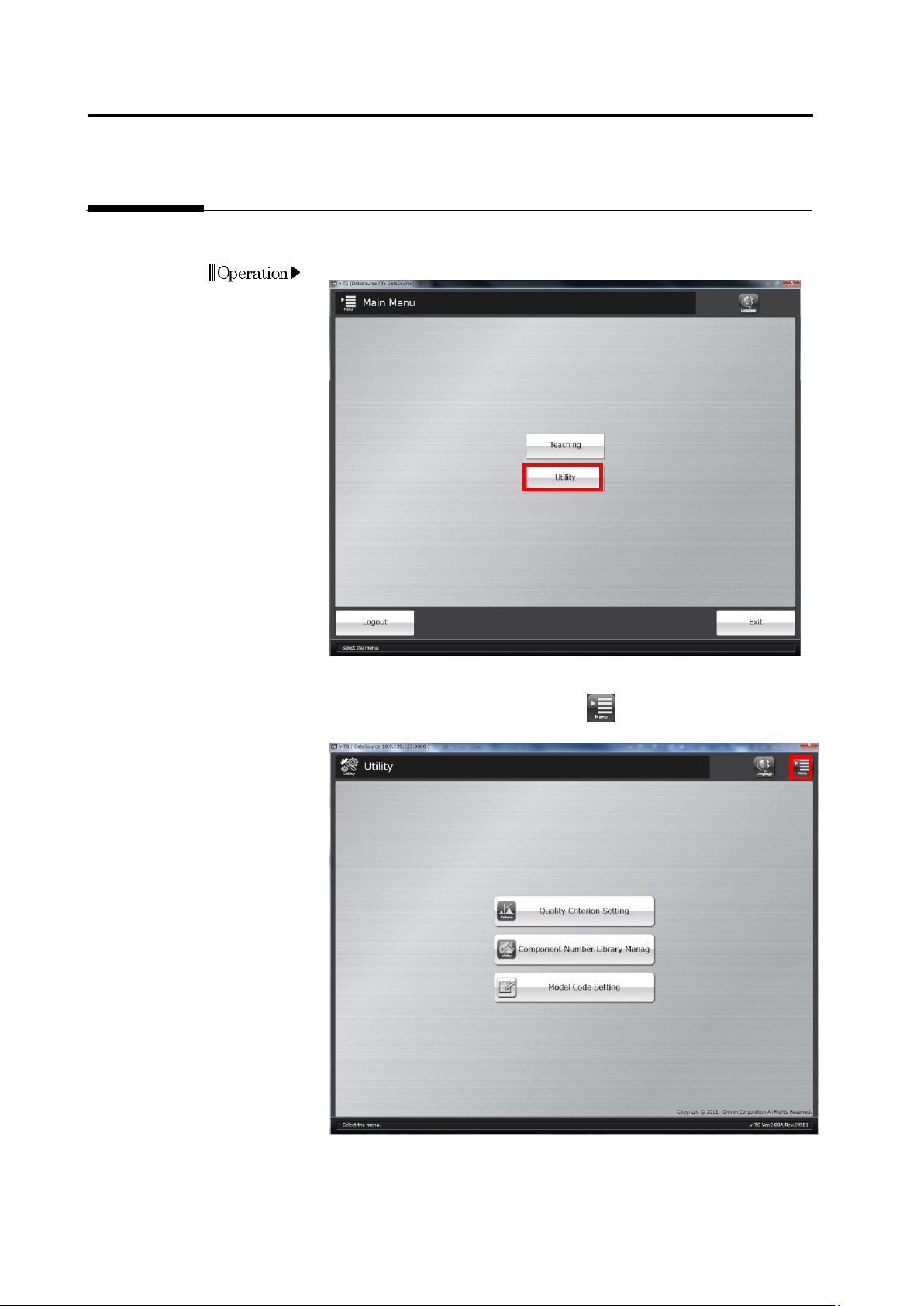
Omron V-TS Teaching Manual.pdf.pdf - 第256页
3-1 Chapter 3 Management Menu 3.1 Opening U tility Menu ......................................................... 3-2 3.2 Check ing V ers ion Inform ation ................................ ............ 3-3 3.3 Configuring…
Chapter 2 Inspection Programming
2-228
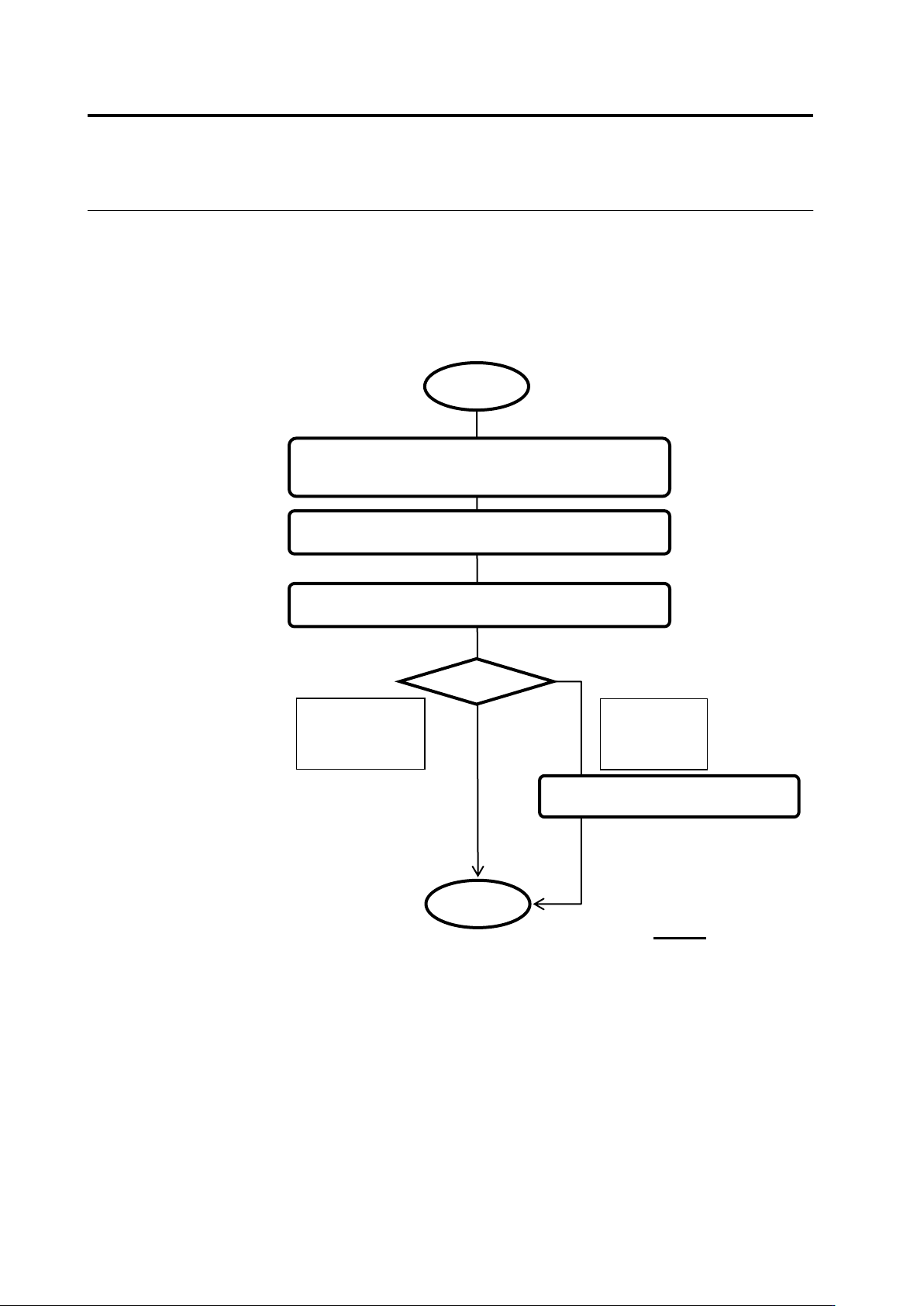
If an error is detected as a result of data verification, recover the data based on the recovery
steps.
Shown below is the data recovery flow:
Check the recovery target and recovery step
message
Click [Update]
■ Data Recovery Flow
User
Recover and check based on the recovery steps
Recovery
successful
(Disappeared
from the list)
Recovery
unsuccessful
(Remains in
the list)
Contact OMRON
End
Start

3-1
Chapter
3 Management Menu
3.1 Opening Utility Menu ......................................................... 3-2
3.2 Checking Version Information ............................................ 3-3
3.3 Configuring Quality Criteria Setting ................................... 3-4
3.3.1 Opening Setup Screen .......................................... 3-4
3.3.2 Managing Criteria Rulebook ................................. 3-5
3.3.3 Configuring Electrode Type Inspection Criteria .... 3-7
3.3.4 Configuring Peripheral Inspection Criteria ............ 3-9
3.3.5 Configuring Component Unit Inspection Criteria .. 3-9
3.4 Managing Component Number Libraries ......................... 3-10
3.5 Setting Model Codes ....................................................... 3-21