Omron V-TS Teaching Manual.pdf.pdf - 第116页
2.6 Specif ying Inspection Criteria 2- 89 3. Click the check box for the window for indi vidual setting. is displa yed in the box and the window is locked. The editing of the inspect ion criteria for the lock ed window i…
Chapter 2 Inspection Programming
2-88
2.6.2 Criteria Setting (Individual Component)
Inspection criteria can also be specified for individual components or windows independently from
the component numbers.
In individual component criteria setting, each of land windows and electrode windows can be
specified individually.
1.
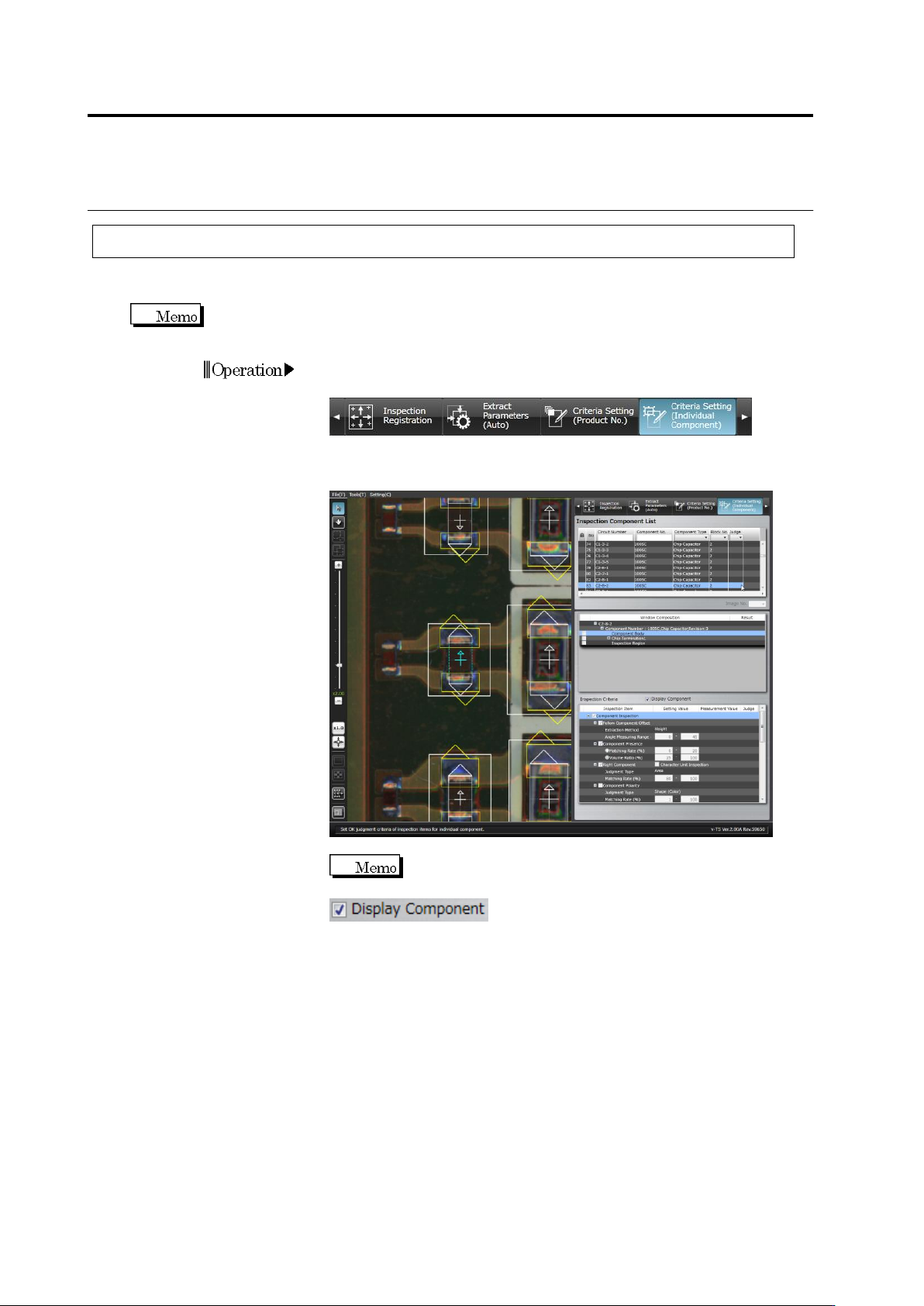
Select the [Criteria Setting (Individual Component)] tab to display
the Criteria Setting screen.
2.
Select the component for individual setting in the Inspection
Component List.
Switch between an Inspection PCB image and an
Unpopulated PCB image by clicking ON/OFF in the
check box.
Operation
2.6 Specifying Inspection Criteria
2-89
3.
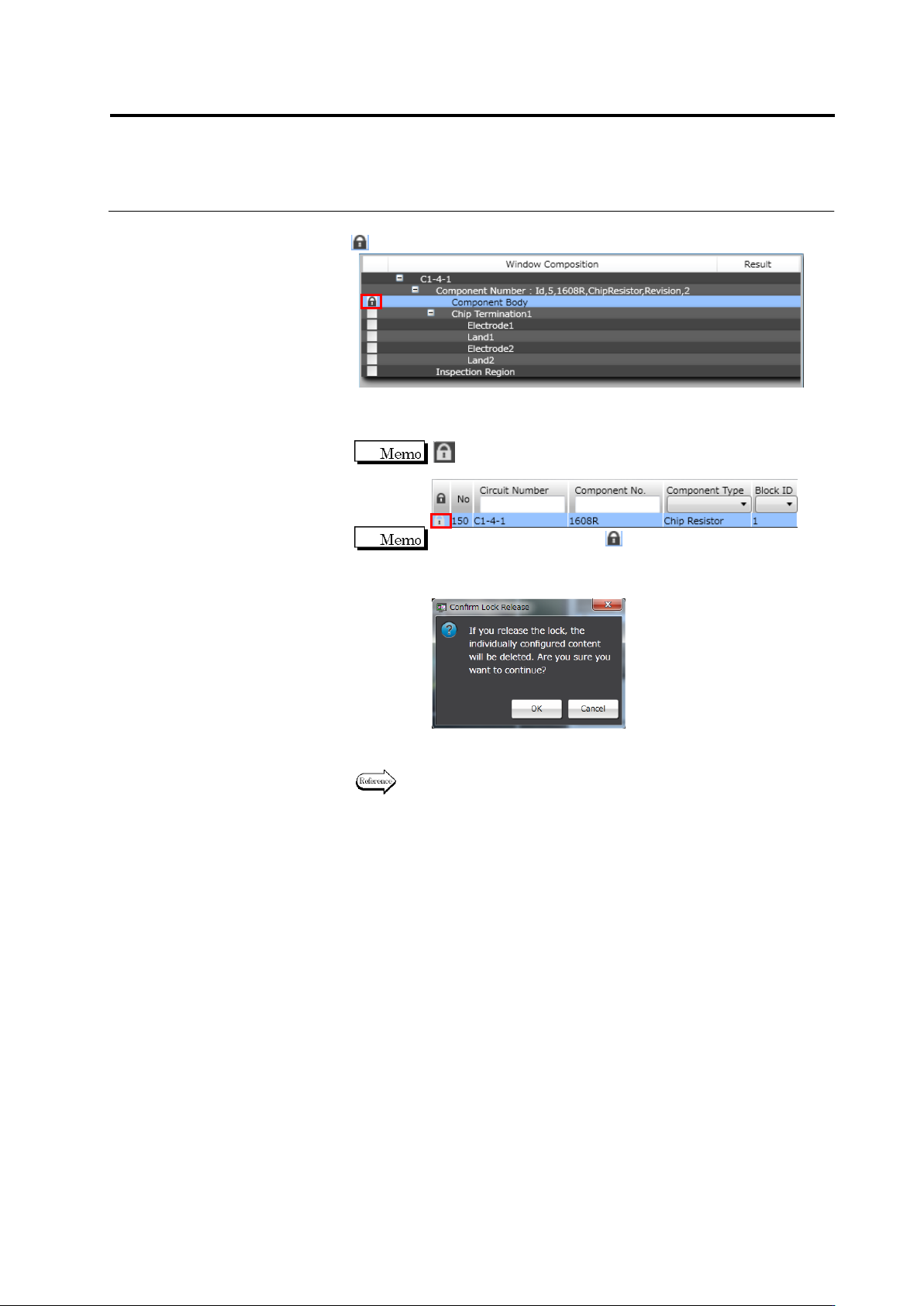
Click the checkbox for the window for individual setting.
is displayed in the box and the window is locked.
The editing of the inspection criteria for the locked window is
enabled. At the same time, the editing of the same window is
disabled on the Component Number Criteria Setting screen.
is also displayed for the locked window in the Inspection
Component List.
To unlock the window, click in the Window Composition list.
The lock release confirmation dialog appears. Click [OK] to cancel
the individual setting and unlock the window. The global criteria for
the component number is applied for the unlocked window.
4.
Specify inspection criteria for the window.
Refer to Step 4 of "2.6.1 Criteria Setting (Product No.)" for the
setting procedure.
Chapter 2 Inspection Programming
2-90
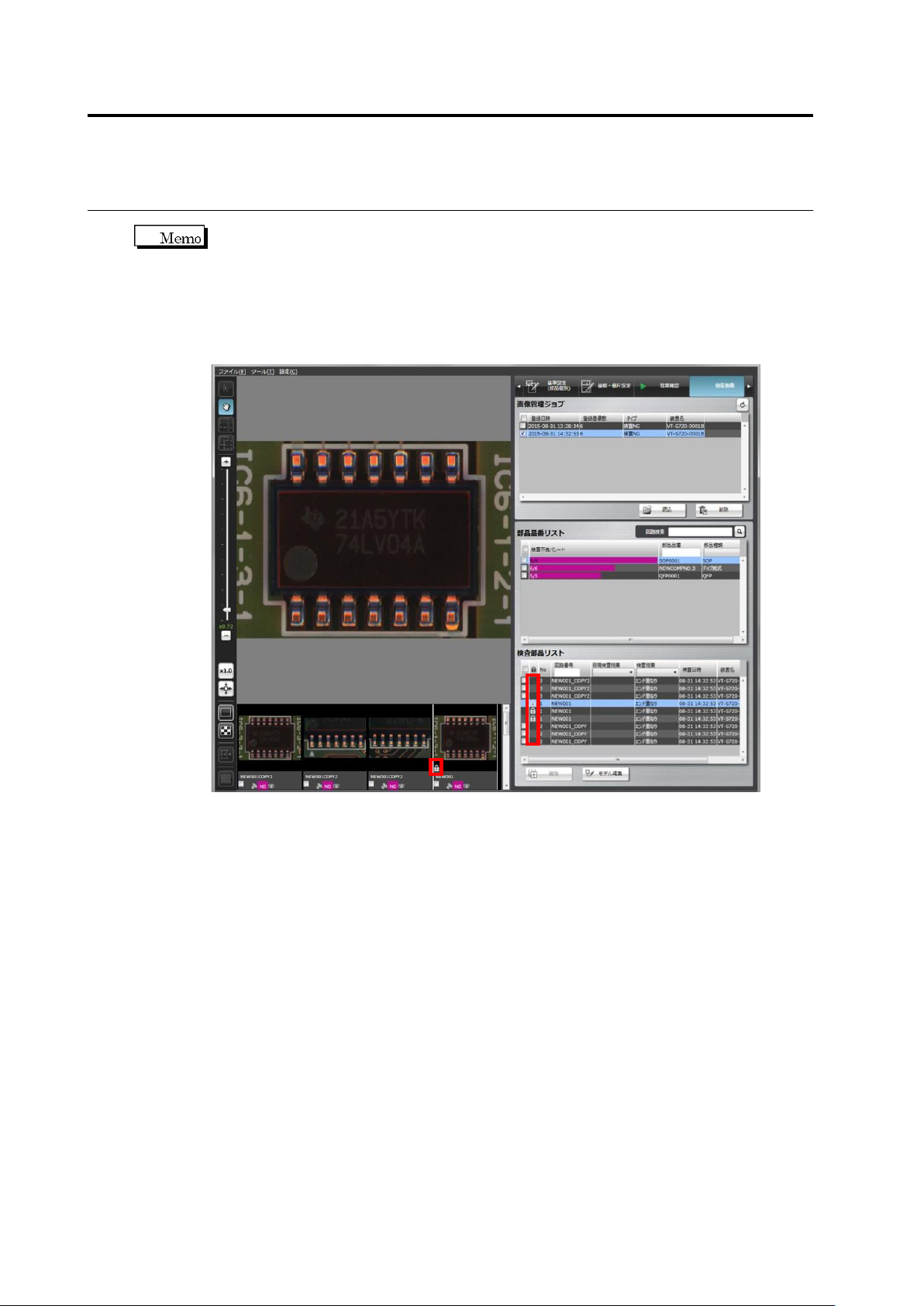
When the circuit of the mass production image (not registered) on the mass production
image registration screen, an icon for individual setting is displayed on the list.
For this, mass production images (not registered) in which individual setting is applied
can be judged with the simulation for mass production images. The circuit in which
individual inspection criteria are configured as shown below is displayed as individual
icons on the inspection component list and thumbnail screen.