Omron V-TS Teaching Manual.pdf.pdf - 第173页
Chapter 2 Insp ection Progr amming 2- 146 (13) T humbnail Test result and visual check result are displayed. Displays the inspection result. Blu e: The inspection result is O K a nd the visual check result is OK. Green :…
2.15 Modifying an Inspection Program
2-145
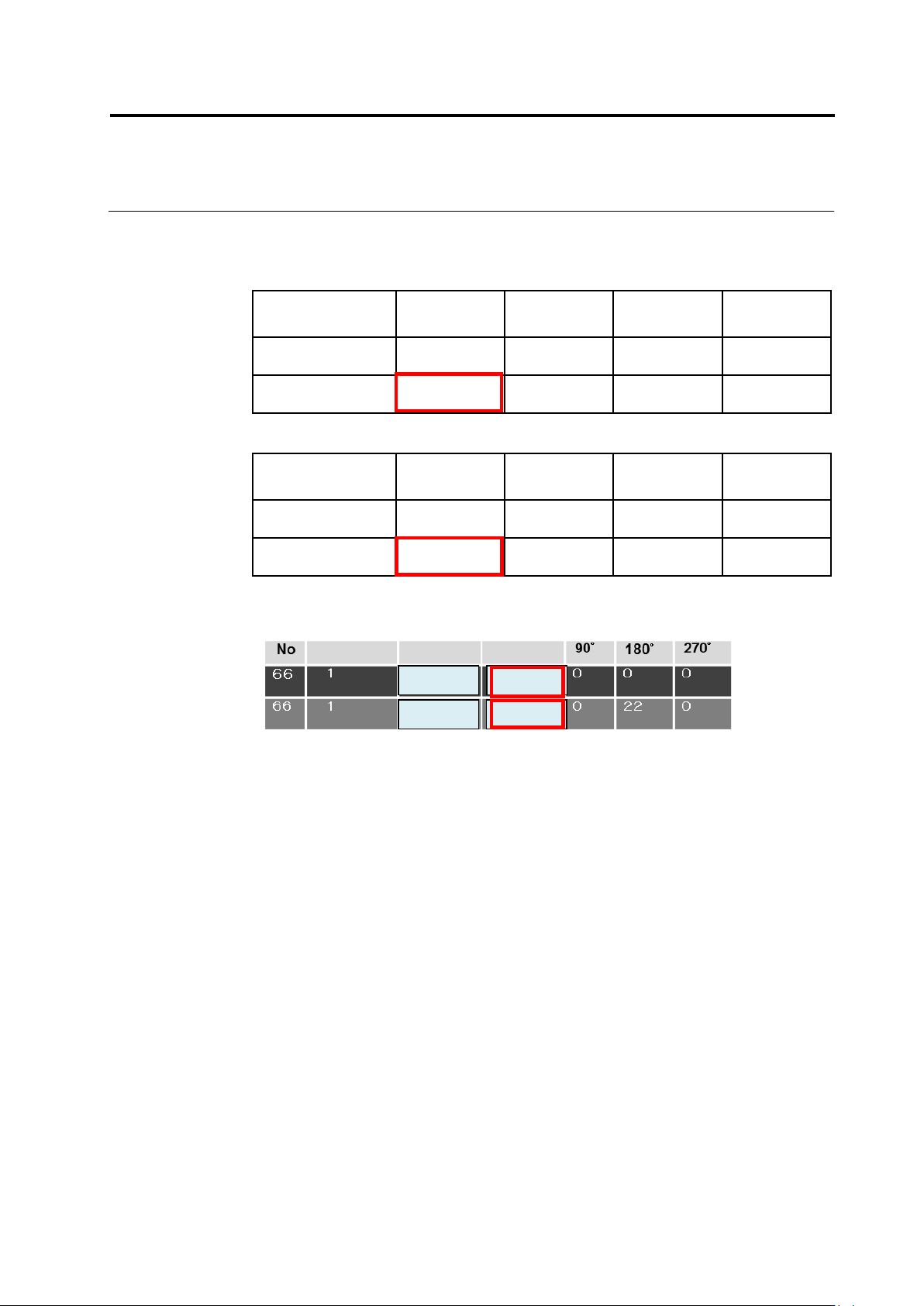
Measured values are calculated internally, and the ones of wrong polarity (enclosed
with red frames) are displayed.
Measured values of model 1
Wrong
polarity (0°)
90°
180°
270°
Matching rate (ex.)
85
39
71
45
Measured value
85 – 71 = 14
39 – 85 = -46
71 – 85 = -14
45 – 85 = -40
Measured value of model 2
Wrong
polarity (0°)
90°
180°
270°
Matching rate (ex.)
60
62
84
50
Measured value
60 – 84 = -24
62 – 84 = -22
84 – 62 = 22
50 – 84 = -34
The measured values inside the red frames are displayed according to the
calculation result from the above internal processing.
Out of models 1 and 2, model 1 which has a larger measured value (14) is adopted.
As a result, model 1 is judged as OK if the measured value of 0° (14) is within the
range of the settings of the inspection criteria.
85
84
14
-24
Group No
Wrong Compo.
Wrong Polarity
Chapter 2 Inspection Programming
2-146
(13) Thumbnail
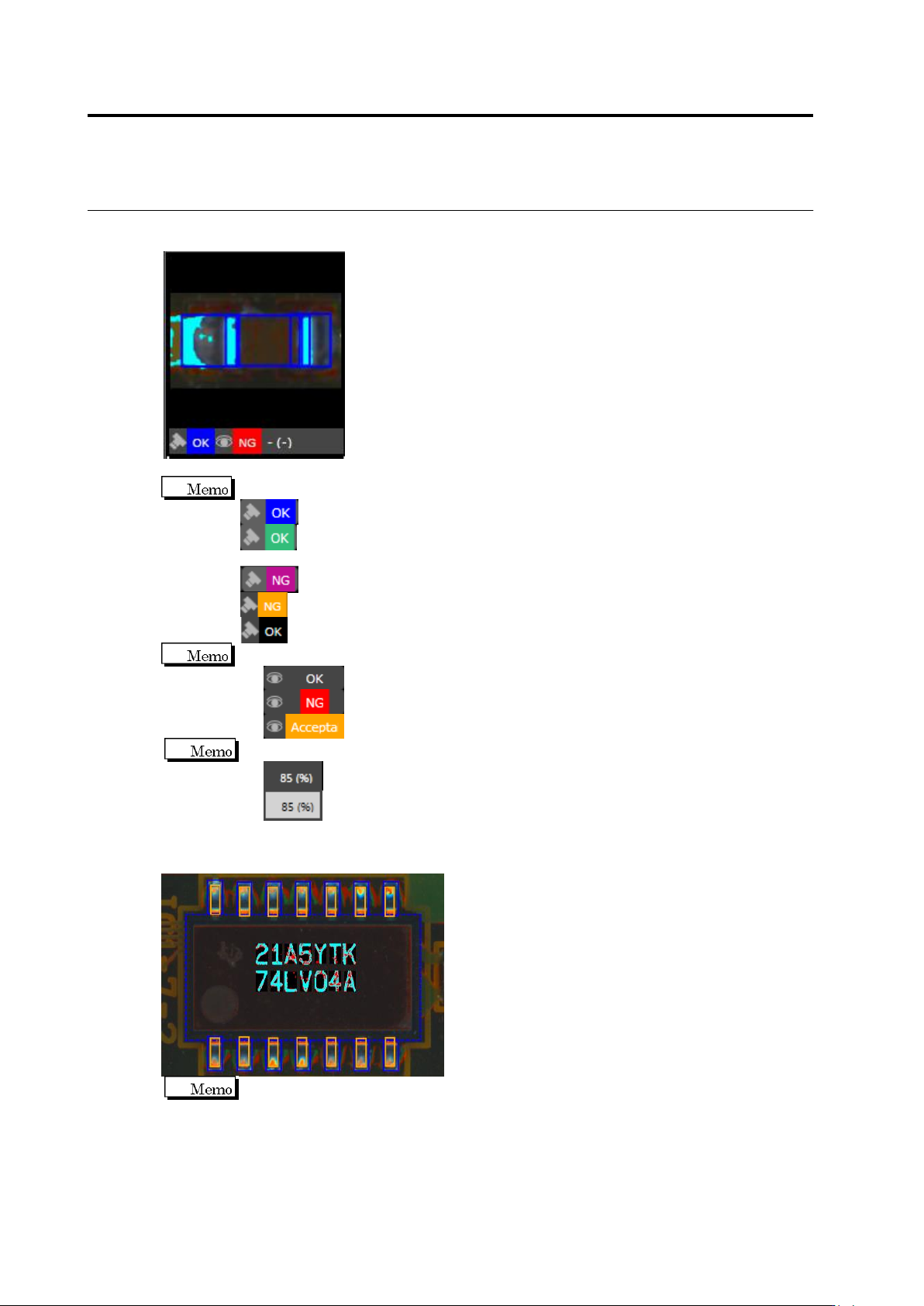
Test result and visual check result are displayed.
Displays the inspection result.
Blue: The inspection result is OK and the visual check result is OK.
Green: The inspection result is changed to OK because of the settting of the
logical expression and the visual check result is OK.
Purple: The inspection result is NG and the visual check results is NG.
Yellow: The inspection result is NG and the visual check result is OK.
Black: The inspection result is OK and the visual check result is NG.
Displays the visual check result.
Gray: The visual check result is "OK".
Red: The visual check result is "NG".
Orange: The visual check result is "Acceptable".
Displays the measured values.
White: Displayed if test target.
Black with gray background: Displayed if out of test target.
Displayed the component difference inspection result and the polarity difference inspection
result.
Displayed the color coded results of matching/mismatching between the mask model
and the inspected image in the component difference inspection and the polarity
difference inspection.
Pale blue: Binarized area is overlapping in the mask model and the inspected image
Black: Non-binarized area is overlapping in the mask model and the inspected image
Red: Binarized area is not overlapping in the mask model and the inspected image
2.15 Modifying an Inspection Program
2-147
(14) Window
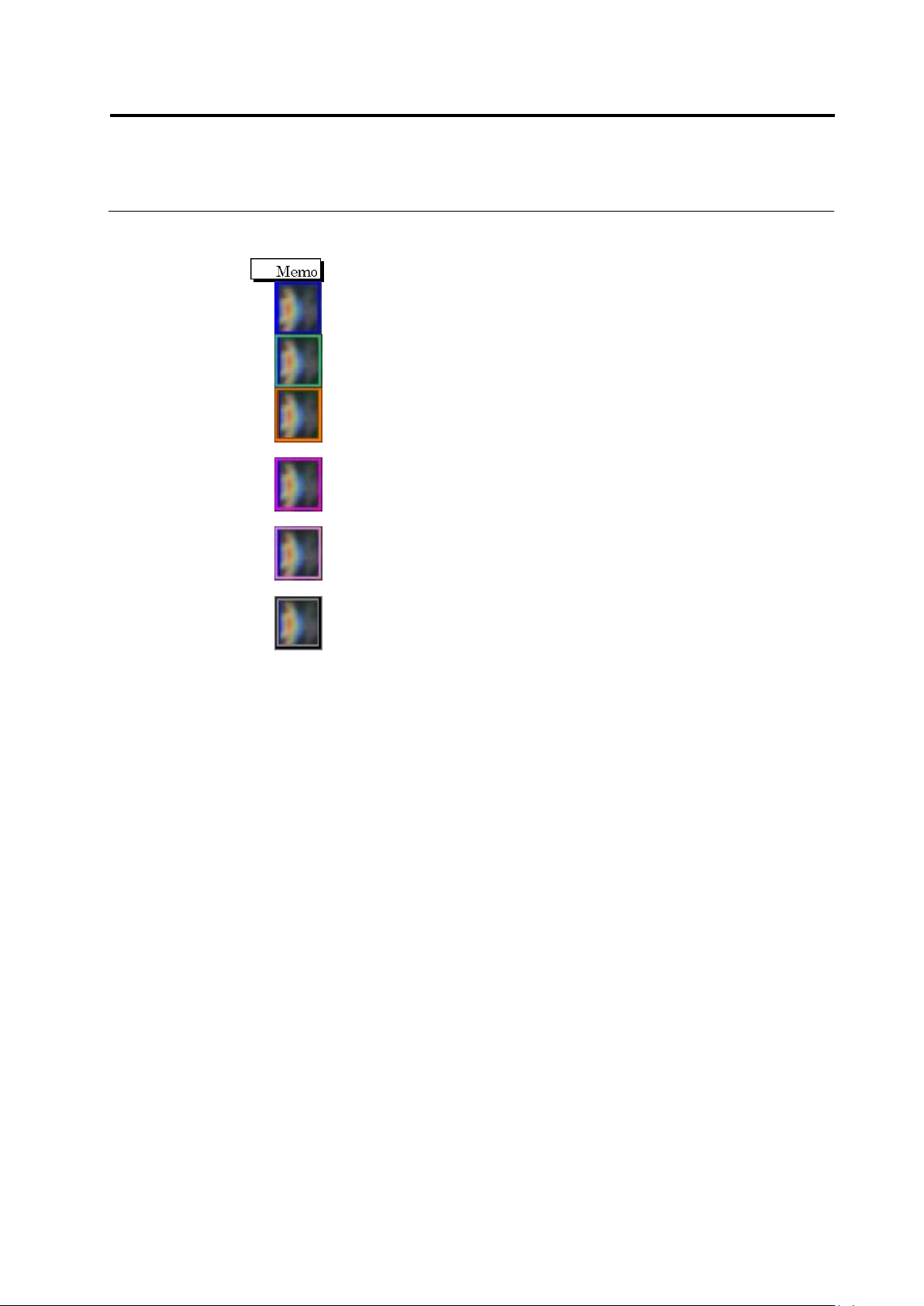
Displays the inspection criteria and measured value of the selected window.
The window color varies depending on the inspection result.
Blue: The inspection result is "OK".
Green: The inspection result of the specified logical expression is "OK".
Orange: The visual inspection result is not registered as fault, and the
inspection result is "NG".
Red purple: The visual inspection result is registered as fault, and the
inspection result for the selected inspection item is "NG".
Pink: The visual inspection result is registered as fault, and the inspection result
for other than the selected inspection item is "NG".
Black: The visual inspection result is registered as fault, and the inspection
result is "OK".