Omron V-TS Teaching Manual.pdf.pdf - 第26页
Chapter 1 Before Gett ing S tarted 1- 12 1.5.2 Logout The follow i ng logout procedures are u sed when teachin g operation is fin ished, or w hen the operator is changed 1. Click [Logo ut] on the main menu. 2. The Conf i…
Chapter 1 Before Getting Started
1-12
1.5.2 Logout
The following logout procedures are used when teaching operation is finished, or when the
operator is changed
1.
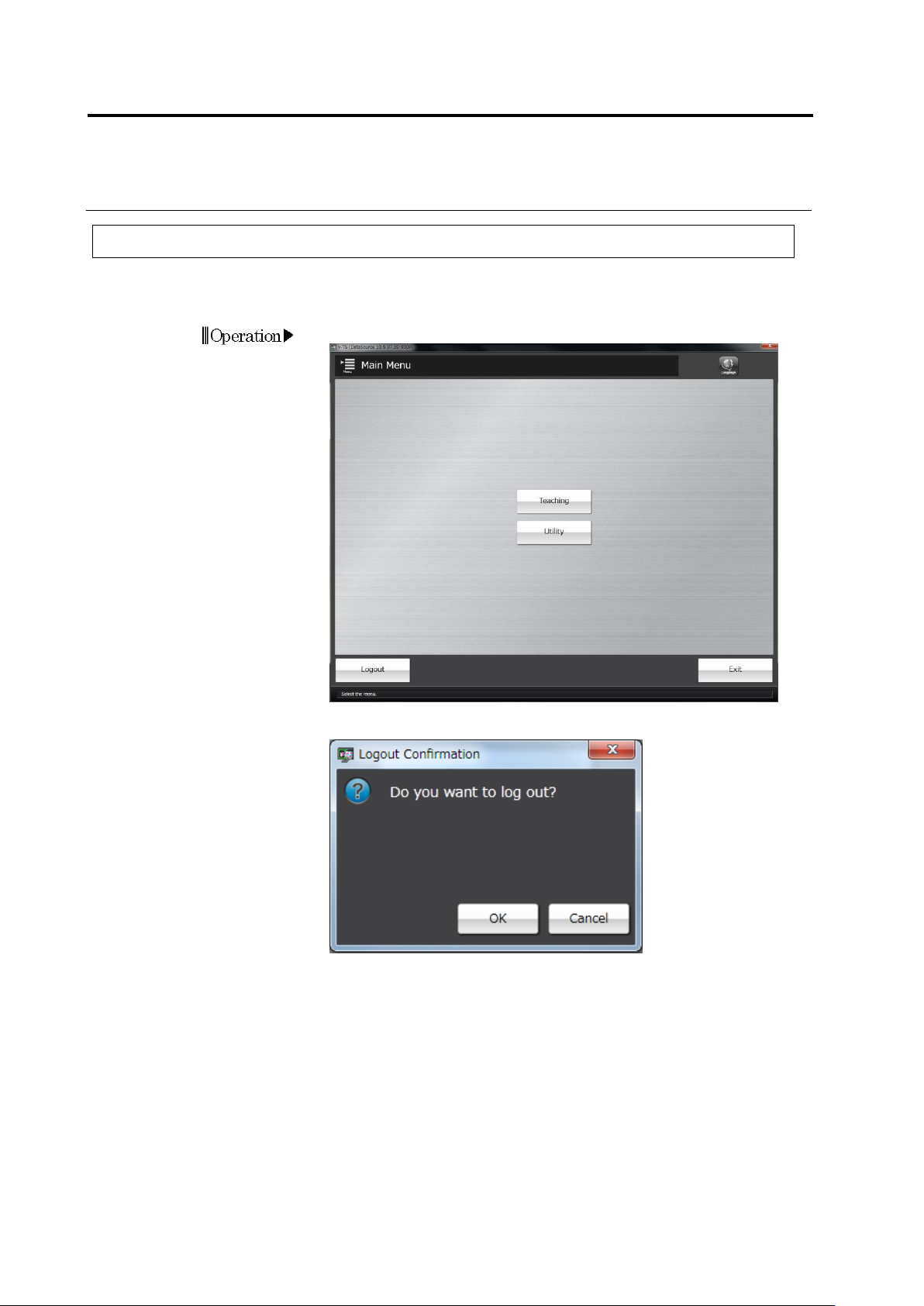
Click [Logout] on the main menu.
2.
The Confirmation message will be displayed.
・ Clicking [Cancel] will return the system to the main menu without
logging out.
Clicking [OK] will close the dialog and return to the main menu. Then
all the menus will not be able to be started. To continue to operate
the system, follow the login procedure.