Omron V-TS Teaching Manual.pdf.pdf - 第25页
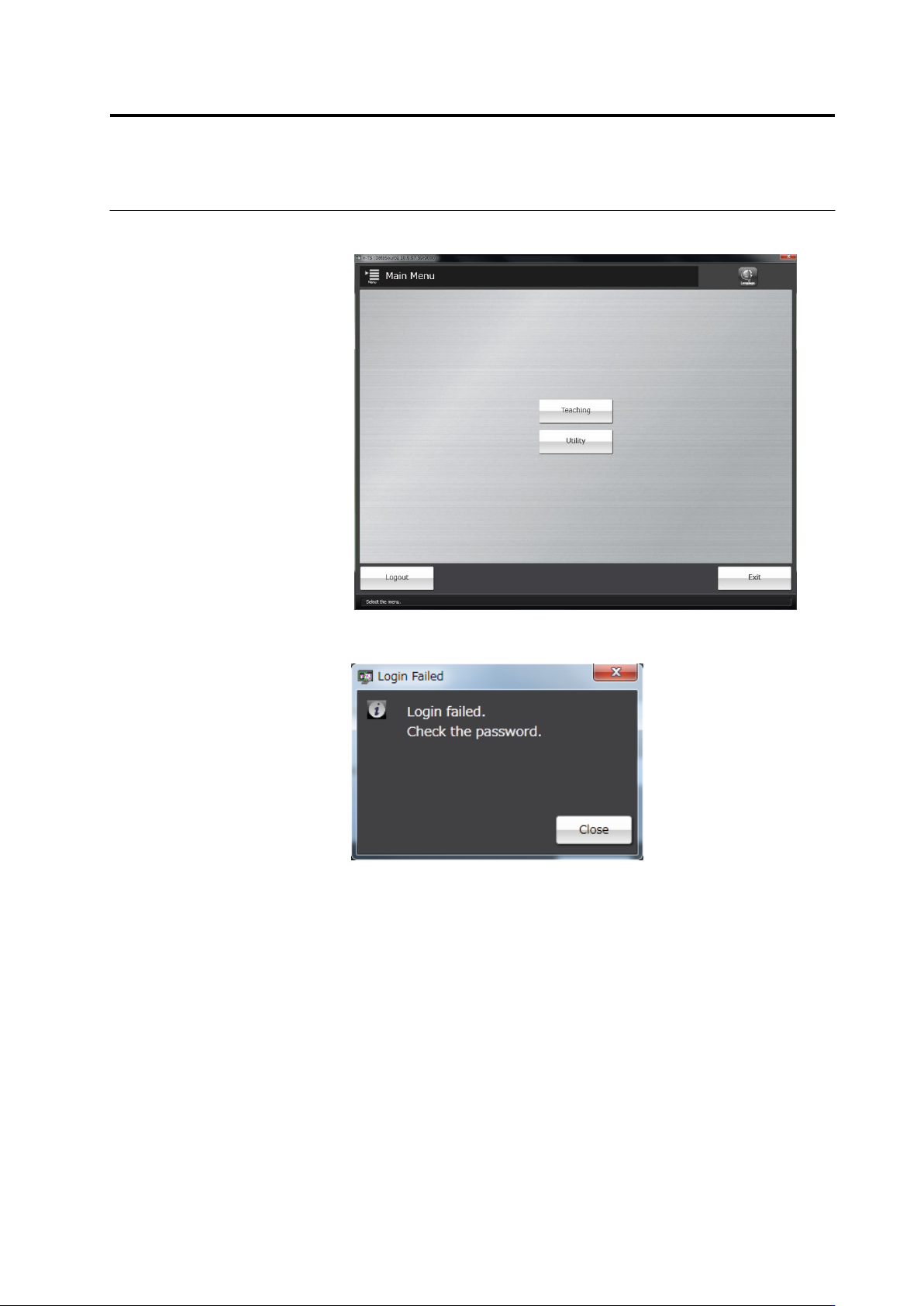
1.5 Login and Log out 1- 11 3. When the u ser name and the passw ord are entered correctly , the main menu wi ll b e displayed and you ca n start each mode. W hen the user name or the password is not entere d correctl y …
Chapter 1 Before Getting Started
1-10
1.5 Login and Logout
After the system starts, follow the login procedures from the main menu. Without following the
procedures, no menu can be started. After all the operation is done, follow the logout
procedures.
A user name and a password registered in v-DB Tool are required to log in. This function allows
the user to limit access to the operator of the system.
Refer to "Chapter 2 Using v-DB Tool" in the v-DB Operation Manual for v-DB Tool operation.
1.5.1 Login
Specify a user and log in to the system.
1.
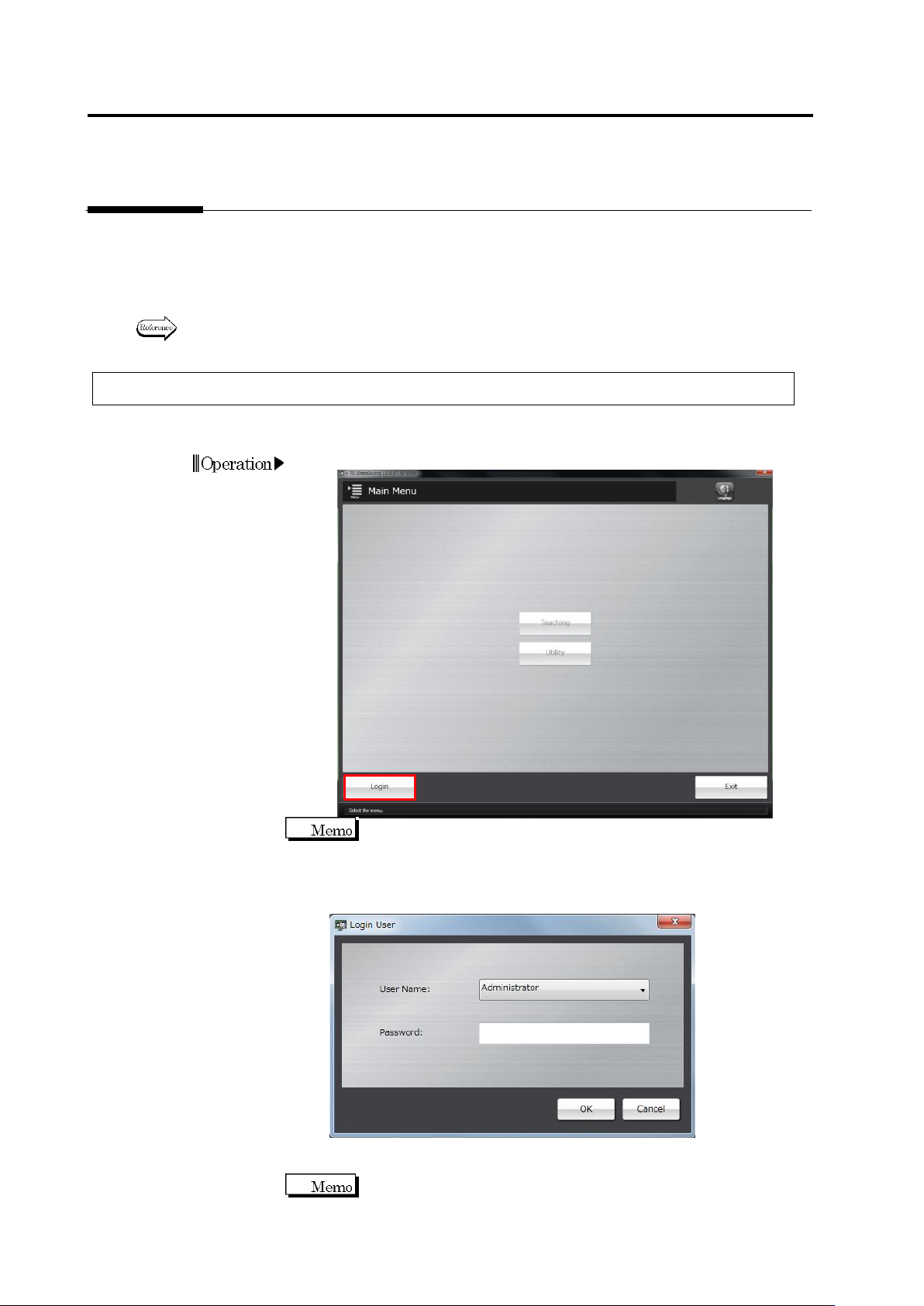
Click [Login] on the main menu.
The login dialog automatically appears when v-TS starts.
2.
The following dialog will appear.
Select a user name from the list box, enter a password and then
click [OK].
・ Clicking [Cancel] will return the system to the main menu without
logging in.
The characters entered will be displayed as "
" in the space for the
password.
Chapter 1 Before Getting Started
1-12
1.5.2 Logout
The following logout procedures are used when teaching operation is finished, or when the
operator is changed
1.
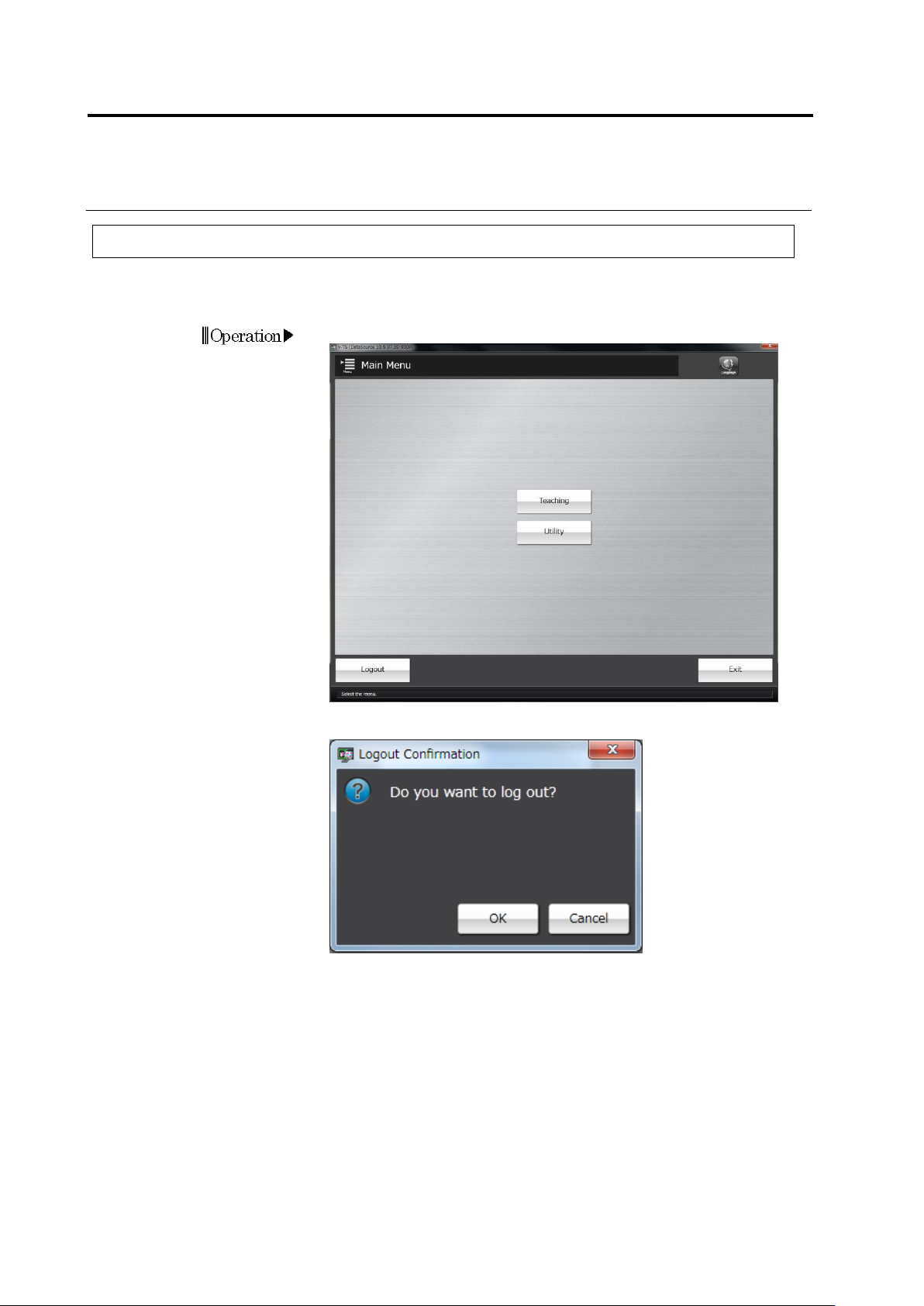
Click [Logout] on the main menu.
2.
The Confirmation message will be displayed.
・ Clicking [Cancel] will return the system to the main menu without
logging out.
Clicking [OK] will close the dialog and return to the main menu. Then
all the menus will not be able to be started. To continue to operate
the system, follow the login procedure.