Omron V-TS Teaching Manual.pdf.pdf - 第156页
2.13 Out putting Inspec tion Covera ge 2- 129 No CircuitID Componen Revision ComponrntTy Compo Window Individual Component FollowCo m AngleMeas u LowerLimit UpperLimit 1005R 5 ChipResis t er Component True True 0 7 1005R…
Chapter 2 Inspection Programming
2-128
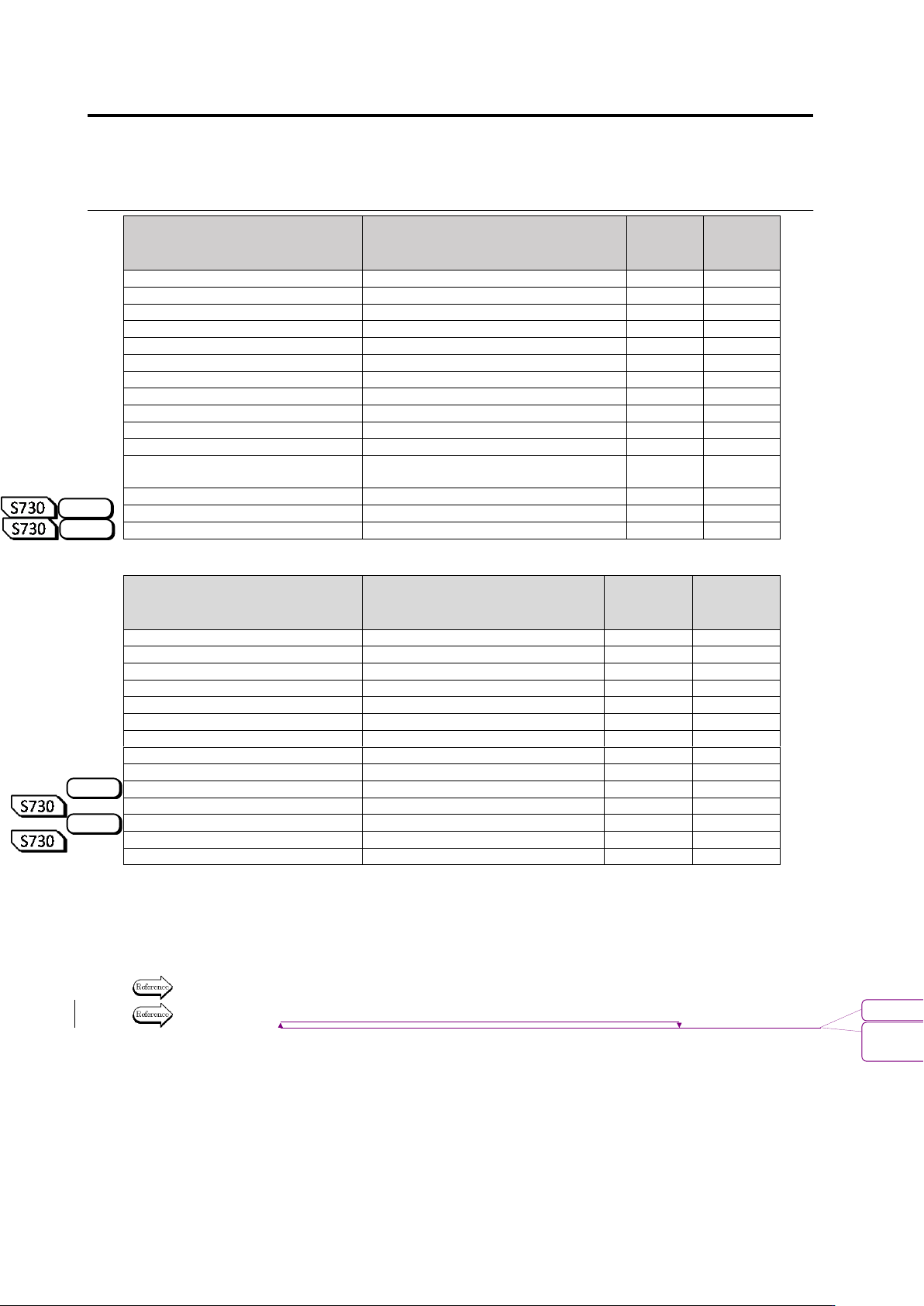
Item Name
Description
Setting
Item
ON/OFF
Criteria
Value
Output
FilletLength
Fillet Length
FilletJointLength
Fillet Joint Width
-
EndJointWidth
End Joint Width
FilletHeight
Fillet Height
-
SideJointLength
Side Joint Length
FilletHeight
Fillet Height
-
ExposedBasisMetal
Exposed Basis Metal
LandError
Land Error
-
Region1-5
Setting 1 to 5
FollowElectrode
Follow Electrode
-
DistanceDesignation
Specify Distance
LogicalOperationWithWettabilit
yInspection
Relieve Wettability Inspection
-
ForeignMaterialOnLand
Foreign Material (On Land)
ExposedBasisMetalOblique
Exposed Basis Metal (Oblique)
LandErrorOblique
Land Error (Oblique)
Inspection Region Window
Item Name
Description
Setting
Item
ON/OFF
Criteria
Value
Output
SolderBall
Solder Ball
-
SolderBallDiameter
Solder Ball Diameter
-
Rate
Rate
-
AreaRate
Rate of area
-
RegionLimit
Limitation of inspection region
SolderBridge
Solder Bridge
-
BridgeWidth
Bridge Width
-
ForeignMaterial
Foreign Material
-
LengthDiameterRatio
Length Diameter Ratio
-
Area
Area
-
SolderBallOblique
Solder Ball (Oblique)
-
SolderBallDiameter
Solder Ball Diameter
-
SolderBridgeOblique
Solder Bridge (Oblique)
-
BridgeWidth
Bridge Width
-
The logical expressions for the inspection result judgment is output to the DetailSetting item at
the tail end.
The detail of the expressions specified for each electrode group are output in the order shown in
the detailed setting screen.
Refer to the land window output items shown in the previous page for the output items description.
Refer to "2.15.4 Optimizing Boolean Expressions and Inspection Criterion Values" for logical
expressions for the inspection result judgement.
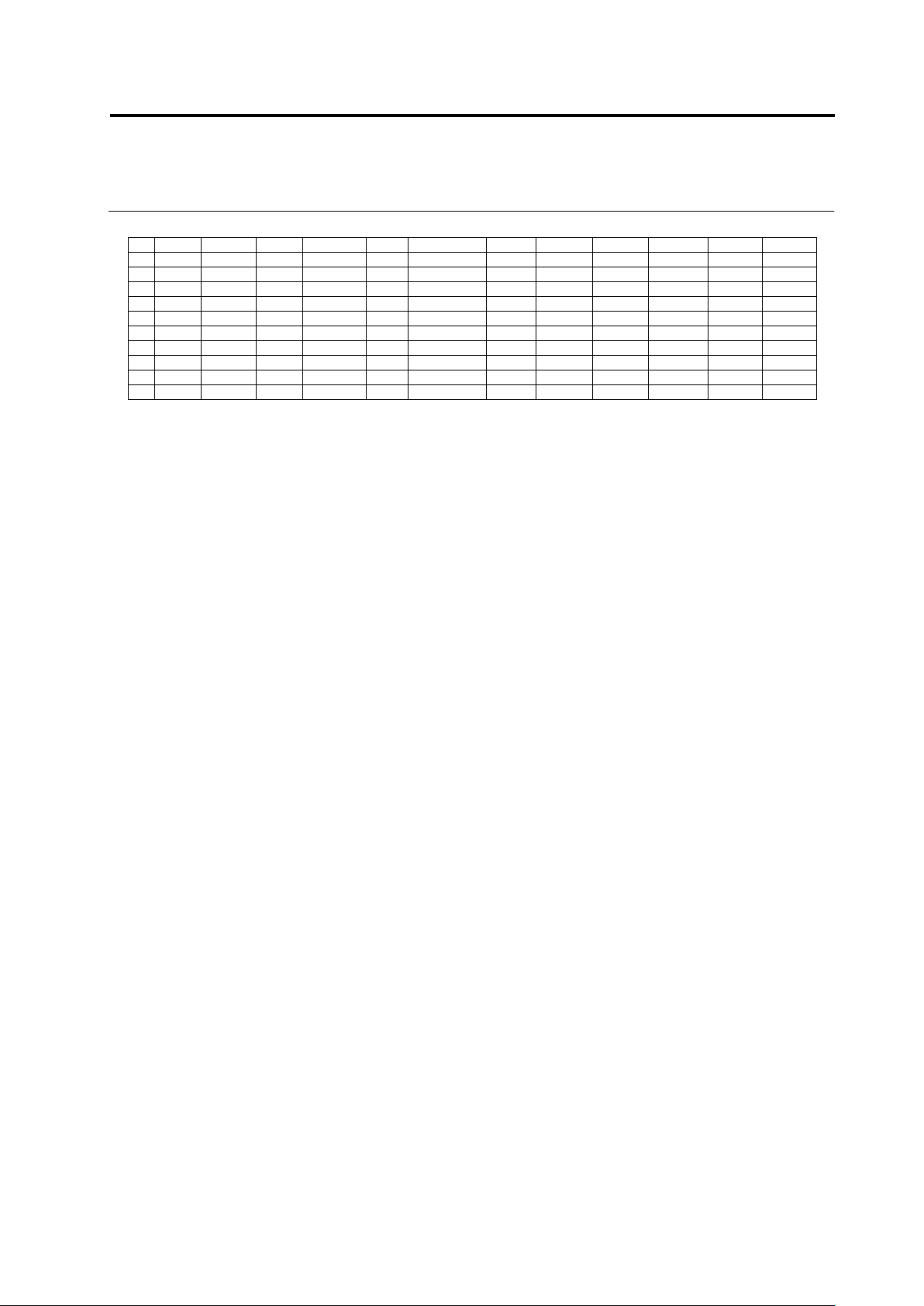
The following is an example of inspection coverage output.
S720A
S720A
S720A
S720A
書式変更: フォント : 9 pt
削除
: Optimizing Boolean Expressions and
Inspection Criterion Values
2.13 Outputting Inspection Coverage
2-129
No
CircuitID
Componen
Revision
ComponrntTy
Compo
Window
Individual
Component
FollowCom
AngleMeasu
LowerLimit
UpperLimit
1005R
5
ChipResister
Component
True
True
0
7
1005R
5
ChipResister
ChipTermination1
1005R
5
ChipResister
InspectionRange
0
7
62
C1-3-1
1005R
5
ChipResister
1
Component
False
True
True
62
C1-3-1
1005R
5
ChipResister
1
ChipTermination1
False
62
C1-3-1
1005R
5
ChipResister
1
Electrode1
False
62
C1-3-1
1005R
5
ChipResister
1
Land1
False
62
C1-3-1
1005R
5
ChipResister
1
Electrode2
False
62
C1-3-1
1005R
5
ChipResister
1
Land2
False
62
C1-3-1
1005R
5
ChipResister
1
InspectionRange
False
Chapter 2 Inspection Programming
2-130
2.14 Quitting Program Editing
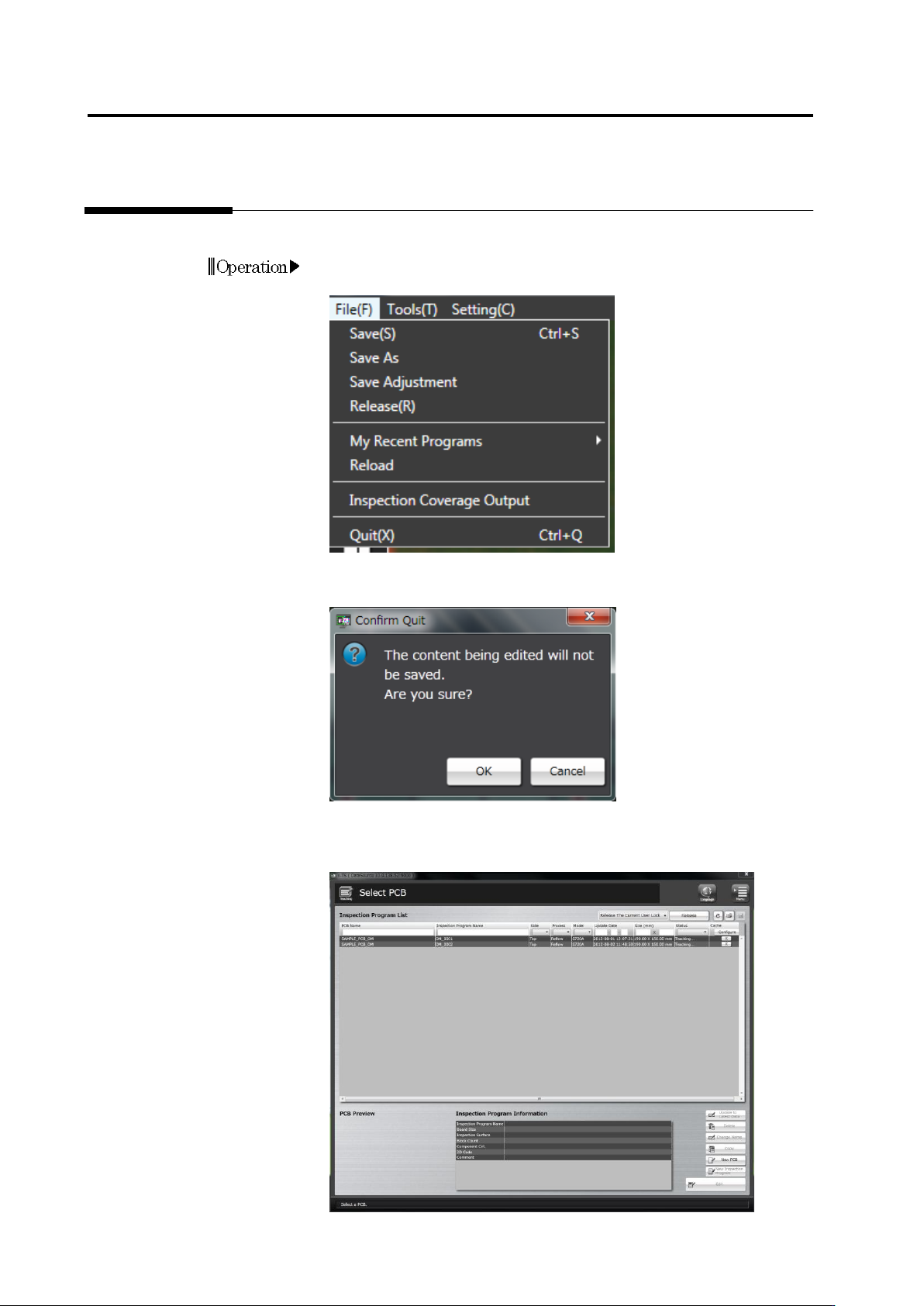
This section describes the procedure to quit Inspection Program Editing.
1.
Select [File] - [Quit] in the menu bar.
Or press [Q] while holding down the [Ctrl] key on the keyboard.
2.
The confirmation dialog appears.
Click [OK] to quit.
Click [Cancel] to return to the editing screen.
The Select PCB screen returns after exiting Inspection Program
Editing.
Operation