Omron V-TS Teaching Manual.pdf.pdf - 第69页
Chapter 2 Inspecti on Programm ing 2- 42 2. The file selection dialog a ppears. Specify the mount data file and click [Open]. Files with an y extension can be read because there is no lim itation of extension. 3. Select …
2.4 Registering for Inspection
2-41
2.4.2 Selecting Mount Data
Obtain the information such as the component coordinates, component number and circuit
number from the selected mount data.
Loading of mount data is not required for a new inspection program. Skip this procedure and
click [Next] to proceed to "2.4.4 Inspection Registration".
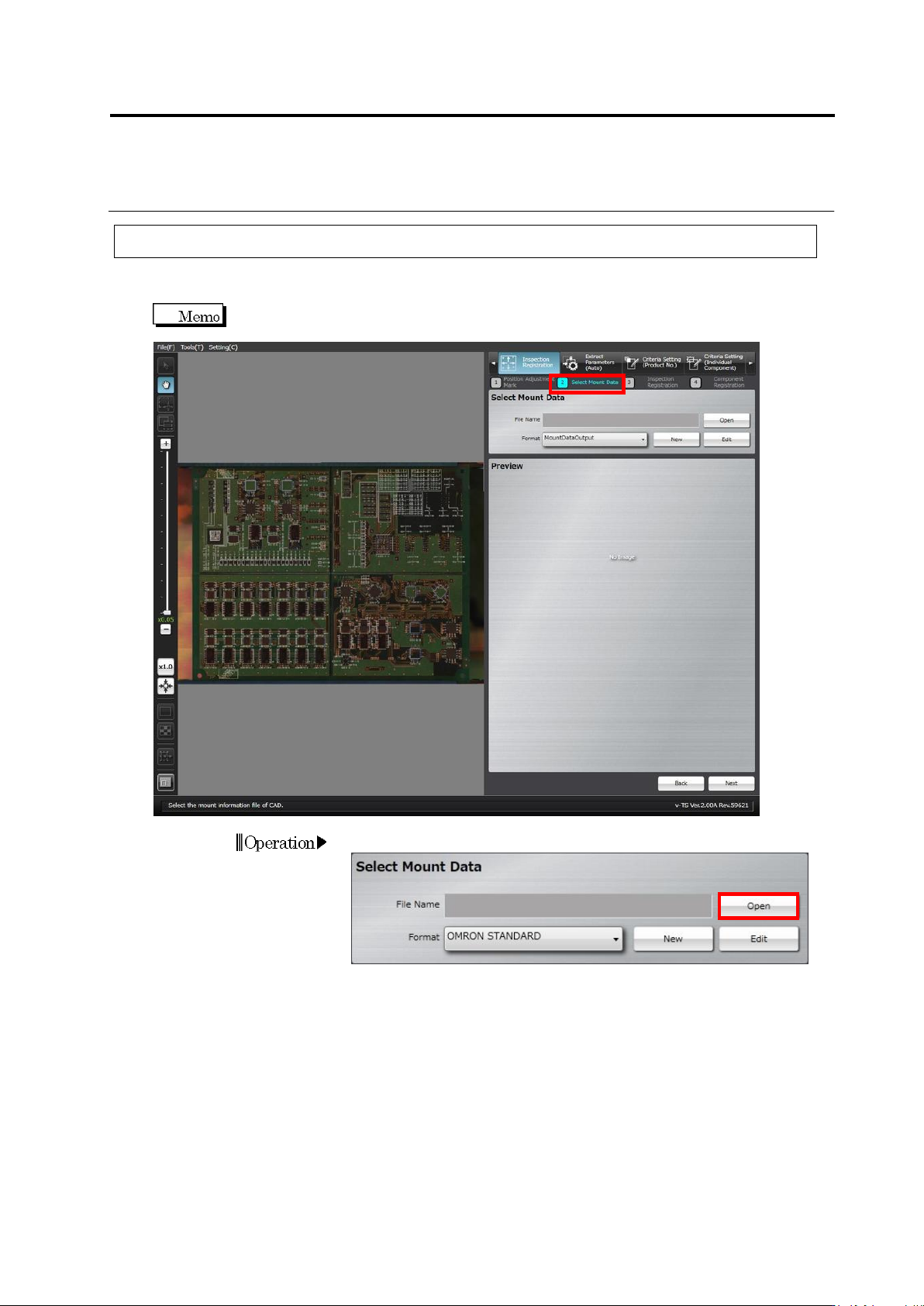
1.
Click [Open] in the Select Mount Data section.
Operation
Chapter 2 Inspection Programming
2-42
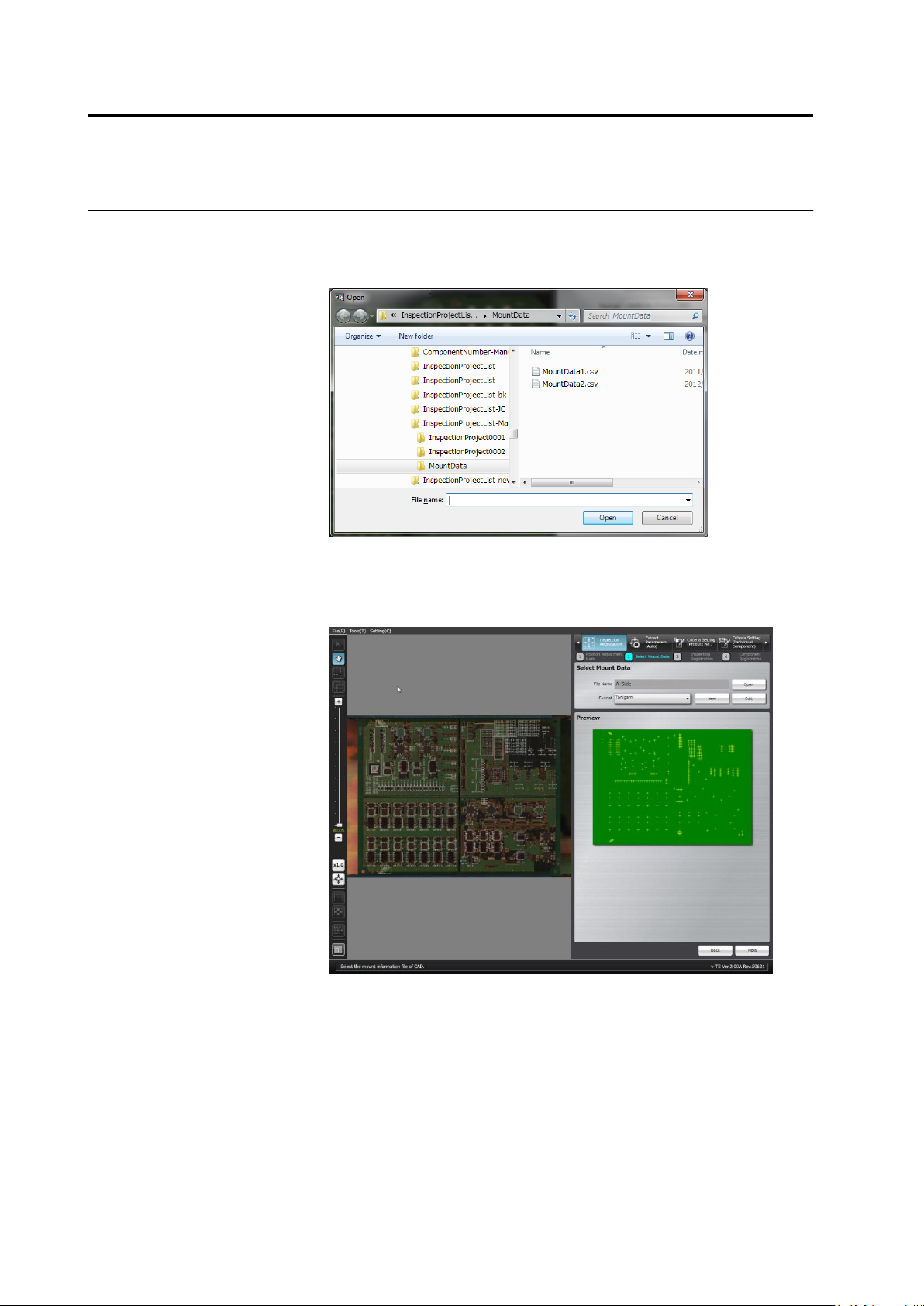
2.
The file selection dialog appears.
Specify the mount data file and click [Open].
Files with any extension can be read because there is no limitation
of extension.
3.
Select the format to display the data.
A map showing the positions of components is displayed in the
preview area when an appropriate format is selected for the mount
data.
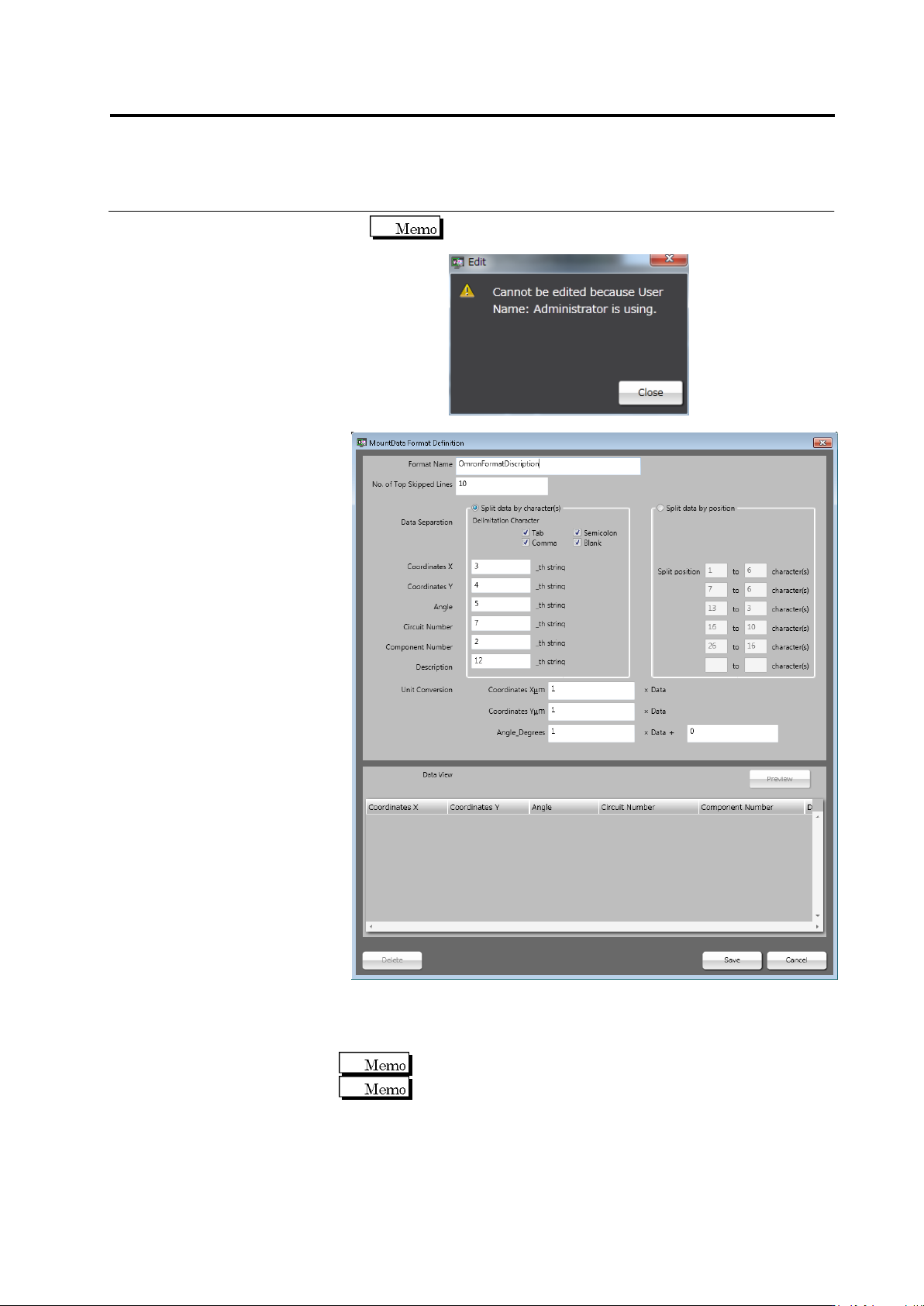
If no corresponding format is available, click [New] or [Edit] to create
the format.
2.4 Registering for Inspection
2-43
When other user is editing the format, the dialog below
appears indicating you cannot edit it.
■ Format Name
Enter the format name within 32 single-byte alphanumeric
characters/symbols.
Symbols that can be used: ! # $ % & ' ( ) - = ^
~
@` [ { ;+ } ] ,._␣
Both upper and lower case alphabet characters can be used.
However, they are not distinguished.
■ No. of Top Skipped Lines
Enter the number of lines counting from the top, which must be
skipped to avoid the loading of unnecessary information from the
mount data file.