Omron V-TS Teaching Manual.pdf.pdf - 第172页
2.15 M odifying an Inspection Pr ogram 2- 145 Measured values are ca lculated internall y, and the ones of wrong polarity (enclosed with red fram es) are displayed. Measured values of model 1 W rong polarity (0 ° ) 90 ° …
Chapter 2 Inspection Programming
2-144
The currently set inspection criteria values are displayed in a blue region.
OK shows the thumbnails where the visual check result is not entered (normal), and NG the
thumbnails where the visual check result has already been entered (actually faulty).
Measured values are displayed on the histogram only for the inspection items with which a
measured value is present.
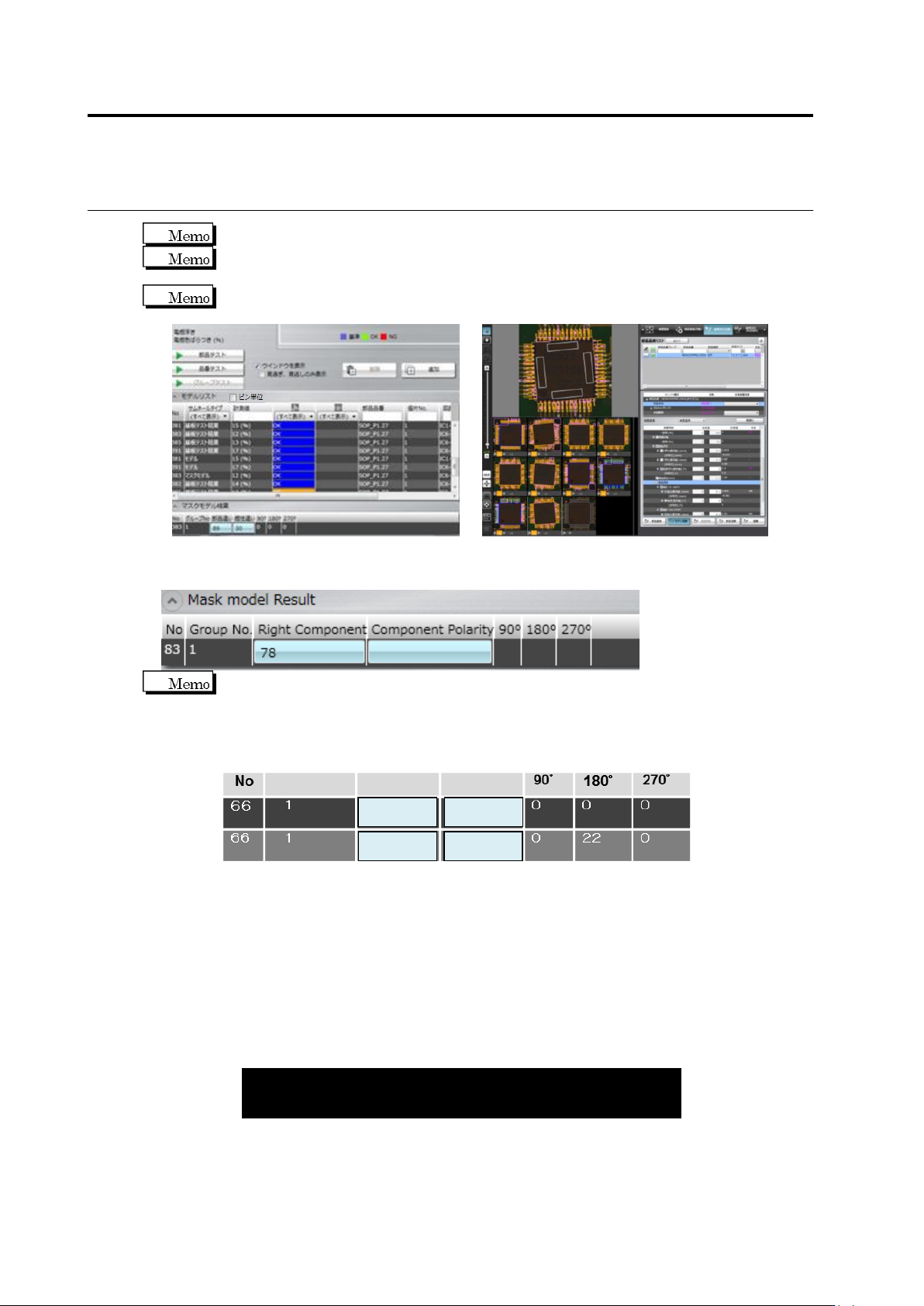
(12) Mask model result
List of the measured values per mask model is displayed.
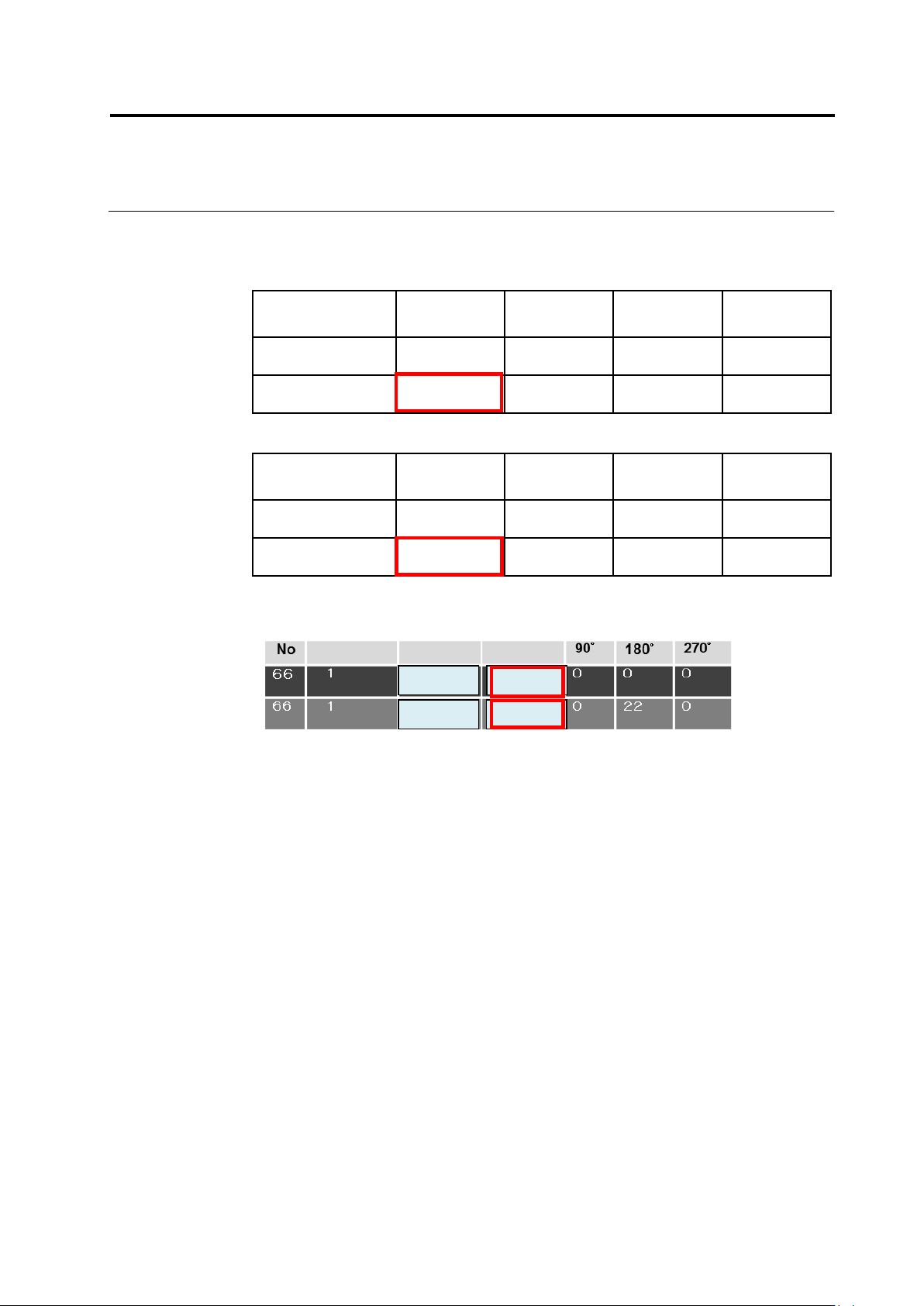
The relation of measured values of multiple models in polarity inspection is
explained as follows:
The measured value of wrong polarity means the measured value of zero degree,
displayed according to 1) the calculation formula of wrong polarity measured values
and 2) the matching rate of each revolved model.
(1) Calculation formula of wrong polarity measured value
Measured value of 0° = [Matching rate of 0°] - [Maximum matching rate of other
angles (90°,180°, or 270°)]
Measured values are also displayed for each revolved model of other angles (90°,
180°, or 270°).
(2) Matching rate of each revolved model
When measured values are calculated, matching rate (%) is processed internally.
Examples of each revolved model (0°, 90°, 180°, or 270°) are as follows:
Wrong polarity
(0°)
90°
180°
270°
Model 1
85
39
71
45
Model 2
60
62
84
50
85
84
14
0
Group No
Wrong Compo.
Wrong Polarity
(15)
(12)
(14)
(13)
2.15 Modifying an Inspection Program
2-145
Measured values are calculated internally, and the ones of wrong polarity (enclosed
with red frames) are displayed.
Measured values of model 1
Wrong
polarity (0°)
90°
180°
270°
Matching rate (ex.)
85
39
71
45
Measured value
85 – 71 = 14
39 – 85 = -46
71 – 85 = -14
45 – 85 = -40
Measured value of model 2
Wrong
polarity (0°)
90°
180°
270°
Matching rate (ex.)
60
62
84
50
Measured value
60 – 84 = -24
62 – 84 = -22
84 – 62 = 22
50 – 84 = -34
The measured values inside the red frames are displayed according to the
calculation result from the above internal processing.
Out of models 1 and 2, model 1 which has a larger measured value (14) is adopted.
As a result, model 1 is judged as OK if the measured value of 0° (14) is within the
range of the settings of the inspection criteria.
85
84
14
-24
Group No
Wrong Compo.
Wrong Polarity
Chapter 2 Inspection Programming
2-146
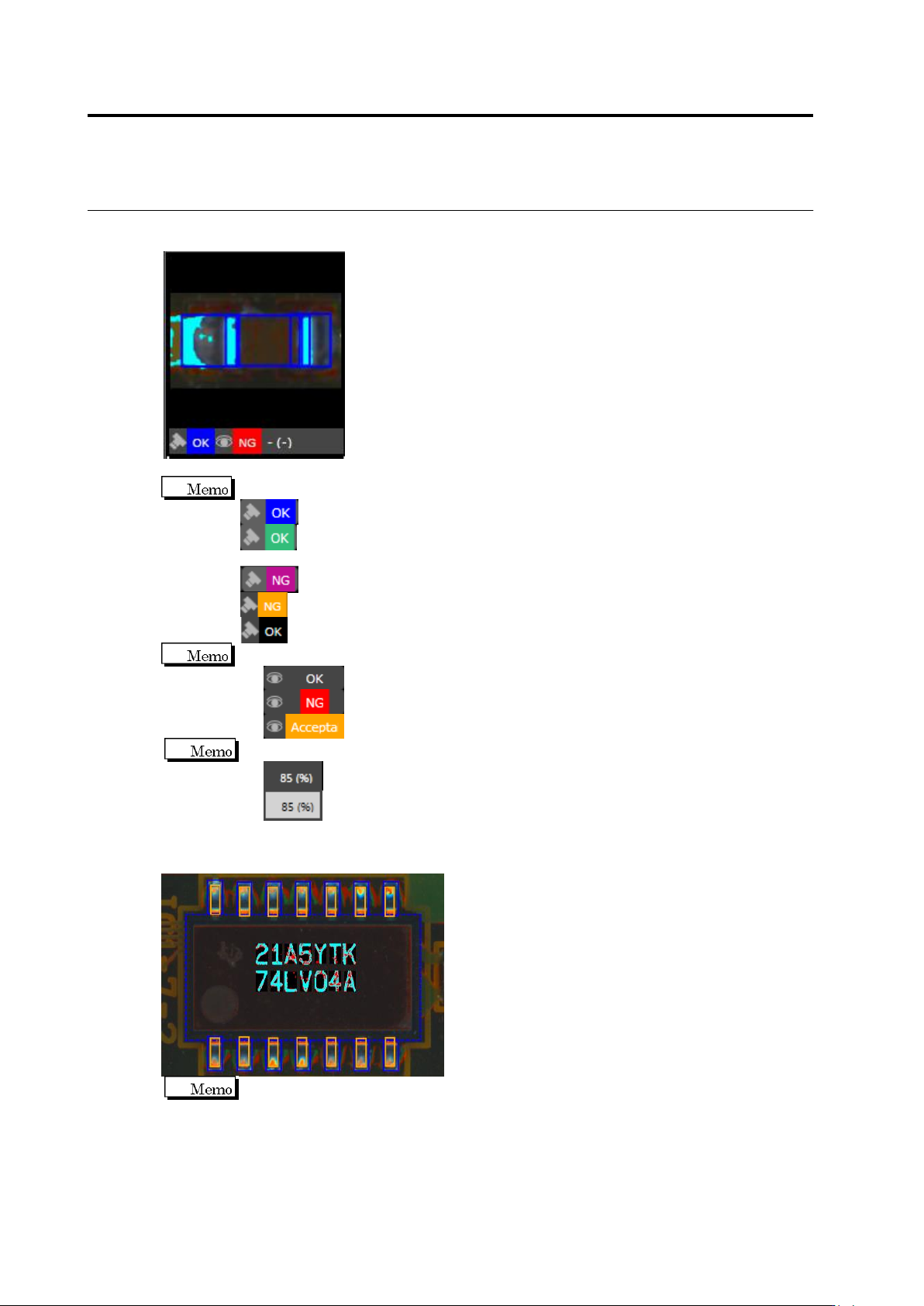
(13) Thumbnail
Test result and visual check result are displayed.
Displays the inspection result.
Blue: The inspection result is OK and the visual check result is OK.
Green: The inspection result is changed to OK because of the settting of the
logical expression and the visual check result is OK.
Purple: The inspection result is NG and the visual check results is NG.
Yellow: The inspection result is NG and the visual check result is OK.
Black: The inspection result is OK and the visual check result is NG.
Displays the visual check result.
Gray: The visual check result is "OK".
Red: The visual check result is "NG".
Orange: The visual check result is "Acceptable".
Displays the measured values.
White: Displayed if test target.
Black with gray background: Displayed if out of test target.
Displayed the component difference inspection result and the polarity difference inspection
result.
Displayed the color coded results of matching/mismatching between the mask model
and the inspected image in the component difference inspection and the polarity
difference inspection.
Pale blue: Binarized area is overlapping in the mask model and the inspected image
Black: Non-binarized area is overlapping in the mask model and the inspected image
Red: Binarized area is not overlapping in the mask model and the inspected image