Omron V-TS Teaching Manual.pdf.pdf - 第209页
Chapter 2 Insp ection Progr amming 2- 182 2.15.7 Changing the Co mponent No. Na me The component num ber na me can be changed. A f ter the component num ber has been ch anged, the lock cannot be unlock ed until the inspe…
2.15 Modifying an Inspection Program
2-181
9.
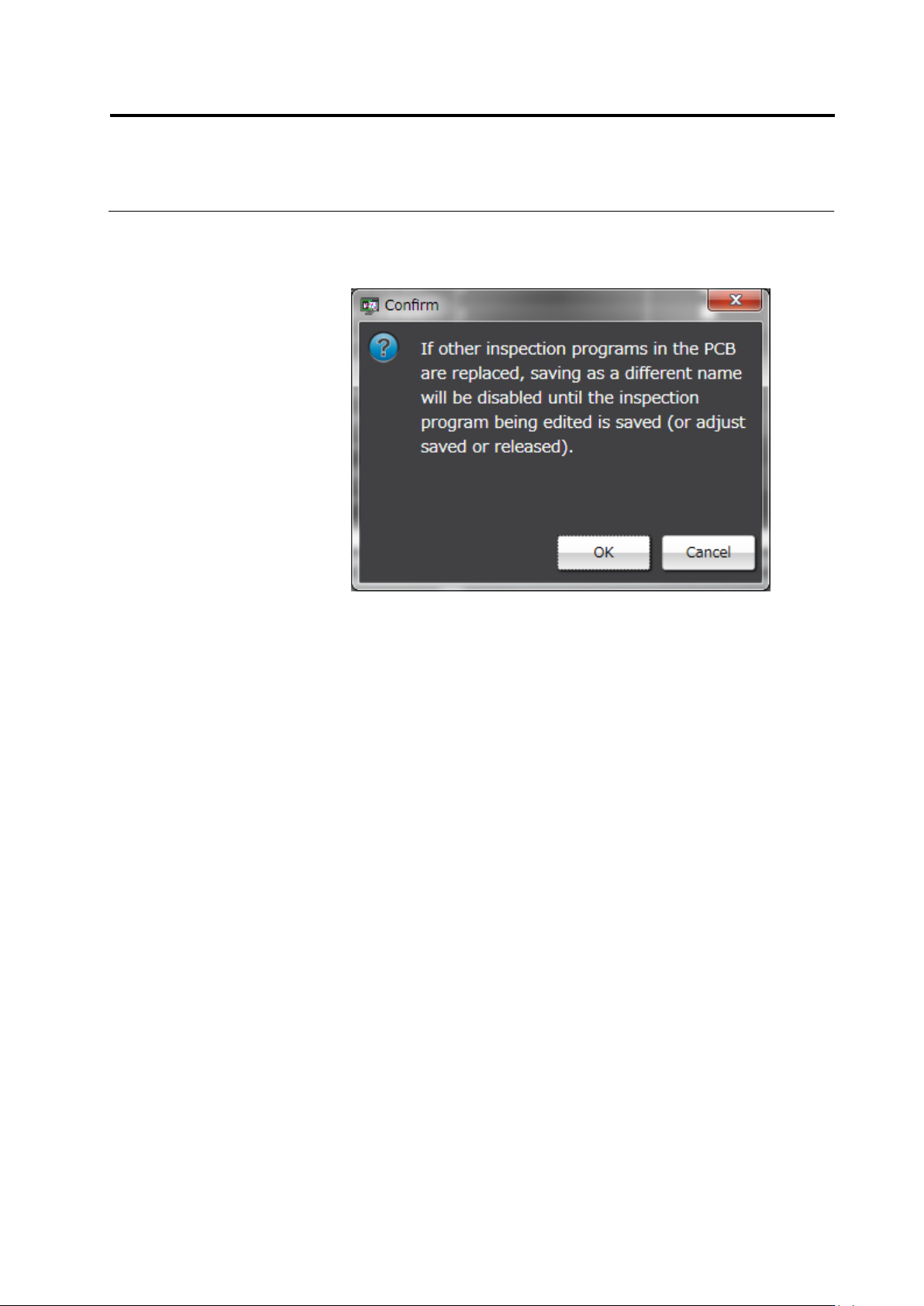
The confirmation dialog appears only when the check box [Replace
all other inspection programs in the PCB as well.] is selected. Click
[OK] if there is no problem.
10.
Select [Copy the selected circuit component number and replace it
as another component number.] radio button.
11.
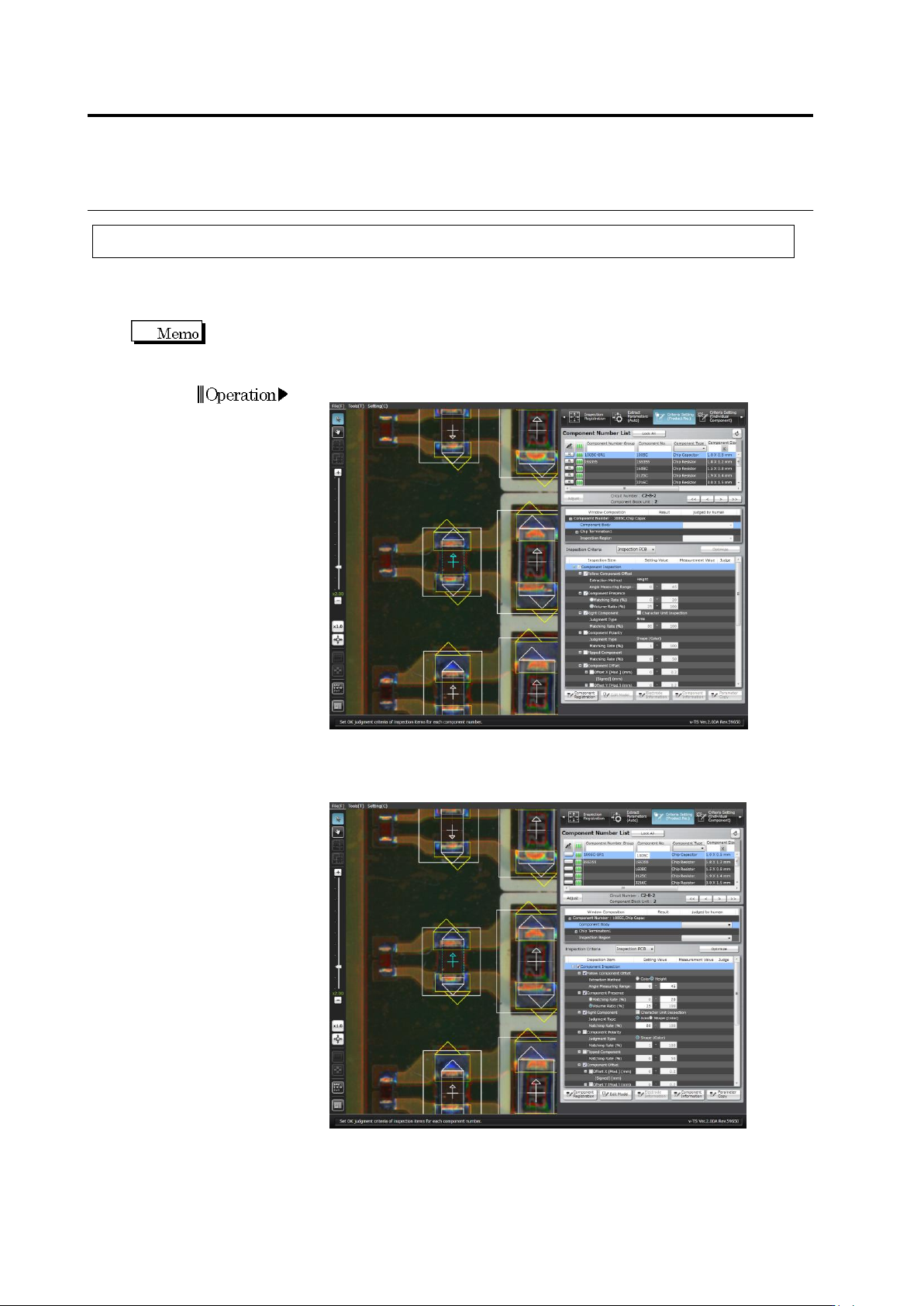
The component number list shows the component number as
original component number name + COPY.
12.
Change the component number name as you wish if necessary. If
the content has no problem, select a component number and click
[Copy and Replace].
Chapter 2 Inspection Programming
2-182
2.15.7 Changing the Component No. Name
The component number name can be changed.
After the component number has been changed, the lock cannot be unlocked until the
inspection program is saved.
1.
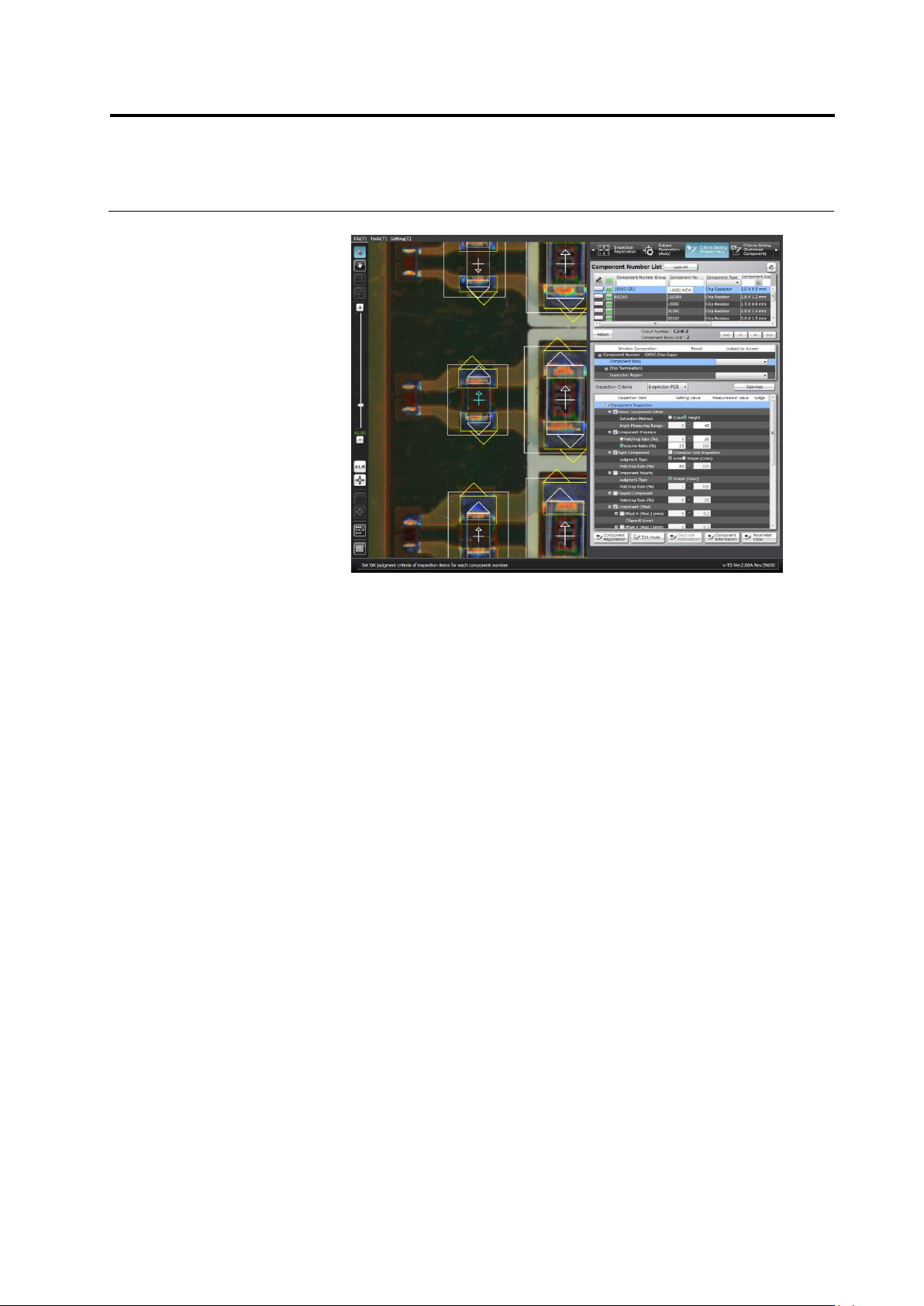
Select the [Criteria Setting (Product No.)] tab.
2.
Double click [Component No.] to which you want to change the
name.
2.15 Modifying an Inspection Program
2-183
3.
Change the name to the new one.