Omron V-TS Teaching Manual.pdf.pdf - 第183页
Chapter 2 Insp ection Progr amming 2- 156 Judgment Type: A rea (Color) Refer to <Color T able Editing T ools>. Judgment Type: S hape ( C olor) Edit Tool Model Image (Im age including component an d electrode) (1) M…
2.15 Modifying an Inspection Program
2-155
(3) Binarization Color
Select the color used for binarization from the options: Red / Green / Blue / Saturation.
(4) Reverse Color
If this checkbox is selected, the pixels of the color specified in (3) are extracted starting from
those with the higher brightness and saturation until the ratio specified in (2) is reached.
(5) Add Model Button
Clicking the button creates a mask model based on the image.
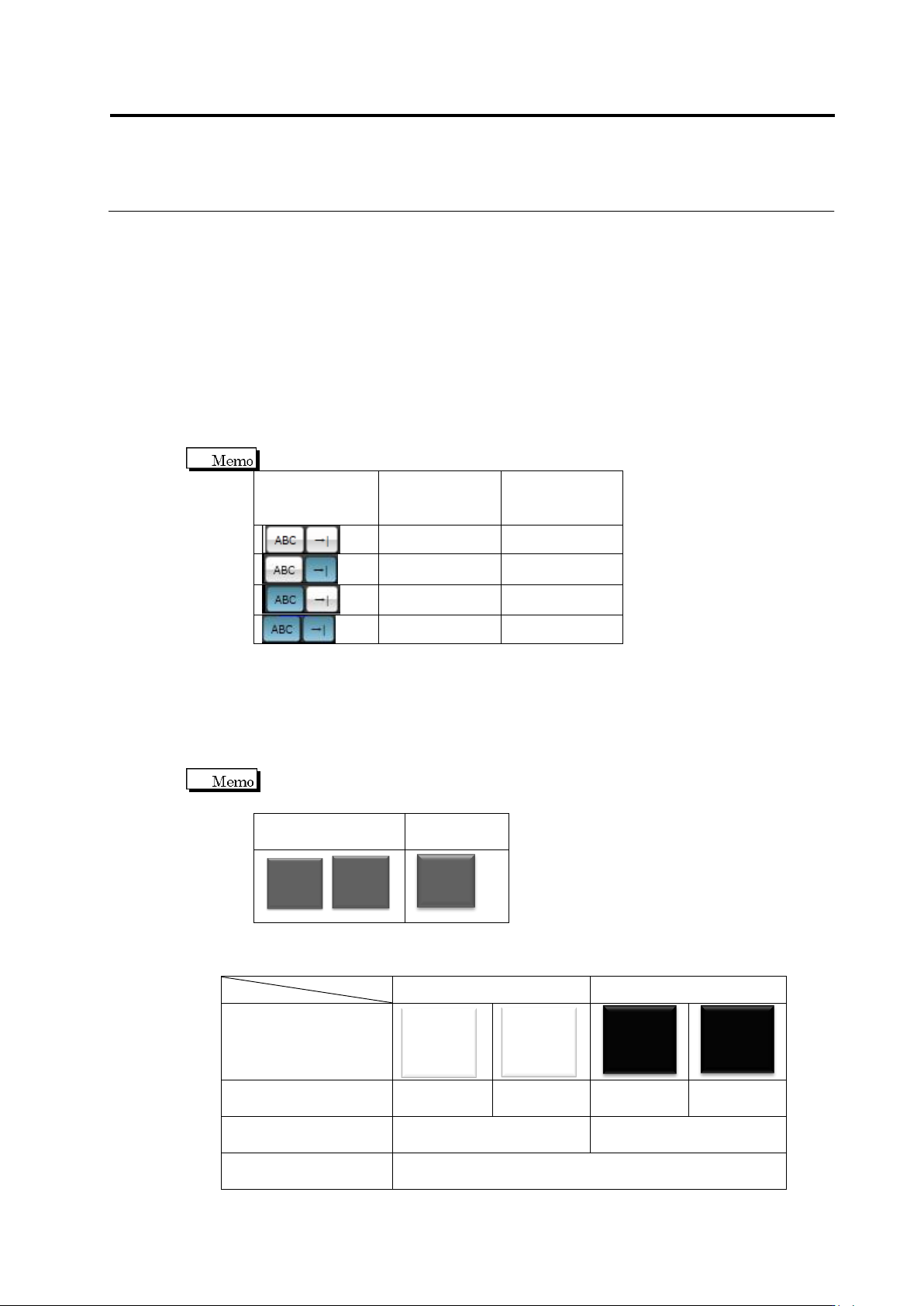
(6) Component Difference/Polarity Difference Inspection Switch
Setting the toggle button ON/OFF specifies the mask model to use for which inspection.
Button Status
Component
Difference
Inspection
Polarity
Difference
Inspection
Not to be used
Not to be used
Not to be used
To be used
To be used
Not to be used
To be used
To be used
(7) Model Set Selection Combo box
Select a model set to belong from the combo box. Specify non-defective items with the same
character/mark for one model set. The measured value closest to the non-defective item in
the set is used for non-defective/fault judgment. If more than one model set is being
specified, the value closest to the fault item between the sets is used for non-defective/fault
judgment.
Shown below is an example. Non-defective/fault item images shown below are
assumed.
Non-Defective
Image
Fault Image
A
B
A
B
1
B
Judgment results upon fault component image inspection when a good component
image is registered as a mask model.
Model Set 1
Model Set 2
Mask Model
A
A
B
B
Judgment result for
each model
NG
NG
OK
NG
Judgment result for
each set
NG
OK
Component Judgment
Result
NG
Chapter 2 Inspection Programming
2-156
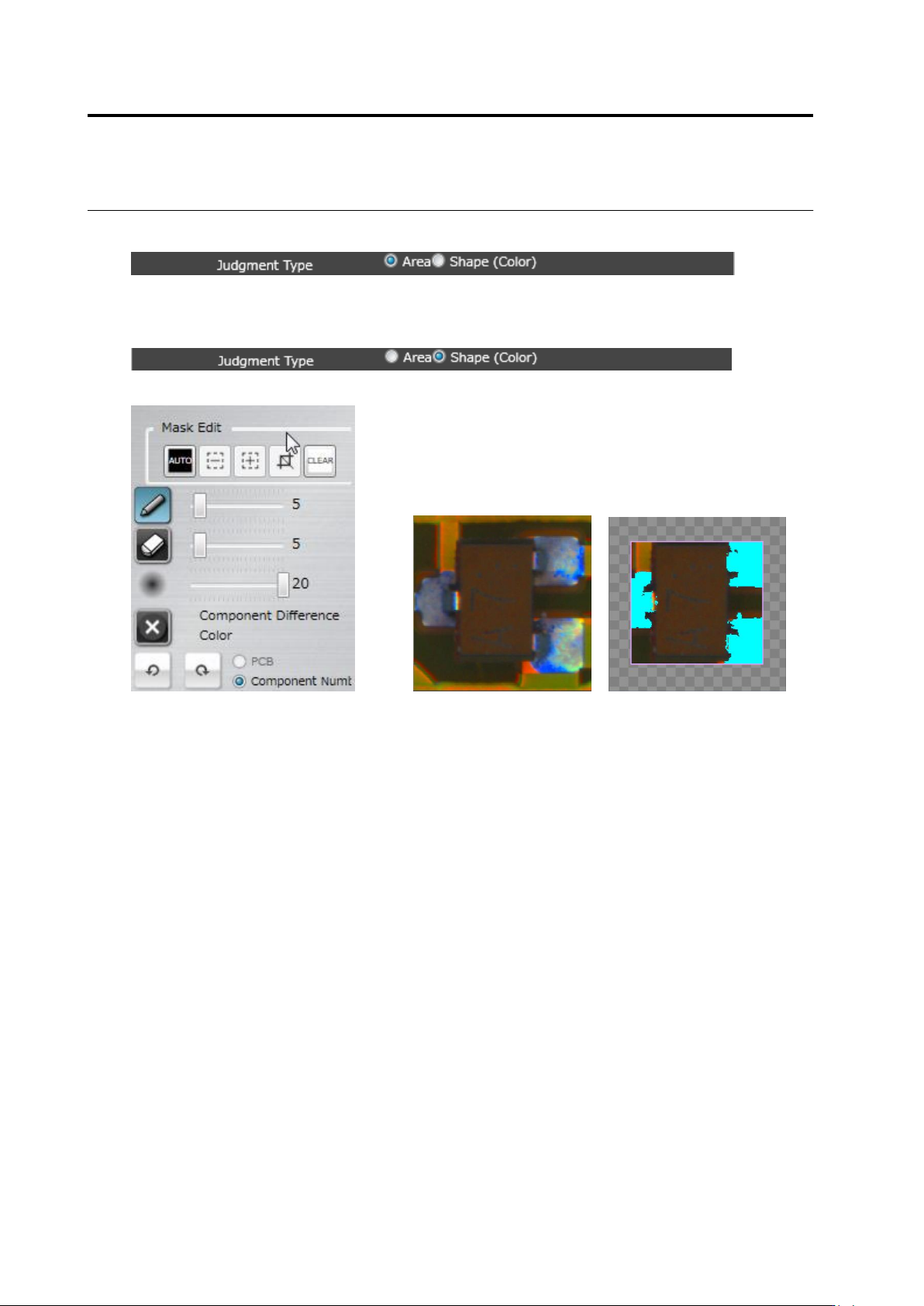
Judgment Type: Area (Color)
Refer to <Color Table Editing Tools>.
Judgment Type: Shape (Color)
Edit Tool Model Image (Image including component and electrode)
(1) Mask Area
Specify an area to exclude from a model image. Judgment Type: Same operation as in
Judgment Type: Shape (Brightness), (1).
(2) - (8) Set a color to extract character pattern. Same operation as in <Color Table Edit Tools>.
(1)
(2)
(3)
(4)
(5)
(6)
(8)
(7)
2.15 Modifying an Inspection Program
2-157
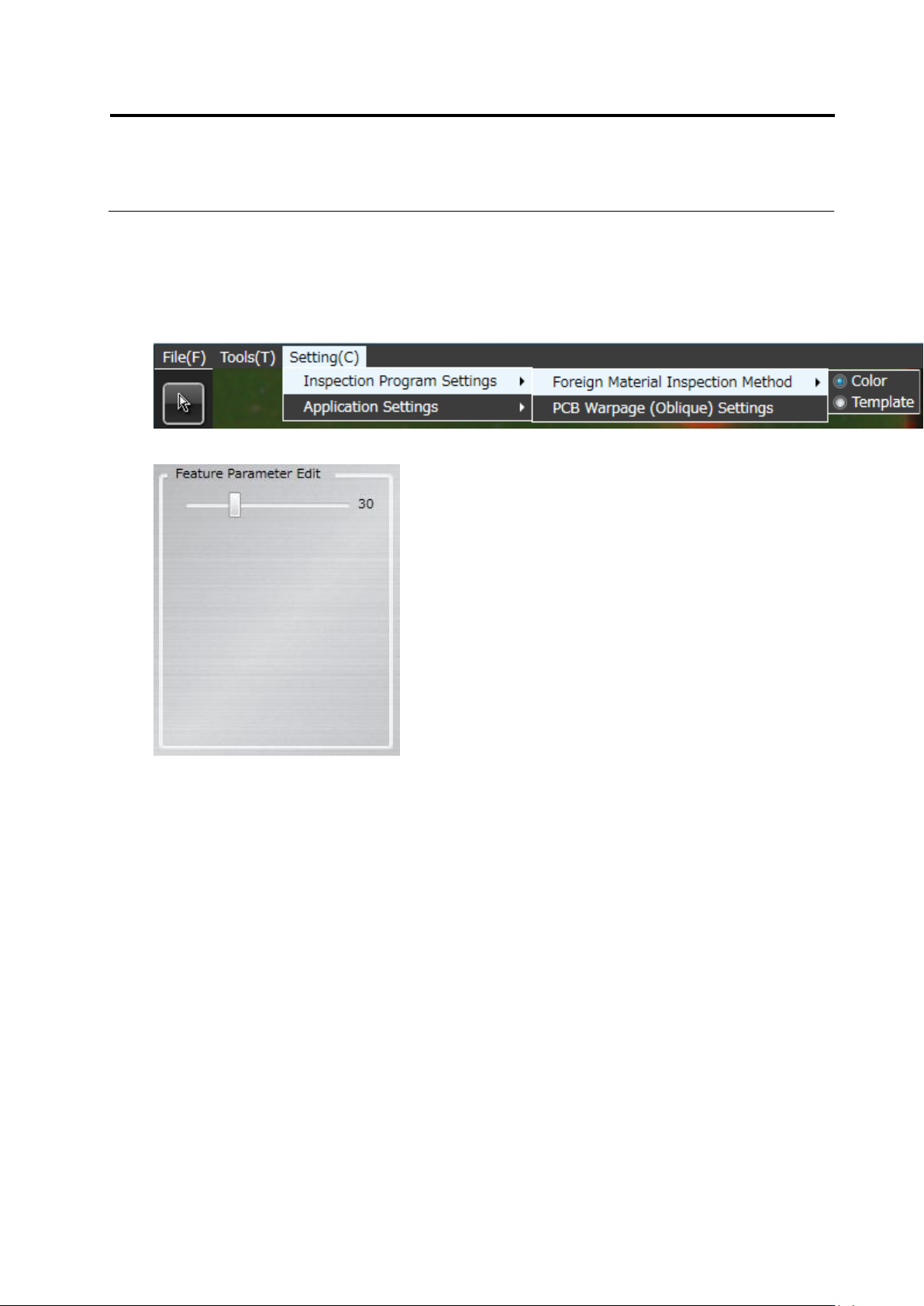
<Foreign Object Editing Tool>
The foreign object inspection editing tool is displayed when the template is selected and the
foreign object inspection is selected on foreign object inspection method.
* When the color is selected on the foreign object inspection method, the operation is the same
as <Color Table Editing Tools>.
Editing tool
(1) Acceptable variation
Sets the acceptable variation in the range of 1 to 99. The default value is 30.
(1)